
Blockify is a free, lightweight Windows application developed by TriBe designed to enhance the Spotify listening experience by providing a solution for users who want to avoid advertisements without subscribing to a premium account. This utility focuses on seamlessly mitigating the disruption caused by ads, offering a simple and effective method for a more uninterrupted music listening experience. While not a complete ad blocker in the sense that it doesn’t prevent ads from appearing, Blockify effectively silences them, allowing users to continue enjoying their music without interruption.
How Blockify Works: Silencing the Noise
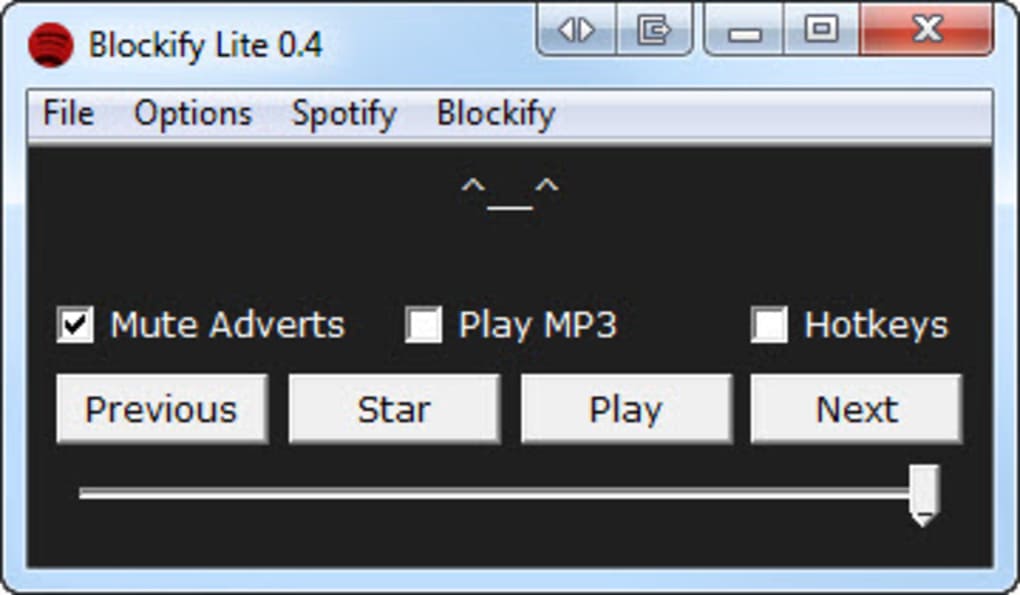
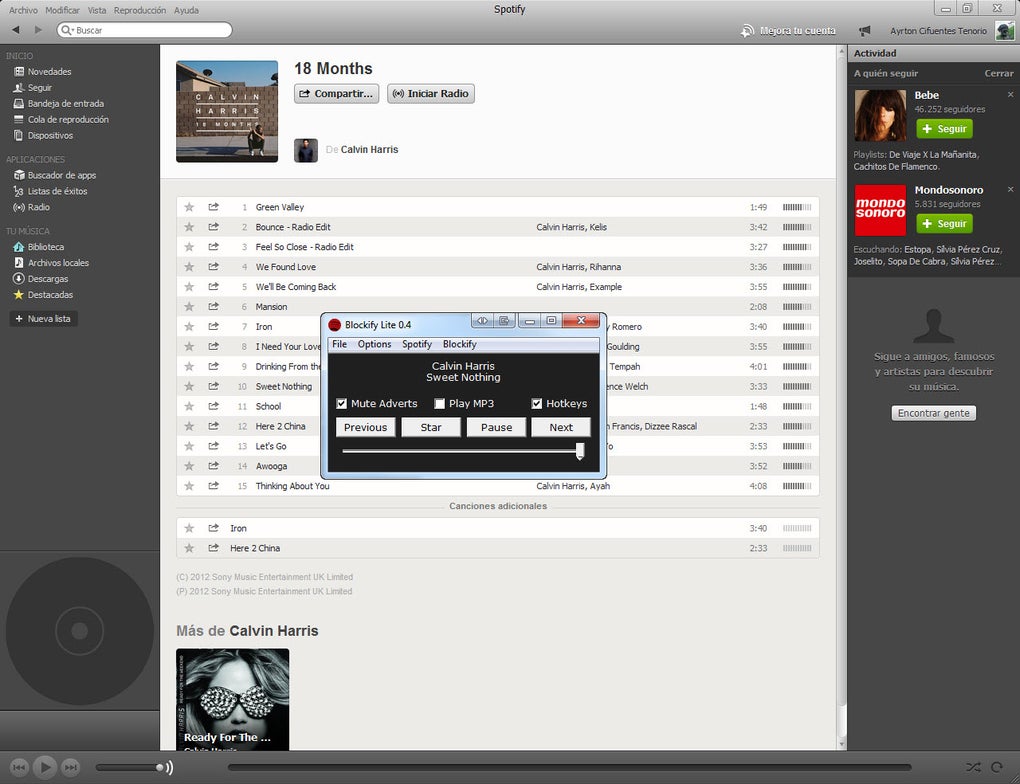
The core functionality of Blockify revolves around intelligent ad detection and automated volume control. When Blockify detects a Spotify advertisement, it automatically mutes the audio output. Once the advertisement concludes, Blockify seamlessly restores the volume to its previous level, ensuring a smooth transition back to your music. This process is entirely automated, eliminating the need for manual intervention and providing a consistently uninterrupted listening experience.
Beyond simply muting ads, Blockify offers a unique feature: the ability to play locally stored MP3 files during advertisement breaks. Users can specify a folder containing their MP3 music collection, and when an advertisement is detected, Blockify will mute the Spotify audio and begin playing an MP3 track from the designated folder. Once the selected MP3 file finishes playing, Blockify will automatically resume playback of the Spotify track, creating a seamless transition between user-selected music and the Spotify playlist. This feature transforms advertisement breaks into opportunities to discover new music from your own collection, creating a personalized and engaging listening experience.
Enhancing User Control and Convenience
Blockify goes beyond simple ad management, offering additional features designed to improve the overall user experience and streamline music control. The application allows users to configure custom keyboard shortcuts for common Spotify controls such as play, pause, next track, and previous track. While the available commands are pre-determined, the ability to assign custom keyboard shortcuts significantly improves convenience, especially for users who frequently interact with Spotify while engaged in other activities. This feature allows for seamless control without needing to manually switch focus to the Spotify application, improving workflow and multitasking efficiency.
Furthermore, Blockify integrates directly with the Spotify application. Launching Blockify automatically launches Spotify, and closing Blockify will close Spotify, creating a streamlined workflow where both applications are tightly coupled. This integration simplifies the process of managing both applications, making the entire music-listening experience more efficient. Additionally, Blockify includes a built-in lyric finder, enabling users to view song lyrics directly within the Blockify interface without needing to navigate to an external lyrics website or application. This additional convenience improves the overall user experience by providing a central location for managing music playback and access to song lyrics.
Ease of Use and System Requirements
One of Blockify’s greatest strengths is its simplicity. The application requires no installation; users simply download the zip file, extract the contents, and run the executable file. Blockify automatically detects the Spotify application installed on the user’s system, eliminating the need for manual configuration. However, it’s essential to note that Blockify requires the Microsoft .NET Framework to function correctly. This framework is freely available and widely used, but users must ensure it is installed on their system before attempting to run Blockify.
Blockify: A Cost-Effective Alternative to Premium Subscriptions
For users who appreciate the extensive music library and features of Spotify but are unwilling or unable to subscribe to a premium plan, Blockify presents a compelling alternative. While it does not completely block advertisements from appearing, it effectively neutralizes their disruptive impact, offering a significantly improved listening experience without the recurring cost of a premium subscription. The combination of automated ad muting, the ability to play local MP3 files, user-definable keyboard shortcuts, and seamless Spotify integration makes Blockify a valuable tool for anyone seeking to optimize their Spotify experience.
Evaluating Blockify: Weighing the Pros and Cons
Blockify offers several compelling advantages:
Pros:
- Automated Ad Detection and Muting: Automatically detects and mutes Spotify advertisements without user intervention.
- Local MP3 Playback During Ads: Allows users to play their own MP3 music during advertisement breaks.
- Customizable Keyboard Shortcuts: Enables users to assign hotkeys for common Spotify controls.
- Seamless Spotify Integration: Automatically launches and closes Spotify with Blockify.
- Built-in Lyric Finder: Provides easy access to song lyrics within the application.
- Lightweight and Portable: No installation required; runs directly from the extracted files.
- Free to Use: Provides significant functionality without any cost.
Cons:
- Compatibility Issues: May not function correctly with the latest versions of Spotify. Regular updates are crucial for maintaining compatibility.
- .NET Framework Dependency: Requires the Microsoft .NET Framework to be installed on the system.
- Limited Customization: While it allows for keyboard shortcuts, customization options are limited compared to more comprehensive ad blockers.
- Occasional Crashes: User reviews mention occasional crashes or duplicated instances, requiring application restarts.
User Feedback and Reviews: A Mixed Bag
User reviews for Blockify reveal a mixed bag of experiences. While many users praise its effectiveness in mitigating the annoyance of Spotify ads and appreciate its ease of use and additional features like keyboard shortcuts, others report instances of instability and incompatibility with newer Spotify versions. These conflicting reviews highlight the importance of considering both the advantages and limitations before deciding whether Blockify is the right choice. The need for occasional updates to maintain compatibility with newer Spotify versions is crucial, emphasizing the dynamic nature of software compatibility in the ever-evolving digital landscape. The lightweight nature and ease of use, however, make it a readily accessible option for users looking to experiment with an ad-mitigating solution.
Conclusion: A Useful Tool with Caveats
Blockify presents a functional and user-friendly solution for those seeking a free alternative to Spotify’s premium ad-free experience. Its strengths lie in its simplicity, its efficient ad-muting capabilities, and its integration with local MP3 playback. The additional convenience of keyboard shortcuts and lyric finder contribute to an improved listening experience. However, users should be aware of potential compatibility issues with newer Spotify versions and the occasional instability reported in user reviews. Regularly checking for updates and ensuring the .NET Framework is installed are crucial for a smooth and consistent user experience. Overall, Blockify provides a practical, if not perfect, solution for enhancing the free Spotify experience. Its effectiveness will ultimately depend on the user’s specific needs and their willingness to manage any potential compatibility or stability issues.
File Information
- License: “Free”
- Latest update: “May 23, 2023”
- Platform: “Windows”
- OS: “Windows XP”
- Language: “English”
- Downloads: “26.3K”
- Size: “3.06 MB”


