
The Bluetooth Audio Receiver, developed by Mark Smirnov, offers a convenient and versatile solution for enhancing your audio experience on Windows PCs. This software application bridges the gap between Bluetooth-enabled devices (like smartphones, tablets, and laptops) and your computer’s audio output, enabling seamless wireless audio streaming. This guide provides a detailed exploration of its features, functionality, and benefits, addressing common questions and offering insights for optimal use.
Understanding the Functionality of a Bluetooth Audio Receiver
At its core, the Bluetooth Audio Receiver application acts as a wireless bridge, connecting your Bluetooth-enabled audio source (like a smartphone) to your computer’s audio system. This allows you to stream audio content – music, podcasts, audiobooks, and more – wirelessly to your PC’s speakers or headphones. Gone are the days of tangled wires and limited listening locations. The convenience extends beyond mere playback; many Bluetooth audio receivers, including Mark Smirnov’s application, also facilitate making and receiving calls directly through your computer, effectively turning your PC into a hands-free communication device. This functionality is particularly advantageous for individuals who use their computers in various locations within their home or office, eliminating the need to constantly switch audio devices.
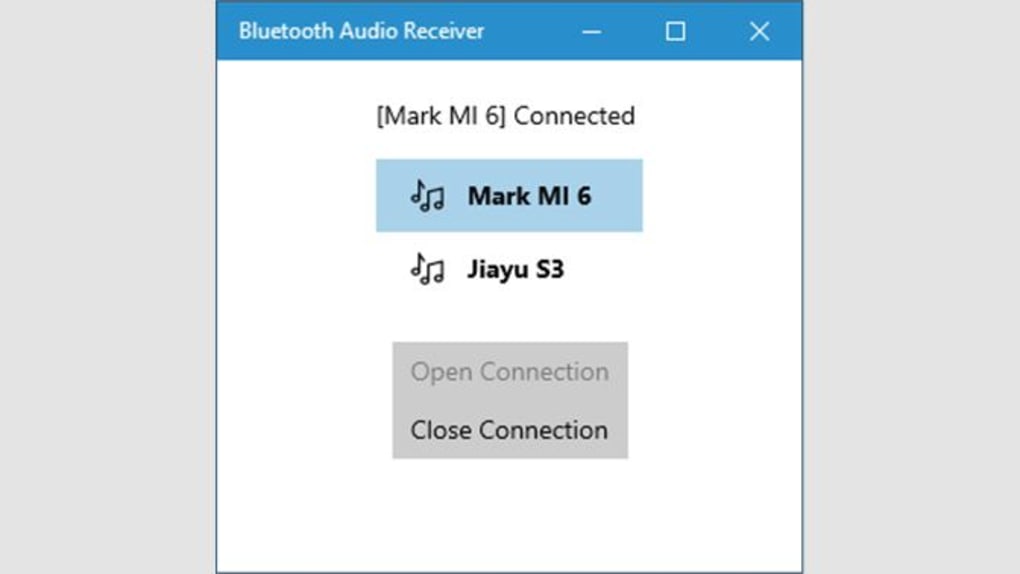
The application’s ease of use is a significant advantage. Once installed and paired with your Bluetooth device, the user interface provides straightforward control over playback. This simplicity, combined with the overall convenience, makes the Bluetooth Audio Receiver an appealing option for users of all technical skill levels. The absence of complicated configurations or advanced settings allows for a straightforward user experience.
The receiver’s functionality isn’t solely limited to audio streaming and calling. Its digital output capabilities allow for high-fidelity audio transmission, resulting in a superior listening experience compared to some traditional Bluetooth solutions. This high-quality audio transmission makes it suitable for users who value clear and crisp sound reproduction.
System Requirements and Installation
The Bluetooth Audio Receiver application is designed for compatibility with Windows operating systems. While specific version requirements might vary slightly, generally, it supports Windows 10 and later versions. Before installation, it’s advisable to ensure your computer’s Bluetooth adapter is functioning correctly. Most modern Windows PCs include built-in Bluetooth functionality, but if your computer lacks a Bluetooth adapter, a compatible USB Bluetooth dongle needs to be purchased and installed. The May 2020 Windows update introduced integrated Bluetooth support for many systems, simplifying the process for users.
The installation process itself is relatively simple. The application can be downloaded from the Microsoft Store, a process that typically involves a few simple clicks. Once downloaded, the installation guide usually follows standard software installation procedures, making the setup straightforward even for less tech-savvy users. Post-installation, pairing your Bluetooth audio source is equally easy. The application guides users through the pairing process, which commonly involves activating Bluetooth on both your computer and your audio source device, locating each other within the available devices list, and confirming the connection.
Sound Quality and Codec Support
A key consideration for any audio solution is sound quality. The effectiveness of the Bluetooth Audio Receiver greatly hinges on the quality of the Bluetooth codec employed. High-end Bluetooth audio receivers often support codecs like aptX, aptX HD, and LDAC, which offer superior audio fidelity compared to standard SBC (Subband Coding) codecs. These advanced codecs allow for the transmission of higher-resolution audio, resulting in a richer and more detailed sound experience.
While Mark Smirnov’s Bluetooth Audio Receiver application doesn’t explicitly specify the exact codec used, the positive user reviews suggest that it delivers a satisfactory sound quality, often described as comparable to wired connections. However, it’s essential to note that the overall sound quality is also influenced by factors beyond the application itself. These include the quality of your speakers or headphones, the audio source material, and any potential interference within your wireless environment.
Comparing Bluetooth Audio Receivers
Numerous Bluetooth audio receiver options are available in the market, ranging from simple, inexpensive devices to sophisticated, feature-rich models. When making a purchase decision, factors beyond just price need to be considered. Here’s a brief overview of some aspects to consider when comparing different receivers:
-
Codec Support: As mentioned, superior codecs like aptX or aptX HD significantly impact audio quality. Prioritize receivers supporting these codecs for enhanced audio fidelity.
-
Range and Stability: A reliable wireless connection is crucial. Look for receivers with a wide operational range and robust signal stability to prevent dropouts or interruptions.
-
Battery Life: For portable receivers, battery life is a key consideration. Check the advertised battery life to ensure it aligns with your usage patterns.
-
Additional Features: Some Bluetooth audio receivers include additional features like multi-point pairing (connecting multiple devices simultaneously), call handling controls, or advanced equalization options.
-
Compatibility: Ensure compatibility with your operating system and Bluetooth devices before purchasing. Check the manufacturer’s specifications to avoid compatibility issues.
Choosing a Bluetooth audio receiver involves balancing desired features with budget. While higher-end receivers often boast superior audio quality and extra features, more basic options might adequately fulfill the needs of users with simpler audio requirements.
Troubleshooting and Potential Issues
Despite its user-friendly design, occasional issues can occur with any software or hardware. Below are some common troubleshooting steps and potential issues you may encounter when using a Bluetooth Audio Receiver:
- Connection Problems: If experiencing connectivity issues, ensure both your computer and Bluetooth device have Bluetooth activated. Restart both devices, check for any obstructions that may interfere with the wireless signal, and verify that no other devices are competing for the same Bluetooth channel.
-
Sound Quality Issues: Poor sound quality can stem from multiple sources. Check your audio settings on both your computer and Bluetooth device, make sure you’re using a high-quality codec if available, and test with different audio sources to isolate the problem.
-
Software Glitches: If encountering software-related problems, try restarting the Bluetooth Audio Receiver application or your computer. If the problem persists, consult the application’s support documentation or contact the developer for assistance.
-
Driver Issues: Sometimes, outdated or corrupted Bluetooth drivers can lead to malfunctions. Update your Bluetooth drivers to the latest versions available from your computer manufacturer’s website.
By systematically addressing these potential issues, most problems can be effectively resolved. Remember that consulting the application’s help documentation or online support forums can also provide valuable solutions.
In conclusion, the Bluetooth Audio Receiver application by Mark Smirnov provides a convenient and efficient means to integrate wireless audio capabilities into your Windows PC. Its ease of use, coupled with its potential for high-quality audio streaming and hands-free calling, makes it a strong contender in the world of Bluetooth audio solutions. By carefully considering your specific needs and expectations, you can determine if this application perfectly complements your audio setup.
File Information
- License: “Free”
- Version: “1.1.5.0”
- Latest update: “February 1, 2023”
- Platform: “Windows”
- OS: “Windows 10”
- Language: “English”
- Downloads: “42.6K”


