
BookReader, developed by Alex Drel, is a free, built-in e-book reader specifically designed for Windows 8 devices. While no longer actively supported and thus limited to older operating systems, its functionality provides a glimpse into the design principles of early e-reading software. This review explores its features, strengths, and limitations, offering a retrospective look at a significant, albeit now outdated, piece of software.
A Multi-Column Approach to Digital Reading
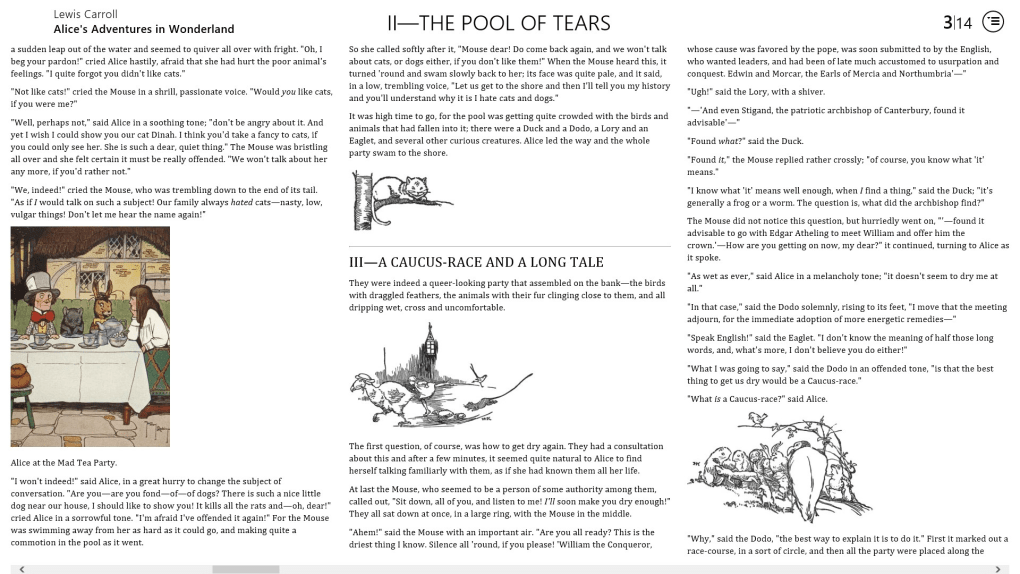
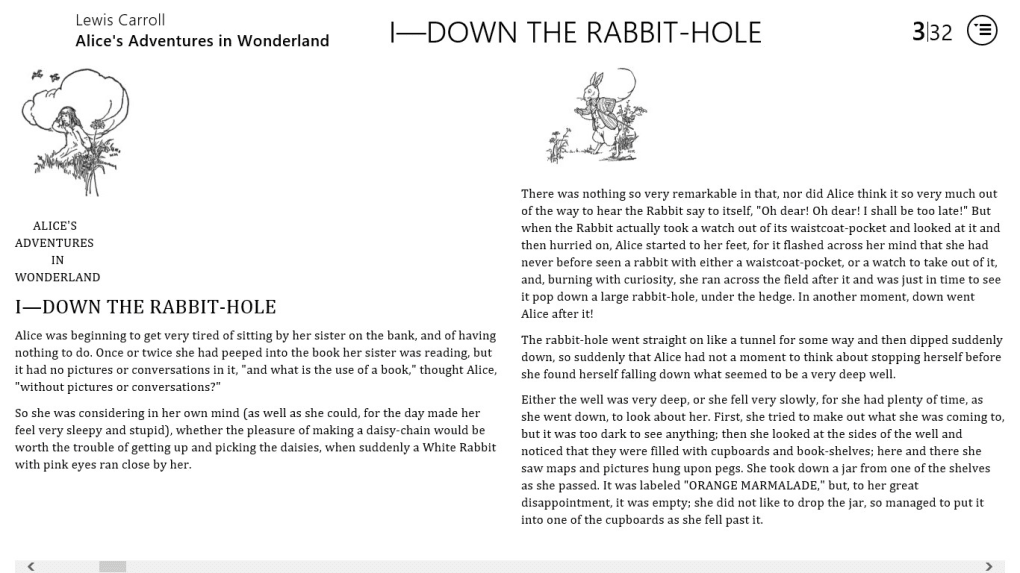
BookReader distinguishes itself through its unique multi-column format. This design choice aims to mimic the physical experience of turning pages in a traditional book, providing a more tactile and potentially less jarring transition between sections of text. While the effectiveness of this approach is subjective and depends on individual reading preferences, it represents a departure from the standard single-column layouts prevalent in many e-readers. The multi-column presentation might enhance readability for certain users, especially those who find single-column layouts overwhelming or less engaging. However, it could also prove less efficient for those who prefer a more streamlined reading experience. The adaptation of a familiar physical book format, however, shows a thoughtful consideration of user experience and the desire to bridge the gap between physical and digital reading.
Customization and Accessibility Features
Accessibility is a key feature of BookReader. Recognizing the varying needs and preferences of readers, the software offers adjustable font sizes. Users can easily increase or decrease the font size to accommodate their visual acuity and reading comfort. This simple yet crucial feature mitigates the eye strain often associated with prolonged screen reading, a common concern for digital reading experiences. Further enhancing the customization, BookReader allows users to select their preferred font style and theme. This option allows readers to personalize their reading environment, choosing a font and visual style that best suits their individual aesthetic preferences and reading comfort. The combination of font size adjustment and theme selection enhances the overall accessibility and user-friendliness of the software.
Integration with the Windows 8 Operating System
BookReader’s integration with the Windows 8 Start menu is a notable aspect of its design. The “Pin Book” feature allows users to pin their currently active book to the Start menu for quick and easy access. This functionality provides seamless integration within the Windows 8 ecosystem, improving the user experience by minimizing the steps required to resume reading. This direct integration ensures that users can effortlessly return to their reading material without navigating through multiple menus or applications. The thoughtful inclusion of this feature demonstrates an understanding of user workflow and aims to enhance the overall convenience of the reading experience.
Compatibility and Limitations
A significant limitation of BookReader is its exclusive compatibility with Windows 8 devices. This restriction significantly reduces its potential user base, as it excludes users of more recent Windows versions. The absence of updates and support for newer operating systems renders BookReader obsolete for a large segment of potential users. The software’s reliance on an outdated operating system renders it incompatible with modern devices and operating systems, effectively limiting its widespread use and longevity. While this limitation is substantial, it’s important to remember the context of its release. Windows 8 was a current operating system at the time of development, making the decision to target that platform understandable.
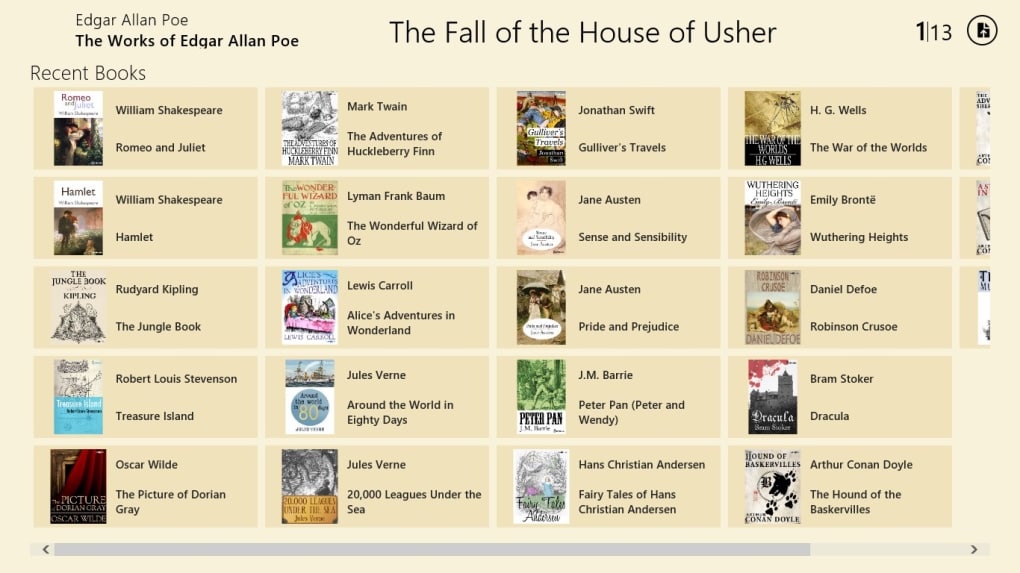
Furthermore, BookReader’s compatibility with e-book formats is another factor to consider. While it supports standard e-books, the specification of “DRM-free ePub copies” highlights a potential restriction. Digital Rights Management (DRM) is a common technology used to protect copyrighted material, restricting access and copying. The exclusion of DRM-protected ePub files limits the variety of e-books users can read with the software. This limitation could potentially restrict the selection of books available to users. The lack of DRM support could be seen as both a limitation and a potential benefit depending on the user’s perspective. The focus on DRM-free files might be seen as a design decision aimed at ensuring compatibility while respecting copyright regulations.
Conclusion: A Retrospective Look at BookReader
BookReader, despite its age and limited compatibility, presented a notable approach to digital reading within the constraints of its time. The multi-column format, adjustable font sizes, customizable themes, and Windows 8 integration represent thoughtful design choices aimed at enhancing user experience. The software’s focus on creating a more engaging and accessible digital reading experience is commendable. However, its limitation to Windows 8 severely restricts its applicability in the modern computing environment.
While the software is no longer actively supported and thus impractical for most modern users, analyzing BookReader offers valuable insight into the evolution of e-reading software. It underscores the importance of adaptability, ongoing support, and cross-platform compatibility in the development of successful digital reading applications. BookReader serves as a useful case study illustrating the challenges and opportunities in bridging the gap between physical and digital reading experiences. Its strengths in accessibility and customization remain relevant even if its technical limitations render it obsolete for the contemporary user. Its legacy lies in its innovative approach to digital reading within a specific technological context.
File Information
- License: “Free”
- Version: “varies-with-device”
- Latest update: “January 24, 2024”
- Platform: “Windows”
- OS: “Windows 10”
- Language: “English”
- Downloads: “5.9K”


