
Bootice is a free, Windows-based utility designed for manipulating a computer’s boot sector. It offers users the ability to modify, restore, and back up the Partition Boot Record (PBR) and Master Boot Record (MBR) of both local hard drives and USB drives. While its functionality can be invaluable for specific tasks, its power comes with significant risks, making it a tool best suited for experienced users who understand the intricacies of the boot process. This comprehensive guide explores Bootice’s capabilities, its potential dangers, and provides crucial advice on its safe and effective usage.
Bootice’s Core Functionality: A Deep Dive into Boot Sector Management
At its core, Bootice provides a suite of tools focused on low-level disk operations, particularly concerning the boot process. This involves interacting directly with the MBR and PBR, which are critical components responsible for initiating the operating system’s boot sequence. The software’s capabilities extend to:
-
MBR/PBR Manipulation: Bootice allows users to directly edit the MBR and PBR, enabling them to install or replace boot loaders, repair corrupted boot sectors, and even completely overwrite the existing boot information. This granular control provides solutions for troubleshooting various boot-related issues but requires a thorough understanding of the consequences of such modifications. Incorrect edits can render a system unbootable.
-
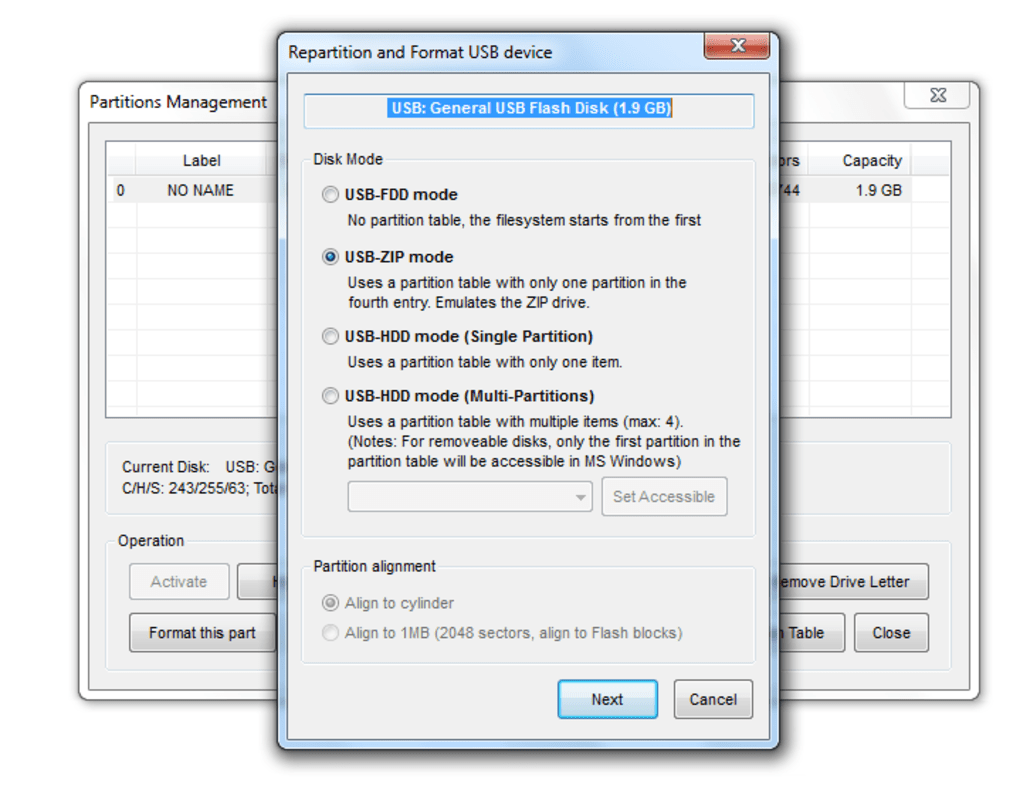
Partition Management: Integrated within Bootice is a partition manager, allowing users to perform operations like creating, deleting, formatting, and resizing partitions. While this functionality overlaps with other more user-friendly partitioning tools, Bootice’s integration provides a comprehensive solution for tasks that require simultaneously manipulating partitions and boot sectors.
-
Backup and Restoration: Crucially, Bootice allows for creating backups of both the MBR and PBR. This critical feature enables users to restore the boot sector to a previous state should a modification lead to boot failures. This backup mechanism is paramount for mitigating the risks inherent in manipulating boot sectors.
-
USB Drive Optimization: One of the frequently touted uses of Bootice is optimizing USB drives. By reformatting the drive using Bootice and carefully selecting appropriate partition schemes and boot sector configurations, users can potentially enhance the performance and compatibility of their USB drives with Windows. This is particularly helpful for drives that exhibit unexpected behavior or slow transfer speeds. However, this optimization must be approached cautiously, as incorrect settings can lead to data loss.
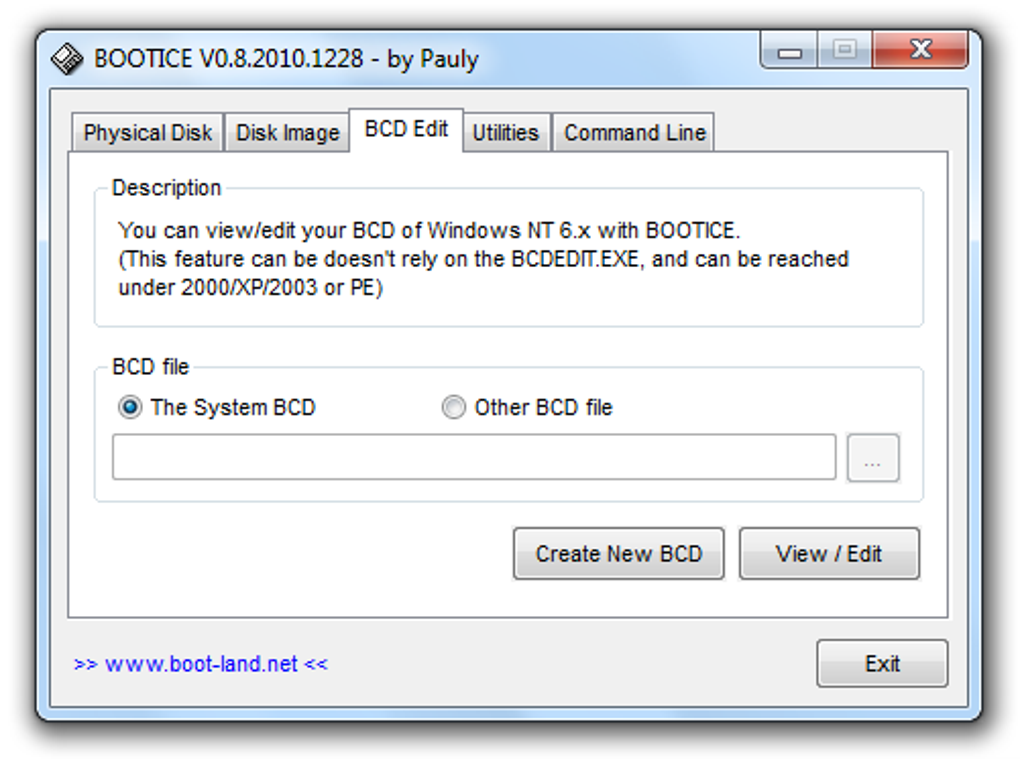
- Advanced Features: Beyond its core functionalities, Bootice offers features like the ability to work with various boot loader types (e.g., GRUB, syslinux), manage boot entries within the Windows Boot Manager, and even directly interact with specific disk sectors using hex editing capabilities. These advanced features cater to power users requiring highly specialized solutions.
User Interface and Ease of Use: A Double-Edged Sword
Bootice’s user interface is straightforward, presenting a clean and uncluttered workspace. However, its simplicity masks a degree of complexity that may be daunting to less tech-savvy users. The lack of an integrated tutorial or comprehensive help documentation can make navigation challenging. While experienced users will appreciate its directness, novices may find the interface overwhelming, lacking the intuitive guidance commonly found in more user-friendly applications.
The absence of detailed tooltips and explanations further exacerbates the difficulty for beginners. The software’s functionalities are powerful, but the lack of adequate guidance leaves users to rely heavily on external resources and potentially on trial-and-error, which can be disastrous when working with boot sectors. This design choice prioritizes direct access to low-level functionalities, potentially at the expense of broader user accessibility.
Potential Risks and Safety Precautions: A Word of Caution
The power inherent in Bootice’s capabilities necessitates a significant level of caution. Improper use can lead to irreversible data loss or render a system completely unbootable, requiring professional intervention or system reinstallation. The following precautions are critical for safe Bootice usage:
- Backups: Before undertaking any operation with Bootice, creating full backups of your data is paramount. This precaution safeguards against potential data loss caused by unforeseen errors or incorrect settings. This includes backing up the entire system drive, not just the boot sector.
-
Non-System Drives First: Beginners should exclusively use Bootice on removable drives, such as USB flash drives or external hard drives, before venturing onto system drives. This allows for practice and familiarization with the software’s features without the risk of jeopardizing the operating system’s functionality.
-
Thorough Understanding: Prior to using Bootice, acquire a thorough understanding of the boot process, the MBR and PBR, and the implications of altering their contents. Improper modification can lead to boot failures, data corruption, or even complete data loss.
-
Proceed with Caution: Always double-check all settings and configurations before executing any command within Bootice. A single incorrect setting can have devastating consequences.
-
Bootice Alternatives: Consider using alternative, more user-friendly tools for basic partition management tasks. Bootice is best reserved for scenarios where more specialized low-level control is absolutely necessary.
-
Live Boot Environment: In critical situations where direct intervention on the system drive is needed, performing the operations within a live boot environment can mitigate the risk. This allows for modifying the boot sector without compromising the currently running operating system.
Bootice Compared to Alternative Solutions: The Need for Specialized Tools
Bootice occupies a niche within the broader landscape of disk management tools. While many applications provide user-friendly interfaces for creating, deleting, formatting, and resizing partitions, Bootice differentiates itself through its direct access and manipulation of boot sectors. This granularity is not offered by most mainstream partition management tools.
Tools like EasyBCD and EasyUEFI offer similar boot management functionalities but focus more on dual-booting and UEFI/BIOS configurations. While powerful, they lack Bootice’s direct access to the MBR/PBR for low-level modifications. Visual BCD Editor is another alternative, providing a graphical user interface for editing the Windows boot configuration data, but it also doesn’t provide the same level of direct boot sector control as Bootice.
For those seeking comprehensive data backup and restore solutions, applications like Acronis True Image or Macrium Reflect provide more robust features and user-friendly interfaces. However, these often lack the granular control of boot sectors offered by Bootice. Therefore, the choice of tool depends heavily on the specific task at hand. Bootice’s power should be viewed as a double-edged sword: highly effective for niche situations but potentially devastating in the wrong hands.
Conclusion: Empowering Users with Caution
Bootice is a powerful tool for experienced users who require low-level control over their system’s boot process. Its ability to directly manipulate the MBR and PBR offers solutions for specialized situations that are inaccessible through more common tools. However, its inherent risks should never be underestimated. The lack of a user-friendly interface and integrated guidance necessitates a high degree of technical expertise and a meticulous approach.
It is crucial to emphasize that improper use of Bootice can have dire consequences. Beginners should steer clear of attempting complex operations and instead focus on utilizing more user-friendly partition management software. Experienced users, on the other hand, should embrace Bootice’s power with caution, always employing safety precautions such as comprehensive backups, thoroughly understanding the implications of their actions, and starting with non-system drives before attempting modifications on critical system components. Only with careful consideration and a deep understanding of the software’s functionalities can Bootice’s potential be harnessed without compromising system stability or data integrity.
File Information
- License: “Free”
- Latest update: “July 11, 2023”
- Platform: “Windows”
- OS: “Windows 8”
- Language: “English”
- Downloads: “208.7K”
- Size: “901.31 KB”


