
Box is a cloud-based productivity and collaboration platform designed for businesses and individuals. It offers a comprehensive suite of tools for creating, sharing, viewing, and collaborating on files, fostering streamlined workflows and enhanced team connectivity. This review delves into Box’s features, security measures, user experience, and overall effectiveness as a unified cloud technology solution.
Security and Data Protection: A Fortress in the Cloud
Security is a paramount concern in any cloud-based solution, and Box prioritizes this aspect heavily. The platform employs robust 256-bit AES encryption to safeguard user data, ensuring that files, passwords, and other sensitive information remain confidential and inaccessible to unauthorized individuals. This encryption protects data both in transit and at rest, providing a high level of security against potential breaches.
Beyond encryption, Box employs several additional security mechanisms to bolster data protection. Access control features allow users to define granular permissions, determining who can view, edit, or download specific files. This fine-grained control prevents unintended access and ensures sensitive data remains within the designated circles.
Furthermore, Box integrates seamlessly with a wide range of other security and productivity applications, enhancing its overall security posture. This integration allows businesses to leverage existing security infrastructure and tools, simplifying security management and improving overall protection. For instance, integration with existing identity management systems ensures that only authorized individuals can access the platform.
The ability to create backups and restore data from any device with the Box app installed adds another layer of security, providing a fail-safe mechanism in case of data loss or corruption. This resilience ensures that users can quickly recover their data if necessary, minimizing downtime and disruption.

Password protection is another key feature, adding an additional barrier to unauthorized access. Users can set strong passwords to protect their Box accounts, and the ability to change passwords provides an additional layer of control. While the process of changing the password doesn’t involve recoding the entire database, the robust encryption ensures that even with a compromised password, the underlying data remains secure.
User Experience and Interface Customization: Tailoring the Platform to Your Needs
Box offers a user-friendly interface designed for ease of navigation and intuitive use. The platform’s core functions—creating, sharing, viewing, and collaborating—are readily accessible, reducing the learning curve and enabling users to quickly become productive.
While generally intuitive, some users may find the interface initially challenging to navigate, especially those unfamiliar with cloud-based collaboration platforms. However, the platform’s customization options allow users to tailor the interface and settings to their preferences, improving usability over time.
The ability to synchronize the database directory between multiple devices using a user’s account or other cloud storage providers is a significant advantage, enabling consistent access to data regardless of the device being used. This cross-platform compatibility streamlines workflows and eliminates the need to manage data across multiple platforms.
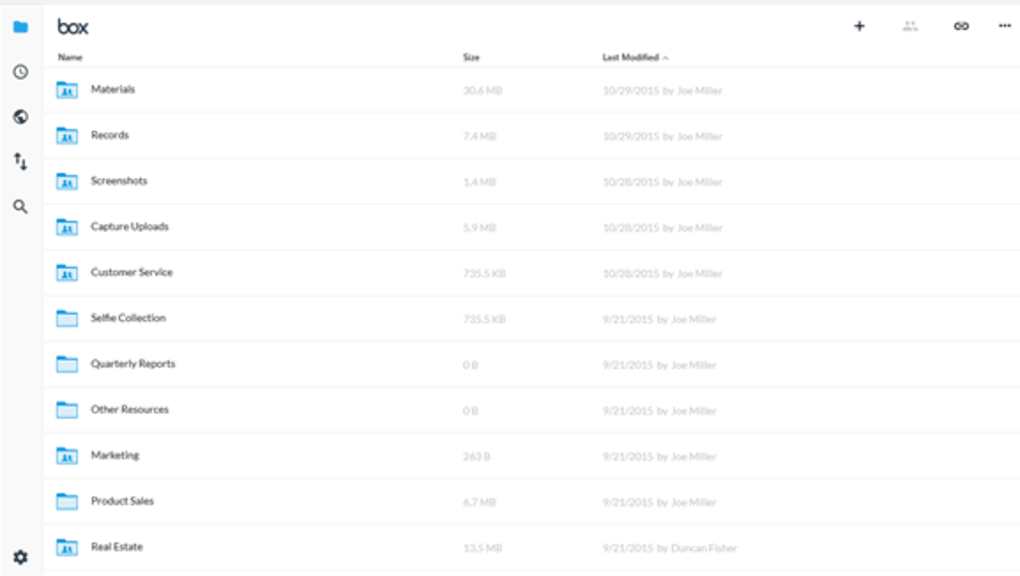
Customization extends beyond the visual aspects of the interface. Users can also adjust settings related to file sharing, notifications, and other aspects of the platform to optimize their workflow and personalize their experience. This level of customization ensures that Box caters to the specific needs and preferences of individual users and teams.
Functionality and Workflow Integration: Seamless Collaboration and Enhanced Productivity
Box’s core functionality centers around file management and collaboration. Users can easily create, edit, and share files directly within the platform, fostering streamlined workflows and efficient team communication. The integration with over 1500 third-party applications further enhances the platform’s capabilities, enabling users to work seamlessly with their preferred tools and services.
This broad integration allows Box to become a central hub for all work-related activities, reducing the need to switch between multiple applications and improving overall efficiency. Whether it’s integrating with project management tools, communication platforms, or design software, Box facilitates a connected and collaborative workflow.
The platform’s built-in viewer allows users to safely access embedded images without writing to flash memory, enhancing security and ensuring that sensitive data remains protected. This feature improves efficiency by enabling quick access to images and other file types without needing to download and open them in separate applications.
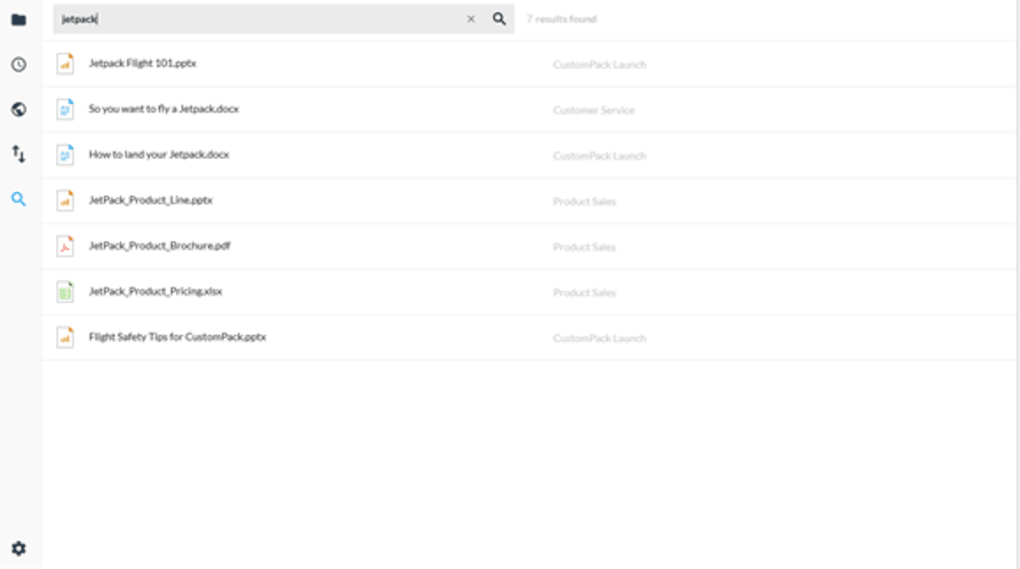
The Share and Send functions simplify the process of transferring files, enabling users to move data into the secure Box cloud storage space quickly and efficiently. This functionality ensures that files remain securely stored and easily accessible to authorized individuals.
A Comparative Analysis: Box within the Broader Cloud Storage Landscape
Box differentiates itself from other cloud storage solutions through its focus on enterprise-grade security and its extensive integration capabilities. While other services, like Dropbox and Google Drive, offer similar file storage and sharing features, Box’s emphasis on security and robust control over access and collaboration makes it a strong contender for businesses with stringent security requirements.
Compared to solutions solely focused on personal use, Box offers a superior level of control and administrative features, making it a more suitable choice for teams and organizations. This difference in target audience and feature sets reflects the distinct needs of individual users versus the collaborative requirements of businesses.
The robust API and developer tools available with Box allow for extensive customization and integration with existing business systems. This capability allows for the seamless integration of Box into the existing technological infrastructure of an organization, making it a flexible and adaptable solution. This adaptability is a crucial feature for organizations with complex workflows and unique requirements.
Conclusion: A Powerful Tool for Enhanced Productivity and Secure Collaboration
Box stands as a powerful and versatile cloud-based productivity platform, offering a comprehensive suite of features tailored to meet the diverse needs of individuals and organizations. Its robust security features, extensive third-party application integration, and user-friendly interface contribute to its overall effectiveness as a unified cloud technology solution. While some users might find the initial navigation somewhat challenging, the customization options and intuitive core functionality ultimately lead to a productive and secure collaborative experience.
The platform’s strength lies in its balance between accessibility and security. While offering a user-friendly interface, it doesn’t compromise on data protection, making it a reliable and trustworthy option for businesses handling sensitive information. The integration capabilities further elevate its value, allowing seamless collaboration and streamlined workflows across various departments and teams. Therefore, Box emerges as a highly recommended platform for organizations seeking to improve productivity, enhance collaboration, and ensure the security of their valuable data within a unified cloud environment.
File Information
- License: “Free”
- Latest update: “January 10, 2022”
- Platform: “Windows”
- OS: “Windows 11”
- Language: “English”
- Downloads: “9K”


