
BPM Studio is a digital audio workstation (DAW) designed to transform your personal computer into a fully functional recording and mixing studio. Targeting DJs and music enthusiasts, it offers a comprehensive suite of tools for creating, editing, and mixing MP3 tracks. While not without its limitations, BPM Studio provides a robust set of features that cater to both beginners and more experienced users seeking a user-friendly interface with professional-grade capabilities. This in-depth review will examine its strengths, weaknesses, and overall suitability for various user needs.
Interface and User Experience: A Blend of Familiarity and Frustration
BPM Studio aims to replicate the tactile experience of a physical DJ mixer, incorporating a visual layout that’s immediately recognizable to anyone familiar with professional hardware. The interface boasts large, easily accessible controls, mirroring the knobs, buttons, and jog wheels of high-end mixing consoles. This familiar design makes navigation relatively intuitive, even for those new to digital audio software. The software seamlessly switches between three distinct views: list view for browsing tracks, mixer view for real-time mixing and manipulation, and ripper view for importing and converting audio files. This flexibility enhances workflow, allowing users to easily transition between different stages of music production.
The inclusion of a drag-and-drop functionality for importing tracks directly from your music library simplifies the process of building playlists and setting up mixes. This feature is further enhanced by BPM Studio’s built-in search function, allowing for quick retrieval of specific tracks within a potentially extensive music collection. The software also maintains a history of recently accessed tracks and playlists, offering quick access to frequently used materials.
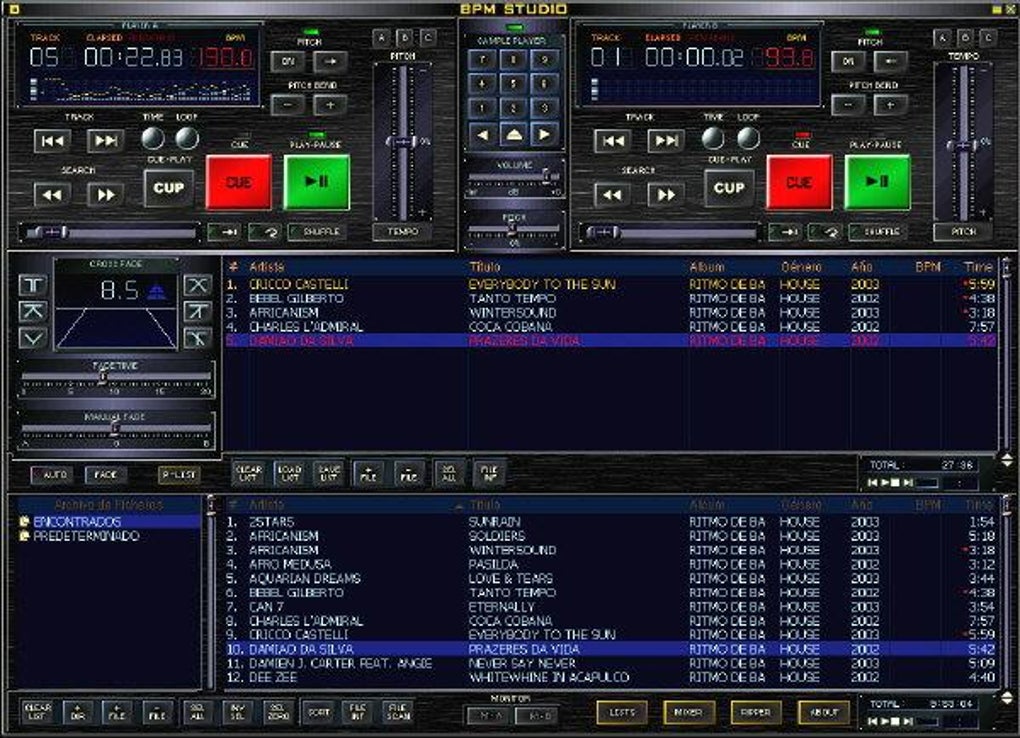
However, despite its intuitive visual design, some aspects of the BPM Studio interface can feel cluttered and overwhelming, particularly for beginners. The abundance of controls and functions, while offering extensive editing capabilities, can make it difficult to locate specific tools or to intuitively understand the function of certain features. This density can impede the workflow, especially for users less experienced with digital audio workstations. The lack of numerical indicators on the equalizer, for example, forces users to rely solely on visual cues, hindering precise adjustments and potentially leading to less-than-ideal mixing results. This aspect contrasts with the otherwise user-friendly aspects of the program and represents a significant area for potential improvement.
Feature Set: Powerful Editing and Mixing Capabilities
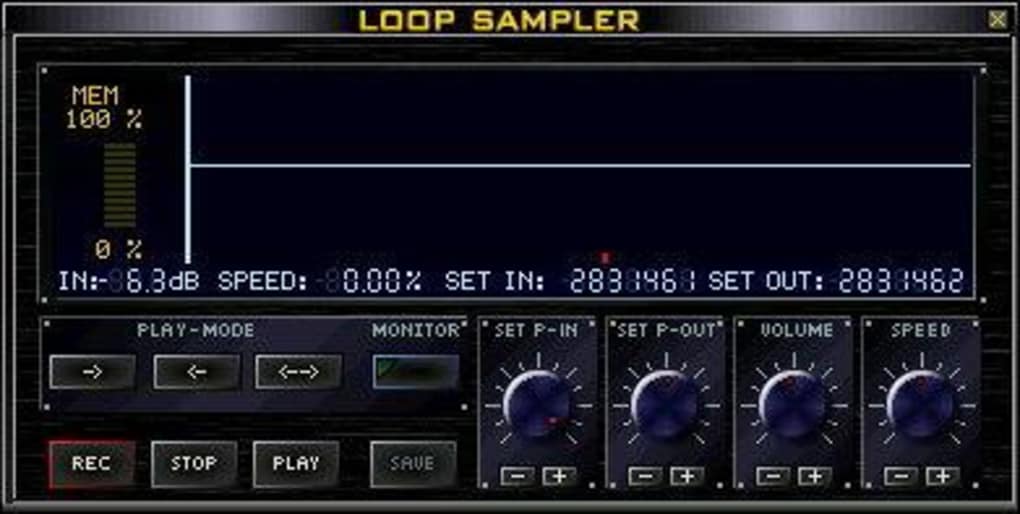
BPM Studio packs a powerful arsenal of editing and mixing capabilities, allowing for intricate control over audio tracks. Users can easily set up to six distinct cue points within each individual track, enabling precise jump points during live performances or for facilitating streamlined editing processes. A dedicated sample player, integrated seamlessly into the main interface, provides access to a built-in library of sound samples. Furthermore, a sample editor allows users to modify existing samples or create entirely new sounds. This feature empowers users to add their own creative touch to their mixes, enhancing the overall originality and personal expression.
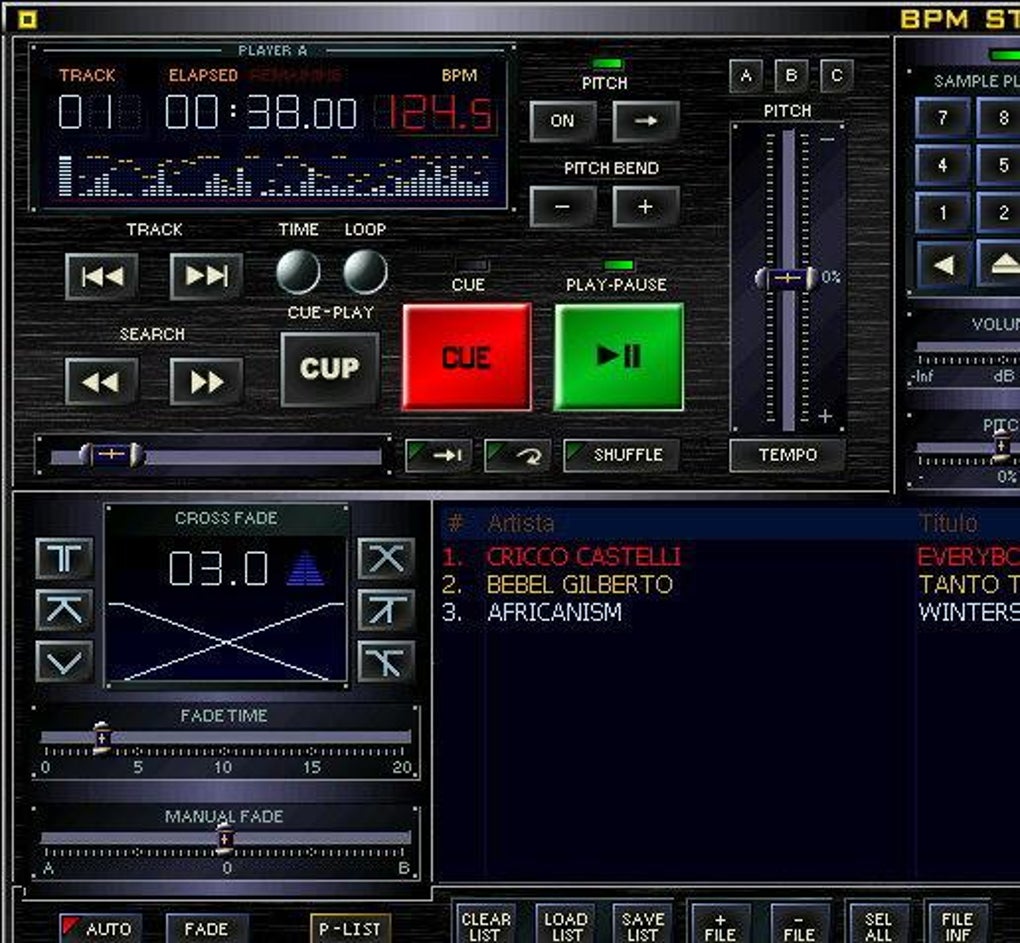
BPM Studio’s crossfading capabilities offer three distinct methods: manual crossfading, automatic crossfading, and line dragging. While the manual and automatic options provide predictable and reliable results, the line-dragging method, while offering a more visually intuitive approach, lacks the precision of the other two options. This disparity in precision between methods highlights a potential area for improvement in the software’s crossfading functionality. The wave editing view offers a high degree of precision for more detailed audio manipulation, enhancing the overall level of control users have over the nuances of their sound design.
Despite its comprehensive feature set, BPM Studio falls short in certain areas. The limited selection of only 30 pre-included sounds and tracks represents a significant drawback. While users can readily supplement this library with their own audio files, a more extensive internal library would significantly enhance the user experience, especially for those without large pre-existing music collections. Similarly, the restrictive number of five equalizer presets (Lounge, DJ, Party, Office, Radio) offers limited flexibility and hampers the ability to finely tune the sound to more specific preferences. This lack of customizable presets limits the creative potential and the precise control offered by the otherwise sophisticated equalizer.
Hardware Integration and DJ Workflow Optimization
BPM Studio’s design explicitly targets DJs, emphasizing the importance of efficient workflow and intuitive control. Its interface mimics the physical layout of professional DJ mixers, aiming to make the transition from analog to digital as seamless as possible. The prominent jog wheels, designed to facilitate easy navigation through tracks and playlists, are a key part of this design philosophy. These large 60mm jog wheels streamline track selection, BPM matching, and overall navigation within the software. In addition, the integration of BPM pitch wheels on each player allows for fine-tuned adjustments to tempo, ensuring smooth transitions and maintaining rhythmic consistency during mixes.
The software’s compatibility with external hardware, such as the DigiScratch 2, further enhances its appeal to professional DJs. This compatibility allows for the integration of physical controllers into the digital workflow, offering a hybrid approach that caters to users who prefer a tactile approach to music production. This integration enhances the software’s overall versatility and appeals to a broader range of users with varied preferences for hardware and software interaction. By offering options for various levels of hardware integration, BPM Studio caters to diverse budgets and individual performance requirements.
Performance and System Requirements
BPM Studio’s performance is generally stable and responsive, provided the user’s system meets the minimum requirements. While the exact specifications may vary depending on the version, it’s essential to ensure sufficient processing power and RAM to handle the demands of real-time mixing and audio processing. Lag or stuttering can occur if the system struggles to handle the processing load, especially when working with numerous tracks or complex audio effects. Therefore, maintaining an adequately equipped system is crucial for optimal performance and to avoid interruptions in the creative workflow.
Overall Assessment and Alternatives
BPM Studio offers a compelling blend of user-friendly interface and professional-grade features. Its intuitive design, mirroring the layout of physical DJ mixers, makes it easily accessible to a wide range of users, from beginners to experienced DJs. The comprehensive set of editing and mixing tools provides significant creative control, allowing for detailed manipulation of audio tracks. However, the limited number of pre-included sounds and presets, along with the occasionally cluttered interface, represent significant drawbacks. The lack of numerical indicators on the equalizer, while seemingly minor, impacts precision in audio adjustments. Users might find the line-dragging crossfading method less accurate than the manual or automatic options.
Considering these limitations, it’s important to weigh the pros and cons before making a purchase decision. While BPM Studio provides a solid foundation for music production, alternative DAWs might offer a more extensive library of samples, more customizable presets, or a cleaner, less cluttered interface. Users should carefully research other options available in the market to determine which software best suits their individual needs and preferences. Considering alternatives such as Ableton Live, FL Studio, or even free options like Audacity, will allow for a more informed decision based on specific priorities. Ultimately, the choice depends on the user’s experience level, budget constraints, and specific requirements for music production.
File Information
- License: “Trial version”
- Version: “4.9.94”
- Latest update: “February 12, 2019”
- Platform: “Windows”
- OS: “Windows XP”
- Language: “English”
- Downloads: “473.1K”
- Size: “11.60 MB”


