
Brother Print & Scan is a free utility software developed by Brother Industries Ltd., designed to seamlessly integrate your Brother printer and scanner with your Windows PC. This comprehensive guide will explore its features, benefits, and limitations, providing you with a complete understanding of this essential tool for Brother device users.
Streamlined Printing and Scanning for Enhanced Productivity
Brother Print & Scan acts as a central hub for managing your printing and scanning tasks, eliminating the need for navigating complex device settings directly. The software offers a user-friendly interface, making it accessible to both novice and experienced users. It simplifies the process of printing documents, images, and other files, while providing efficient tools for scanning and saving documents in various formats. This streamlined approach significantly improves productivity, whether you’re working from home, in a student environment, or in a professional office setting.
The software’s core functionalities revolve around printing and scanning. Printing involves selecting your desired file, choosing the appropriate paper size, and adjusting other settings like print quality and number of copies. The software supports various file formats commonly used for printing, ensuring broad compatibility across different document types. Beyond simple printing, the software also leverages the advanced features of compatible Brother devices, enabling users to utilize specialized print settings or functionalities unique to their printer model. For instance, features such as duplex printing (printing on both sides of the paper), borderless printing, and specialized paper tray selection are often accessible through the software, extending the versatility of your printing experience.
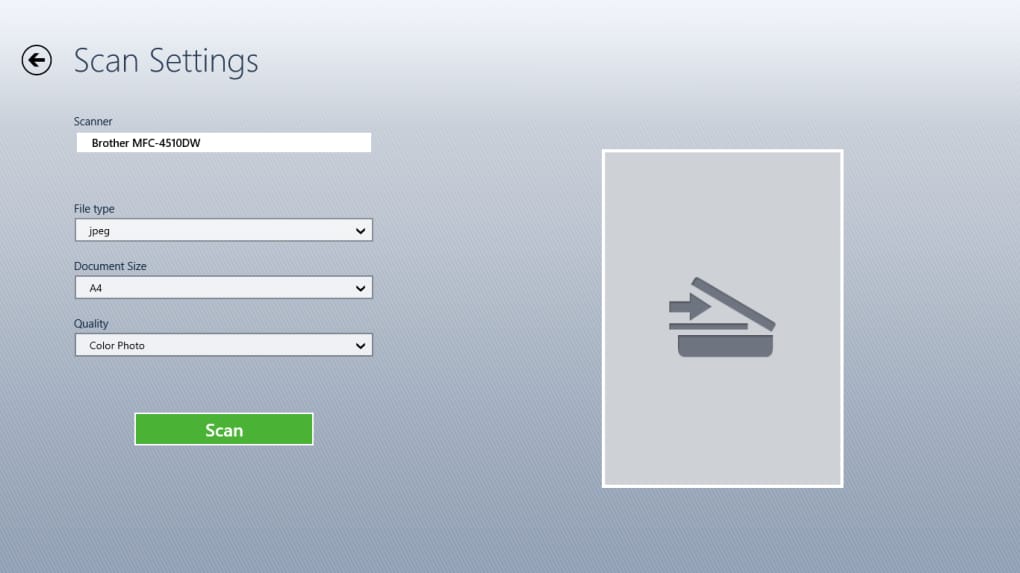
The scanning function is equally robust and intuitive. Users can easily adjust settings including paper size, color mode (color, grayscale, or black and white), resolution (affecting image quality and file size), and duplex scanning (scanning both sides of a document simultaneously). A preview function allows you to review the scanned image before saving, ensuring accuracy and eliminating the need for repeated scans. After scanning, users can save the document in various formats, including JPEG, TIFF, and PDF, accommodating diverse needs and applications. Furthermore, the software provides options for directly saving scans to cloud storage services, email attachments, or other applications, streamlining the workflow for immediate use or archival purposes.
Compatibility and Device Support
Brother Print & Scan supports a wide range of Brother printers and scanners, including models from various series such as the Brother Color Laser LED FAX/MFC series, Color Laser LED Printer series, Inkjet FAX/MFC series, Mono Laser FAX/MFC series, Mono Laser Printer series, and Scanner series. This broad compatibility ensures that most users with Brother devices can benefit from the software’s features. The software automatically detects connected Brother devices via USB or network connection, simplifying the setup and connection process. However, it is crucial to note that the specific features available may vary depending on the capabilities of your individual printer or scanner model. While the core functionalities of printing and scanning are consistent across supported devices, advanced features and options will depend on your hardware’s specifications. It’s recommended to consult your printer’s manual or the Brother website to verify complete compatibility and functionality before installation.
User Interface and Ease of Use
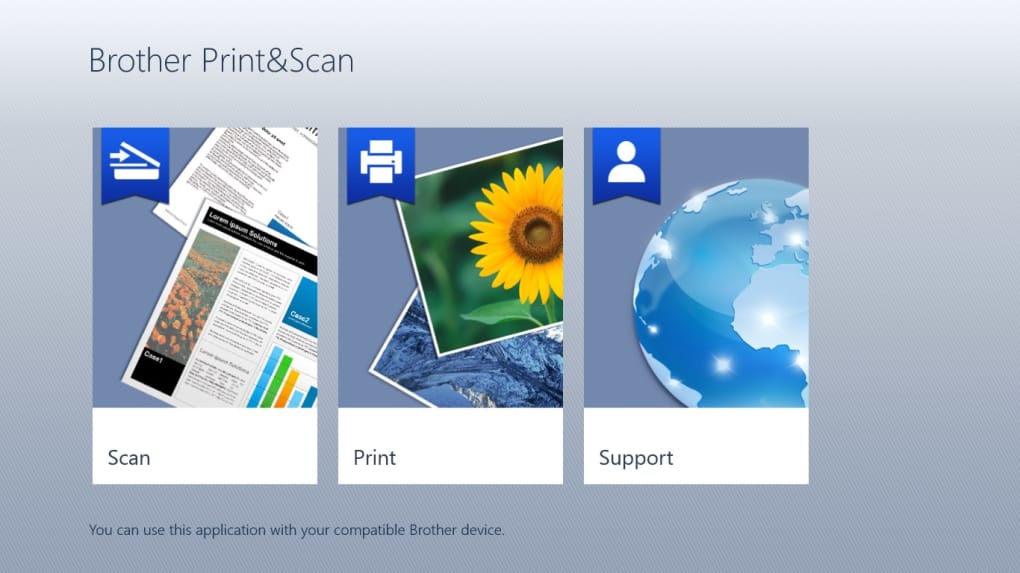
One of the key strengths of Brother Print & Scan lies in its user-friendly interface. The software boasts a clean and intuitive design, making it straightforward to navigate even for users unfamiliar with printer management software. The clear layout of buttons and options minimizes the learning curve, allowing users to quickly grasp the core functionalities and begin printing and scanning efficiently. The software’s accessibility makes it a valuable tool for home users, students, and office professionals alike, regardless of their technical expertise.
The straightforward design extends to the settings menus. Users can easily adjust print and scan parameters without navigating through complex hierarchies of options. This simplicity contrasts with some competing software packages that can be overwhelming to users with limited technical skills. The emphasis on user experience is reflected in the software’s overall design philosophy, aiming to provide maximum functionality while maintaining accessibility and simplicity.
Advanced Features and Mobile Integration
While the primary focus of Brother Print & Scan is providing basic print and scan capabilities, certain models of Brother printers allow for additional functionalities. For example, depending on the printer model and its capabilities, users may be able to print from a mobile device. This necessitates connecting both the mobile device and the Brother printer to the same local network. This feature significantly expands the utility of the software, allowing seamless integration of mobile workflows with the desktop printing solution. However, the availability of mobile printing capabilities is entirely dependent on the printer model’s specifications and its support for wireless networking and mobile printing protocols.
Limitations and Considerations
While Brother Print & Scan offers considerable benefits, it’s important to acknowledge its limitations. The primary drawback is its exclusive compatibility with Brother printers and scanners. Users with devices from other manufacturers cannot utilize this software. Additionally, the range of features available varies depending on the printer model. Some advanced features may not be accessible on older or less-capable models.
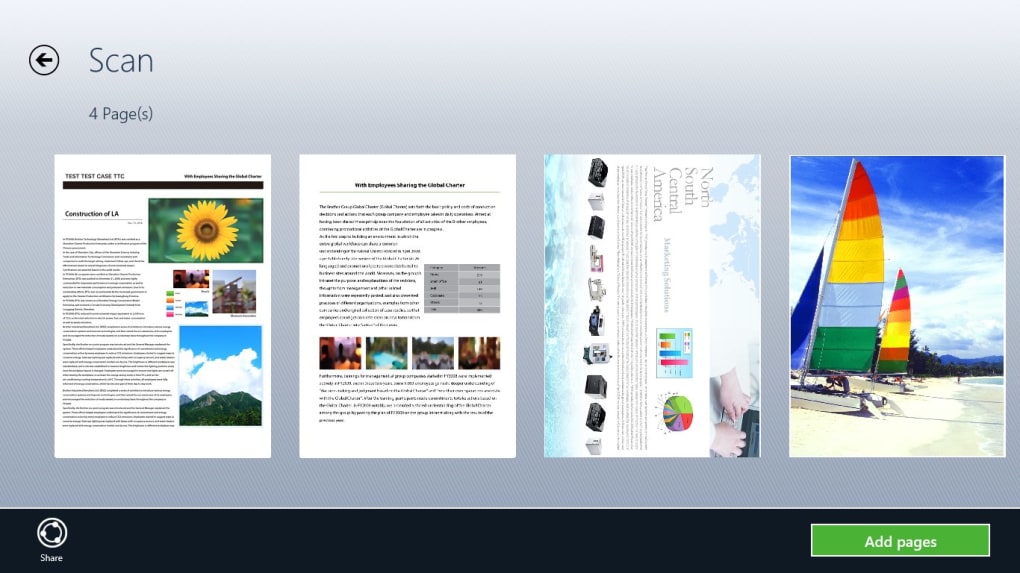
Furthermore, the software does not include extensive photo or document editing tools. Users needing advanced image editing capabilities will need to utilize separate applications before or after printing or scanning. While the software provides basic preview functionalities for checking scan quality, it doesn’t offer sophisticated editing tools for image enhancement or document modification. The focus remains on efficient printing and scanning, not image manipulation.
Conclusion: A Valuable Asset for Brother Printer Owners
Brother Print & Scan stands as a valuable and user-friendly utility for owners of Brother printers and scanners. Its streamlined interface, broad compatibility across various Brother device models, and efficient print and scan functionalities make it a must-have for anyone seeking a simple yet effective solution for managing their printing and scanning needs. While it has limitations regarding third-party device support and advanced editing features, its focus on ease of use and reliable performance makes it a strong choice for most users. If you own a Brother printer or scanner, downloading and installing Brother Print & Scan is highly recommended to fully harness the capabilities of your device and enhance your overall productivity. Just ensure that your specific model is supported before installation to avoid any compatibility issues.
File Information
- License: “Free”
- Version: “10.2.0”
- Latest update: “March 9, 2025”
- Platform: “Windows”
- OS: “Windows 10”
- Language: “English”
- Downloads: “233K”


