
C Lite Browser is a free web browser designed for speed and ease of use. Developed by CM Developers, this browser prioritizes performance, offering a streamlined experience without sacrificing essential functionality. Its lightweight nature makes it a suitable option for users with older or less powerful Windows devices, where resource-intensive browsers might struggle. Boasting almost a million downloads, C Lite Browser has gained a user base appreciative of its simplicity and efficiency.
Performance and System Requirements
C Lite Browser is engineered for optimal performance on Windows operating systems. Its developers have focused on minimizing resource consumption, ensuring that the browser runs smoothly even on machines with limited processing power or RAM. This dedication to efficiency translates to quicker loading times for web pages and a generally more responsive browsing experience. While it functions effectively across various Windows versions, users with significantly older systems might notice a slight performance difference compared to newer machines. However, the browser’s overall light footprint helps mitigate this discrepancy, ensuring a usable experience even on older hardware. The browser’s relatively small installation size further contributes to its accessibility, requiring minimal storage space on your hard drive.
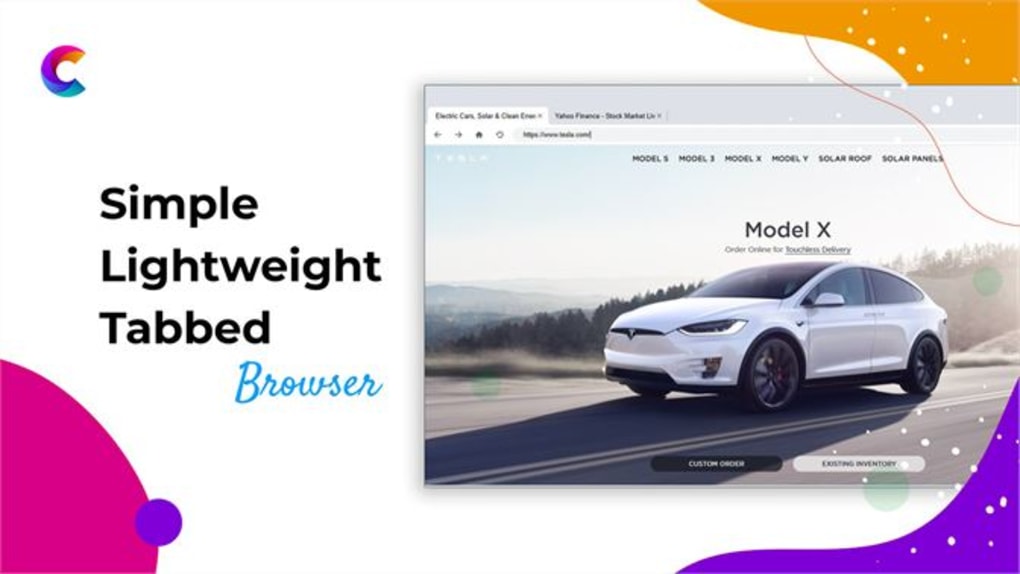
The compatibility of C Lite Browser with diverse Windows versions is a significant advantage. Users don’t need to worry about compatibility issues, saving them the potential frustration of encountering browser errors or malfunctions due to outdated software. This wide compatibility, coupled with the browser’s lean design, makes it an attractive alternative for users looking for a dependable and lightweight browsing solution that doesn’t demand significant system resources.
Detailed installation instructions are available on the developer’s website, providing comprehensive guidance to users who may encounter challenges during the setup process. This proactive approach to user support enhances the overall user experience, addressing potential technical hurdles before they become significant problems.
User Interface and Ease of Use
C Lite Browser is praised for its intuitive and user-friendly interface. The developers have prioritized simplicity, creating a clean and uncluttered design that is easy to navigate, even for users unfamiliar with different browser interfaces. The straightforward layout ensures that users can quickly find the features they need without navigating complex menus or options. This focus on simplicity makes C Lite Browser accessible to a broad range of users, regardless of their technical expertise.
The minimalist design also contributes to the browser’s overall speed. With fewer visual elements and less complex code, the browser requires fewer resources to render and operate, enhancing its performance and responsiveness. This balance between simplicity and functionality makes C Lite Browser an excellent option for users seeking a quick and efficient browsing experience without unnecessary complexities.
The lack of intrusive advertisements is another feature frequently highlighted by users. The absence of pop-up ads and other distracting elements creates a more focused and enjoyable browsing environment. This clean browsing experience allows users to concentrate on the content they are viewing without the disruption of unwanted advertising. The ad-free experience contributes to a smoother, faster browsing experience, enhancing the overall quality of interaction with the browser.
Features and Functionality
While C Lite Browser prioritizes simplicity and efficiency, it still provides the core features expected from a modern web browser. Users can browse the internet, access websites, save bookmarks, and manage their browsing history without encountering any significant limitations. While advanced features found in more comprehensive browsers might be absent, the core functionality remains solid and reliable. This intentional lack of extra features keeps the browser lightweight and fast, appealing to users prioritizing performance over a multitude of optional tools.
The browser’s minimal design extends to its toolbars and menus. Users will find a clear, concise arrangement of essential tools, making navigation intuitive and straightforward. This simplified interface ensures that users can easily access the core functionalities of the browser without being overwhelmed by an abundance of options. The focus on essential features prioritizes speed and efficiency, enhancing the overall user experience.
The accessibility of help resources is another significant aspect. The presence of a well-designed help section or readily available support resources allows users to resolve any issues or questions they might have. This commitment to user support enhances the overall usability of the browser, ensuring a positive and productive experience for all users.
Comparison with Alternative Browsers
Compared to other popular browsers like Chrome, Firefox, or Edge, C Lite Browser stands out due to its focus on lightweight performance. While browsers such as Chrome offer a wide range of extensions and features, they often consume significantly more system resources. C Lite Browser trades some advanced features for a significantly smaller memory footprint and faster loading times. This trade-off makes it ideal for users with older computers or those who prioritize speed and efficiency over extensive add-on capabilities.
Unlike some free browsers that generate revenue through bundled software or intrusive advertising, C Lite Browser maintains a clean and ad-free experience. This commitment to user privacy and an uncluttered browsing experience distinguishes it from some competitors. The ad-free environment provides a more focused and uninterrupted browsing experience, enhancing the overall user satisfaction.
Security and Privacy
While C Lite Browser may not boast the extensive security features of larger, more resource-intensive browsers, it provides basic security protections inherent in its design. The browser’s lightweight nature reduces the attack surface compared to heavier browsers, limiting potential vulnerabilities. The absence of pre-installed extensions or add-ons also minimizes security risks associated with third-party software.
However, users should always practice safe browsing habits, regardless of the browser used. This includes being cautious about clicking on suspicious links, downloading files from untrusted sources, and regularly updating the browser to patch any potential security flaws. Users should also consider using a reputable antivirus program and employing strong passwords to further enhance their online security.
Conclusion
C Lite Browser presents a compelling alternative for users seeking a fast, efficient, and lightweight web browser for Windows. Its minimalist design, focus on performance, and ad-free experience make it a practical choice for users with older computers or those who prioritize speed and simplicity over a vast array of features. While it might not offer the extensive customization and add-on capabilities of more robust browsers, its strengths lie in its speed, ease of use, and minimal resource consumption. For users who value a clean, efficient, and fast browsing experience, C Lite Browser provides a solid and reliable option.
File Information
- License: “Free”
- Version: “1.0.7.0”
- Latest update: “July 15, 2022”
- Platform: “Windows”
- OS: “Windows 11”
- Language: “English”
- Downloads: “2.3K”


