
In the fast-paced worlds of architecture, engineering, construction, and manufacturing, the ability to quickly access, review, and modify Computer-Aided Design (CAD) drawings is paramount. Professionals often find themselves on job sites, in client meetings, or collaborating remotely, necessitating a flexible and powerful solution that transcends the traditional desktop CAD experience. Enter CAD Reader, a robust yet lightweight utility designed to bridge this gap, offering an all-in-one, cross-platform approach to managing DWG, DXF, and even PDF drawings with unparalleled efficiency.
Developed by Beijing Honghu Yuntu Technology Co., Ltd., and also referenced with Glodon Software Company Limited, Fast CAD Reader (often simply referred to as CAD Reader) stands out as a critical software for professionals who demand reliable access to their CAD files anytime, anywhere. This innovative application empowers users to view, measure, annotate, and even perform basic edits on complex technical drawings across various devices, including Windows and mobile platforms. Its intuitive interface, coupled with a comprehensive suite of practical tools, makes it an indispensable asset for architects, engineers, construction managers, quantity surveyors, and field technicians alike. No longer bound by the confines of a powerful workstation, these professionals can leverage CAD Reader to maintain productivity and precision, directly impacting project timelines and collaboration effectiveness.
The demand for such a versatile tool arises from the inherent complexities of CAD files themselves. These aren’t just simple images; they contain intricate layers of data, precise dimensions, and critical design information. A mere image viewer falls short. CAD Reader, however, understands these nuances, providing functionalities that cater specifically to the detailed requirements of technical drawing analysis and modification. From quickly extracting data to facilitating on-site markups, it streamlines workflows that were once cumbersome, demonstrating how a specialized utility can profoundly enhance professional productivity.
Unlocking CAD Capabilities Across Devices: A Comprehensive Overview
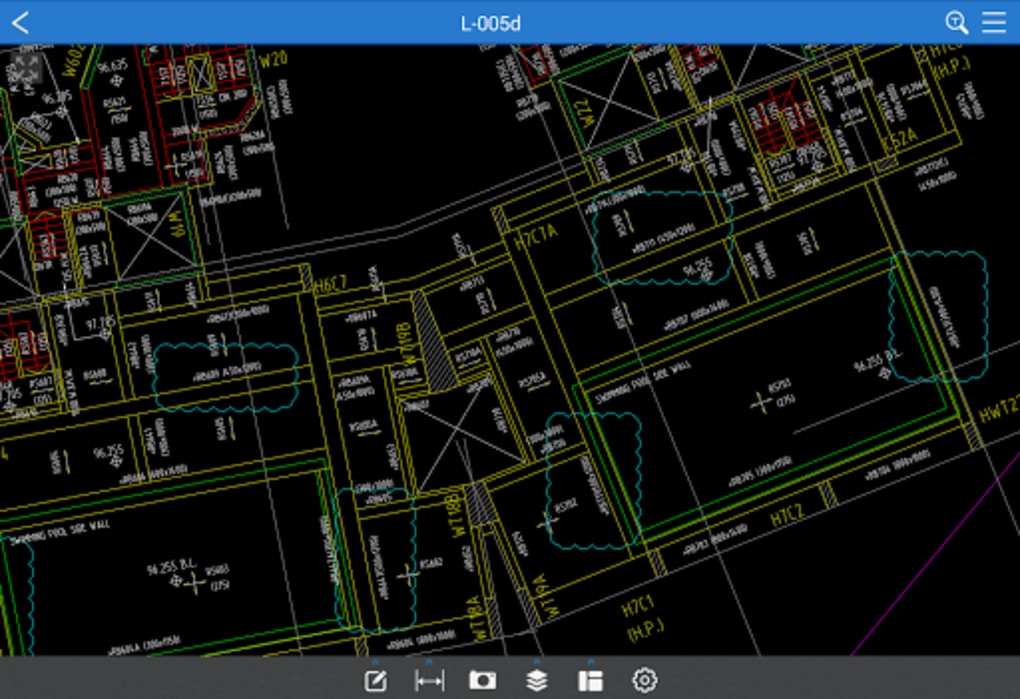
The core strength of CAD Reader lies in its ability to democratize access to complex CAD information. It transcends the limitations of traditional, heavy desktop CAD software by offering a lightweight, agile alternative that doesn’t compromise on essential functionalities. This cross-platform approach ensures that critical design data is always within reach, fostering a more connected and efficient work environment.
Core Functionality and Cross-Platform Versatility
At its heart, CAD Reader is an exceptionally fast and intuitive utility engineered for seamless handling of industry-standard DWG and DXF files, alongside crucial PDF drawings. This broad file compatibility is a cornerstone of its utility, as professionals frequently encounter these formats in their daily work. The software’s design prioritizes speed and ease of use, ensuring quick startup times and fluid operation, even with intricate designs. This responsiveness is a significant advantage, eliminating frustrating delays often associated with larger, more resource-intensive CAD applications.
The cross-platform nature of CAD Reader is a game-changer. Whether a user is on a Windows desktop, a laptop, or a mobile device, the experience remains consistent and optimized. This means an architect can review a blueprint on their PC in the office, then effortlessly switch to their tablet or smartphone on the construction site to add annotations or take measurements. This flexibility is crucial for dynamic work environments where mobility is key. The mobile version of CAD Reader particularly expands its utility, transforming handheld devices into powerful CAD review and collaboration tools, effectively extending the office to any location. This integration ensures that design discussions, revisions, and approvals can happen in real-time, reducing communication lags and accelerating project progress.
Advanced Drawing Management for Streamlined Workflows
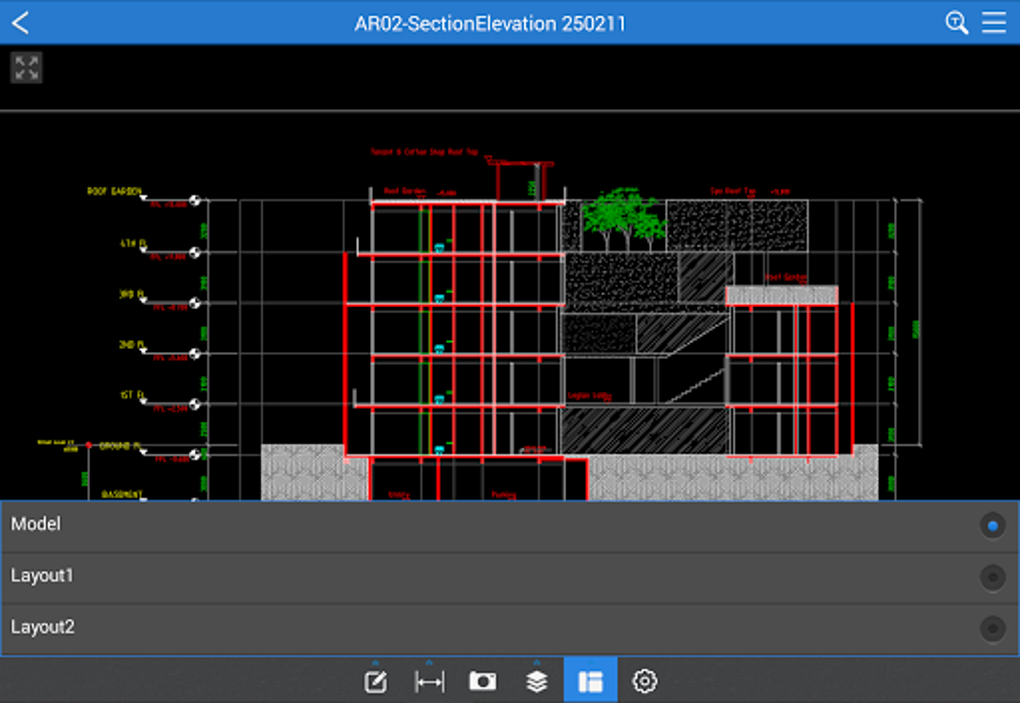
Beyond mere viewing, CAD Reader offers a sophisticated suite of Drawing Management functionalities that are indispensable for efficient handling of CAD files. These tools are designed to automate and simplify tasks that typically consume a significant amount of a professional’s time, thereby optimizing the overall workflow.
One of the most valuable features is the ability to export high-resolution PDFs with annotations. This is critical for sharing designs with clients, contractors, or regulatory bodies who may not have CAD software. The exported PDFs retain all comments and markups, ensuring that design intent and feedback are clearly communicated without loss of detail. Furthermore, the software allows users to split oversized drawings with one click. Large-scale projects often involve massive drawing files that can be unwieldy to manage or print. This splitting functionality enables users to divide complex drawings into more manageable sections, facilitating easier review, printing, and sharing, without the need for specialized CAD knowledge.
For projects relying on external references (Xrefs), CAD Reader provides the capability to manage external reference files seamlessly. This ensures that all linked components of a drawing are correctly displayed and accessible, preventing common issues related to missing references. The utility also supports conversion between various CAD file versions, a lifesaver when dealing with legacy files or collaborating across different software versions. This feature ensures backward and forward compatibility, preventing roadblocks in multi-stakeholder projects.
Perhaps one of the most significant time-saving features is the ability to quickly extract tables and text to Excel for streamlined data processing. Technical drawings often contain schedules, bills of materials, or detailed specifications embedded within text and tables. Manually transcribing this data is prone to errors and incredibly time-consuming. CAD Reader’s automated extraction capability allows professionals, such as quantity surveyors, to rapidly pull critical data directly into a spreadsheet, ready for analysis, cost estimation, or report generation. This not only boosts accuracy but dramatically accelerates data-driven decision-making, showcasing the software’s profound impact on project efficiency.
Precision and Collaboration: Measurement, Annotation, and Editing Tools
The true power of CAD Reader is unveiled through its array of precision tools for measurement, its intelligent annotation capabilities for enhanced collaboration, and its practical editing features for on-the-go modifications. These functionalities transform it from a simple viewer into a comprehensive utility that supports critical design and review processes.
Effortless Measurement and Tabulation for Accuracy
Accuracy is non-negotiable in technical professions. CAD Reader’s Measurement and Tabulation features are meticulously designed to simplify complex calculations with efficient, automated tools, ensuring precise data acquisition from any drawing.
Users can quickly tabulate measured lengths and areas with remarkable ease. This is essential for calculating material quantities, determining spatial requirements, or verifying dimensions against specifications. The software allows for counting shapes and legends with one click, a feature particularly useful for inventorying components, fixtures, or specific symbols within a drawing. For instance, an engineer can instantly count the number of electrical outlets or structural beams, saving hours of manual counting.
A standout capability is the ability to measure irregular polygonal areas with arc edges. Traditional measurement tools often struggle with non-standard shapes, requiring approximations or complex manual calculations. CAD Reader handles these intricate geometries effortlessly, providing accurate area calculations crucial for landscape design, complex floor plans, or site planning. Furthermore, continuous length measurements facilitate the calculation of cumulative distances, such as piping runs or cable lengths, directly on the drawing. Finally, the ability to easily determine radius, angles, and circular dimensions ensures that all geometric aspects of a design can be precisely quantified, supporting detailed analysis and verification without leaving the application. These tools collectively empower professionals to perform detailed quantity take-offs and design checks with unprecedented speed and accuracy, thereby mitigating costly errors and rework.
Intelligent Annotations and Rich Contextual Documentation
Effective communication and collaboration are vital in any project. CAD Reader’s Drawing Annotations functionality offers a robust range of tools for creating organized and highly effective markups, facilitating clear feedback and contextual information sharing.
Users can categorize comments for easy management, allowing for logical grouping of feedback (e.g., “Structural Revisions,” “MEP Comments,” “Client Feedback”). This organization is invaluable for managing large volumes of input and ensuring that all points are addressed systematically. The option to add multiline text for detailed notes provides ample space to elaborate on specific instructions, questions, or observations directly on the drawing. For highlighting critical areas, cloud lines are an effective tool, drawing immediate attention to sections requiring review or modification.
Moreover, leader lines enable users to draw arrows with text to specify annotation points, thereby enhancing clarity precisely. This ensures that textual notes are explicitly linked to the relevant part of the drawing, eliminating ambiguity. Perhaps one of the most innovative features, particularly for mobile users, is the ability to insert site photos and voice recordings directly onto the drawings. This transforms CAD Reader into a powerful tool for creating rich, context-aware documentation. A field technician can snap a photo of a construction detail, record a voice note explaining an issue, and attach it directly to the relevant drawing section. This integration of multimedia enriches the feedback process, providing invaluable real-world context that traditional textual annotations often lack, significantly improving collaboration between on-site and office-based teams.
Practical Editing for Quick Modifications
While CAD Reader is not intended to replace full-fledged CAD authoring software, its Built-In Editor Tools offer practical functionalities for quick updates and additions, making it incredibly useful for on-the-go adjustments and minor revisions. This suite of tools ensures that users aren’t entirely dependent on a desktop environment for every single modification.
Users can adjust attributes such as layers and entity properties, providing control over how elements are displayed and organized within the drawing. Access to essential drawing tools like Line, Polyline, Circle, and Arc allows for the creation of basic geometric shapes or the addition of simple design elements directly within the viewer. This is perfect for sketching out minor adjustments or adding reference geometry on the fly.
Furthermore, practical editing functions like copy, mirror, move, explode, and delete provide significant flexibility in reshaping drawings as needed. These transformation tools are fundamental for reorganizing elements, replicating features, or removing redundant components without the overhead of a complex CAD program. Users can also add or edit text annotations and effortlessly set drawing scales, making precise adjustments efficient and straightforward. For instance, a quick text correction or an update to a dimension can be handled instantly. While users unfamiliar with CAD tools may initially require time to fully utilize the editing and scaling features, the learning curve is generally manageable due to the software’s intuitive design. These editing capabilities, though basic, significantly enhance the utility of CAD Reader, turning it into more than just a passive viewer but an active tool for dynamic project management.
Why CAD Reader Stands Out: Benefits, Performance, and Considerations
In a crowded market of design and visualization tools, CAD Reader carves out a distinct niche by offering a balance of performance, functionality, and accessibility. Its design philosophy centers around meeting the practical needs of professionals who require reliable CAD access without the complexity or cost associated with high-end CAD suites.
Ideal for Professionals and Teams
CAD Reader is explicitly designed for professionals and teams who need a quick, lightweight solution for viewing, measuring, and annotating CAD files without the extensive features—and corresponding learning curve—of full-featured CAD software. Its target audience is broad and includes engineers, architects, construction managers, quantity surveyors, and on-site personnel who frequently interact with DWG or DXF drawings. For these individuals, the primary need is often to consume and comment on design information rather than create it from scratch.
The software’s user-friendly interface makes it remarkably accessible, even for beginners who might be new to CAD environments. The layout is clean and intuitive, ensuring that users can quickly navigate through drawings and utilize its core functionalities without extensive training. Simultaneously, its powerful measurement, tabulation, and basic editing tools offer enough depth to satisfy experienced CAD users managing day-to-day tasks. This balance of simplicity and capability is a significant advantage, allowing teams with varying levels of CAD proficiency to collaborate effectively. It empowers everyone involved in a project, from the lead architect to a field inspector, to understand and interact with the design documentation efficiently.
Performance and Ease of Use: A Lightweight Solution
One of the most praised aspects of CAD Reader is its performance profile. It is notably lightweight and fast, boasting a remarkably small footprint on system resources—a powerful tool that takes up surprisingly little hard disk space, often cited around 12 MB for some versions. This minimal requirement contributes to fast startup and operation, eliminating the frustrating wait times often experienced with larger CAD applications. Professionals on the go, often working with less powerful laptops or mobile devices, greatly benefit from this efficiency.
The user-friendly interface is a consistent highlight. Its simplicity ensures that new users can quickly get up to speed without a significant learning curve or extensive training costs. This ease of installation and use makes CAD Reader an attractive option for businesses looking to equip their teams with essential CAD viewing capabilities without a heavy investment in software or training.
Furthermore, its cross-platform support and mobile integration extend its utility significantly. The ability to view, measure, and mark up CAD drawings on a smartphone or tablet transforms productivity, allowing critical decisions and feedback to be made directly on-site. This flexibility in file handling and efficient data extraction capabilities further cement its position as a practical and reliable solution for managing CAD documentation efficiently, anytime, anywhere. As highlighted by user reviews on PhanMemFree.org, many find it “the best viewer for CAD drawings!” for its quick opening speed, easy dimensioning, and clean interface that prevents users from getting lost.
Addressing Potential Learning Curves and Performance Notes
While CAD Reader offers numerous advantages, it’s also important to acknowledge potential considerations. For users entirely new to CAD concepts, fully utilizing the more advanced editing and scaling features might require some initial time and effort to grasp. While the interface is user-friendly, the technical nature of CAD means a foundational understanding of design principles and object manipulation can enhance proficiency.
Additionally, some users have reported occasional sluggishness when handling very detailed or exceptionally large CAD files. While the software is generally lightweight and fast, the sheer complexity of certain project files can sometimes push its limits, leading to minor performance dips. However, this is a common challenge for most software dealing with extensive graphics, and for the vast majority of day-to-day tasks involving typical CAD drawings, CAD Reader maintains its reputation for speed and responsiveness. These minor points do not detract from its overall value as an efficient and accessible tool, particularly when compared to the resource demands of full-suite CAD programs.
In conclusion, CAD Reader emerges as a highly practical and reliable CAD solution, particularly for professionals in AEC and machinery industries. It skillfully balances powerful viewing, measurement, annotation, and basic editing capabilities with a lightweight, cross-platform design. Its intuitive interface and mobile compatibility make it an indispensable tool for engineers, architects, construction managers, quantity surveyors, and field technicians who require quick, efficient access to DWG, DXF, and PDF files. By enabling efficient data extraction and robust collaboration features, CAD Reader not only streamlines workflows but significantly enhances productivity, making it an essential companion for modern design and construction projects.
File Information
- License: “Free”
- Latest update: “July 11, 2025”
- Platform: “Windows”
- OS: “Windows XP”
- Language: “English”
- Downloads: “18K”
- Size: “37.21 MB”


