
The Calculator app, developed by Xiaomi Inc., is a versatile utility tool pre-installed on many Xiaomi phones and readily available for download if accidentally removed. Its functionality extends beyond basic arithmetic, offering a comprehensive suite of features designed to simplify various calculations for users. This review delves into the app’s features, strengths, and potential drawbacks, providing a balanced assessment of its utility.
Feature-Rich Functionality: Beyond Basic Calculations
The Calculator app isn’t your typical basic calculator. It goes beyond simple addition, subtraction, multiplication, and division, offering several advanced functionalities bundled into a single, user-friendly interface. This makes it a powerful tool for a wide range of users, from students needing a scientific calculator to professionals requiring quick currency conversions.
One of the most notable features is the integrated scientific calculator. This allows users to perform complex mathematical operations, including logarithms, factorials, finding roots, and other advanced functions often found in dedicated scientific calculators. This feature significantly enhances the app’s versatility, making it a valuable tool for students and professionals in fields requiring mathematical calculations.
Beyond scientific calculations, the app provides a convenient currency converter supporting over 60 different currencies. This is particularly useful for individuals traveling internationally or engaging in financial transactions involving multiple currencies. The converter’s functionality isn’t limited to simple conversions; it offers a three-way conversion, allowing users to see the rates between two currencies relative to a third chosen currency. This nuanced feature provides a more complete picture of the exchange rates, aiding in informed financial decisions.
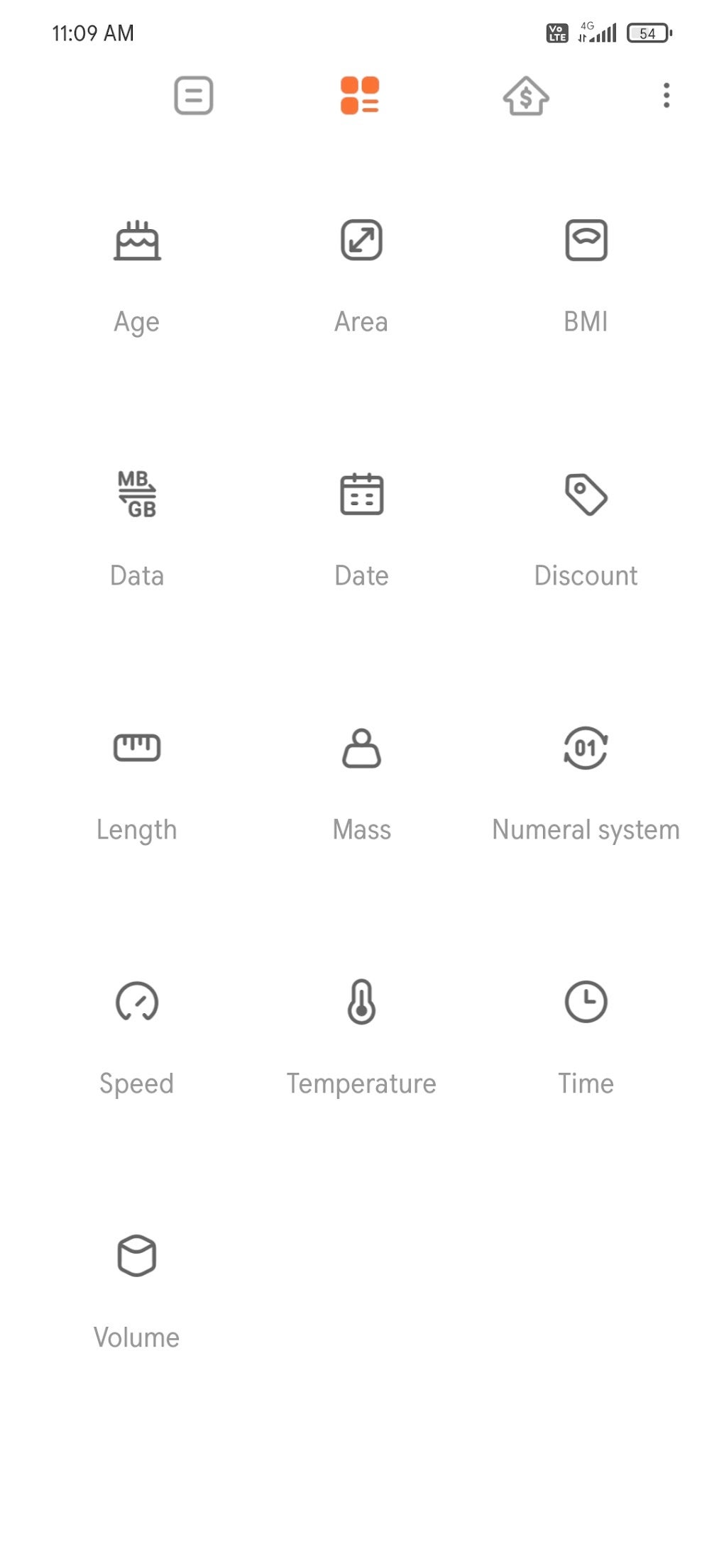
Furthermore, the app includes a unit converter, simplifying the conversion of various units of measurement. This feature handles conversions for area, mass, time, length, and volume, making it an invaluable tool for various applications, from cooking and construction to scientific research. The ability to swiftly and accurately convert units saves time and reduces the risk of errors inherent in manual calculations.
In addition to these core features, the app incorporates a mortgage calculator, enabling users to estimate mortgage payments based on different loan parameters. This is a significant addition for those navigating the complexities of home buying and financing, offering a quick and convenient way to explore various mortgage scenarios. The app also includes an age calculator, a useful tool for determining age based on birthdate.
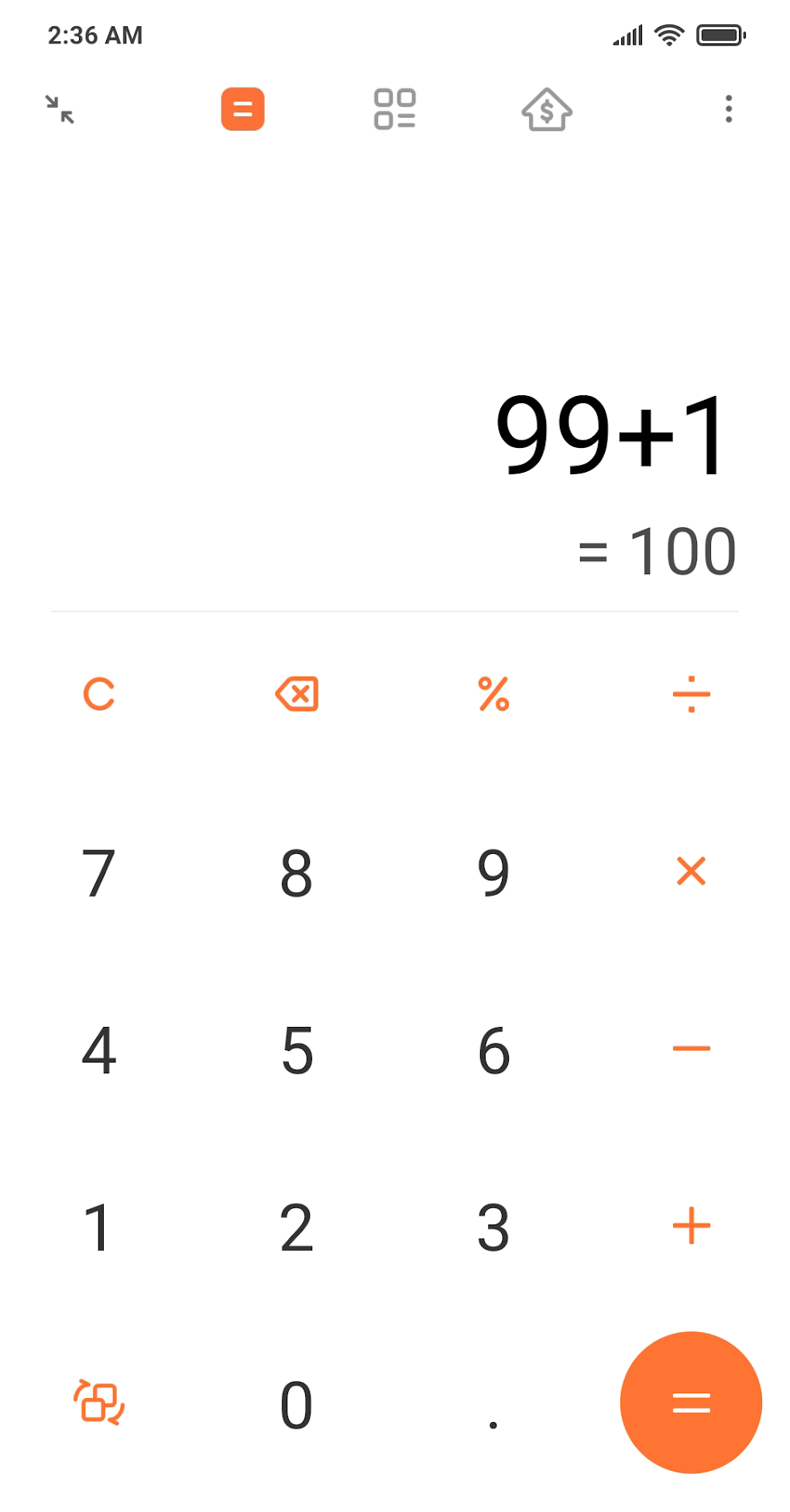
User Interface and Experience: Simplicity and Intuitiveness
The app’s user interface is designed for simplicity and intuitiveness. Navigation is straightforward, allowing users of all technical skill levels to access the different features with ease. The clean layout avoids clutter, ensuring a user-friendly experience that doesn’t overwhelm the user with unnecessary visual elements. This accessibility makes it a practical tool for anyone, irrespective of their comfort level with technology. The intuitive design makes it easy to transition between different calculator modes (basic, scientific, mortgage, etc.), maintaining a seamless and efficient user experience. The clear display of results and the logical arrangement of buttons contribute to a smooth and error-free calculation process.
Compatibility and Device Support: Wide Range of Android Devices
One of the strengths of the Calculator app is its compatibility with a wide range of Android devices. While it’s pre-installed on many Xiaomi phones, it also works seamlessly with devices from other major manufacturers, including Oppo, Samsung, Realme, Vivo, and OnePlus. This broad compatibility ensures a wider user base can benefit from its functionality, making it a valuable tool across various Android ecosystems.
The app’s compatibility transcends specific device models within these manufacturers, ensuring consistent performance across a range of screen sizes and Android versions. This broad reach maximizes its utility and accessibility to a wider audience of Android users.
Privacy Concerns: Permission Requests and User Data
While the Calculator app offers considerable functionality, it’s crucial to address the privacy concerns raised by its extensive permission requests. The app requests access to several features on the user’s device, including location data, device and SIM information, and Wi-Fi connection management. While some of these permissions might seem unrelated to basic calculation functionality, they raise questions about data collection and usage.

The app’s persistent prompting for permissions upon each launch could be seen as intrusive by some users. This repeated request might lead users to question the necessity of granting such broad access for what appears to be a simple calculator application. The lack of transparency concerning the specific usage of this gathered data could also be a cause for concern for privacy-conscious users.
While Xiaomi, the developer, might argue that these permissions are required for ancillary features or for improving app performance, this needs further clarification to address potential user anxieties. Many users might feel uncomfortable granting such extensive access without a clear explanation of the specific need for each permission and how that data will be utilized. Increased transparency concerning the app’s data handling practices would significantly enhance user trust and alleviate these privacy concerns.
Pros and Cons: A Balanced Assessment
The Calculator app undoubtedly offers a robust set of features that make it a powerful and convenient tool. However, a balanced assessment requires acknowledging both its strengths and weaknesses.
Pros:
- User-friendly interface: The simple, intuitive design makes the app easy to use for all users, regardless of their technical expertise.
- Multiple calculator types: It encompasses basic, scientific, and mortgage calculators, along with a currency and unit converter, catering to a wide array of calculation needs.
- Extensive compatibility: The app supports a wide range of Android devices from different manufacturers, maximizing its accessibility.
- Offline Functionality: The app works offline, eliminating reliance on internet connectivity for basic calculations. This is particularly useful in areas with unreliable network coverage.
Cons:
- Extensive permission requests: The app’s request for access to location, device information, and Wi-Fi connectivity raises privacy concerns. The lack of clarity surrounding data usage amplifies these concerns.
- Persistent permission prompts: The app’s repeated request for permissions upon each launch could be perceived as intrusive and disruptive to the user experience.
Alternatives and Comparisons: Exploring Other Options
While the Calculator app offers comprehensive functionality, users concerned about its extensive permission requests may consider alternative calculator apps available on the Google Play Store. Many free and paid calculator apps provide similar functionalities without the same level of data access. Researching and comparing other apps allows users to choose the option that best balances functionality with their privacy preferences. Before installing any app, meticulously review its permissions and privacy policy to ensure they align with your personal standards. Reading user reviews can also provide insights into other users’ experiences and potential issues.
Conclusion: A Powerful Tool with Privacy Considerations
The Calculator app by Xiaomi Inc. presents a powerful and feature-rich tool for various calculation needs. Its intuitive interface, extensive compatibility, and multiple calculator types make it highly versatile and convenient. However, its significant permission requests and persistent prompts for access to user data raise considerable privacy concerns. Users must weigh the benefits of its comprehensive functionalities against their personal comfort level regarding data sharing. If privacy is a paramount concern, exploring alternative calculator applications is recommended. A more transparent approach to data handling by Xiaomi would significantly improve user trust and alleviate the concerns surrounding this otherwise valuable application. The app’s value ultimately depends on the individual user’s prioritization of features versus privacy considerations.
File Information
- License: “Free”
- Latest update: “March 26, 2025”
- Platform: “Android”
- OS: “Android 13.0”
- Downloads: “30.9K”
- Size: “9.34 MB”
- Download Options: “APK, Google Play”
- Filename: “com-miui-calculator-315003003-70230966-ec423981671a2a7f8dc75626c6c33e21.apk”


