
Calculator Vault: App Hider - Hide Apps is a free Android utility application designed to conceal sensitive applications and media files behind the seemingly innocuous interface of a standard calculator. Developed by Hide Apps (NO ROOT), this app functions as a secure vault, safeguarding your privacy by keeping potentially sensitive apps hidden from prying eyes. Its functionality extends beyond app hiding, offering secure storage for images and videos, and even suppressing notifications from these hidden items. This review will delve into the app’s features, ease of use, security aspects, and overall user experience.
Hiding Apps and Media: Functionality and Ease of Use
The core function of Calculator Vault is to camouflage hidden apps within a calculator application. The calculator itself operates like any other standard calculator, providing a completely normal user interface. The secret access point to the vault lies within the calculator itself. Upon entering a six-digit PIN, the app reveals its true functionality, allowing users to add, manage, and hide applications and media files.
Adding applications and importing media is intuitive and straightforward. The app’s main interface provides three easily identifiable icons at the bottom of the screen, representing the options to add apps, add images, and add videos. To add an app, users simply select the app they wish to hide. A crucial step involves testing the app’s functionality within the vault. Users must tap the selected app and choose the “Launch Dual” option. This test verifies that the app functions correctly within the vault’s environment before proceeding to completely hide it. Once successful, users can select “Hide,” effectively uninstalling the app from their home screen and removing its visible presence. Importantly, this process does erase the app’s data; however, it achieves the primary goal of completely removing the app from sight, making it accessible only through the Calculator Vault app.

The ingenuity of the app extends to its notification management. The hidden apps and the vault itself are displayed as “Calculator” in notifications, further enhancing the deception and ensuring the hidden content remains entirely out of sight. A significant advantage of this app is its accessibility without requiring root access to the Android device. This user-friendly approach eliminates the technical hurdles often associated with such apps, making it accessible to a broader range of users. Upon first launch, the app prompts the user to set up a six-digit PIN, acting as the key to accessing the hidden content.
Security and Password Management: Strengths and Weaknesses
While Calculator Vault effectively conceals apps and media, a crucial aspect to consider is its password management system. The app’s simplicity in this regard presents both advantages and drawbacks. The six-digit PIN provides a relatively straightforward security measure, which is easy for the average user to remember and manage. However, this simplicity also presents a vulnerability. There’s currently no built-in mechanism for password recovery in the event of forgotten PINs. This omission represents a significant security concern. The only viable workaround for recovering access involves utilizing a fingerprint scanner if it is available on the device and if the user had previously enabled fingerprint unlock functionality. The lack of a robust password recovery system significantly impacts the app’s overall security, raising questions about its long-term reliability for users who might forget their PIN.
User Interface and Experience: Ads and Performance
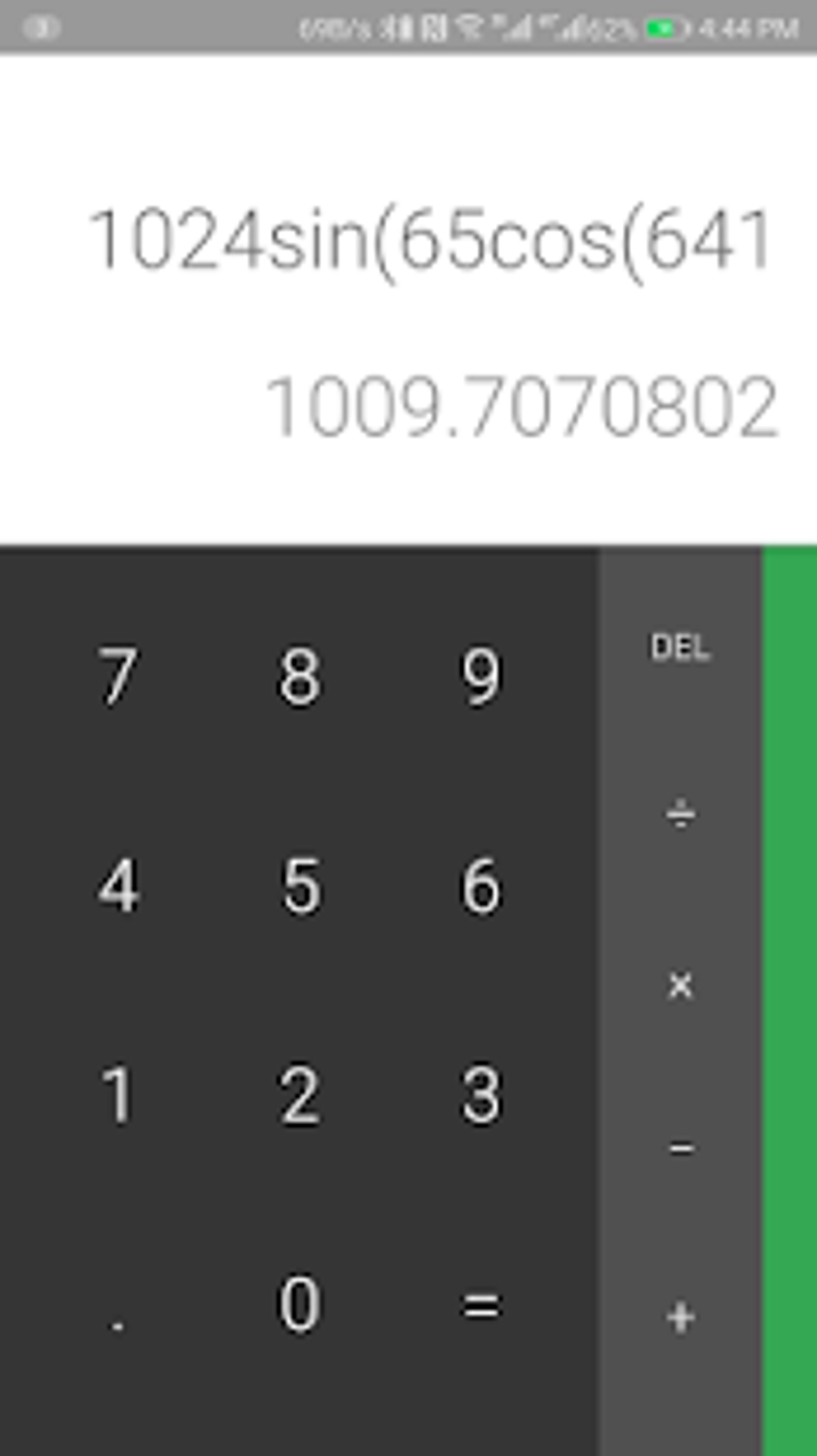
The app’s user interface is generally clean and intuitive. The design is straightforward, ensuring that even novice users can easily navigate the app’s features and functions. However, a noticeable downside to the user experience is the inclusion of frequent ads. Ads persistently appear whenever the app is opened, which can be disruptive and intrusive. This constant bombardment of advertisements detracts from the overall positive user experience. The balance between the app’s free-to-use nature and the intrusive nature of the ads requires careful consideration. While the app’s core function remains largely unaffected by the ads, their presence significantly diminishes the user’s enjoyment of the app.
Pros and Cons: A Balanced Assessment
Calculator Vault: App Hider - Hide Apps offers a number of advantages, making it an appealing option for users seeking a simple way to hide apps and media. Its most significant advantages include:
- No Root Access Required: The app’s functionality doesn’t necessitate root access to the Android device, broadening its accessibility to a wider user base. This simplifies the setup process and makes it more user-friendly.
- Ease of Use: The app’s interface is straightforward and intuitive. Adding and managing hidden apps and media is a simple process, requiring minimal technical expertise.
- Comprehensive Hiding Capabilities: It effectively hides apps from the home screen and manages notifications, providing a high level of concealment. The use of a calculator interface adds an additional layer of deception.
- Media Storage: Beyond hiding apps, it offers secure storage for sensitive images and videos. This adds a significant advantage over apps that solely focus on application hiding.
However, the app also presents several drawbacks that users should carefully consider:
- Password Recovery Limitation: The lack of a robust password recovery system is a significant weakness. Forgetting the six-digit PIN could result in permanent loss of access to the hidden apps and media. This limitation severely undermines the app’s overall security.
- Frequent Advertisements: The presence of frequent, intrusive advertisements detracts from the user experience. The constant appearance of ads can be annoying and disruptive.
- Potential for Data Loss: Hiding an app involves uninstalling it from the home screen. While the app’s data might remain stored within the vault, there is a risk of data loss if the vault’s data is corrupted or the app is uninstalled.
- Limited App Compatibility: While the description states it hides apps, there is no guarantee that all apps will function correctly within the vault environment. This could cause frustration for users attempting to hide certain applications.
Conclusion: A Useful Tool with Limitations
Calculator Vault: App Hider - Hide Apps provides a simple and effective solution for users seeking to conceal applications and media on their Android devices. Its user-friendly interface and the absence of the need for root access make it accessible to a wide range of users. However, the significant limitation of its password recovery system and the persistent presence of intrusive advertisements pose considerable concerns. Users considering this app must carefully weigh the convenience of its app-hiding capabilities against the potential risks associated with its security flaws and potentially disruptive advertising. The app’s overall effectiveness is diminished by these shortcomings, making it a useful but imperfect solution for privacy-conscious Android users. Future updates addressing the password recovery issue and reducing the frequency and intrusiveness of advertisements would significantly improve the app’s usability and overall appeal.
File Information
- License: “Free”
- Latest update: “June 30, 2025”
- Platform: “Android”
- OS: “Android 13.0”
- Language: “English”
- Downloads: “102.6K”
- Download Options: “Google Play”


