
CallClerk is a powerful and versatile call management software designed to enhance your phone experience and provide comprehensive control over incoming and outgoing calls. More than just a call blocker, CallClerk offers a suite of features designed to streamline communication, identify unwanted callers, and automate various aspects of phone management. This comprehensive review delves into the software’s capabilities, features, user experience, and overall effectiveness.
Taking Control of Your Incoming Calls
CallClerk empowers users to regain control of their phone lines, effectively combating unwanted calls and streamlining communication. Its core functionality centers around call identification and management, offering a multi-layered approach to filtering and handling incoming calls. The software allows users to create personalized blacklists, blocking numbers, area codes, or even specific prefixes, effectively silencing unwanted telemarketers, robocallers, and other nuisance callers. This customizable blocking system ensures a tailored approach to call filtering, allowing you to fine-tune the system to your specific needs and preferences.
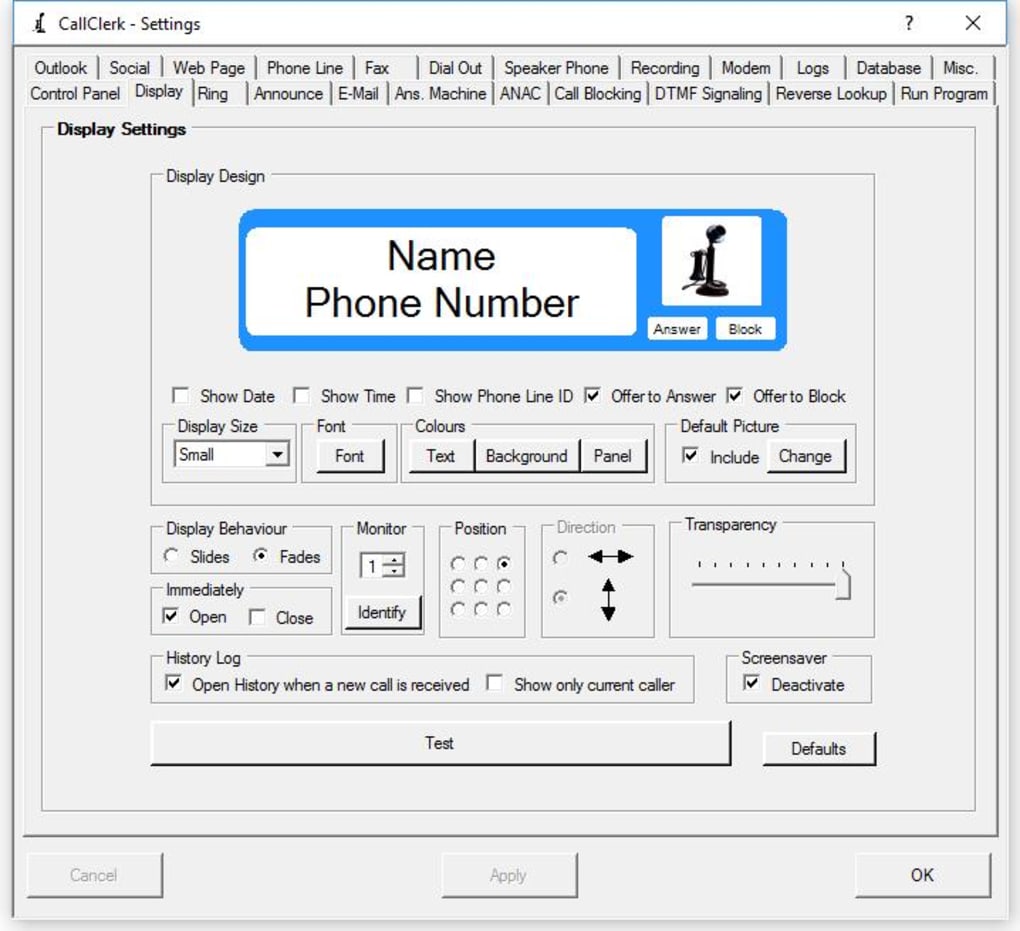
Beyond simple blocking, CallClerk provides advanced notification options. When a call comes in, CallClerk can instantly notify you via email, providing details about the caller and any messages left. This feature ensures you’re always informed, even if you miss a call. For added convenience, CallClerk integrates with popular platforms like Microsoft Outlook and Facebook, automatically pulling up contact information or posting updates to your social media accounts.
For those who want even more control, CallClerk’s advanced options allow for integration with external databases of nuisance callers. By leveraging community-sourced data, CallClerk can proactively identify and block potentially harmful or fraudulent calls, providing an additional layer of security and peace of mind. This collaborative approach to call blocking ensures that the program continuously learns and adapts to emerging threats, staying ahead of the curve in identifying and mitigating unwanted calls.
Enhanced Call Identification and Management
CallClerk goes beyond blocking unwanted calls; it enhances your overall phone experience by providing comprehensive call identification and management features. The software displays detailed caller ID information, including name and number, providing instant context before answering. For a more hands-off experience, CallClerk can announce incoming calls using a computerized voice, reading out the caller’s name for immediate identification. This is especially useful for individuals with hearing impairments or those who prefer a hands-free approach to managing calls.
Furthermore, CallClerk offers a unique and distinctive ring, easily differentiating incoming calls from other system notifications. This customizable ring can be set to a classic bell tone or any other sound file, providing an audible cue that differentiates legitimate calls from other system notifications. The option to customize the ring further enhances the user experience by allowing users to personalize their call management system.
Integrating with internet-based reverse phone number lookup services, CallClerk goes a step further in providing caller identification. The software can automatically run a lookup to gather additional information about the caller, providing context beyond the basic caller ID information. This advanced feature can help users identify unknown numbers and determine the legitimacy of incoming calls, offering an extra layer of security and control.
Streamlining Outgoing Calls and Other Features
CallClerk isn’t limited to incoming call management; it significantly enhances outgoing call functionality. Speed dialing, clipboard dialing, and integration with popular web browsers like Internet Explorer and Firefox streamline the process of making outbound calls, saving time and effort. This comprehensive approach to call management extends to all aspects of phone usage, making CallClerk a truly versatile tool.
For users who leverage Microsoft Outlook, CallClerk seamlessly integrates, automatically popping up the caller’s Outlook contact card when a call comes in. This feature seamlessly integrates call management into the user’s existing workflow, improving efficiency and reducing the time spent searching for contact information during a call. This level of integration makes CallClerk a valuable asset for users who regularly manage calls within the Outlook environment.
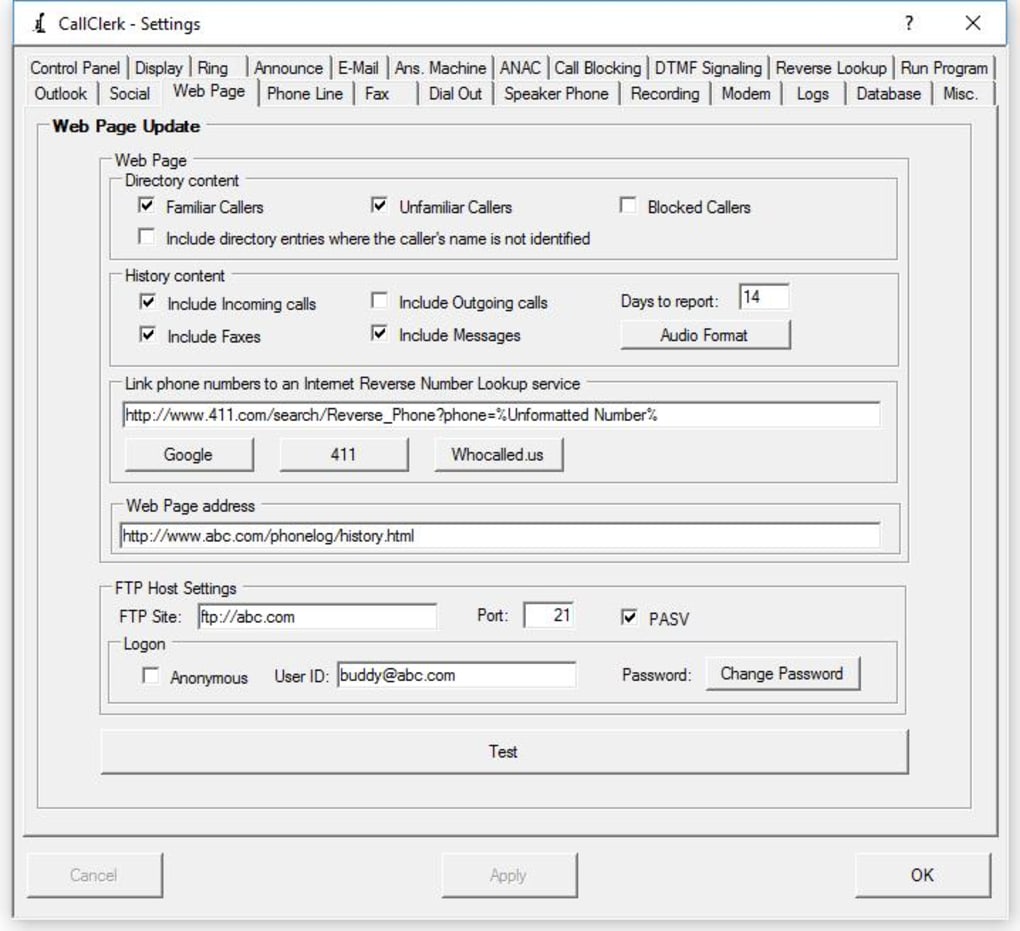
The software’s versatility extends beyond call handling. CallClerk can act as a replacement for your answering machine, recording messages for missed calls. It can even send and receive faxes, making it a comprehensive communication hub. This all-in-one approach streamlines communication processes and centralizes all calls, messages, and faxes within a single software. Furthermore, CallClerk offers the option to automatically create and upload a webpage listing your calls, messages, and faxes, providing easy access to call logs from any location.
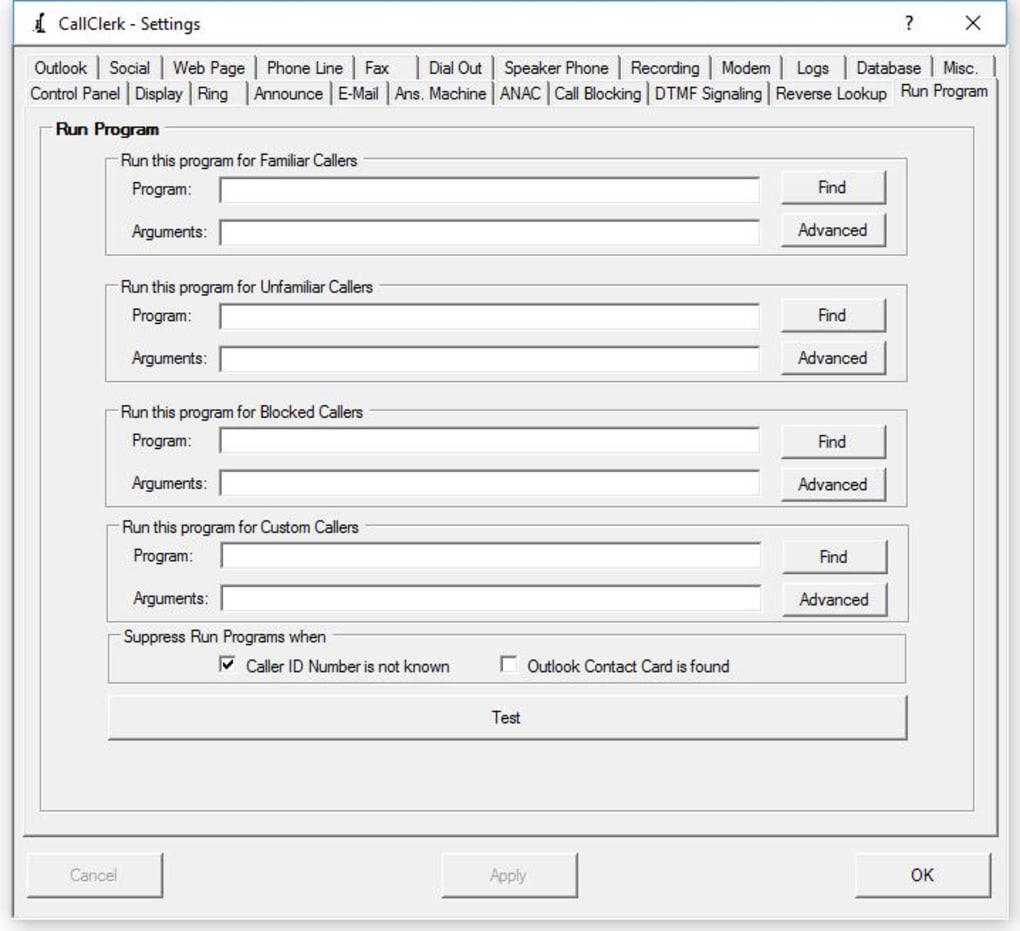
CallClerk also boasts features such as the ability to automatically launch other software applications upon receiving a call, further customizing its functionality to individual workflows. It can report incoming calls to other computers on a network, sharing call information across multiple devices. Finally, a printable directory and history log provides a convenient record of all communication activity. This comprehensive logging capability facilitates record-keeping and provides an audit trail of all calls, messages, and faxes.
User Experience and Reviews
CallClerk’s user interface, while not described as modern, is generally regarded as easy to use and intuitive. Many users praise its simplicity and ease of setup, appreciating its “set it and forget it” functionality. The software’s robust feature set is highly regarded by users, who appreciate its ability to effectively block unwanted calls and improve the overall communication experience. Numerous positive reviews highlight CallClerk’s effectiveness in filtering spam and robocalls, restoring peace of mind and reducing the disruption caused by unwanted calls.
However, some negative reviews indicate potential compatibility issues, particularly for users outside the United States. One user reported difficulties using the software in Australia, highlighting the potential need for regional-specific configurations or updates. While the majority of reviews praise CallClerk’s functionality, it’s important to note that its suitability might vary depending on the user’s location and specific phone setup. The software’s effectiveness in call blocking is consistently highlighted as a major strength, suggesting that CallClerk effectively addresses the growing problem of unwanted calls.
Despite occasional compatibility issues reported by some users, the overwhelming majority of reviews praise CallClerk’s effectiveness and ease of use. The software’s ability to seamlessly integrate with various platforms and its comprehensive feature set are key selling points, contributing to user satisfaction. CallClerk receives consistent praise for its superior performance compared to competing software options, establishing itself as a leading call management solution.
Conclusion
CallClerk provides a comprehensive and powerful solution for managing calls, offering a robust feature set designed to enhance the user’s phone experience. From its sophisticated call blocking capabilities and advanced call identification features to its streamlined outgoing call functions and versatile integration options, CallClerk is a valuable tool for individuals and businesses alike. While some regional compatibility issues have been noted, the overwhelmingly positive user reviews and the software’s reputation for effectively combating unwanted calls confirm CallClerk’s status as a strong contender in the call management software market. Its comprehensive feature set and user-friendly interface make it a compelling option for anyone seeking to regain control of their phone line and enhance their communication experience.
File Information
- License: “Trial version”
- Latest update: “April 22, 2024”
- Platform: “Windows”
- OS: “Windows 2000”
- Language: “English”
- Downloads: “24.3K”
- Size: “10.59 MB”


