
The Canon LBP2900b driver is essential software for users of the Canon LBP2900 series laser printers. This driver facilitates communication between your computer and your printer, enabling seamless printing functionality. This guide provides a detailed overview of the driver, its features, installation process, troubleshooting tips, and alternative solutions.
Understanding the Canon LBP2900b Driver
The Canon LBP2900b driver is a free utility officially released by Canon Inc. It’s designed specifically for the LBP2900 series of laser printers and acts as a crucial bridge between the printer’s hardware and your computer’s operating system. Without this driver, your computer won’t recognize the printer, rendering it unusable. Think of it as the translator between your computer’s language and your printer’s language. Just like you need drivers for other peripherals, such as a mouse or keyboard, a printer also needs a specific driver to operate correctly. The driver installs the necessary software components to enable the computer to communicate with the printer’s hardware, allowing you to send print jobs and manage printer settings effectively.
This driver is not a universal solution; it’s explicitly designed for the Canon LBP2900b series. Attempting to use this driver with other Canon printers or printers from different manufacturers will result in failure. For instance, if you own a Canon PIXMA or MAXIFY inkjet printer, you’ll need to download the specific driver designed for that model. Using the wrong driver will lead to incompatibility issues and prevent your printer from functioning correctly.
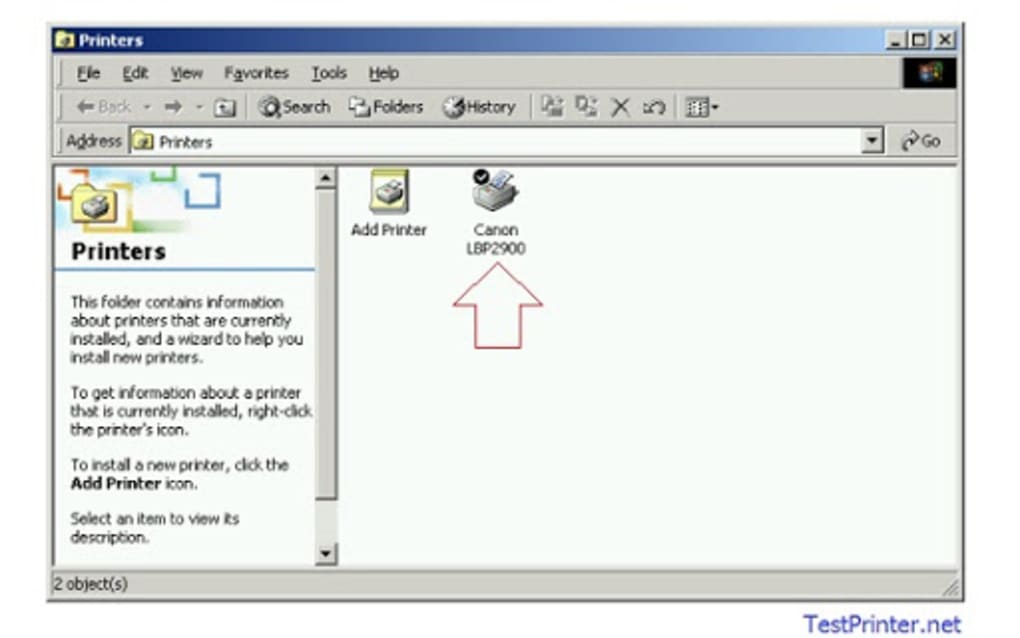
Installation and Setup: A Step-by-Step Guide
The Canon LBP2900b driver is known for its straightforward installation process. The small file size (approximately 7.2 MB) contributes to quick downloads and efficient installation. Here’s a general guide, though the exact steps might slightly vary depending on your operating system:
-
Download the Driver: First, locate the official Canon website and navigate to the driver downloads section. Search for the “Canon LBP2900b” driver, ensuring you select the version compatible with your operating system (Windows, macOS, etc.). Pay close attention to the bit version (32-bit or 64-bit) of your operating system and select the corresponding driver.
-
Run the Installer: Once downloaded, locate the installer file (usually an
.exefile for Windows) and double-click it to launch the installation process. Follow the on-screen instructions carefully. The installer will guide you through the steps. Most installations involve accepting the license agreement and selecting the installation directory.
-
Connect the Printer: Connect your Canon LBP2900b printer to your computer using a USB cable. Ensure the printer is turned on before proceeding. The driver will automatically detect the printer upon installation completion, and the installer might prompt you to restart your computer.
-
Restart Your Computer: A system restart is often recommended after installing the driver. This ensures that the newly installed driver is correctly integrated into the operating system.
-
Test the Printer: After the restart, open any document and try printing a test page. This verifies the successful installation and functionality of the driver. If you encounter issues at this stage, refer to the troubleshooting section below.
The ease of installation is a key advantage of this driver. It’s designed to be user-friendly, even for individuals with limited technical expertise. The installer generally handles most configuration automatically, reducing the need for manual adjustments.
Features and Functionality
The primary function of the Canon LBP2900b driver is to establish communication between your computer and the printer. Once installed, it allows you to:
- Send print jobs: Send print commands from various applications, including word processors, image editors, web browsers, and more.
- Manage printer settings: Access and modify printer settings such as print quality, paper size, and orientation.
- Troubleshoot basic connectivity issues: While not a comprehensive troubleshooting tool, the driver can sometimes help resolve minor connectivity problems.
Troubleshooting Common Issues
Despite the generally smooth installation process, you might encounter some problems. Here are some common issues and their potential solutions:
-
Printer not detected: Ensure the printer is correctly connected to your computer and switched on. Check the USB cable for any damage. Restart both your computer and printer. If the issue persists, try a different USB port.
-
Print jobs failing to print: Verify that the printer has sufficient paper and ink/toner. Check for paper jams. Examine the printer’s status light for any error indicators. Consult the printer’s user manual for guidance on addressing specific error codes.
-
Driver installation errors: Ensure you are downloading the driver from the official Canon website. Check your system’s compatibility with the driver’s requirements. If the issue persists, try uninstalling and reinstalling the driver.
-
Poor print quality: Check the toner level and consider replacing the toner cartridge if necessary. Adjust the printer settings, such as print resolution and paper type, to optimize print quality.
Remember, the Canon LBP2900b driver is primarily a communication tool. It doesn’t have advanced diagnostic features for resolving complex printer malfunctions. For more advanced troubleshooting or hardware issues, you’ll need to refer to the printer’s user manual or contact Canon support.
Alternatives and Comparisons
While the Canon LBP2900b driver is specifically designed for its target printer line, several alternative solutions exist for printing needs:
-
Generic printer drivers: Some operating systems offer generic printer drivers that might work with your printer. However, these drivers typically offer limited functionality compared to the manufacturer-specific driver.
-
Cloud printing solutions: Services like Google Cloud Print (now discontinued) allowed printing via the cloud, but this requires internet connectivity.
-
Third-party printer management software: Several third-party applications offer comprehensive printer management features, including advanced troubleshooting capabilities. However, these tools might not be as optimized for the Canon LBP2900b as the official driver.
Choosing the right solution depends on your specific needs and technical expertise. The Canon LBP2900b driver remains the optimal choice for ensuring optimal functionality and compatibility with your Canon LBP2900b printer. However, exploring alternatives can be beneficial in certain circumstances, such as when troubleshooting specific issues or needing more advanced printer management features.
In conclusion, the Canon LBP2900b driver is a vital piece of software for users of the Canon LBP2900 series laser printers. Its ease of installation, compatibility, and straightforward functionality make it a valuable asset. While it’s not a panacea for all printing problems, it provides a solid foundation for seamless printing. Remember to always download drivers from official sources to ensure security and compatibility.
File Information
- License: “Free”
- Version: “0.0.3.30”
- Latest update: “October 22, 2021”
- Platform: “Windows”
- OS: “Windows 8”
- Language: “English”
- Downloads: “954K”
- Size: “7.54 MB”


