CapCut China, also known as 剪映 (Jiǎnyìng), is a free-to-use video editing application developed by Bytedance Pte. Ltd., the same company behind the hugely popular social media platform TikTok. This intuitive and powerful mobile app has quickly gained a massive user base, particularly amongst younger audiences, for its ease of use and comprehensive feature set. This review delves into the strengths and weaknesses of CapCut China, examining its user interface, editing capabilities, performance, and overall user experience.
User Interface and Ease of Use
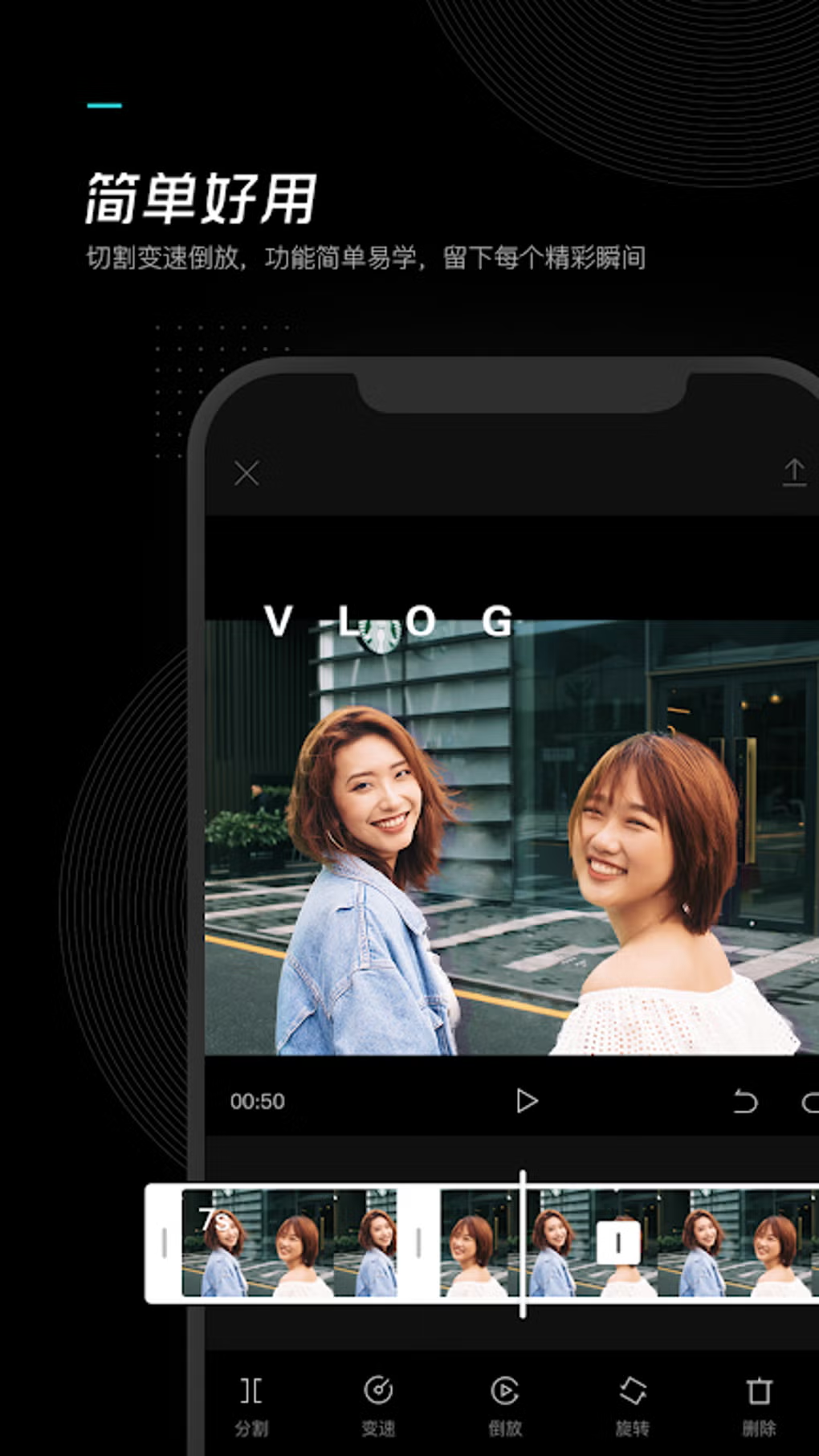
CapCut China boasts a remarkably user-friendly interface, designed to be accessible to both novice and experienced video editors. The app’s clean and uncluttered layout makes navigating its various features intuitive and straightforward. The primary workspace provides easy access to essential tools like trimming, splitting, and merging video clips. Advanced features are readily available, but they are not overwhelming for beginners. The logical arrangement of tools and options reduces the learning curve significantly, allowing users to quickly grasp the fundamentals and start creating videos with minimal effort. This ease of access is one of CapCut China’s most significant strengths, contributing to its wide appeal. The app effectively caters to a broad spectrum of users, from those just beginning their video editing journey to those seeking a quick and efficient way to produce professional-looking content. Color-coded icons and clear labeling further enhance the user experience, minimizing confusion and maximizing efficiency.
Editing Capabilities and Features
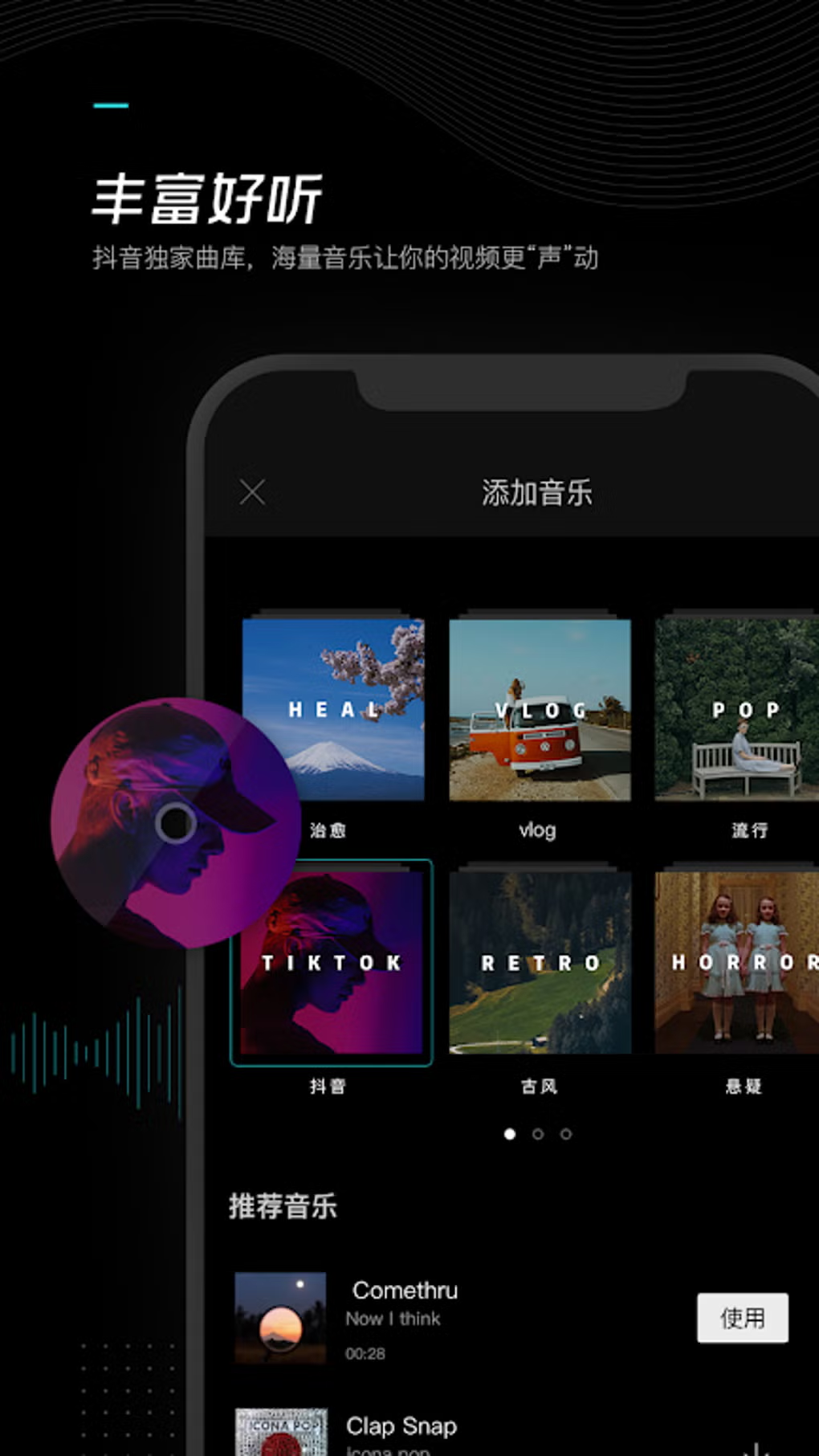
CapCut China offers a robust collection of editing tools, far exceeding the capabilities of many other free mobile video editors. Beyond the standard trimming, splitting, and merging functions, users have access to a plethora of creative options. The app provides a comprehensive suite of filters, effects, and transitions, enabling users to enhance the visual appeal of their videos. These tools allow for significant stylistic customization, transforming ordinary footage into visually striking productions. Users can easily adjust video speed, add text overlays with customizable fonts and styles, and incorporate stickers and emojis to further personalize their content. The inclusion of a vast library of royalty-free music tracks enhances the creative possibilities, allowing users to easily incorporate background music that complements their videos. Furthermore, the app features a user-friendly keyframe animation system, empowering even less experienced users to create smooth, professional-looking transitions and effects. This feature opens up exciting creative avenues, pushing the boundaries of what’s achievable with a free mobile app.
.webp)
Audio Editing Features
CapCut China’s audio editing capabilities are equally impressive. Users can adjust audio levels, add voiceovers, and even utilize a voice-changing feature to add a unique touch to their audio tracks. The ability to seamlessly integrate music tracks from the app’s extensive library, alongside the sophisticated audio mixing controls, makes the creation of rich and dynamic audio landscapes straightforward. Users can fine-tune audio levels, add fades, and even remove background noise to further polish their audio production. This level of audio control, often absent in less sophisticated video editing apps, is a significant advantage of CapCut China. The combination of intuitive interface elements and powerful tools makes the process of enhancing audio tracks both efficient and enjoyable.
Sharing and Exporting
One of CapCut China’s standout features is its seamless integration with social media platforms. Users can easily share their finished videos directly to TikTok, along with other popular platforms such as Instagram, Facebook, and YouTube. This direct sharing capability greatly enhances the app’s utility, particularly for users focused on creating content for social media audiences. The ability to quickly and easily share videos with a global audience greatly streamlines the content creation and distribution workflow. However, it is worth noting that the export process may encounter limitations, depending on the complexity of the video project. While the app offers several resolution options for exporting, the final output quality may sometimes be less than optimal, especially when using a large number of effects or high-resolution clips. Users often report a noticeable drop in quality compared to the source footage, particularly at higher resolutions.
.webp)
Performance and Stability
While CapCut China generally performs well, some users have reported occasional performance issues, particularly when editing videos with a high number of effects or long durations. These performance hiccups, though infrequent, can impact workflow efficiency and overall user satisfaction. The app’s performance might also be influenced by the device’s specifications, with older or less powerful mobile devices potentially experiencing more frequent lags or crashes. While generally stable, occasional crashes or unexpected shutdowns have been reported. These instances, while not constant, can disrupt the editing process and cause frustration. Further optimization may be necessary to improve overall performance consistency across a wider range of devices.
Limitations and Potential Improvements
Despite its numerous strengths, CapCut China is not without limitations. As mentioned earlier, the most significant shortcoming is the potential for a decrease in video quality during the export process. This issue is most pronounced when using extensive effects, high-resolution source material, or a combination of both. Addressing this issue would significantly improve the overall user experience and the perceived quality of the final product. Moreover, while the app’s interface is intuitive, the sheer number of features might feel overwhelming to absolute beginners. A more structured tutorial system or a simplified mode for novice users would enhance the app’s accessibility for a wider range of skill levels.
Comparison with Other Video Editing Apps
.webp)
Compared to other popular mobile video editing applications, CapCut China holds its own. While apps like VN Video Editor and KineMaster offer similar features, CapCut China often excels in terms of its user-friendly interface and seamless integration with social media platforms. Its intuitive design and ease of use make it a more accessible option for those new to video editing, while its extensive feature set provides ample creative tools for experienced users. However, other apps may offer superior export quality or more advanced editing features in certain specific areas. The overall best choice depends on the user’s individual needs and preferences.
Conclusion
CapCut China represents a significant achievement in mobile video editing. Its intuitive interface, extensive feature set, and seamless social media integration make it an attractive option for users of all skill levels. While some minor performance issues and export quality limitations remain, these shortcomings are largely overshadowed by the app’s overall usability and creative power. CapCut China’s popularity is well-deserved, solidifying its position as a leading contender in the competitive mobile video editing market. The app’s continuous updates and improvements suggest a commitment to addressing existing limitations and expanding its capabilities further, promising an even better user experience in the future. For users seeking a powerful, user-friendly, and versatile video editing application, CapCut China is undoubtedly worth exploring.
File Information
- License: “Free”
- Version: “6.2.0”
- Latest update: “September 12, 2022”
- Platform: “Android”
- OS: “Android 6.0”
- Language: “English”
- Downloads: “661.8K”
- Size: “54.96 MB”
- Download Options: “APK, Google Play”
- Filename: “CapCut_China-__-__6.2.0.apk”