
Car Scanner Pro is a powerful diagnostic tool that provides real-time insights into your vehicle’s performance, allowing you to monitor its health and address potential issues proactively. This application, available for Windows, transforms your smartphone or computer into a sophisticated onboard diagnostics (OBD) system, providing access to a wealth of data previously unavailable to the average car owner. This detailed guide will explore its capabilities, advantages, and limitations, helping you determine if Car Scanner Pro is the right tool for your automotive needs.
Understanding Car Scanner Pro’s Functionality
At its core, Car Scanner Pro acts as a bridge between your vehicle’s onboard computer (ECU) and your device. By using a Bluetooth OBD-II adapter (sold separately), the app connects to your car’s diagnostic port, retrieving and interpreting data from various sensors and systems. This allows you to monitor a vast array of parameters, providing a comprehensive picture of your vehicle’s health and performance.
The app’s interface is designed to be user-friendly, although the sheer volume of data available can initially present a learning curve for novice users. However, the intuitive layout and customizable dashboards help to alleviate this, allowing you to tailor the displayed information to your specific needs.
The application displays data in real-time, providing immediate feedback on your vehicle’s performance. This real-time monitoring capability is invaluable for identifying potential issues before they escalate into major problems. Instead of waiting for a check engine light to illuminate, Car Scanner Pro allows you to anticipate problems by tracking key metrics such as engine temperature, fuel consumption, and sensor readings.
Beyond basic parameters like speed and fuel level, Car Scanner Pro delves into more intricate details. It can access and display diagnostic trouble codes (DTCs), commonly known as fault codes. These codes pinpoint specific issues within the vehicle’s systems, providing a starting point for troubleshooting and repairs. The ability to interpret these codes yourself can save time and money by allowing you to diagnose problems before taking your car to a mechanic.
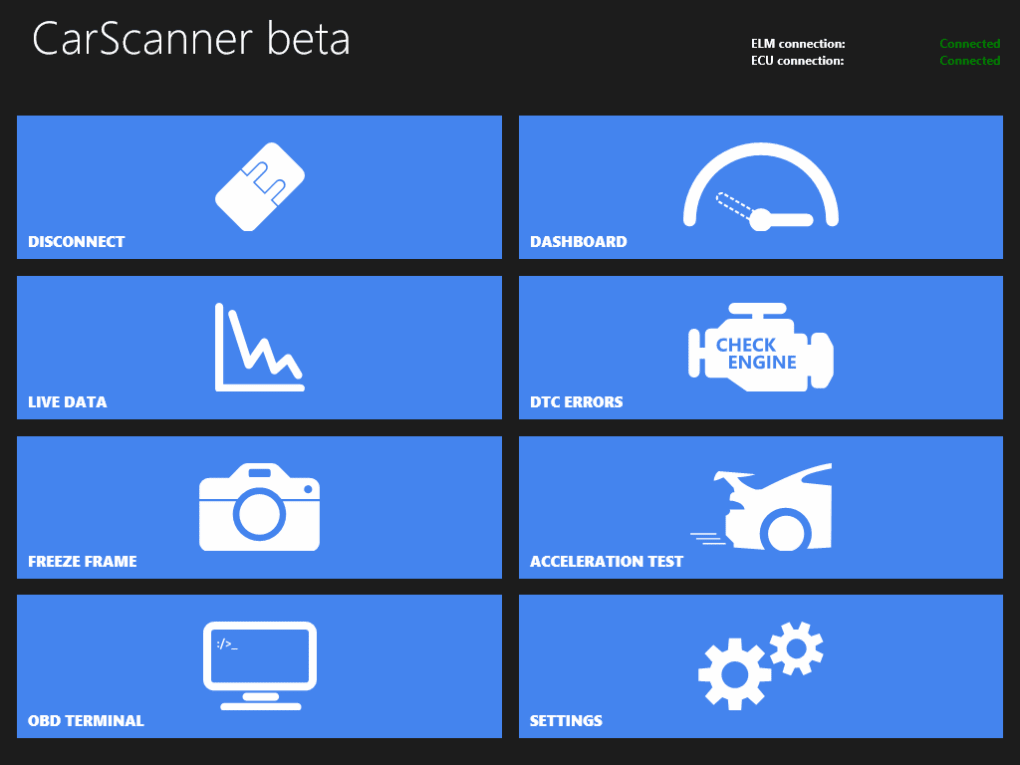
Key Features and Capabilities of Car Scanner Pro
Car Scanner Pro offers a comprehensive suite of features designed to enhance your understanding and maintenance of your vehicle:
- Real-Time Data Monitoring: The app provides real-time monitoring of a vast array of vehicle parameters, offering a continuous stream of data on engine performance, sensor readings, and system status.
-
Customizable Dashboards: You can customize the app’s dashboard to display the specific parameters most relevant to you. This allows for a tailored user experience, focusing on the data most important for your vehicle’s monitoring needs.
-
Diagnostic Trouble Code (DTC) Retrieval and Interpretation: Car Scanner Pro retrieves and displays DTCs, offering valuable insights into potential problems within your vehicle’s systems. The app often includes descriptions of these codes, simplifying the diagnostic process.
-
Mode 06 - ECU Self-Monitoring Test: This feature allows you to initiate and monitor the self-diagnostic capabilities of your vehicle’s ECU, further enhancing your ability to pinpoint and address issues.
-
Parameter ID (PID) Customization: Car Scanner Pro allows you to add custom PIDs, unlocking access to data that may not be readily available through standard diagnostics. This provides even deeper insights into your vehicle’s performance and can be especially useful for advanced users.
-
Wide Vehicle Compatibility: The app supports a broad range of vehicles that use the OBD-II standard, covering most cars manufactured after 2000, and even some models dating back to 1996. This ensures compatibility with a wide variety of car makes and models.
-
Data Logging and Export: Many versions of Car Scanner Pro offer data logging capabilities, allowing you to record vehicle data over time. This recorded data can then be exported for further analysis or to share with mechanics. This is a particularly useful feature for identifying intermittent problems.
Advantages of Using Car Scanner Pro
The benefits of using Car Scanner Pro extend beyond simple diagnostics. Its capabilities translate into tangible advantages for both personal use and professional applications:
- Proactive Maintenance: Early detection of potential problems saves you money by preventing minor issues from escalating into costly repairs.
-
Reduced Repair Costs: By identifying and understanding the cause of issues before visiting a mechanic, you can often save significantly on labor costs.
-
Increased Vehicle Understanding: The app fosters a deeper understanding of your vehicle’s inner workings, empowering you to make informed decisions regarding maintenance and repairs.
-
Enhanced Safety: Monitoring crucial parameters like engine temperature and tire pressure can improve vehicle safety by alerting you to potential hazards.
-
Improved Fuel Efficiency: Tracking fuel consumption patterns can help you optimize your driving habits and improve your vehicle’s fuel economy.
Limitations and Potential Drawbacks
While Car Scanner Pro offers numerous advantages, it’s important to acknowledge its limitations:
-
Learning Curve: The app’s extensive features and technical data can initially present a steep learning curve, particularly for users unfamiliar with automotive diagnostics.
-
Bluetooth Adapter Requirement: A compatible Bluetooth OBD-II adapter is necessary, representing an additional cost. The quality of the adapter can significantly impact the accuracy and reliability of the data received.
-
Data Accuracy: The accuracy of the data displayed depends on the reliability of both the app and the OBD-II adapter. Inaccurate readings can lead to misdiagnosis and unnecessary repairs.
-
Vehicle Compatibility: While Car Scanner Pro boasts wide compatibility, some older or less common vehicle models may have limited or no support.
-
Limited Technical Support: Access to reliable and responsive technical support may be limited for certain users, especially during troubleshooting difficulties.
Car Scanner Pro Compared to Alternatives
Car Scanner Pro sits alongside several competing apps and software solutions in the OBD diagnostic market. Some alternatives offer similar functionality, while others may specialize in certain areas. Direct comparisons depend on specific features and pricing models offered by each competitor. Features to consider when comparing alternatives include the depth of data available, the user interface’s intuitiveness, the availability of data logging and export functions, and the cost of the app and any necessary hardware. Some alternatives may offer a freemium model, with limited functionality available for free and advanced features requiring a paid subscription. Others might require a one-time purchase for full functionality.
Conclusion: Is Car Scanner Pro Right for You?
Car Scanner Pro offers a powerful and versatile solution for vehicle diagnostics and maintenance. Its comprehensive features, real-time monitoring capabilities, and wide vehicle compatibility make it a valuable tool for car owners who are interested in taking a more proactive approach to vehicle care. However, the app’s learning curve and reliance on a separate OBD-II adapter should be considered. Before purchasing, carefully weigh the app’s advantages against its limitations and compare it to alternative solutions to ensure it meets your specific needs and budget. For those willing to invest the time to learn the app’s intricacies, Car Scanner Pro offers a significant return on investment in terms of improved vehicle maintenance and understanding.
File Information
- License: “Full”
- Version: “varies-with-device”
- Latest update: “January 17, 2024”
- Platform: “Windows”
- OS: “Windows 10”
- Language: “English”
- Downloads: “8.8K”


