
CCleaner Browser, developed by Piriform Ltd., presents itself as a secure and private web browsing alternative to established options like Google Chrome, Mozilla Firefox, and Microsoft Edge. In a digital landscape increasingly dominated by data collection and targeted advertising, CCleaner Browser aims to provide users with a more controlled and secure online experience. This in-depth review explores its features, performance, and overall effectiveness in achieving its stated goals.
A Secure Browser Focused on Privacy
The core selling point of CCleaner Browser is its robust security and privacy features. Unlike many mainstream browsers that prioritize user engagement and advertising revenue, CCleaner Browser emphasizes user protection. This commitment translates into several key features designed to enhance privacy and protect against online threats:
-
Built-in Ad Blocker: A powerful ad blocker is integrated directly into the browser, preventing advertisements from loading on web pages. This not only enhances browsing speed and reduces distractions but also mitigates the tracking capabilities often embedded within online ads. Ad networks often collect vast amounts of user data through advertisements, including IP addresses, browsing history, and other personally identifiable information. By blocking ads, CCleaner Browser significantly reduces this data exposure.
-
Anti-Tracking and Anti-Fingerprinting: The browser utilizes advanced anti-tracking technologies to prevent websites from monitoring user activity and creating detailed user profiles. This includes sophisticated techniques to mask browser fingerprints, making it more difficult for websites to identify users uniquely. Anti-fingerprinting technology works by randomizing various aspects of the browser’s digital signature, making it harder to create a consistent and recognizable profile across different websites.
-
Anti-Phishing Protection: CCleaner Browser incorporates anti-phishing measures designed to identify and warn users against potentially malicious websites attempting to steal personal information, such as login credentials or financial details. This protection is crucial in today’s online environment, where phishing attacks are increasingly sophisticated. The browser actively cross-references visited URLs against known phishing databases, alerting users to potentially dangerous websites before any damage can be done.
-
HTTPS Encryption: The browser prioritizes the use of HTTPS (Hypertext Transfer Protocol Secure) connections whenever possible, encrypting data transmitted between the user and websites. This protection safeguards sensitive information from interception by third parties, such as hackers or government agencies, ensuring a more secure communication channel. HTTPS is the standard for secure web communication, and CCleaner Browser proactively enables it where applicable.
-
Webcam Guard: Providing users with granular control over their webcam access, CCleaner Browser allows for precise management of which websites can utilize the camera. This proactive security measure helps prevent unauthorized access to the webcam by malicious websites or malware. Users can selectively grant or deny access based on their trust in specific websites, increasing overall security and minimizing privacy risks.
-
Password Manager: Included is a password manager that facilitates the secure storage and auto-filling of login credentials. This feature streamlines the login process across multiple websites while also promoting better password hygiene by encouraging the use of strong, unique passwords for each account. The built-in password manager simplifies the task of remembering complex passwords without compromising on security.
CCleaner Browser’s Interface and User Experience
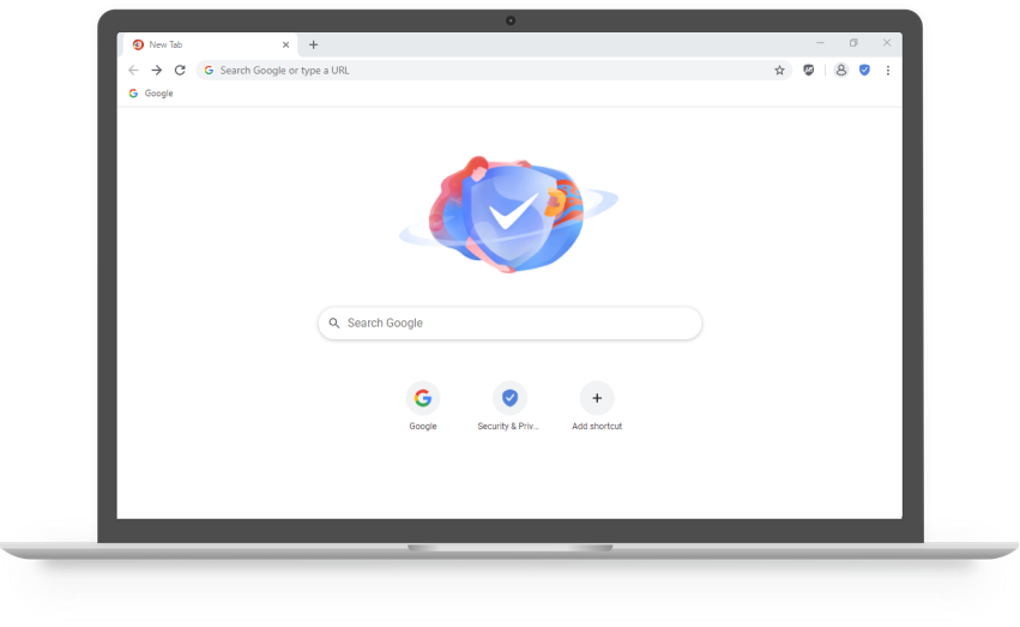
The browser boasts a user-friendly interface, similar in design to Google Chrome. This familiarity makes the transition from other Chromium-based browsers seamless. The intuitive design ensures ease of navigation, regardless of the user’s technical expertise. Key features and settings are easily accessible, while the overall layout is clean and uncluttered. This is a significant advantage for users unfamiliar with alternative browsers, promoting a smooth transition and quick adoption.
The browser offers standard functionalities such as bookmarking, downloads management, and extension support. Each element is managed by dedicated tools, offering a clean and organized experience. The history functionality provides easy access to recently visited pages. The integration of these common functions without needless complexity strengthens the overall user experience.
Beyond the Basics: Advanced Features and Customization
CCleaner Browser provides a level of customization not often found in other privacy-focused browsers. The “Security and Privacy Center” offers granular control over various security features, allowing users to tailor their privacy settings based on individual needs and preferences. The detailed explanations accompanying each feature make navigating these settings straightforward, even for less technically inclined users.
The “Advanced Settings” section empowers users to fine-tune the ad blocker, creating custom rules and filters or importing third-party filters. This level of customization ensures that users can perfectly match the browser’s behavior to their security preferences, offering unmatched control.
The browser also proactively scans websites for malicious content, providing users with a threat report detailing identified risks. This report offers valuable insights into the safety of browsed websites and the level of protection offered by the browser. The detailed information empowers users to make informed decisions about their online safety.
Integration with other Piriform products, such as the CCleaner disk space manager, further enhances the system-wide cleaning capabilities. This integration streamlines the process of removing unnecessary files and improving overall system performance, thus complementing the browser’s focus on privacy and efficiency.
Performance and Potential Drawbacks
CCleaner Browser, based on the Chromium engine, generally offers a smooth and responsive browsing experience. While claims of being up to four times faster than other browsers should be treated cautiously, it consistently delivers acceptable performance without significant lag or resource-intensive behavior. The lightweight nature of the browser means it is less demanding on system resources, which is particularly beneficial for users with less powerful hardware.
However, users have reported occasional crashes and lags, though these instances are infrequent and appear to be isolated. These minor occurrences do not detract significantly from the generally positive performance experience. The infrequent reported issues suggest ongoing development and refinement aimed at continually improving stability.
Conclusion: A Strong Contender in the Privacy Browser Market
CCleaner Browser successfully combines a strong emphasis on privacy and security with an intuitive and user-friendly interface. Its impressive array of features, including the built-in ad blocker, anti-tracking capabilities, and robust security measures, positions it as a competitive alternative to mainstream browsers for users who prioritize online privacy. While occasional performance hiccups have been reported, they do not significantly diminish the overall positive user experience. The browser’s customizable settings and clear explanations make it accessible to both technically proficient and less experienced users, solidifying its place as a compelling option in the privacy-focused browser market. The integration with other CCleaner tools adds to its comprehensive approach to system optimization and security, creating a synergistic ecosystem for those prioritizing digital hygiene.

File Information
- License: “Free”
- Latest update: “December 12, 2024”
- Platform: “Windows”
- OS: “Windows 8”
- Language: “English”
- Downloads: “33.1K”
- Size: “1.11 MB”


