
CCProxy is a versatile and relatively easy-to-use proxy server application designed for sharing internet connections across multiple devices. Its capabilities extend beyond simple internet sharing, offering features like bandwidth control, user access management, and web filtering, making it a suitable choice for both home users and small businesses. This comprehensive guide will delve into the functionalities, advantages, and limitations of CCProxy, exploring its various features and providing insights into its practical applications.
Understanding CCProxy’s Functionality
At its core, CCProxy acts as a central intermediary between your internet connection and multiple client devices. It receives the internet connection from your modem or router and then distributes it to connected computers, smartphones, or other network devices. This allows multiple users to access the internet simultaneously using a single internet connection. Beyond basic sharing, CCProxy offers a range of advanced features that significantly enhance its utility and control.
The software supports a wide array of connection types, including broadband, DSL, dial-up, and fiber optic connections, ensuring compatibility with various internet service providers and infrastructure. Its flexibility extends to the supported proxy protocols, encompassing HTTP, FTP, Gopher, SOCKS4/5, Telnet, HTTPS, NNTP, RTSP, and MMS. This broad protocol support enables seamless access to a vast range of online services and applications.
CCProxy also excels in user management and access control. The software allows administrators to create individual user accounts, each with customizable access permissions. This level of granularity is particularly useful in settings where different users require different levels of access or bandwidth allocation. For instance, administrators can assign specific bandwidth limits to individual users, preventing one user from hogging the available bandwidth and negatively impacting the experience of others.
Another crucial feature of CCProxy is its built-in web filtering capabilities. Administrators can configure the software to block access to specific websites or domains, effectively controlling the online activities of users within the network. This feature can be invaluable for managing internet usage within a household or a business environment, allowing for the implementation of content restrictions and enhancing online safety.
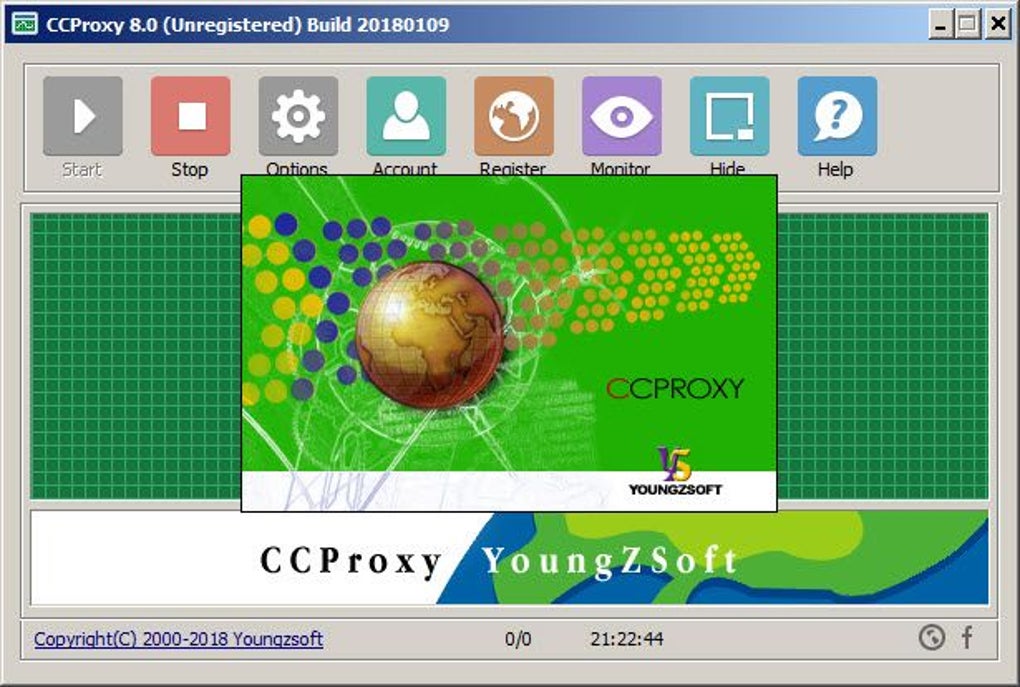
The software further empowers administrators with features like built-in DNS resolution, allowing for efficient domain name lookups and enhanced network performance. Its time scheduling capabilities allow for granular control over internet access, with the ability to schedule online time based on specific days or time ranges, enabling implementation of usage restrictions and time limits for particular users.
CCProxy’s robust bandwidth control mechanism goes beyond simple limits. It allows administrators to monitor and manage network traffic in real-time, observing the usage patterns of each connected device. This allows for quick identification of potential bandwidth hogs and adjustments to maintain optimal network performance across all users.
Supported Operating Systems and Compatibility
CCProxy boasts extensive operating system compatibility, supporting Windows 98, ME, NT, 2000, XP, Vista, 7, 8, 8.1, 10, and various Windows Server versions (2008, 2012, 2016). This makes it a versatile choice for a wide range of computer systems. Its compatibility with different proxy protocols and email clients (such as Outlook, Thunderbird, and Eudora) adds to its versatility and ease of integration into existing infrastructure.
Account Authentication and Management
CCProxy offers several authentication methods for user accounts, including IP address, MAC address, and user password (with domain user authentication support). This allows administrators to select the most suitable authentication method based on the security requirements of their network. The software also simplifies account management with features like IP range management and account manager scanning, enhancing efficiency and ease of use.
Advantages of Using CCProxy
CCProxy offers several compelling advantages that make it a strong contender in the proxy server software market:
-
Ease of Use: Despite its powerful feature set, CCProxy is relatively user-friendly. The intuitive interface makes configuration and management straightforward, even for users with limited technical expertise. The availability of a quick start guide further simplifies the initial setup process.
-
Versatile Functionality: The software’s rich feature set encompasses internet sharing, bandwidth control, user access management, web filtering, and more. This multi-faceted approach makes it suitable for a wide array of use cases.
-
Broad Compatibility: CCProxy supports numerous operating systems, connection types, and proxy protocols, ensuring high compatibility across different environments.
-
Enhanced Security: The ability to control user access, filter websites, and monitor network traffic contributes to a more secure online environment.
- Cost-Effectiveness (for the Paid Version): While the free version has limitations, the paid version provides extensive functionality at a price that may be competitive compared to other proxy server solutions.
Limitations of CCProxy
Despite its numerous advantages, CCProxy has some limitations to be aware of:
-
Free Version Limitations: The free version is limited to three concurrent users. This restricts its usability for larger households or businesses.
-
Cost of the Paid Version: While potentially cost-effective in comparison, the paid version can still represent a significant financial commitment, particularly for individuals or smaller organizations.
-
Potential for Misuse: The ability to control network access and filter content raises ethical considerations. Improper configuration or misuse can lead to unwarranted restrictions or surveillance.
-
Technical Expertise Required for Advanced Features: While the basic functions are straightforward, using the advanced features like bandwidth management and web filtering effectively requires some level of technical knowledge.
Alternatives to CCProxy
Several alternative proxy server software programs are available, offering comparable or even enhanced functionalities. These alternatives provide users with options depending on their specific needs and preferences:
-
FreeProxy: A free option offering basic internet sharing capabilities. However, it likely lacks the advanced features and robust management tools offered by CCProxy.
-
AnalogX Proxy: Another free option, similar to FreeProxy in functionality. The lack of detailed features may not meet the requirements of users needing advanced control.
-
WinProxy Secure Suite: This commercial alternative offers a more comprehensive feature set, possibly exceeding CCProxy’s capabilities, but at a price.
-
Other Commercial Solutions: Many commercial proxy server solutions cater to businesses and large networks, offering advanced features, scalable infrastructure, and professional support. The choice among these options requires careful consideration of features, cost, and support needs.
Conclusion
CCProxy provides a robust and versatile solution for sharing internet connections and managing network access. Its ease of use, broad compatibility, and comprehensive feature set make it appealing for home users and small businesses. However, the limitations of the free version and the cost of the paid version should be carefully considered. Potential users should weigh the advantages and disadvantages, explore available alternatives, and ultimately choose the proxy server solution that best suits their specific needs and technical capabilities. The decision should take into account the number of users, required functionality, and budgetary considerations to ensure a cost-effective and efficient solution for managing internet access.
File Information
- License: “Trial version”
- Version: “8.0”
- Latest update: “May 24, 2023”
- Platform: “Windows”
- Language: “English”
- Downloads: “52K”


