
In an era increasingly dominated by cloud storage, streaming services, and ultra-portable solid-state drives, the humble CD-ROM drive might seem like a relic of a bygone technological age. Yet, for many users, particularly those maintaining older systems, working with legacy software, or simply preferring physical media for certain applications, an optical drive remains an essential component of their computer setup. Enter CD-ROM Control, a straightforward yet surprisingly vital utility designed to streamline the operation of your computer’s optical disc drive. This unassuming application, developed by Yeahbit Software Company, offers a simple, one-click solution to open and close your CD or DVD tray, mitigating the risks associated with manual handling and extending the lifespan of your hardware. While its user interface might reflect an earlier design aesthetic and its primary function caters to a diminishing demographic, CD-ROM Control delivers precisely what it promises: convenience and protection for your optical media drive.
At its core, CD-ROM Control is a dedicated tool for Windows users, specifically engineered to remove the need for physical interaction with the CD-ROM tray. It presents a minimalistic interface, providing distinct buttons for “close” and “eject.” This intuitive design means that with a single click, you can command your optical drive to either gracefully open its tray to accept a disc or securely close it once the media is inserted. For those accustomed to fumbling for a tiny button on the drive itself, or worse, manually nudging the tray back into place, this software offers a refreshing degree of operational ease. Its version 1.0, last updated on October 31, 2018, might seem dated by today’s rapid release cycles, but for its specific function, it remains remarkably effective. Weighing in at a mere 466.43 KB, CD-ROM Control is a lightweight application that demands minimal system resources, ensuring snappy operations without bogging down even older Windows XP machines, for which it was originally designed. PhanMemFree.org, a repository for a vast array of software, acknowledges this utility’s niche but enduring appeal, offering it as a free download for Windows users who still rely on their optical drives.
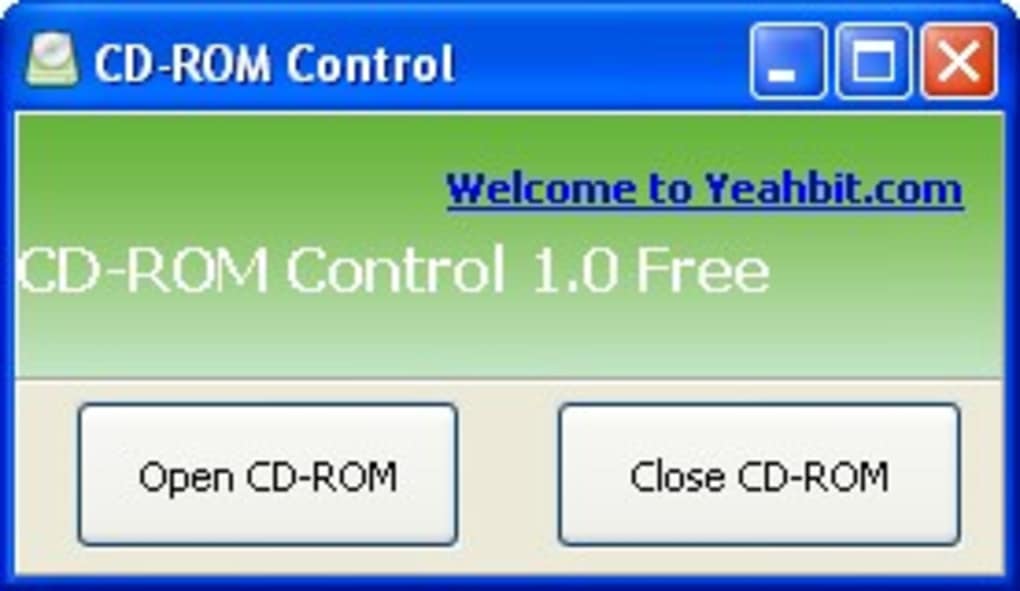
The Core Functionality: Simplicity at Your Fingertips
The primary appeal of CD-ROM Control lies in its absolute simplicity. In an age where software often boasts myriad features and complex interfaces, this utility stands out by focusing on a single, well-executed task. Imagine you’re working on a document, immersed in a game, or browsing the web, and you need to access your CD-ROM drive. Instead of reaching down, often awkwardly, to press the physical button on the drive, or navigating through “My Computer” to find the drive icon and right-clicking to select “Eject,” CD-ROM Control places this function front and center on your desktop. Its interface typically presents two clear options: one to eject the tray and another to close it. This directness bypasses multiple steps, saving time and mental effort, and integrating the optical drive’s operation more seamlessly into your digital workflow.
This one-click philosophy extends beyond mere convenience; it’s about enhancing the overall user experience. For instance, consider situations where your computer tower might be placed in a less accessible location, perhaps under a desk or behind other equipment. Manually operating the CD-ROM drive in such scenarios can be cumbersome, leading to accidental bumps or difficulties in alignment. CD-ROM Control eliminates this physical barrier, making the drive’s functions available remotely from the comfort of your keyboard and mouse. The software functions precisely as advertised, a testament to its straightforward design and robust execution. Users seeking a no-frills, efficient solution for optical drive management will find its snappy operations a welcome relief. It downloads quickly, installs with minimal fuss (though some users might encounter minor glitches as noted by PhanMemFree.org), and immediately presents its utilitarian interface. This focus on direct action and immediate results reinforces its value, particularly for those who prioritize efficiency over extraneous features. While its adherence to older design principles might be considered a “con” in terms of modern aesthetics, it underscores the application’s dedication to its core purpose without unnecessary embellishments.
Preserving Hardware in a Digital Age
One of the most significant, yet often overlooked, advantages of using CD-ROM Control is its role in hardware preservation. Optical disc drives, particularly their delicate trays, are mechanical components prone to wear and tear. Historically, a common cause of damage to CD-ROM drives was physical mishandling. Users, in a hurry or unaware of the mechanism’s sensitivity, might forcefully push the tray back into the computer or attempt to pull it open when the eject mechanism is struggling. This can lead to bent trays, misaligned gears, or even broken plastic components, rendering the drive inoperable. Over time, the repeated physical stress on the tray’s motor and gears can also lead to premature failure.
CD-ROM Control acts as a protective shield for your optical drive by completely removing the need for physical contact during opening and closing operations. By relying on the software to send the precise command to the drive’s internal motor, users ensure that the tray extends and retracts under optimal conditions, without external force or human error. This digital interface guarantees that the mechanism operates as intended by its design, minimizing stress on the moving parts. For individuals who still frequently use their CD-ROM drives for tasks such as playing audio CDs, installing older software, or accessing archived data, this proactive approach to hardware maintenance can significantly extend the functional life of their optical drive. In an age where replacing an internal CD-ROM drive can be an inconvenience, and external USB drives might not always be readily available or compatible, ensuring the longevity of existing hardware is a practical benefit.
Installation, Compatibility, and System Requirements
CD-ROM Control is designed with accessibility in mind, particularly for systems that might not boast the latest specifications. Its minimal system requirements make it an ideal candidate for older Windows machines, with its compatibility explicitly extending to Windows XP. This makes it a valuable utility for users who operate legacy systems or virtual environments where an older OS is still in use. The installation process is generally straightforward, downloading as a small package of just 466.43 KB. Users can typically expect a quick and uneventful setup. However, as noted on its PhanMemFree.org listing, some installations may “run into glitches.” These potential issues are often minor and can be attributed to various factors, such as specific system configurations or security settings, but they are infrequent.
Once installed, the application demands very little from your system resources. Its light footprint ensures that it runs seamlessly in the background without impacting system performance, a crucial consideration for older computers. The tool is exclusively developed for Windows, meaning users on macOS or Linux platforms will need to seek alternative solutions. This Windows-only limitation, alongside what some might consider an “old-fashioned user interface,” are points of feedback often highlighted. While the interface is undeniably utilitarian and lacks modern visual flair, its functional clarity ensures that users understand exactly how to operate it without a learning curve. These characteristics — low resource usage, broad compatibility with older Windows versions, and a focused design — underpin its effectiveness as a reliable, if unglamorous, tool for optical drive control.
The Evolving Landscape of Optical Media and Beyond
The prevalence of CD-ROM and DVD drives has undeniably waned over the past decade. With high-speed internet becoming ubiquitous, digital distribution platforms for software, music, and movies have largely replaced physical media. Cloud storage offers instant access to files from anywhere, and USB flash drives provide portable storage capacities far exceeding that of a typical DVD. Consequently, many modern laptops and even desktop PCs are now manufactured without an optical drive, signifying a significant shift in computing paradigms. This trend makes CD-ROM Control, with its specific function, a tool targeted at an increasingly niche audience.
However, “niche” does not mean obsolete for everyone. There remains a significant demographic that still finds value in optical drives. For instance, musicians and audio enthusiasts might prefer the lossless quality of audio CDs over compressed digital formats. Gamers who own a library of classic PC games often rely on physical discs for installation and authentication. Professionals in fields like archival or data recovery might encounter data stored on CDs or DVDs regularly. Furthermore, many educational institutions and small businesses still operate older hardware infrastructures that include optical drives for various legacy applications or data backup routines.
The existence of CD-ROM Control and similar utilities like “Virtual CD-ROM Control Panel” (which creates virtual drives from USBs) or “Emsa CD Tray Pal” highlights that while the mainstream has moved on, a segment of users still requires robust solutions for optical media. These tools bridge the gap between legacy hardware and modern convenience. They acknowledge that not everyone is on the bleeding edge of technology, and that maintaining existing, functional hardware can be both cost-effective and environmentally responsible. The ongoing presence of such utilities on platforms like PhanMemFree.org demonstrates a commitment to supporting the diverse needs of computer users, whether they are running the latest operating system or clinging to a reliable Windows XP setup with a well-loved CD-ROM drive. The article’s reference to alternatives like “DVD Drive Repair” and “Nero Disc Speed” further underscores the continued, albeit specialized, demand for tools that cater to optical drive functionality, diagnostics, and maintenance.
In conclusion, CD-ROM Control, despite its seemingly anachronistic purpose in today’s tech landscape, remains a testament to effective, single-purpose software design. Its dedication to simplicity, ease of use, and practical hardware preservation makes it an invaluable utility for those who still rely on their computer’s optical drive. For users operating on older Windows platforms, those engaged with legacy software or physical media collections, or simply anyone seeking to minimize wear and tear on their CD-ROM mechanism, this free tool from Yeahbit Software Company provides an elegant and efficient solution. While the market for optical drives continues to shrink, the need for reliable control over these components persists for a dedicated group. CD-ROM Control stands as a quiet champion for this niche, offering a one-click gateway to managing your physical media with digital precision, readily available for download on PhanMemFree.org.
File Information
- License: “Free”
- Version: “1.0”
- Latest update: “October 31, 2018”
- Platform: “Windows”
- OS: “Windows XP”
- Language: “English”
- Downloads: “28.8K”
- Size: “466.43 KB”


