
CDBurnerXP Portable offers a powerful and convenient solution for all your disc burning needs, bringing the functionality of the renowned CDBurnerXP application to a portable format. This means you can take your disc burning capabilities with you on any USB drive, ready to use on any Windows computer without requiring any installation. This eliminates the need to install the full program on every machine you use, making it ideal for users who frequently move between different computers or prefer to keep their systems clean and uncluttered.
Effortless Disc Burning on the Go
The core strength of CDBurnerXP Portable lies in its seamless portability. Unlike traditional software, it doesn’t require installation, meaning you can simply copy the program files to a USB drive and run it from there. This eliminates the hassle of installing and uninstalling software on multiple machines, saving you both time and potential compatibility issues. The program functions identically to its full desktop counterpart, offering a wide array of features, yet with the added benefit of portability. This makes it an invaluable tool for anyone needing to burn discs on the move, whether at work, school, or simply visiting a friend’s house.
The intuitive interface ensures a user-friendly experience, even for those unfamiliar with disc burning software. Its straightforward design allows users to quickly and easily select the desired task, be it burning data discs, music CDs, creating ISO images, or copying existing discs. The process is streamlined, requiring minimal technical expertise. Simply select the files you wish to burn, choose your burning settings, and press the record button. The software handles the rest, ensuring a smooth and efficient burning process.
Supported Disc Types and Formats
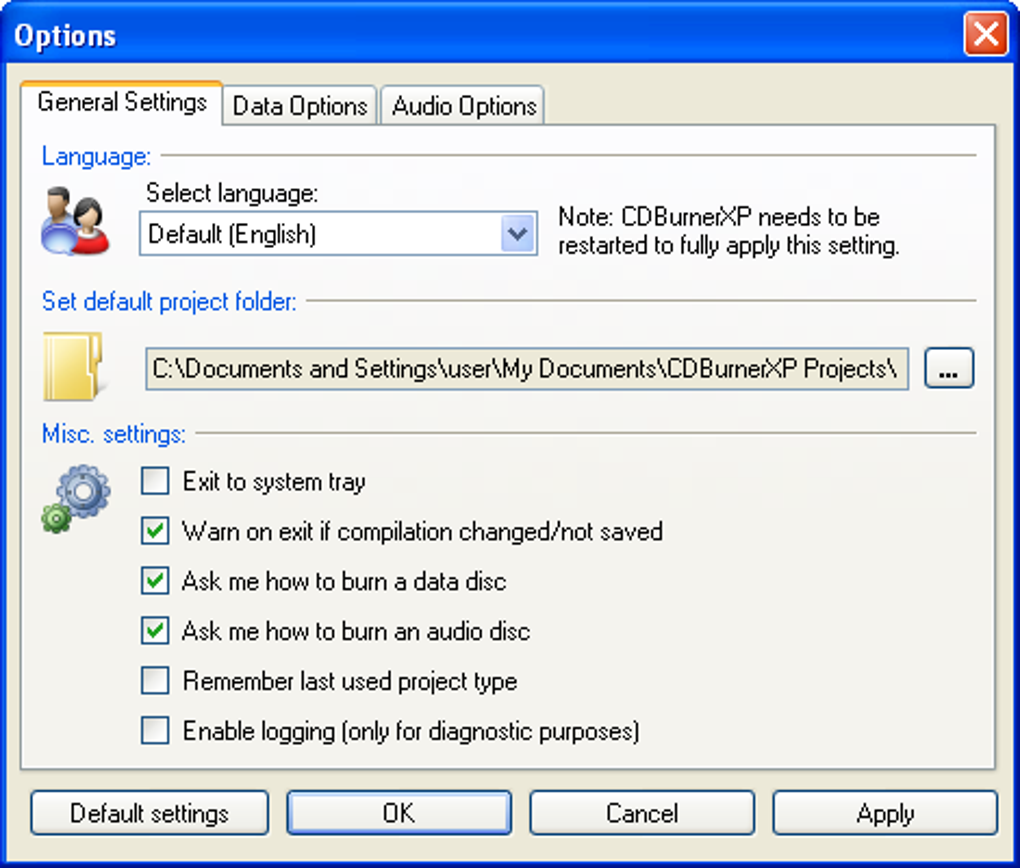
CDBurnerXP Portable provides comprehensive support for a wide range of disc types and formats. This includes compatibility with CD, DVD (including HD-DVD), and Blu-ray discs, offering flexibility for various data storage and media creation needs. Whether you’re archiving important files onto a DVD, creating a music CD from your digital collection, or burning an ISO image of your operating system, CDBurnerXP Portable has you covered. This broad compatibility makes it a versatile solution for numerous scenarios, minimizing the need for multiple burning applications.
Beyond disc types, the software also supports a variety of file formats, ensuring compatibility with most common media types. This ensures a seamless workflow, regardless of the type of files you’re burning. You won’t be limited to specific file extensions or formats; CDBurnerXP Portable’s robust support ensures compatibility with your existing digital content.
A Powerful Feature Set in a Compact Package
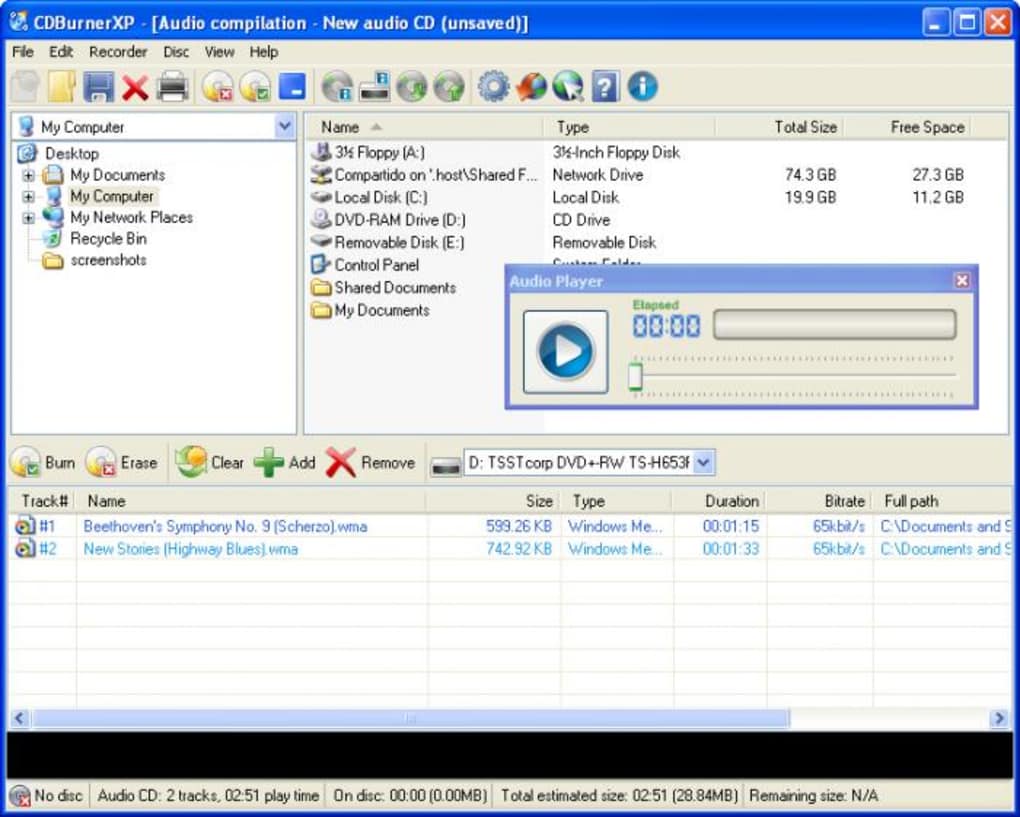
Despite its portable nature and compact size, CDBurnerXP Portable doesn’t compromise on features. It packs the core functionalities of its desktop counterpart into a readily accessible, portable application. This includes the ability to burn data discs for archiving large files, create audio CDs from your music collection, burn ISO images for restoring operating systems or deploying software, and copy discs for creating backups or duplicates.
This comprehensive feature set in a single, easily transportable package makes it an exceptionally useful tool for various applications. Whether you are a student creating backup copies of assignments, a business professional archiving important documents, a music enthusiast sharing your favorite tunes, or a gamer backing up game discs, CDBurnerXP Portable provides a complete burning solution all from the convenience of a portable drive.
User-Friendly Interface and Streamlined Workflow
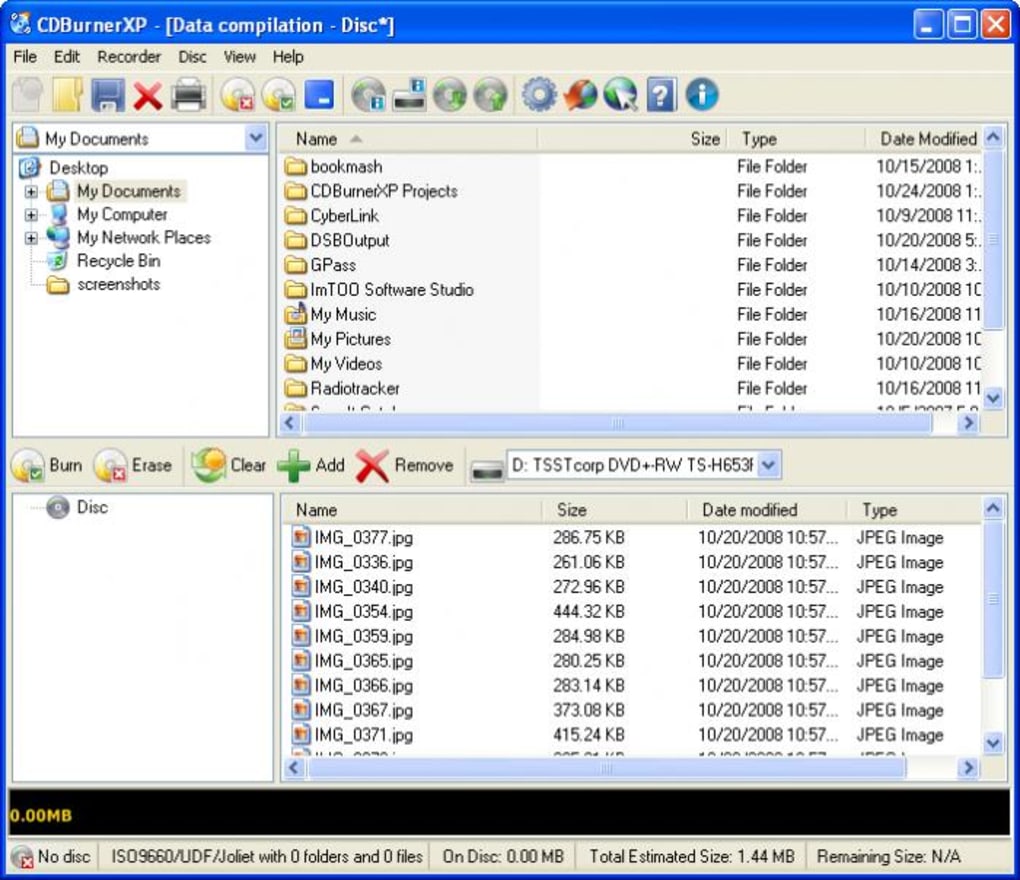
One of CDBurnerXP Portable’s key strengths lies in its user-friendly interface. The program’s clean and intuitive design makes navigation straightforward, regardless of your experience level. The main menu clearly displays the available options, allowing you to select your desired function without difficulty. The software guides you through each step of the burning process, making it remarkably easy to achieve your desired outcome.
Furthermore, the streamlined workflow minimizes the steps involved in creating discs, from file selection to the final burning process. The interface is well-organized, allowing quick access to all necessary settings and options. The program is designed to be as efficient as possible, enabling users to quickly burn their discs without getting bogged down in complex menus or settings.
Advantages and Disadvantages
Pros:
- Portability: The primary advantage is its portability. The program runs directly from a USB drive without installation, making it highly convenient for use on various computers.
- Ease of Use: The intuitive interface and streamlined workflow make it easy to use, even for beginners.
- Feature-Rich: Despite its portability, it offers a comprehensive set of features, comparable to its full installation counterpart.
- Wide Compatibility: Supports various disc types (CD, DVD, Blu-ray) and numerous file formats.
- No Installation Required: This eliminates the need to install and uninstall the software on different computers, saving time and effort.
Cons:
- Infrequent Updates: A common criticism is that the portable version receives updates less frequently than the full installation version. This might mean that some of the latest features or bug fixes might not be immediately available.
- Dependency on Windows: Being a Windows-only application limits its usability for users of other operating systems.
Comparison with Alternative Disc Burning Software
While numerous disc burning applications exist, CDBurnerXP Portable stands out due to its unique combination of features and portability. Some alternative programs offer similar functionality but may lack the convenience of portability or the user-friendly interface that CDBurnerXP Portable provides. For instance, while some alternatives might boast more advanced features, they might also be more complex to use or require installation. Others might be portable but offer limited functionality. CDBurnerXP Portable aims to strike a balance between powerful features and user-friendly portability.
The choice of burning software depends largely on individual needs and preferences. If portability is a top priority and a balance between features and simplicity is desired, CDBurnerXP Portable offers a strong competitive advantage.
Conclusion
CDBurnerXP Portable offers a compelling solution for users who require a reliable, portable, and user-friendly disc burning application. Its portability, ease of use, and comprehensive feature set make it a valuable tool for a wide range of users, from students and home users to professionals requiring convenient disc burning capabilities on the go. While infrequent updates might be a minor drawback for some, the overall convenience and functionality of the software outweigh this limitation for many users. CDBurnerXP Portable provides a convenient and powerful disc burning solution that seamlessly integrates into any workflow.
File Information
- License: “Free”
- Latest update: “May 24, 2023”
- Platform: “Windows”
- OS: “Windows 2000”
- Language: “English”
- Downloads: “94.8K”
- Size: “6.40 MB”


