
CdCoverCreator is a free, powerful Windows software application designed to simplify the process of creating custom CD covers, inlays, labels, and even booklets. This comprehensive guide will explore its features, functionalities, and overall usability, providing a detailed overview for both novice and experienced users. For years, CdCoverCreator has been a popular choice for individuals and small businesses alike, looking to add a personal touch to their audio or data CDs. Let’s delve into what makes this software stand out.
Feature-Rich Design and Ease of Use
CdCoverCreator shines in its ability to streamline the often-tedious process of CD cover creation. The software achieves this through a combination of intuitive design and powerful features. At its core, the program offers a user-friendly interface that minimizes the learning curve. Even users with limited experience in graphic design can quickly grasp the fundamentals and begin creating professional-looking CD covers.
One of the key features that contributes to its ease of use is the integrated Creation Wizard. This wizard automates several crucial steps, significantly reducing the time required for design. For audio CDs, the wizard automatically retrieves track lengths, gathers album information from online databases like CDDB (Compact Disc Database), and incorporates CD-Text information if available. For data CDs, it automatically generates a directory structure, making it simple to organize and represent the contents of your disc on the cover.
For those instances where CDDB information isn’t accessible, CdCoverCreator offers a “Match & Merge” function. This allows users to manually input track information for their custom audio CD compilations, ensuring accurate and complete cover details.
The software also provides flexibility in how you share your track listings. Users can easily export the track listing as formatted text via the Windows clipboard, facilitating seamless integration with word processors. Alternatively, they can save the track listing as an HTML file for broader compatibility and online sharing.
Customization and Template Options
CdCoverCreator boasts a wide range of pre-defined style templates, offering users a solid foundation for their designs. These templates provide various basic layouts, eliminating the need to start from a blank canvas. Users can select a template that best suits their style and then customize it further, adding their personal touch.
This customization extends beyond basic layouts. Users have the freedom to incorporate their own images, text, and other design elements, giving them complete control over the final product. The software supports various image formats, ensuring compatibility with a wide array of digital assets.
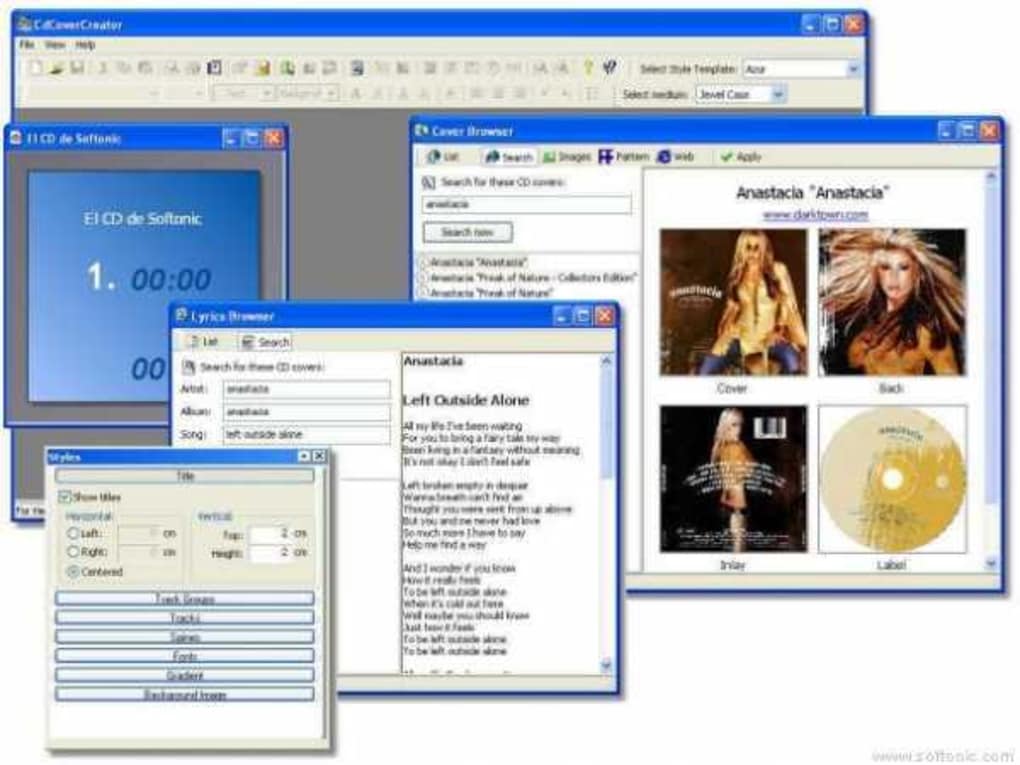
Beyond pre-defined templates, CdCoverCreator offers several advanced functionalities for maximum design flexibility. The integrated Cover Browser allows users to directly download CD covers from the web, providing a convenient way to find inspiration and source images. The ability to scan existing CD covers and directly incorporate them into the software provides an additional level of convenience for those wanting to replicate or modify existing designs.
For a more comprehensive presentation, the software supports the creation of CD booklets. This feature is particularly useful for albums with detailed liner notes or extended artwork. Furthermore, an integrated Lyrics Browser simplifies the process of adding song lyrics to your booklets, ensuring a complete and engaging experience for the listener.
Output and Compatibility
CdCoverCreator supports a variety of standard CD case types, ensuring compatibility with the most common packaging options. Users can create covers for Jewel Cases, Slim Cases, or (cut-out) paper sleeves. This flexibility ensures the created artwork can be adapted to various packaging choices, enhancing the overall presentation and user experience.
The software itself is lightweight, minimizing its impact on system resources. This makes it accessible even on older Windows machines, expanding its usability beyond modern high-performance computers. Its simple installation process further contributes to its accessibility, making it a convenient option for users of all technical skill levels.
Alternative Software and Community Support
While CdCoverCreator provides a robust and feature-rich solution for CD cover creation, it’s important to consider alternative options that might better suit your specific needs or preferences. Several comparable programs exist, offering similar functionalities and potentially additional features. Researching and comparing these alternatives can help users find the perfect tool for their workflow.
While direct community support for CdCoverCreator might be limited, the software’s intuitive design and straightforward functionalities often negate the need for extensive troubleshooting assistance. The well-structured interface and clear instructions minimize the likelihood of encountering significant challenges.
However, general online resources related to graphic design and CD cover creation can provide valuable supplementary information and inspiration. These resources can address any specific questions or difficulties that might arise during the design process.
CdCoverCreator: A Lasting Legacy in Digital Media Design
Despite the fact that the last official update for CdCoverCreator was in 2011, its enduring popularity speaks volumes about its effectiveness and user-friendliness. In an era of digital music streaming and readily available online artwork, the need for custom CD covers might seem less significant. However, for those who value physical media, personalized artwork remains an essential element of the overall listening experience. The ability to create unique and memorable CD covers adds a tangible connection to the music, transforming a simple disc into a collectable item.
CdCoverCreator continues to be a valuable tool for anyone looking to create personalized CD covers without relying on expensive or complex design software. Its intuitive interface, combined with its powerful features, makes it an excellent choice for both casual users and those seeking professional-level results. The software’s lasting appeal lies in its ability to effectively bridge the gap between simple ease of use and high-quality design. It empowers users to express their creativity and personalize their digital media, making it a worthwhile addition to the toolkit of any music enthusiast or data disc creator. Although newer alternatives exist, CdCoverCreator’s enduring legacy in the realm of digital media design remains undisputed, offering a reliable and effective solution for those seeking a simple yet powerful CD cover creation tool.
File Information
- License: “Free”
- Version: “2.5.3”
- Latest update: “May 18, 2011”
- Platform: “Windows”
- OS: “Windows 2003”
- Language: “English”
- Downloads: “50.5K”
- Size: “2.83 MB”


