
CDex is a versatile and powerful open-source tool designed for extracting audio data from CDs and converting it into various digital formats. This comprehensive guide delves into the features, functionality, and overall usability of CDex, examining its strengths and weaknesses to help you determine if it’s the right audio extraction solution for your needs.
CDex: Features and Functionality
CDex operates as a streamlined, open-source digital audio CD extractor, enabling users to “rip” audio tracks from CDs and convert them into a range of popular audio file formats. While capable of outputting WAV files, its true strength lies in its broader support for encoders, including MP3, FLAC, AAC, and OGG. This flexibility allows for considerable control over file size and audio quality, catering to different storage needs and listening preferences.
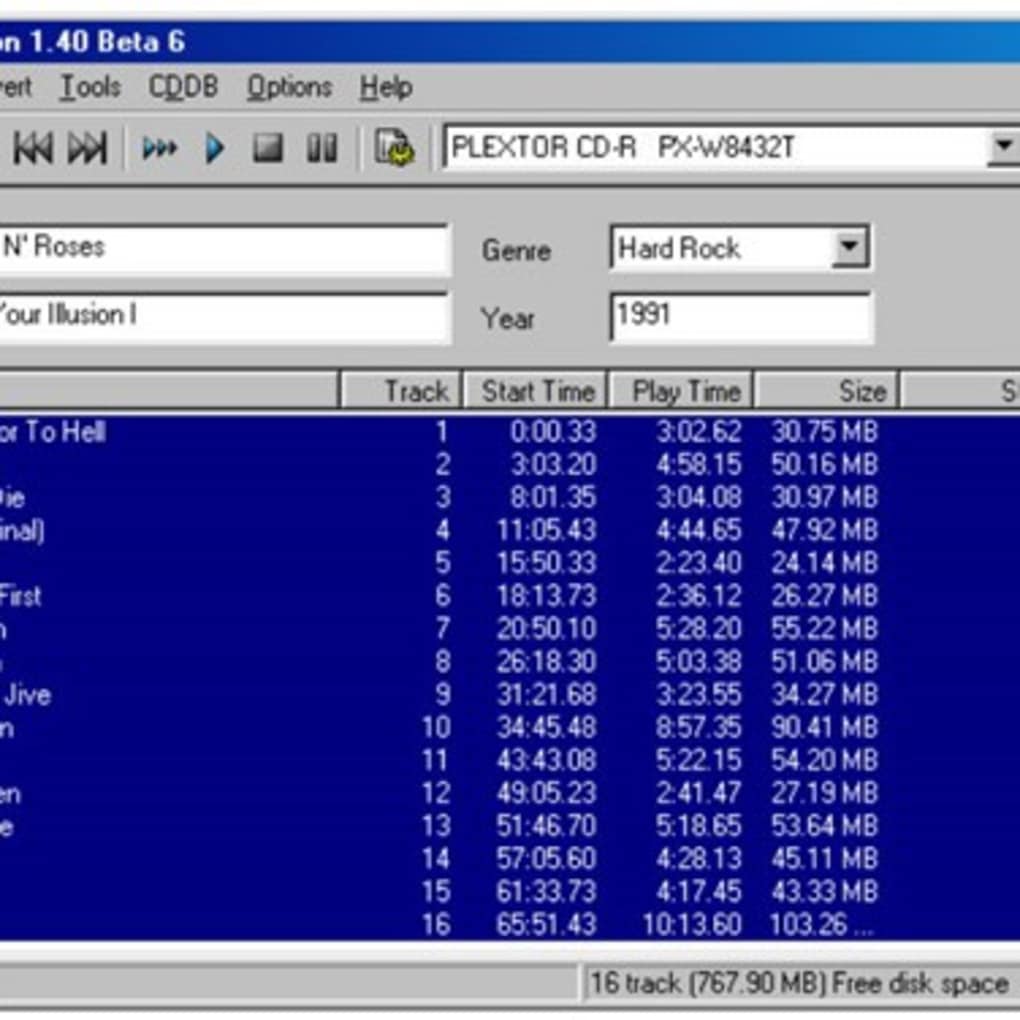
One of CDex’s key features is its ability to integrate with third-party software. This interoperability extends its functionality, enabling users to seamlessly incorporate CDex into existing workflows involving audio editing, tagging, or library management. The software also incorporates several helpful audio processing features designed to enhance the quality of the ripped tracks. These include:
-
Audio Signal Normalization: This feature helps to adjust the volume levels of tracks, ensuring consistency across a collection and preventing excessively loud or quiet tracks from disrupting the listening experience. Normalization prevents the jarring volume shifts that can occur when playing a collection of audio files ripped from different sources or with varying recording levels.
-
Jitter Correction: Jitter, a form of timing inaccuracy in digital audio, can negatively impact sound quality, introducing artifacts and distortions. CDex’s jitter correction algorithms strive to mitigate these issues, resulting in cleaner and more accurate audio reproduction. While perfect jitter correction is virtually impossible, CDex’s implementation aims to minimize its audible effects.
-
Batch Processing: CDex supports the simultaneous ripping and conversion of multiple tracks, significantly reducing the overall processing time for entire albums or large collections. This batch processing capability makes it a highly efficient tool for digitizing extensive CD libraries.
- Progress Tracking: A built-in timer provides real-time updates on the conversion progress of each track, allowing users to monitor the process and anticipate completion times. This feature is particularly useful when dealing with large numbers of tracks or lengthy conversion processes.
Advantages of Using CDex
The primary advantage of CDex is its open-source nature, making it completely free to use and distribute. This eliminates the cost barrier often associated with commercial audio extraction software, making it an accessible option for users on a budget. The open-source model also encourages community contributions, leading to potential improvements and updates over time.
The software’s compatibility with third-party tools expands its utility, allowing for customization and integration into established workflows. This compatibility eliminates the need for users to switch between different applications for various tasks, streamlining the entire audio extraction and management process.
Limitations of CDex
While CDex offers a robust feature set, it also has certain limitations. Firstly, its support for audio file types is not exhaustive; it may not handle all formats, potentially requiring the use of supplementary tools for less common file extensions. This can add complexity for users dealing with a diverse range of audio formats.
Secondly, CDex lacks advanced editing capabilities. While it efficiently extracts and converts audio, it doesn’t offer features like audio editing or waveform manipulation. Users seeking these functionalities will need to rely on separate audio editing software.
Finally, the software’s user interface, while functional, isn’t particularly modern or visually appealing. The interface is functional and does what it needs to, but it may not be as intuitive or aesthetically pleasing as some commercial counterparts. This can make the experience slightly less user-friendly, particularly for those unfamiliar with older software designs.
CDex Compared to Alternative Software
CDex sits alongside a range of commercial and open-source audio extraction software. While commercial options often boast a more polished interface and advanced features, CDex’s open-source nature and flexible functionality make it a competitive choice. Direct comparisons would depend on individual priorities, with users needing advanced editing functionality or extensive format support potentially opting for other options. However, for users prioritizing affordability and open-source principles, CDex remains a compelling solution. Consider the following aspects when comparing CDex to alternatives:
- Cost: CDex is free, while many alternatives have licensing fees.
- Features: CDex offers basic but effective audio extraction and conversion; others may offer more advanced features (e.g., metadata editing, CD database lookup).
- Interface: CDex has a simpler interface than some commercial competitors.
- Format Support: CDex supports several common formats, but might not support all formats compared to some alternatives.
- Ease of Use: While functional, CDex’s interface may not be as intuitive for some users as more modern alternatives.
Installation and Usage
The installation process for CDex is generally straightforward. Users typically download the installer from a trusted source, such as the official project website, and follow the on-screen instructions. The installation procedure is usually a standard process, akin to most Windows applications.
Once installed, the software’s user interface presents a clear, albeit somewhat dated, layout. Users select the desired audio CD, choose the output format and other options (like normalization or jitter correction), and initiate the extraction process. The software then processes each track sequentially, providing real-time progress updates. Once complete, the converted audio files are accessible in the specified output directory. The simplicity of the process makes it accessible to users of all technical skill levels.
Conclusion
CDex provides a valuable and free tool for extracting audio from CDs and converting it to various digital formats. While it lacks some of the advanced features and polish of commercial alternatives, its open-source nature, support for multiple formats, and ease of use make it a strong contender for users who prioritize affordability and a flexible, functional approach. The software’s integration with third-party tools further expands its functionality, making it a versatile addition to any audio processing workflow. Whether CDex is the best choice for you will depend on your specific needs and priorities; however, its free availability and robust core functionality merit its consideration.
File Information
- License: “Free”
- Version: “varies-with-device”
- Latest update: “March 29, 2017”
- Platform: “Windows”
- OS: “Windows 10”
- Language: “English”
- Downloads: “3.5K”


