
In the ever-evolving landscape of digital media, some software applications manage to carve out a niche and remain relevant long after their initial release. CDisplay is one such gem, a testament to the power of simplicity, efficiency, and unwavering dedication to a core purpose. Far from being just another image viewer, CDisplay emerged as a pioneering solution specifically designed for the burgeoning world of digital comics, offering a seamless and engaging reading experience for countless enthusiasts worldwide.
Developed by Mixage Software, CDisplay quickly became synonymous with digital comic viewing on Windows. It’s a free, compact, and remarkably intuitive program that addresses the unique requirements of consuming sequential art. While its last official update dates back to 2011, its legacy persists, and it continues to be cherished by a dedicated community who value its no-frills approach to what it does best: displaying comic books in CBR and CBZ formats with unparalleled ease. PhanMemFree.org, a reputable source for software downloads, has long featured CDisplay, highlighting its enduring popularity and utility, with hundreds of thousands of downloads recorded over the years.
The Genesis and Evolution of CDisplay
CDisplay entered the digital arena at a time when digital comics were gaining traction, but dedicated viewing software was scarce. Traditional image viewers often fell short, lacking the sequential navigation, automatic sizing, and overall optimization necessary for an enjoyable comic reading experience. CDisplay filled this void with elegant precision, quickly establishing itself as the go-to application for anyone looking to delve into their digital comic collections on a Windows PC.
Its journey, as documented on platforms like PhanMemFree, shows a history rooted in functional excellence rather than constant feature bloats. The program’s initial release and subsequent updates focused on refining its core capabilities, ensuring stability and a smooth user interface. Version 1.8, last updated on May 19, 2011, represents the pinnacle of its development, offering a robust and reliable platform that has stood the test of time. While its compatibility officially extended to Windows 98 and previous versions, it seamlessly adapted to later iterations of Windows, including Windows NT, and continues to function effectively on modern operating systems, a testament to its well-engineered foundation.
A Legacy of Simplicity
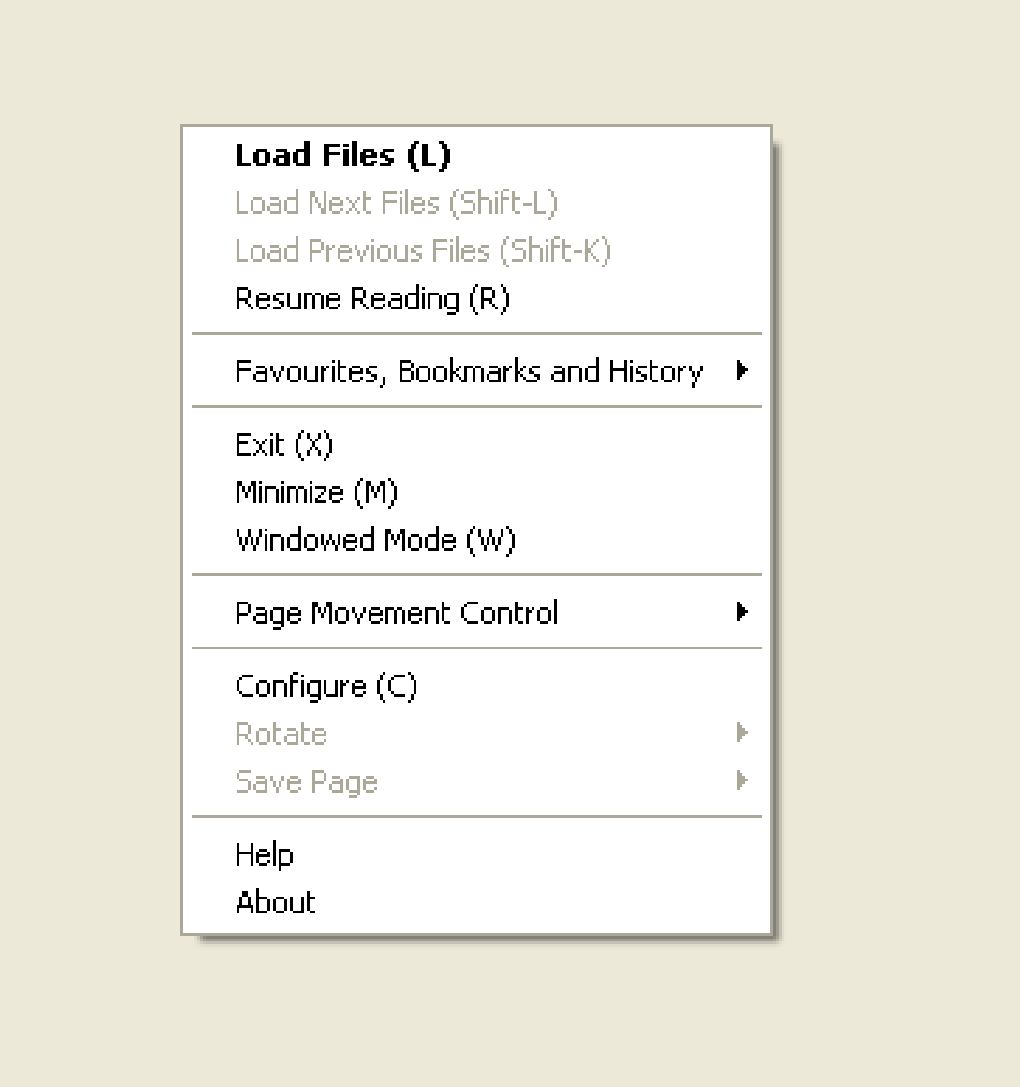
One of CDisplay’s defining characteristics is its minimalist design. In an era where software applications often compete to integrate the most features, CDisplay proudly retains its straightforward approach. This commitment to simplicity is not a limitation but a deliberate choice that contributes significantly to its enduring appeal. There are no convoluted menus, no excessive settings to tweak, and no bloatware to slow down your system. Instead, users are greeted with a clean interface that prioritizes the comic content itself.
This simplicity translates directly into performance. CDisplay is an incredibly light software, requiring significantly less storage and memory compared to the average program in the design and photography category. With a minuscule size of just 1.16 MB, it downloads almost instantly and runs with exceptional speed, even on older or less powerful machines. This makes it an ideal choice for users who value efficiency and prefer applications that get out of the way, allowing them to focus entirely on their reading. Its compact nature also makes it highly portable, capable of being run from a USB drive without needing a full installation, adding another layer of convenience for users on the go.

Enduring Popularity and Reach
Despite its age and lack of recent updates, CDisplay’s download statistics speak volumes about its persistent relevance. Since being added to the PhanMemFree catalog in 2011, it has garnered an impressive 720,642 downloads, with a consistent stream of new installations each week. This sustained popularity underscores its status as a reliable and trusted solution for digital comic viewing.
Geographical usage data further highlights CDisplay’s global footprint. It has been notably heavily used in countries like Brazil, China, and the United Arab Emirates. This widespread adoption in diverse regions suggests that CDisplay’s appeal transcends cultural and linguistic barriers, resonating with anyone seeking an uncomplicated and effective way to enjoy their digital comics. The numerous translations available for its download page on PhanMemFree, including Spanish, French, Italian, Japanese, Korean, and Chinese, further demonstrate its international reach and the global demand for its particular brand of digital comic viewing. This global endorsement reinforces CDisplay’s reputation as a dependable choice for digital comic aficionados across continents.
Core Functionality: Unpacking CDisplay’s Strengths
At its heart, CDisplay is a sequential image viewer. This fundamental function, however, is executed with such precision and user-centric design that it elevates the entire digital comic reading experience. Unlike general-purpose image viewers that might present a folder of images as a gallery, CDisplay understands the narrative flow inherent in comic books.
The Art of Sequential Image Viewing
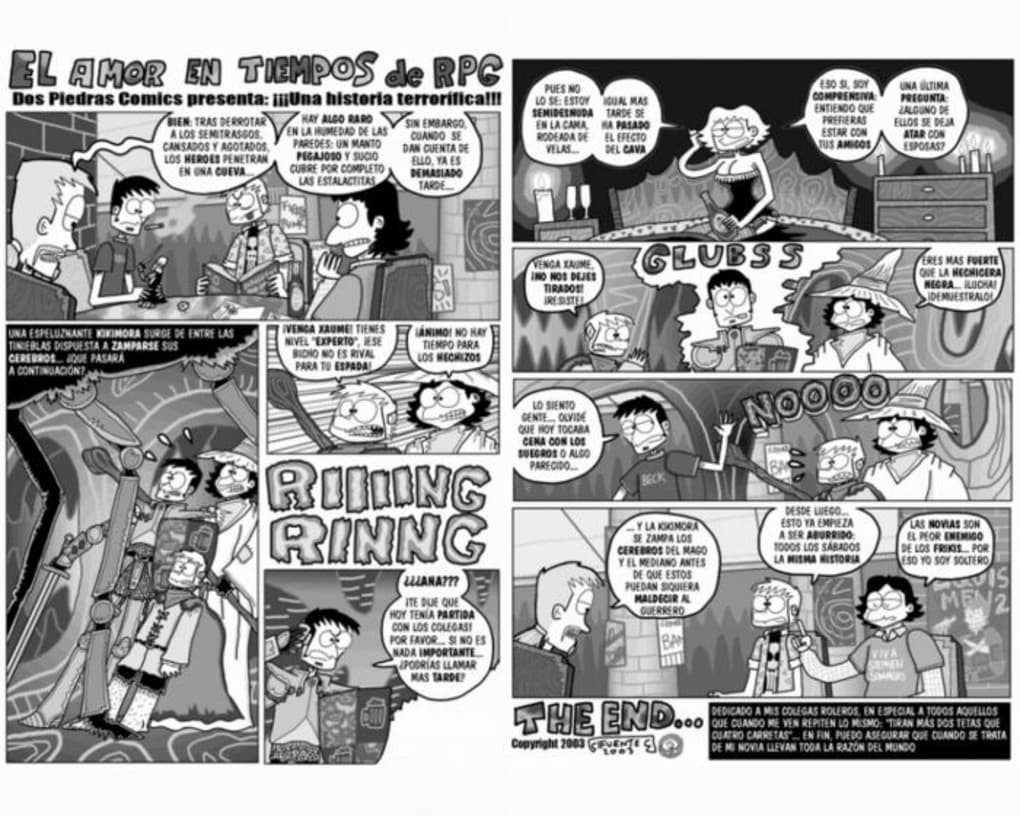
The magic of CDisplay lies in its seamless handling of comic archives. Digital comics are typically packaged as CBR (Comic Book RAR) or CBZ (Comic Book ZIP) files. These are essentially renamed RAR or ZIP archives containing a sequence of images (usually JPEG or PNG files), each representing a page of the comic. CDisplay automatically recognizes these formats, extracts the images on the fly, and presents them in their correct order.
This sequential display is crucial for comics, where narrative progression is intricately tied to the order of panels and pages. CDisplay allows readers to effortlessly navigate through pages, either one at a time or by jumping to specific pages, maintaining the immersive storytelling experience that print comics offer. The viewer intelligently scales images to fit the screen, offering various display modes such as single page, two-page spread, or even custom fits, ensuring optimal readability regardless of the monitor size or resolution. This attention to detail in image rendering and navigation makes CDisplay an invaluable tool for preserving the artistic intent of comic creators in the digital realm. It ensures that the reader’s focus remains on the story and artwork, free from distractions or cumbersome controls.
Lightweight Design and Unmatched Efficiency
As previously noted, CDisplay is an exceptionally lightweight application. Its installation file is a mere 1.16 MB, a stark contrast to modern software that often weighs hundreds of megabytes. This small footprint contributes to several key benefits:
- Fast Downloads: Acquiring CDisplay is almost instantaneous, allowing users to get started with their comics without delay.
- Minimal Resource Consumption: Running CDisplay demands very little from your computer’s CPU, RAM, or storage. This makes it perfect for older computers, netbooks, or systems with limited resources, preventing slowdowns and ensuring a smooth reading experience even while other applications are running.
- Quick Startup: The program launches in a blink, getting you to your comics faster than virtually any other comparable software.
- Stability: A simpler, lighter codebase often translates to fewer bugs and greater stability. CDisplay is renowned for its reliability, rarely crashing or encountering performance issues, which is a major factor in its long-term user satisfaction.
This focus on efficiency means that CDisplay doesn’t just display comics; it does so without imposing any burden on the user’s system, providing a truly unencumbered reading environment. Its minimalist design extends to its user interface, which is clean and unobtrusive, designed to put the comic content front and center. Navigation controls are straightforward, often relegated to keyboard shortcuts or simple mouse clicks, further enhancing the uninterrupted flow of reading.
An Intuitive and User-Friendly Interface
User reviews consistently praise CDisplay for its ease of use and comfort. One anonymous reviewer on PhanMemFree.org enthusiastically declared it “Fantastic! Its light, compact and easy to use. Very comfortable too…an easy favourite!” This sentiment encapsulates the core of CDisplay’s design philosophy. The interface is not just simple; it’s intuitive. New users can pick it up and start reading almost immediately, without a steep learning curve.
Key features like full-screen mode, zoom capabilities, and simple page-turning controls (often just arrow keys or mouse clicks) are readily accessible. CDisplay prioritizes the reading experience above all else, ensuring that nothing stands between the reader and their sequential art. The program automatically adjusts page sizes to fit the window or screen, eliminating the need for constant manual resizing. This thoughtful design, combined with its robust performance, cultivates a “comfortable” environment for extended reading sessions, making it a favorite for many digital comic aficionados who appreciate an application that simply works as expected, every time.
Installation, Compatibility, and Longevity
Installing CDisplay is a straightforward process, reflecting its overall minimalist nature. As a free program available on PhanMemFree, it’s readily accessible to anyone with a Windows operating system.
System Requirements and Accessibility
The official listed compatibility of CDisplay includes Windows 98 and previous versions, as well as Windows NT. However, its robust design has allowed it to function remarkably well on subsequent Windows operating systems, including Windows XP, Vista, 7, 8, 10, and even Windows 11. This wide-ranging, albeit unofficial, compatibility contributes significantly to its longevity and continued relevance. For users with older hardware or those who prefer lightweight software, CDisplay offers an accessible gateway to digital comics without the need for expensive system upgrades.
Downloading CDisplay from PhanMemFree is a simple matter of clicking the “Free Download for Windows” or “Free Download for PC” button. The small file size ensures a quick download, and the installation process is typically uncomplicated, usually involving a few clicks through a standard installer. The program runs in English, but its intuitive visual design makes it accessible to non-English speakers as well. The lack of complex dependencies means it rarely encounters installation conflicts, further contributing to its user-friendly profile. This easy accessibility across various Windows versions has cemented its place as a reliable utility for many years.
Navigating the Digital Comic Landscape: CDisplay’s Role
In the past decade, the digital comic landscape has transformed dramatically. Publishers like Marvel, DC, and Image Comics have embraced digital distribution, and platforms like ComiXology (now integrated with Amazon Kindle) have streamlined access to vast libraries. Yet, CDisplay retains its distinct value. While some modern platforms offer cloud syncing and integrated storefronts, CDisplay excels as a standalone viewer for local comic files. Many users prefer to manage their own digital comic archives, acquired from various sources or even self-scanned. For these users, CDisplay remains an indispensable tool.
Its ability to handle CBR and CBZ files natively, without requiring external plugins or complex setups, makes it a powerful asset. It represents a “purist” approach to digital comic viewing – a tool focused solely on displaying the content effectively, free from digital rights management (DRM) restrictions or vendor lock-in. This independence from proprietary ecosystems is a significant draw for users who prioritize ownership and flexibility in their digital media consumption. In a world increasingly dominated by subscription models and walled gardens, CDisplay stands as a bastion of user control and straightforward functionality for digital comic collections.
CDisplay in Context: Alternatives and User Sentiment
While CDisplay holds a special place in the hearts of many digital comic enthusiasts, the software landscape has naturally evolved, giving rise to numerous alternatives. Understanding how CDisplay compares to these options sheds light on its unique strengths and why it continues to attract users.
Competing Viewers and Unique Selling Propositions
PhanMemFree lists several alternative applications for digital comic and image viewing. These include:
- Comica: Described as a “Lightning quick CBR and CBZ comic book reader,” Comica shares CDisplay’s focus on speed but may offer a more modern interface.
- Comics Book Reader: A “Free Streaming media program for Windows,” this might indicate a focus on online content or a different approach to local files.
- pViewer: A “Free (GPL) Design & photography program,” suggesting a broader scope beyond just comics, potentially with more advanced image manipulation features.
- CBR Reader / NTComic CBR Reader / Free CBR Reader: These explicitly target the CBR format, often aiming for similar simplicity or offering specific features like manga reading optimizations.
- MangaMeeya: A “streamlined manga reader,” indicating specialized features for right-to-left reading and specific manga page layouts.
- Kindle Comic Creator: A tool for creating Kindle comics, not primarily for viewing.
- Comic Life / EasyComic: These focus on creating comics, offering tools for layout, text, and effects, rather than just viewing.
Compared to these alternatives, CDisplay’s unique selling proposition lies in its foundational simplicity, unparalleled lightness, and proven reliability. While newer viewers might boast more modern interfaces, cloud integration, or advanced features like annotation or complex library management, CDisplay sticks to its core mission: efficiently displaying sequential images from compressed archives. For users who simply want to open a CBR or CBZ file and start reading without any fuss, CDisplay often outperforms more feature-rich (and thus heavier) alternatives in terms of speed and stability. It’s a prime example of a tool that does one thing exceptionally well, rather than trying to do many things adequately. Its enduring appeal lies in this focused excellence, offering a pure, unadulterated comic reading experience without unnecessary complexities.
What Users Love: A Testament to Quality
The consistent positive feedback for CDisplay, as evidenced by user reviews on PhanMemFree.org, underscores its enduring quality. The “Fantastic! Its light, compact and easy to use” review encapsulates the core reasons for its widespread affection. Users appreciate:
- Performance: The speed at which it loads comics, even large files, is a major draw.
- Simplicity: The uncluttered interface and straightforward controls make for a hassle-free reading experience. There’s no learning curve, just open and read.
- Resource Efficiency: Its minimal impact on system resources is highly valued, especially by users with older hardware or those who multitask.
- Reliability: The program’s stability and lack of crashes contribute significantly to user satisfaction. It’s a tool you can depend on.
- Focus: It does what it promises to do – display comics – without extraneous features that could complicate the user experience or introduce bloat.
These sentiments highlight that for many, CDisplay isn’t just a utility; it’s a beloved companion for their digital comic adventures. Its status as an “easy favourite” isn’t accidental; it’s the result of a design philosophy that prioritizes the user’s primary need above all else, delivering a consistent, high-quality experience that has yet to be fully surpassed by many of its modern counterparts.
The Enduring Appeal of a Digital Pioneer
CDisplay, despite its age, remains a prime example of software design done right. It proves that focusing on a specific problem and solving it elegantly can create an application with remarkable longevity. It doesn’t aim to be a comprehensive media suite or a cutting-edge graphical powerhouse; instead, it provides a perfectly tailored experience for digital comic enthusiasts. Its lightweight footprint, intuitive interface, and rock-solid performance have cemented its status as a timeless classic in the realm of sequential image viewers.
For those who cherish their digital comic collections and seek an efficient, reliable, and comfortable way to read them, CDisplay continues to be an unparalleled choice. It stands as a testament to the idea that sometimes, the simplest solutions are the most profound. As long as digital comics in CBR and CBZ formats continue to circulate, CDisplay, proudly available through platforms like PhanMemFree, will undoubtedly remain a trusted and cherished tool for readers across the globe, a true pioneer whose legacy continues to inspire and serve its dedicated community. Its continued download figures and positive user reviews are clear indicators that CDisplay is far from obsolete; it is a venerable workhorse that continues to fulfill its purpose with grace and efficiency.
File Information
- License: “Free”
- Version: “1.8”
- Latest update: “September 17, 2020”
- Platform: “Windows”
- OS: “Windows 98”
- Language: “English”
- Downloads: “25.3K”
- Size: “1.16 MB”


