
Chedot is a free web browser built on the Chromium platform, offering a range of integrated tools beyond the typical browsing experience. While Google Chrome dominates the Chromium-based browser market, Chedot distinguishes itself with a unique set of features designed to enhance user convenience and functionality. Sporting a distinctive icon featuring a stylized Che Guevara bird, this browser aims to provide a more comprehensive browsing experience than its more established counterparts. This review will delve into Chedot’s features, both positive and negative, to assess its overall utility and user-friendliness.
Integrated Tools: A Blend of Convenience and Controversy
Chedot boasts five integrated tools aimed at streamlining various online activities. These tools, while innovative, also present some usability concerns that require careful consideration.
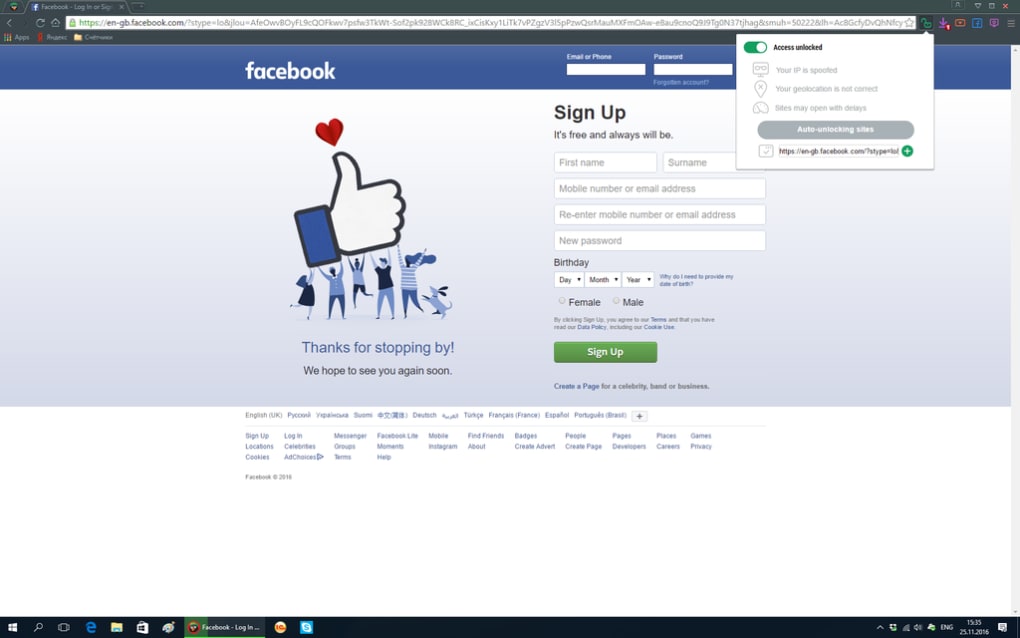
1. Built-in VPN: Chedot includes a Virtual Private Network (VPN) service, allowing users to bypass geo-restrictions and mask their IP address. This feature is particularly appealing for users seeking access to region-locked content or prioritizing online privacy. The VPN’s performance and security measures, however, are not explicitly detailed, leaving potential users to assess its effectiveness independently through further research or usage.
2. Facebook Integration: The browser provides quick access to Facebook and its various sections, streamlining the process of logging in and navigating the social media platform. While this integration might be convenient for frequent Facebook users, it could also be seen as intrusive by users who prefer a less integrated browsing experience. This feature’s value is subjective and depends largely on individual preferences.
3. Media Downloader: This is perhaps Chedot’s most prominent feature. The Media Downloader allows users to download videos from YouTube in MP4 and MP4a formats and music from SoundCloud. This functionality bypasses the limitations of the respective platforms, offering users more control over their media consumption. However, downloading copyrighted material without permission is illegal in many jurisdictions. Users should be aware of and comply with copyright laws when utilizing this feature. The legality of using the downloader should be carefully considered by users based on their local laws and regulations.
4. Download Manager: Complementing the media downloader is a dedicated download manager. This feature provides an organized way to track all downloads, improving the management of downloaded files. This is a standard feature in many browsers, but its inclusion in Chedot adds to the browser’s overall utility by centralizing downloads.
5. Screenshot Tool: Chedot includes a screen capture tool enabling users to capture full windows or selected areas. The tool further offers basic annotation capabilities, allowing users to add highlights, text, or other markings to their screenshots. This functionality streamlines the process of creating and modifying screenshots, eliminating the need for separate screenshot software.
Usability Issues: Balancing Features with Functionality
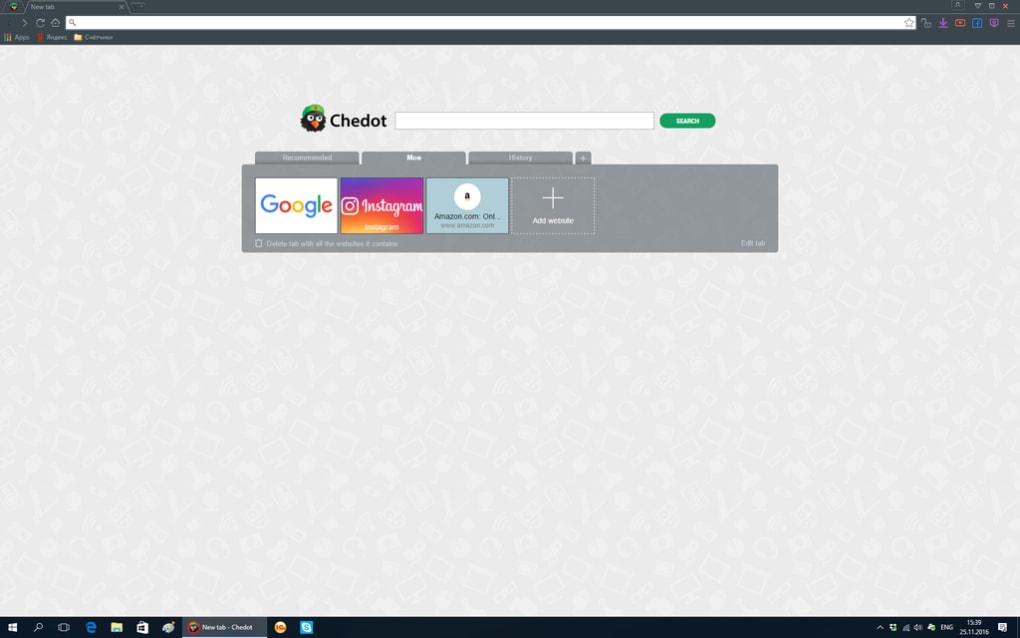
While Chedot’s integrated tools offer compelling features, several usability issues detract from the overall user experience. These issues, primarily related to the browser’s startup and tab management, can be frustrating for users.
1. Locked First Tab: The browser’s first tab is permanently locked. Users cannot close it or unpin it from the tab bar. While this tab can be used for browsing, its persistent presence is a significant usability limitation. This constraint restricts the user’s ability to customize the browser’s startup experience and may impede workflow for some users.
2. Persistent Custom Intro Screen: The most significant usability issue is the presence of a persistent custom intro screen that displays various categories and advertisements every time a new tab is opened. This screen cannot be deactivated, creating a consistently intrusive advertising experience. The constant bombardment of ads is undeniably irritating and significantly detracts from the user’s ability to quickly and efficiently access the internet. This aggressive advertising strategy significantly impacts the overall user experience and is a major drawback.
Chedot as a Google Chrome Alternative: Weighing the Pros and Cons
Chedot presents itself as a viable alternative to Google Chrome, primarily due to its integrated tools and additional features. However, the usability drawbacks significantly hinder its appeal. The built-in VPN, media downloader, and screenshot tool are significant advantages, offering functionality not readily available in Chrome without installing extensions. The streamlined Facebook access, while not essential, adds convenience for certain users.
On the other hand, the locked first tab and unavoidable custom intro screen are significant usability issues that negatively impact the user experience. The constant barrage of advertisements is particularly detrimental, making the browser feel cluttered and intrusive.
Ultimately, the choice between Chedot and Chrome depends on individual priorities. If the integrated tools, especially the media downloader and VPN, outweigh the annoyance of the locked tab and persistent ads, Chedot might be a suitable choice. However, users prioritizing a clean, ad-free browsing experience with customizable settings should likely stick with Chrome or other alternatives.
Comparison with Other Chromium-Based Browsers
Chedot isn’t the only Chromium-based browser offering unique features. Several alternatives exist, each with its own strengths and weaknesses. For example, Torch Browser focuses on streamlined media downloads, similar to Chedot, but without the additional built-in VPN and Facebook integration. Cent Browser offers a more straightforward Chromium experience, focusing on speed and stability without the additional integrated tools of Chedot. Epic Privacy Browser prioritizes privacy, incorporating built-in privacy features that might appeal to users concerned about online tracking, but lacks the media download capabilities of Chedot. Each browser caters to a different user base and prioritizes different functionalities.
Choosing the best browser depends on individual needs and preferences. Chedot’s unique blend of integrated tools and usability issues position it as a niche alternative. Its strengths lie in its media downloading capabilities and built-in VPN. However, its persistent ads and locked tab significantly limit its overall appeal.
Conclusion: A Niche Browser with Significant Limitations
Chedot offers a range of integrated tools that can enhance the browsing experience for specific users. The built-in VPN, media downloader, and screenshot tool are particularly noteworthy. However, the persistent custom intro screen with its unavoidable advertisements and the locked first tab present significant usability issues that overshadow the positive aspects for many users.
Ultimately, Chedot is a niche browser best suited for users who prioritize the included tools and can tolerate the persistent ads and locked tab. For users seeking a clean, customizable, and ad-free browsing experience, other Chromium-based browsers, or even Chrome itself, represent better options. The decision to use Chedot requires a careful weighing of its unique features against its considerable limitations.
File Information
- License: “Free”
- Latest update: “July 11, 2023”
- Platform: “Windows”
- OS: “Windows 7”
- Language: “English”
- Downloads: “236.7K”
- Size: “1.01 MB”


