
CherryTree isn’t your average note-taking app. Unlike consumer-focused options prioritizing aesthetics and simplicity, CherryTree is a powerhouse designed for users who need robust functionality and sophisticated features. It eschews the sleek design trends of apps like Evernote or Remember the Milk, instead focusing squarely on providing a comprehensive toolset for organizing and managing complex information. This in-depth review will explore CherryTree’s strengths, weaknesses, and ideal user profiles.
CherryTree’s Core Functionality: Beyond Basic Note-Taking
At its heart, CherryTree is a hierarchical note-taking application. It allows users to create notes organized within a tree-like structure, enabling the creation of complex, interconnected networks of information. This organizational structure is particularly beneficial for projects requiring extensive note-taking and referencing, such as research papers, software documentation, or complex technical projects. Instead of a flat list of notes, CherryTree provides a visually intuitive way to organize information based on relationships and context. This surpasses the limitations of simple linear note-taking, allowing for a much more sophisticated and flexible approach to information management.
The application’s strength lies in its rich text capabilities. CherryTree supports rich text formatting, enabling users to incorporate bolding, italics, underlining, different font sizes and styles, and even embedded images directly within their notes. This feature is crucial for creating notes that are not only informative but also visually appealing and easy to navigate. The ability to include visual elements enhances comprehension and retention, making CherryTree a powerful tool for visual learners.
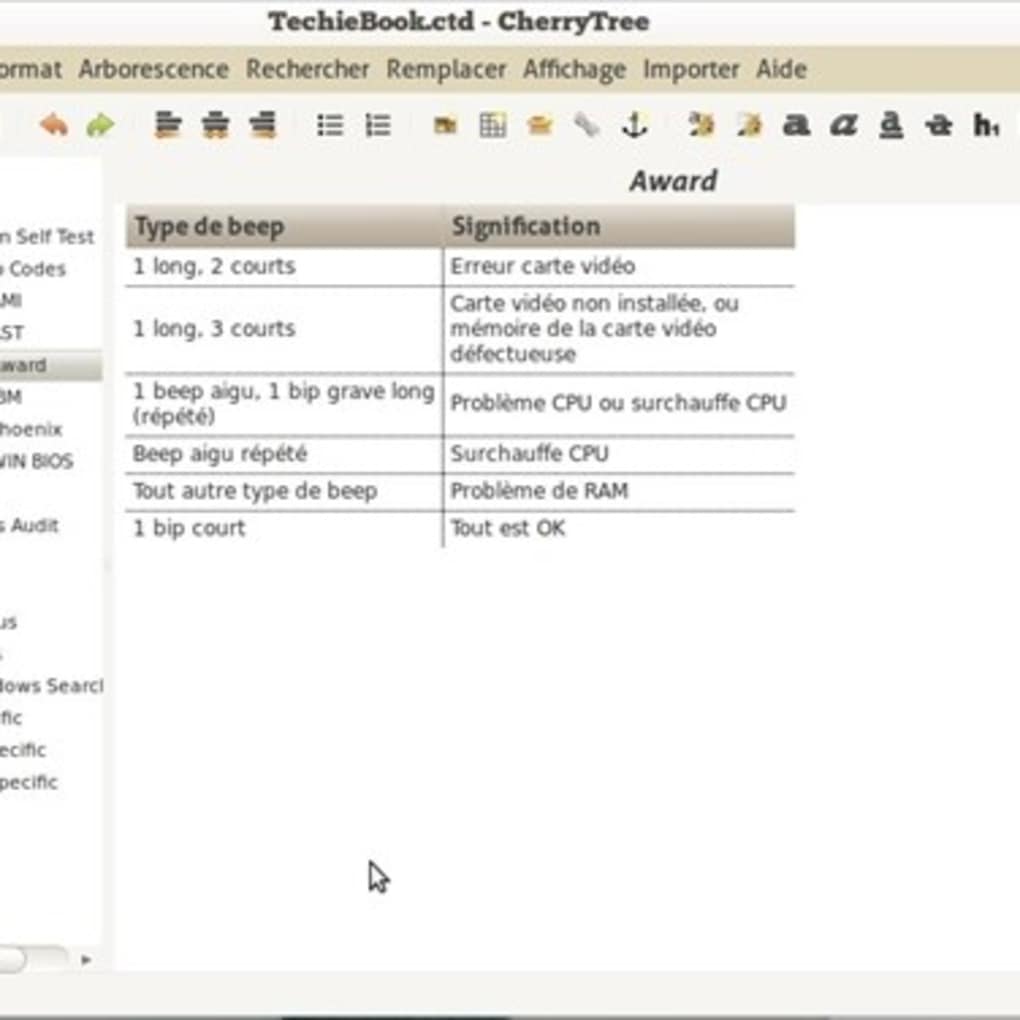
Beyond basic formatting, CherryTree boasts advanced features geared towards technically minded users. It offers syntax highlighting for various programming languages, making it an ideal tool for programmers and developers to document code, track progress, and maintain project notes. This functionality ensures that code snippets within notes are clearly formatted and easily readable, avoiding potential errors or misunderstandings. The inclusion of syntax highlighting is a significant differentiator, setting CherryTree apart from many other note-taking applications that lack this level of technical support.
Advanced Features: Empowering Complex Information Management
CherryTree’s feature set extends far beyond basic text formatting and hierarchical organization. Its robust capabilities include:
-
Image Handling: Seamless integration of images within notes provides a powerful way to illustrate concepts and visually represent data. This capability is essential for projects where visual aids are necessary for clarity and understanding.
-
Multi-Level List Handling: CherryTree’s support for multi-level lists facilitates the organization of complex information into structured formats, such as outlines or to-do lists. This structured approach ensures that information is well-organized and easily accessible.
-
Table Handling: The ability to create and manipulate tables within notes allows users to present data in a clear, concise, and organized manner. This functionality is crucial for projects involving numerical data or detailed comparisons.
-
Codebox Handling: The dedicated codebox feature ensures that code snippets are properly formatted and visually distinct within notes. This adds to the application’s appeal to programmers and developers, making it a versatile tool for various technical tasks.
-
Hyperlinks: CherryTree supports both internal and external hyperlinks, enabling users to create interconnected networks of notes or link to relevant external resources. This capability enhances the application’s utility for research projects or collaborative efforts.
-
Iteration Sorting: This feature provides users with efficient ways to organize and sort notes based on various criteria, facilitating the management of large quantities of information.
-
Data Storage: Users have the flexibility to store their data in either SQLite or XML format, offering options for different storage preferences and compatibility requirements. SQLite offers a more robust and efficient database solution, while XML provides a more readily human-readable format.
These advanced features collectively demonstrate CherryTree’s commitment to empowering users with the tools they need to manage complex information effectively. The depth and breadth of these functionalities are significant advantages compared to simpler note-taking applications.
CherryTree’s Target Audience: Who Will Benefit Most?
While CherryTree’s powerful features are appealing, it’s important to understand its target audience. This isn’t a note-taking app designed for casual users seeking a quick and easy way to jot down thoughts. CherryTree’s complexity and feature-rich nature make it most suitable for users engaged in tasks requiring detailed organization, structured information management, and integration of various data types.
The ideal CherryTree user is likely involved in:
-
Technical Writing or Documentation: The application’s rich text capabilities, syntax highlighting, and image handling make it ideal for creating detailed and visually appealing technical documentation.
-
Software Development: The syntax highlighting, codebox handling, and hierarchical organization features make CherryTree a powerful tool for managing code, documenting projects, and tracking progress.
-
Academic Research: The ability to create interconnected networks of notes, integrate various data types, and organize information hierarchically make CherryTree a valuable asset for academic research projects.
-
Project Management: The multi-level list handling, table handling, and hierarchical structure allow for effective organization and tracking of complex project details.
-
Legal or Medical Professionals: The ability to create secure and highly organized note-taking systems makes it useful for managing confidential and detailed information.
Users seeking a simple, aesthetically pleasing note-taking app might find CherryTree’s interface somewhat austere. However, for users who prioritize functionality and power over visual appeal, CherryTree’s capabilities far outweigh any perceived shortcomings in its design.
Comparison with Alternative Applications: Understanding CherryTree’s Niche
Numerous note-taking applications exist, each catering to a specific set of needs and user preferences. Compared to popular alternatives, CherryTree occupies a distinct niche:
-
Evernote: While Evernote is known for its broad appeal and user-friendly interface, it lacks the sophisticated features found in CherryTree, particularly regarding syntax highlighting and codebox handling. Evernote prioritizes simplicity and accessibility, sacrificing some of the technical depth offered by CherryTree.
-
OneNote: Microsoft OneNote offers a visually rich and collaborative experience, but its hierarchical organization may not be as intuitive or robust as CherryTree’s tree-like structure. OneNote excels in collaborative features, which CherryTree currently lacks.
-
Treepad: Treepad shares some similarities with CherryTree in its tree-like structure, but may not offer the same level of feature depth, particularly regarding syntax highlighting and codebox handling. Treepad is often noted for its simplicity, while CherryTree places more emphasis on features.
-
Other Note-Taking Apps: Many other note-taking applications prioritize either simplicity or specific functionality (e.g., mind-mapping). CherryTree’s unique position lies in its powerful combination of hierarchical organization, rich text capabilities, and support for technical features, making it a powerful option for a specific, albeit significant, user base.
Conclusion: CherryTree - A Powerful Tool for the Right User
CherryTree is a powerful and versatile note-taking application, but it’s not for everyone. Its strength lies in its robust functionality and comprehensive feature set, tailored specifically for users who require sophisticated tools to manage complex information. If you’re a technical professional, researcher, or anyone involved in tasks requiring detailed organization and structured information management, CherryTree’s powerful capabilities will prove invaluable. However, if you’re looking for a simple, aesthetically pleasing note-taking app for casual use, CherryTree’s complexity might outweigh its benefits. Understanding your specific needs and preferences is crucial in determining whether CherryTree is the right tool for your workflow.
File Information
- License: “Free”
- Version: “varies-with-device”
- Latest update: “March 29, 2017”
- Platform: “Windows”
- OS: “Windows 10”
- Language: “English”
- Downloads: “14.1K”


