
For those of us who remember the early days of Windows, the XP operating system holds a special place in our hearts. While significantly outdated by today’s standards, and officially unsupported by Microsoft for years, a surprising number of users still cling to this legacy system. Perhaps it’s nostalgia, the comfort of familiarity, or simply the fact that it still serves a specific purpose on older hardware. Whatever the reason, Chrome XP aims to inject a breath of fresh air into the aging Windows XP experience, offering a modern visual overhaul without requiring a complete operating system upgrade.
A Modern Facelift for an Aging OS
Chrome XP isn’t a replacement for Windows XP; it’s a visual theme. Instead of fundamentally altering the operating system’s functionality, it focuses on transforming its appearance, giving the familiar XP interface a modernized look and feel. This is achieved primarily through changes to the system’s icons, color schemes, and overall aesthetic. The result is a surprisingly effective transformation, bridging the gap between the antiquated visuals of Windows XP and the more contemporary design language of modern operating systems. While not a complete overhaul, the changes are substantial enough to significantly alter the user’s perception of the system, making it seem less dated and more visually appealing.
The modifications introduced by Chrome XP extend beyond simple cosmetic changes. While the core functionality of Windows XP remains unchanged, the altered icons and color palettes offer a cohesive and modernized visual experience. This consistency is crucial; it prevents the theme from feeling like a haphazard collection of disparate elements, instead creating a unified and polished aesthetic. The update affects not just the core Windows XP interface but also extends to certain applications and system elements like Windows Explorer, providing a more comprehensive visual upgrade across the system.
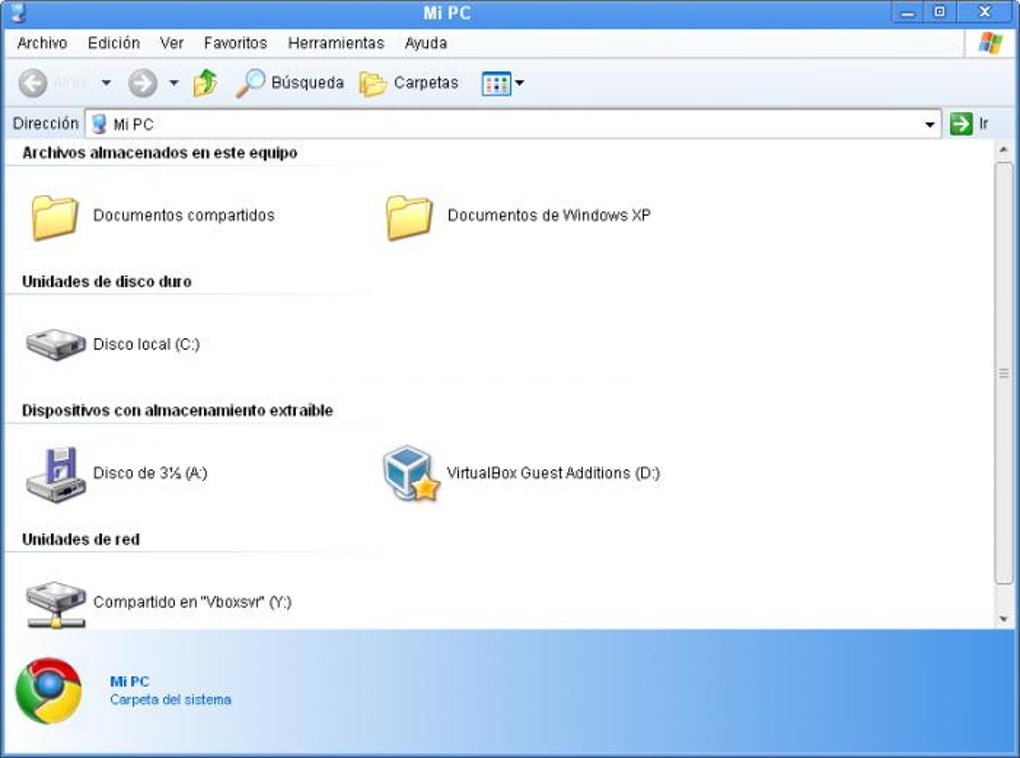
However, like any visual overhaul, Chrome XP’s modifications aren’t universally appealing. The changes to certain aspects, such as the reduction in the clickable area of the Start Menu, might prove inconvenient or even frustrating for some users accustomed to the original design. These adjustments, while intended to improve the overall look and feel, might unintentionally compromise ease of use or familiarity for long-time XP users. This highlights a common trade-off with aesthetic modifications – balancing visual improvement with the preservation of usability.
Examining the Pros and Cons
The advantages of using Chrome XP are immediately apparent. The modernized look and feel dramatically improve the visual appeal of the aging operating system. The refreshed icons and color scheme provide a noticeable upgrade, making the experience less jarring for users accustomed to the sleek designs of contemporary operating systems. The changes to Explorer windows, often a source of visual clutter in older Windows versions, are particularly noteworthy, contributing to a more organized and visually pleasing file management experience. Furthermore, the familiarity of the underlying operating system remains intact, reducing the learning curve and ensuring a relatively smooth transition for existing Windows XP users.
Despite these benefits, Chrome XP isn’t without its shortcomings. The aforementioned adjustments to the Start Menu’s clickable area is a significant point of contention. Other minor alignment issues, while perhaps not immediately apparent, may become noticeable upon closer examination. These subtle imperfections, though relatively minor, can detract from the overall polished effect of the theme, and may be a source of frustration for users who are highly detail-oriented. The presence of wasted space, specifically to the right of the system clock, further emphasizes the theme’s imperfections. These minor flaws highlight the challenges of creating a comprehensive visual overhaul within the constraints of an existing operating system.
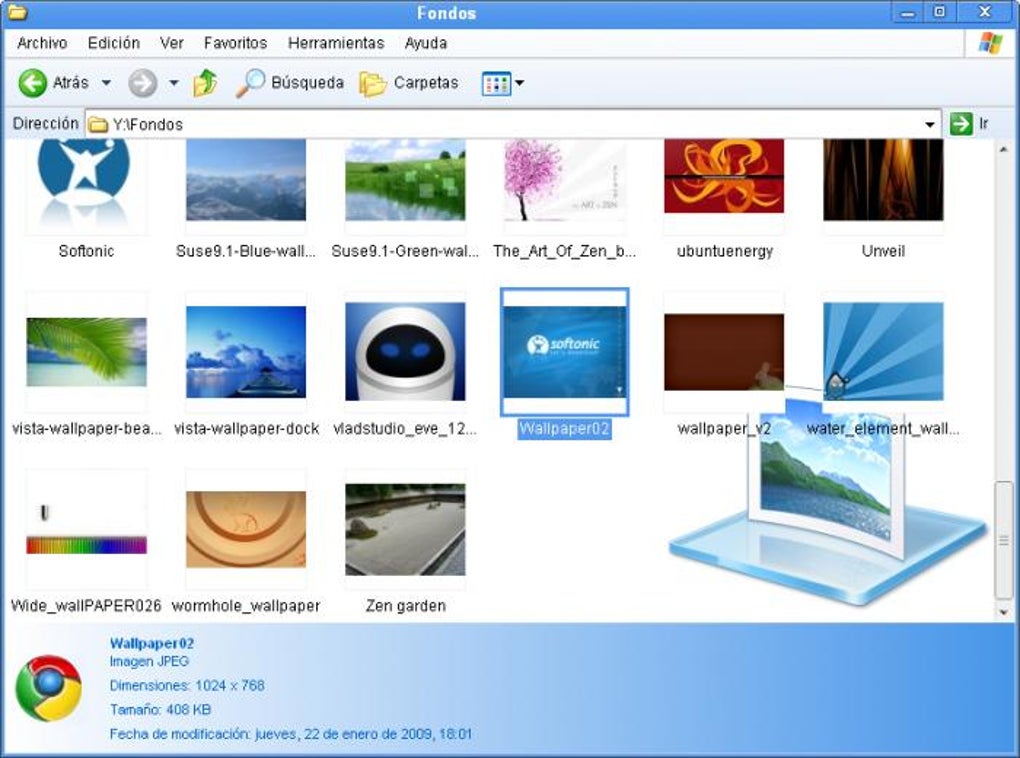
The success of Chrome XP hinges on the individual user’s priorities. If the modernized appearance outweighs the minor usability compromises and inconsistencies, then it can significantly enhance the Windows XP experience. However, users who highly value the familiar functionality and precise layout of the original interface might find the modifications disruptive rather than beneficial. The subjective nature of visual preference, therefore, plays a significant role in determining the overall satisfaction derived from using Chrome XP.
Installation and User Experience
The process of installing Chrome XP is typically straightforward. The software usually comes packaged as an easily extractable file containing the necessary components for the visual transformation. Upon extraction, users simply need to navigate to the appropriate folder and launch the installer to apply the theme. The installation process itself is generally quick and non-invasive, minimizing the potential for disruption to the existing system configuration. This straightforward installation process is a significant advantage, making Chrome XP accessible even to users with limited technical expertise.
However, user reports suggest that there are occasional instances of installation failures, and some users have reported encountering difficulties in properly applying the theme. While these instances may be relatively rare, they underscore the possibility of technical challenges that could hinder a successful implementation of the Chrome XP theme. The absence of a comprehensive user manual or detailed instructions further complicates the process for users experiencing such issues. A detailed guide outlining potential troubleshooting steps would undoubtedly enhance the user experience and improve the overall satisfaction rate.
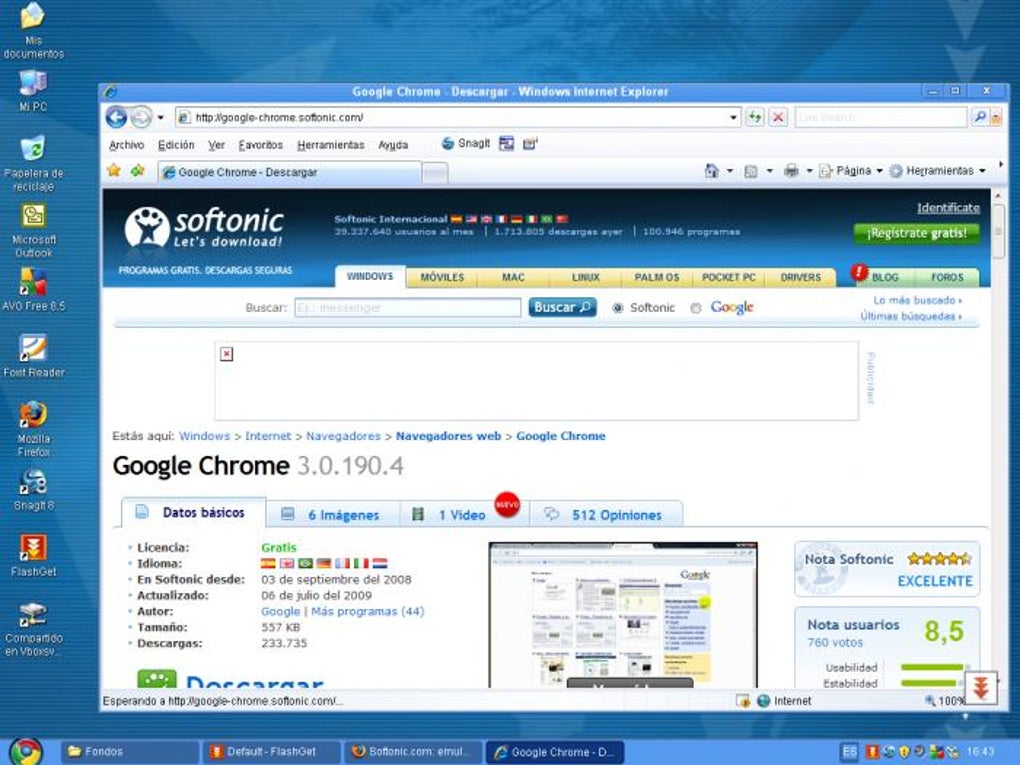
User reviews on platforms like Phanmemfree offer a diverse range of feedback, reflecting the subjective nature of aesthetic preferences. While many users have expressed positive feedback, commending the improved visual appeal and ease of installation, others have reported issues with functionality and compatibility. This disparity in user experiences further emphasizes the importance of clear, comprehensive documentation and readily available technical support to address potential installation problems and user-specific compatibility issues. The lack of such resources can lead to frustration and negative perceptions of the software, even if these issues are relatively infrequent.
Chrome XP in the Larger Context of Windows XP Customization
Chrome XP exists within a broader landscape of Windows XP customization options. Numerous themes, skins, and add-ons are available for users seeking to personalize their aging operating systems. While Chrome XP provides a significant visual upgrade, it’s just one option among many. Other software packages offer more comprehensive modifications, or might focus on specific aspects of the interface, providing alternative approaches to enhancing the Windows XP user experience.
The choice between Chrome XP and other customization options often boils down to individual preferences and priorities. Some users might prefer a more drastic visual overhaul, while others might prioritize specific functionalities or compatibility with other software. The range of available options ensures that users can find a solution tailored to their particular needs and preferences, irrespective of their technical expertise or the specific customizations they seek to implement. Chrome XP should therefore be considered within this wider context, not as a singular solution, but as one possibility among many.
Conclusion: A Niche Solution for a Specific Need
Chrome XP provides a straightforward method for users to modernize the look and feel of their aging Windows XP systems. While not a perfect solution and lacking in comprehensive documentation, it offers a noticeable visual enhancement for users willing to accept minor usability trade-offs. Its effectiveness hinges largely on the user’s tolerance for minor imperfections and their overall priority for aesthetics over perfect functionality. Ultimately, Chrome XP caters to a specific niche – users who value visual appeal and wish to breathe new life into their older Windows XP machines without the complexities of a complete operating system upgrade. For those users, it can be a viable and even enjoyable solution. For others, a more comprehensive solution, or perhaps simply accepting the limitations of the older system, might be a more suitable approach.
File Information
- License: “Free”
- Version: “v4”
- Latest update: “February 1, 2023”
- Platform: “Windows”
- OS: “Windows XP”
- Language: “English”
- Downloads: “792.3K”
- Size: “178.71 KB”


