
Cinebench, a free benchmarking tool developed by Maxon, provides a robust and reliable method for assessing the performance of computer systems, particularly focusing on CPU and GPU capabilities. Built upon the powerful 3D software CINEMA 4D, Cinebench offers a standardized test suite that allows for accurate comparisons between different hardware configurations, regardless of operating system. Its widespread adoption by industry professionals, hardware manufacturers, and trade publications underscores its credibility and importance in evaluating computer performance. This article delves into the functionality, features, and significance of Cinebench.
Understanding Cinebench’s Functionality
Cinebench’s core function is to stress-test a computer’s processing power and graphics rendering capabilities. It achieves this through a series of computationally intensive tasks designed to mimic real-world scenarios. These tasks are specifically crafted to thoroughly engage both the CPU and the GPU, providing a detailed performance profile. The tests are not merely synthetic; they are based on the rendering engine of CINEMA 4D, making the results highly relevant to users involved in 3D modeling, animation, video editing, and other graphically demanding applications.
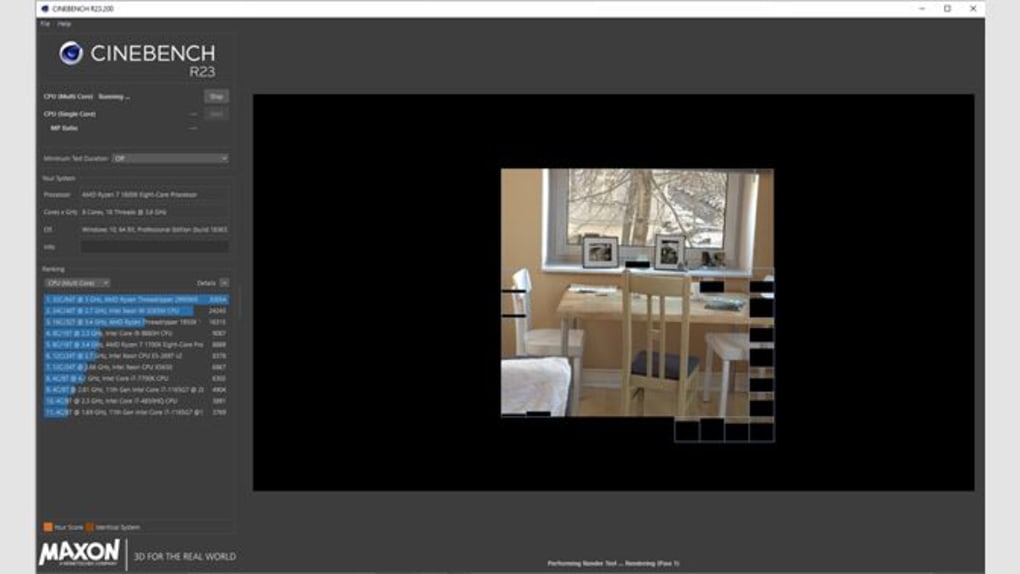
The software generates scores that represent the system’s performance, providing a quantifiable metric for comparison. These scores aren’t arbitrary numbers; they represent the processing power required to complete complex rendering operations, giving a realistic assessment of how well the system will handle demanding tasks. The results are presented in a clear and concise manner, facilitating easy comparison between different systems. The simple interface makes it accessible to both novice and experienced users.
Cinebench’s versatility extends to its ability to handle various system configurations. It can effectively assess the performance of both single-core and multi-core processors, pushing systems with up to 16 dedicated CPUs or processor cores to their limits. This capability is crucial in today’s market where multi-core processors are the norm, and understanding the performance characteristics of each core is essential for optimal system utilization.
Cinebench’s Key Features and Test Components
Cinebench’s strength lies in its comprehensive approach to benchmarking. It doesn’t simply provide a single, overarching score; instead, it delivers a detailed breakdown of performance across several key components:
-
CPU Rendering: This test assesses the raw processing power of the CPU. It measures the time taken to render a complex 3D scene, directly reflecting the CPU’s ability to handle demanding computational tasks. The score generated provides a clear indication of the CPU’s performance capabilities. This is crucial for users engaged in tasks such as video encoding, scientific simulations, and other CPU-intensive applications.
-
Multi-CPU Rendering: This feature extends the CPU rendering test to assess the performance of multi-core processors. It specifically focuses on how effectively the system utilizes multiple cores to accelerate the rendering process. The score obtained allows for the evaluation of parallel processing capabilities, which is a crucial aspect of modern computing. This metric is critical for users who require high levels of parallel processing, such as those working on large datasets or complex simulations.
-
Shading (CINEMA 4D): This tests the rendering capabilities using the CINEMA 4D shading engine. It assesses how efficiently the system handles the complex calculations required for realistic shading and lighting effects in 3D scenes. This is important for users focusing on high-quality rendering and visual effects.
-
Shading (OpenGL Software Lighting): This component evaluates the system’s ability to perform software-based OpenGL shading. While generally less efficient than hardware-accelerated rendering, understanding the software rendering performance provides a complete picture of the system’s capabilities. This data can be useful for troubleshooting and understanding the limitations of different system configurations.
-
Shading (OpenGL Hardware Lighting): This test focuses on the system’s performance when using hardware-accelerated OpenGL rendering, highlighting the capabilities of the graphics card. This is essential for users heavily reliant on graphics-intensive applications like gaming or video editing.
-
Multiprocessor Speedup: This metric quantifies the efficiency gains obtained by utilizing multiple CPU cores. A high speedup factor indicates excellent scalability and efficient utilization of multiple cores, whereas a low factor might point towards bottlenecks or limitations in the system’s ability to leverage parallel processing effectively.
- OpenGL Speedup: Similar to the multiprocessor speedup, this metric shows the improvement gained from using hardware-accelerated OpenGL rendering compared to software-based rendering. A significant difference indicates that the graphics card is effectively accelerating the rendering process.
Cinebench’s Significance and Use Cases
Cinebench’s impact extends beyond individual users. Its standardized tests provide a valuable benchmark for:
-
Hardware Manufacturers: Manufacturers use Cinebench results to compare and showcase the performance of their CPUs and GPUs. This allows for objective comparisons and aids consumers in making informed purchasing decisions.
-
Trade Publications and Reviews: Technology review websites and magazines utilize Cinebench to provide objective performance evaluations of various computer systems, helping readers assess the performance capabilities of different products.
-
System Administrators and IT Professionals: Cinebench assists in evaluating system performance, identifying bottlenecks, and optimizing system configurations for better efficiency and responsiveness. This is vital for maintaining high levels of productivity and performance in enterprise environments.
Cinebench: A Cross-Platform Tool
While primarily associated with Windows, Cinebench is also available for macOS. This cross-platform availability ensures that performance comparisons can be made across different operating systems, offering a more comprehensive picture of system capabilities. The consistent methodology ensures that results from different platforms can be directly compared, providing valuable insights into relative performance levels.
Conclusion
Cinebench has established itself as a leading benchmarking tool. Its comprehensive testing suite, focus on real-world scenarios, and cross-platform availability make it an indispensable tool for evaluating computer performance. Whether you’re a gamer, video editor, 3D modeler, or simply seeking an objective assessment of your system’s capabilities, Cinebench provides the data-driven insights you need to make informed decisions. Its extensive adoption by industry professionals further solidifies its position as a reliable and authoritative benchmark in the tech world.
File Information
- License: “Free”
- Latest update: “May 24, 2023”
- Platform: “Windows”
- OS: “Windows 11”
- Language: “English”
- Downloads: “57.9K”


