
CLCL is a lightweight yet powerful clipboard manager designed to streamline your workflow by expanding the capabilities of your system’s clipboard. For users who frequently copy and paste text, files, and images, CLCL offers a significant improvement over the standard Windows clipboard, providing convenient access to a history of your copied items. This detailed review explores CLCL’s functionality, features, and overall usability, examining its strengths and weaknesses to help you determine if it’s the right clipboard manager for your needs.
Enhanced Clipboard Functionality: Beyond the Basics
The core function of CLCL revolves around expanding the capacity of your system clipboard. Unlike the standard Windows clipboard, which only retains the most recently copied item, CLCL maintains a history of your copied content. This history is readily accessible through a small, unobtrusive paperclip icon residing in your system tray. A simple click on this icon reveals a neatly organized list of your previously copied items, allowing you to quickly select and paste any entry without needing to repeatedly copy the same information.
Furthermore, CLCL offers a keyboard shortcut for even quicker access. Pressing Alt+C brings up the clipboard history, and a simple click on the desired item instantly pastes its content into your active application. This intuitive shortcut significantly speeds up the copy-pasting process, eliminating the need to navigate multiple windows or manually search through previous copies.
Customizable Options for Personalized Usage
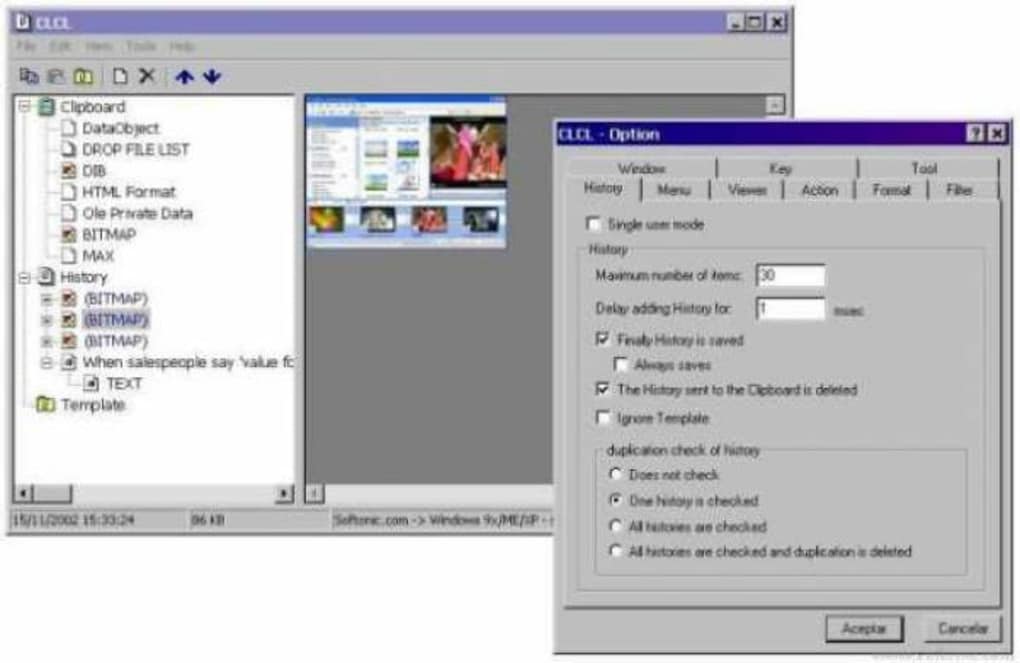
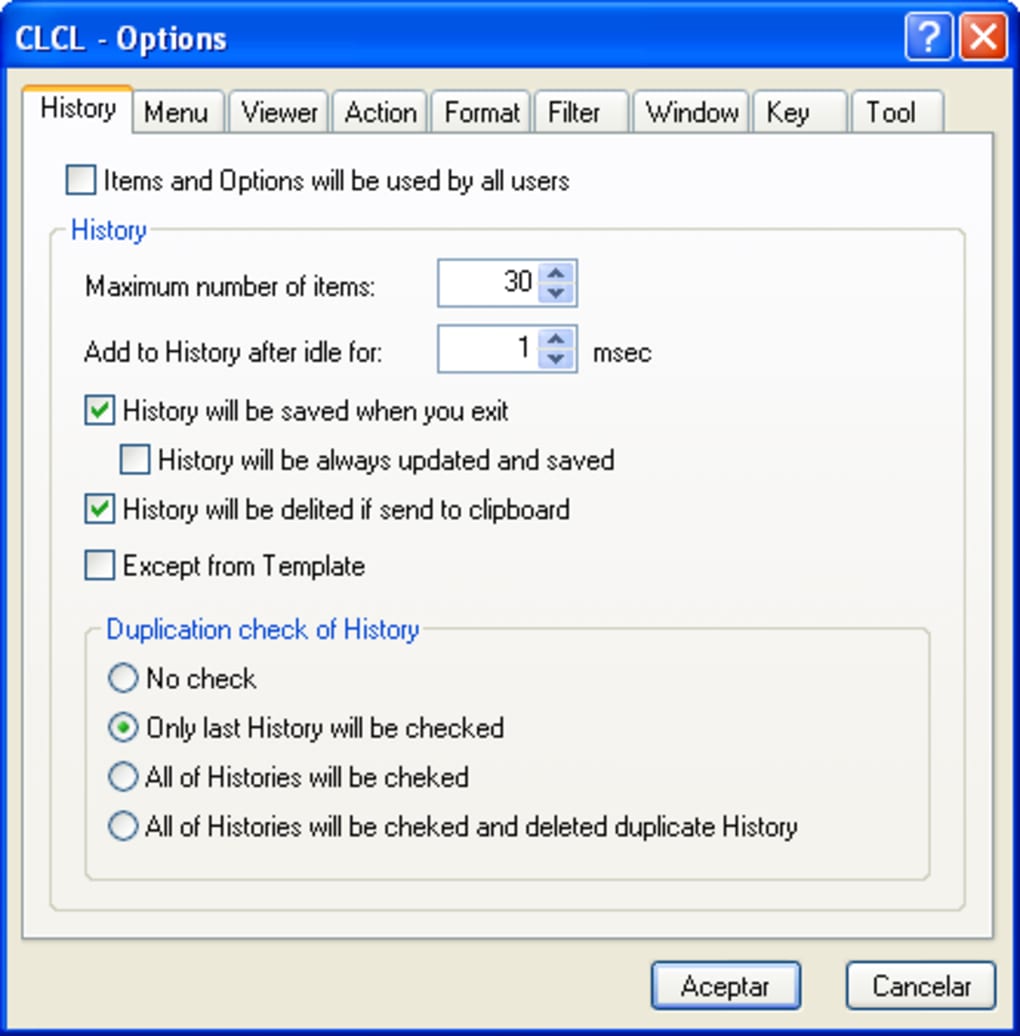
CLCL distinguishes itself through its comprehensive customization options. The application features a tabbed interface that allows users to finely tune its behavior and appearance to suit their individual preferences. The key settings reside within the “History” tab, providing granular control over various aspects of the application’s functionality.
One crucial setting within this tab allows you to adjust the maximum number of items CLCL will store in its history. This is particularly useful for managing resources, as keeping an extensive clipboard history can potentially consume more system memory. You can specify the desired number of items, ensuring the application remains responsive without sacrificing essential functionality.
Another important option is the ability to toggle the clipboard saving feature on or off. While this feature is generally enabled by default, you can temporarily disable it if you prefer not to have your clipboard contents automatically saved. This option provides flexibility for situations where you may not need the history function, allowing you to optimize the application’s resource consumption or temporarily clear your clipboard history.
Supported Content Types and Portability
CLCL exhibits remarkable versatility in the types of content it supports. It effortlessly handles text, images, and files, making it a universal solution for a wide array of copy-pasting scenarios. Whether you’re copying text from a document, an image from a website, or a file from your file explorer, CLCL seamlessly integrates into your workflow. This capability eliminates the need for separate applications to manage different content types.
The portability of CLCL is another notable advantage. The application’s small size and ability to run from a USB drive make it ideal for users who frequently work on multiple computers. You can simply copy the CLCL executable to your USB drive and launch it on any Windows machine without needing any installation process. This portable nature enhances flexibility and convenience, especially for users who need consistent access to their clipboard history across different systems.
Strengths and Weaknesses of CLCL
CLCL offers numerous advantages, making it a compelling clipboard management solution. Its lightweight nature ensures minimal system resource consumption, and its intuitive interface makes it easy to use, even for users unfamiliar with similar applications. The comprehensive customization options cater to a wide range of preferences, allowing you to tailor the application to your specific needs. Moreover, the ability to run from a USB drive enhances portability and flexibility.
However, it’s important to acknowledge that CLCL isn’t without potential limitations. While the application’s core functionality is robust, some users might desire more advanced features, such as syncing clipboard history across multiple devices or support for cloud storage. Furthermore, the lack of user reviews might suggest a relatively smaller user base compared to more established clipboard managers. Despite these points, the application delivers on its core promises efficiently and effectively.
Comparison with Alternative Clipboard Managers
CLCL occupies a unique niche in the market of clipboard managers. While several other applications offer similar functionality, CLCL’s combination of lightweight design, ease of use, and robust customization options sets it apart. Applications like ClipX and Ditto provide comparable features, but often with a more complex interface or higher resource consumption. 1Clipboard takes a different approach, focusing on cross-device synchronization, a feature absent in CLCL. Ultimately, the best choice depends on your individual priorities and needs. If a simple, lightweight, and highly customizable clipboard manager is your preference, then CLCL deserves serious consideration. Conversely, if cross-device syncing or advanced features are paramount, you might find other applications more suitable.
Conclusion: A Highly Recommended Clipboard Enhancer
CLCL presents a compelling solution for users seeking to improve their copy-pasting workflow. Its intuitive design, extensive customization options, and support for various content types make it a versatile tool for everyday use. While more advanced features might be desired by some users, its lightweight nature and ease of use make it a highly recommended clipboard manager, particularly for those who prioritize simplicity and efficiency. The application successfully addresses the shortcomings of the standard Windows clipboard, offering a significant boost to productivity for anyone who regularly performs copy-and-paste tasks. Its portability further adds to its appeal, making it a practical solution for individuals who work across multiple computers. Overall, CLCL effectively balances simplicity and functionality, making it a strong contender in the world of clipboard management software.
File Information
- License: “Free”
- Latest update: “July 11, 2023”
- Platform: “Windows”
- OS: “Windows 11”
- Downloads: “23K”
- Size: “548.70 KB”


