
CleverGet is a premium video downloading software for PCs, developed by Cleverget. This comprehensive review will delve into its features, performance, ease of use, and overall value, comparing it to similar applications and highlighting its strengths and weaknesses. Whether you’re a casual downloader or a serious video enthusiast, this review will help you determine if CleverGet is the right tool for your needs.
Powerful Downloading Capabilities Across Numerous Platforms
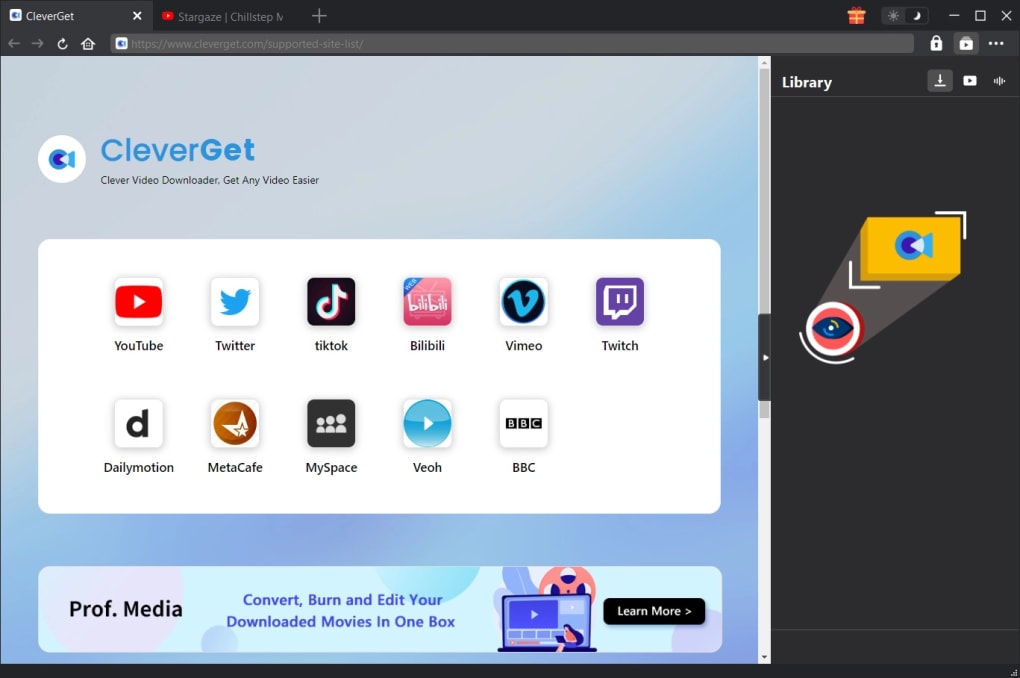
CleverGet distinguishes itself through its broad compatibility. Unlike many video downloaders that are limited to specific websites, CleverGet boasts support for over 1000 different online sites and services. This extensive library includes popular streaming platforms like Facebook, Twitch, and Disney+, ensuring a wide range of content is accessible for download. This versatility is a significant advantage, eliminating the need to switch between multiple downloaders for different sources. The software’s ability to handle diverse video formats and resolutions, including up to 8K resolution and high-bitrate audio tracks (320kbps), is a testament to its technical prowess. This ensures that users can download videos in the highest quality available, preserving the visual and audio fidelity of the original source material. The seamless integration of a built-in browser further enhances user experience, allowing users to browse the web and select videos all within the same application, streamlining the entire downloading process.
User-Friendly Interface and Intuitive Functionality
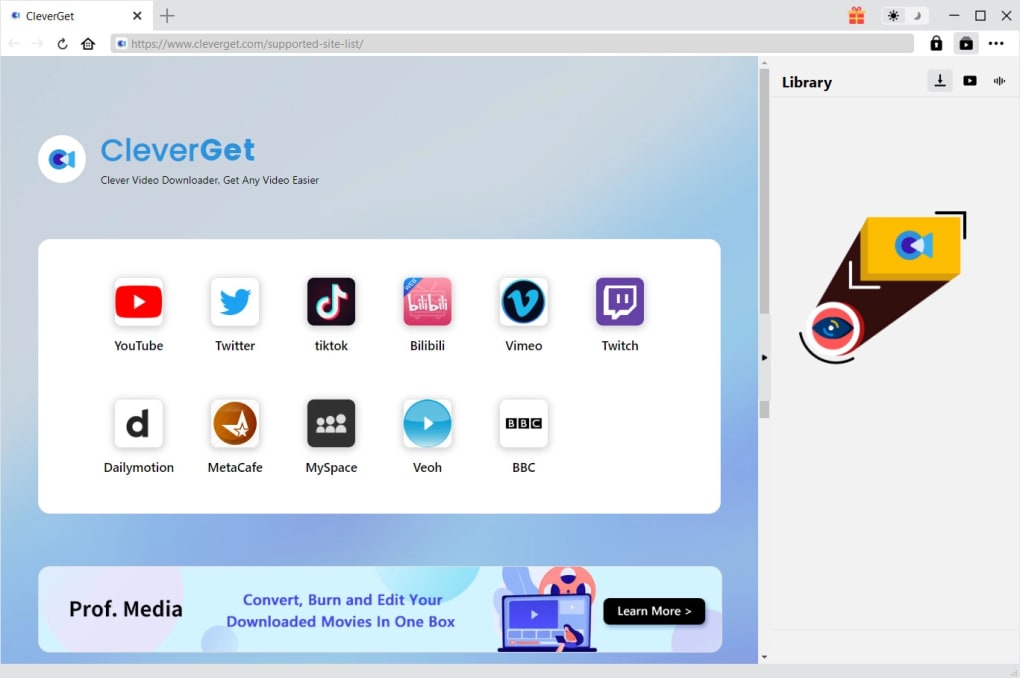
CleverGet’s design prioritizes user experience. The interface is clean, modern, and intuitive, making navigation and downloading straightforward even for novice users. The software is designed to be user-friendly, minimizing the learning curve and ensuring a smooth experience for all users. The straightforward layout eliminates unnecessary complexity, allowing users to focus on downloading their desired content quickly and easily. Features are clearly labeled and easily accessible, reducing the time spent navigating menus and searching for specific functions. This intuitive design enhances the overall efficiency of the software, contributing to a positive user experience. The incorporation of batch processing further enhances its efficiency, allowing users to download multiple videos simultaneously without manual intervention for each download. This feature saves considerable time and effort, particularly when dealing with a large number of videos. This makes CleverGet ideal for both individual users and those who regularly download significant amounts of video content.
Advanced Features Enhancing the Downloading Experience
Beyond basic downloading, CleverGet offers a range of features that enhance the overall user experience. The inclusion of a built-in browser is a particularly useful feature, providing a convenient way to browse the web and select videos without having to switch between applications. This integrated browsing capability simplifies the workflow, streamlining the process of locating and downloading content. The software also includes an ad removal feature, allowing for uninterrupted viewing of downloaded content. This removes the frustration of encountering advertisements during playback, which is a significant advantage over many competitor applications. The ability to convert downloaded videos to various formats upon completion further enhances its utility, ensuring compatibility with various devices and media players. This adaptability eliminates the need for additional conversion tools and ensures that downloaded videos can be played seamlessly across different platforms and devices. Finally, the meta-tagging functionality ensures correct information is displayed, contributing to better organization and management of downloaded files.
Comparison with Similar Applications
While CleverGet stands out due to its vast site compatibility, it’s essential to compare it with other popular video downloaders. Competitors like VidMate and FYT - All Video Downloader, often feature in comparisons due to their popularity. While these alternatives offer functionalities such as video downloading, CleverGet surpasses them in terms of website compatibility and supported resolutions. VidMate and FYT might offer a simpler interface for basic downloading, but CleverGet’s extensive support for websites and higher resolution downloads outweighs this simplicity for many users. The ad removal feature in CleverGet also sets it apart, creating a cleaner, more enjoyable user experience compared to some competitors that may contain intrusive advertisements. The batch processing capability allows for significant time-savings compared to manually downloading each video individually, which is not always an option with some competitor applications. CleverGet’s ability to handle high-resolution video and high-bitrate audio is also superior in comparison to some of its competitors.
Addressing Limitations and Potential Drawbacks
While CleverGet offers impressive capabilities, it’s important to acknowledge its limitations. One notable drawback is the limited range of supported video formats compared to some more versatile competitors. While the software supports various popular formats, its lack of support for niche or less common formats could be a drawback for users working with specialized video files. The limited format support is an area where CleverGet could be improved to become even more versatile. The software also has a trial version and offers an annual subscription or a one-time purchase. This pricing model, while common among video downloaders, might deter some users who prefer free or lower-cost options. However, the comprehensive features and high-resolution support justify the cost for many users.
Conclusion: A High-Value Video Downloader
Overall, CleverGet offers a compelling combination of features and performance. Its vast website compatibility, high-resolution support, user-friendly interface, and advanced features such as batch processing and ad removal make it a powerful and versatile video downloader. While the limited video format support and the paid aspect may be considerations for some users, the overall benefits significantly outweigh these drawbacks for most users. CleverGet’s superior website support and the ad-free viewing experience are significant advantages that set it apart from many competing solutions. This strong package makes CleverGet a highly recommended solution for users seeking a robust and comprehensive video downloading tool. The ease of use, combined with the powerful features, makes it suitable for both casual and professional users alike. Its versatility and high-resolution support cater to a wide array of user needs and preferences. For those seeking a reliable, feature-rich, and user-friendly video downloader, CleverGet certainly merits serious consideration.
File Information
- License: “Trial version”
- Version: “10.0.0.0”
- Latest update: “January 20, 2023”
- Platform: “Windows”
- OS: “Windows 8”
- Language: “English”
- Downloads: “4.1K”
- Size: “139.11 MB”


