
ClickMonitorDDC is a free, lightweight personalization tool designed for Windows users seeking simplified control over their monitor’s display settings. Developed by Mapini, this application bypasses the often cumbersome in-built settings menus, offering a streamlined approach to adjusting brightness, contrast, color, and even audio volume directly from the system tray. Its intuitive interface and powerful features make it an excellent choice for both casual users and those who frequently switch between different display preferences.
Streamlined Monitor Adjustments
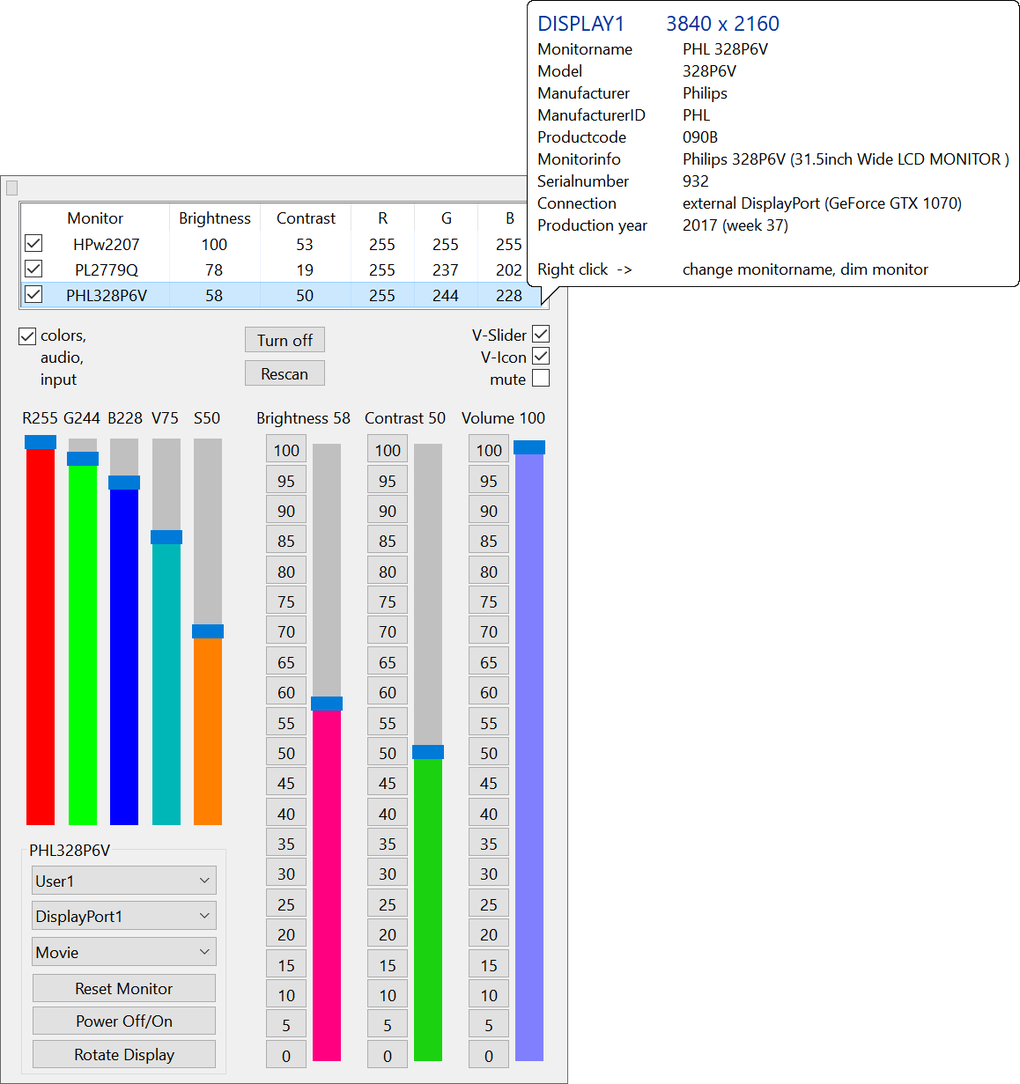
ClickMonitorDDC’s primary function is to provide quick and easy access to vital monitor settings. Instead of navigating through layers of system menus, users can instantly adjust brightness, contrast, and color parameters. This functionality extends beyond basic adjustments; the program also allows for the manipulation of color profiles, screen rotation, input selection, and even dimming functionality. For users with monitors that support these advanced settings, ClickMonitorDDC offers a significant advantage in terms of convenience and speed.
The program cleverly distinguishes between monitor speaker volume and the system’s overall audio volume, providing granular control over both. This is particularly beneficial for users who wish to maintain a consistent system volume while adjusting the volume levels for their monitor speakers, perhaps for presentations or multimedia playback. The ability to rotate the display is also included, which can be helpful for users who prefer landscape or portrait orientations depending on the task at hand.
Customizable Profiles and Hotkeys
One of ClickMonitorDDC’s most compelling features is its support for multiple profiles. Users can create separate profiles for various activities, such as gaming, movie watching, or general productivity. Each profile can store independent settings for brightness, contrast, color, and volume, allowing for optimized display configurations for every situation.
This profile-based approach adds a layer of personalized convenience. Imagine switching from a brightly lit environment to a dimly lit room. Instead of manually adjusting settings, simply switch to a pre-defined profile optimized for low-light conditions. This level of customization caters to individual preferences and usage patterns, promoting enhanced user comfort and productivity.
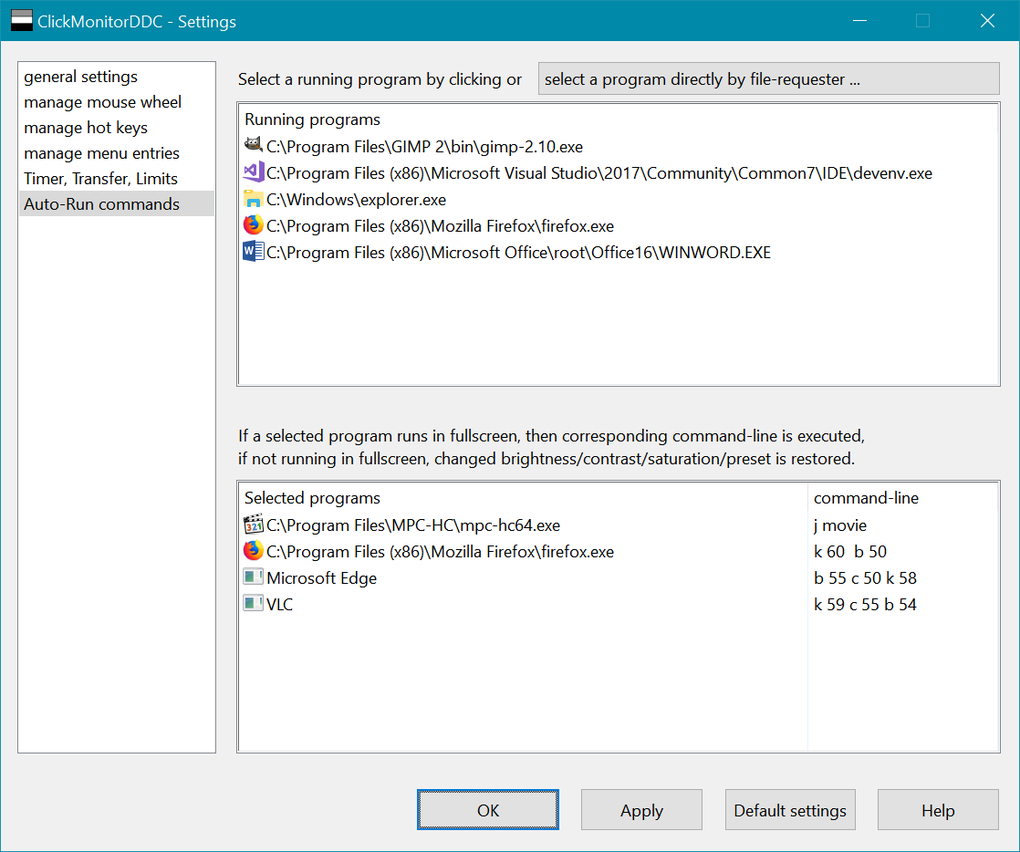
To further enhance usability, ClickMonitorDDC allows users to assign custom hotkeys to each profile. This feature streamlines the process of switching between profiles, reducing the need to navigate menus or use the mouse. Users can quickly and efficiently apply their preferred settings with a simple keyboard shortcut. This functionality is particularly beneficial for users who frequently switch between different activities, such as transitioning from browsing to gaming, or from work to leisure.
Unobtrusive System Tray Integration
ClickMonitorDDC prioritizes a non-intrusive user experience. The application resides discreetly in the system tray, minimizing its footprint on the desktop and avoiding unnecessary clutter. This subtle integration allows users to access its functionalities without interrupting their workflow.
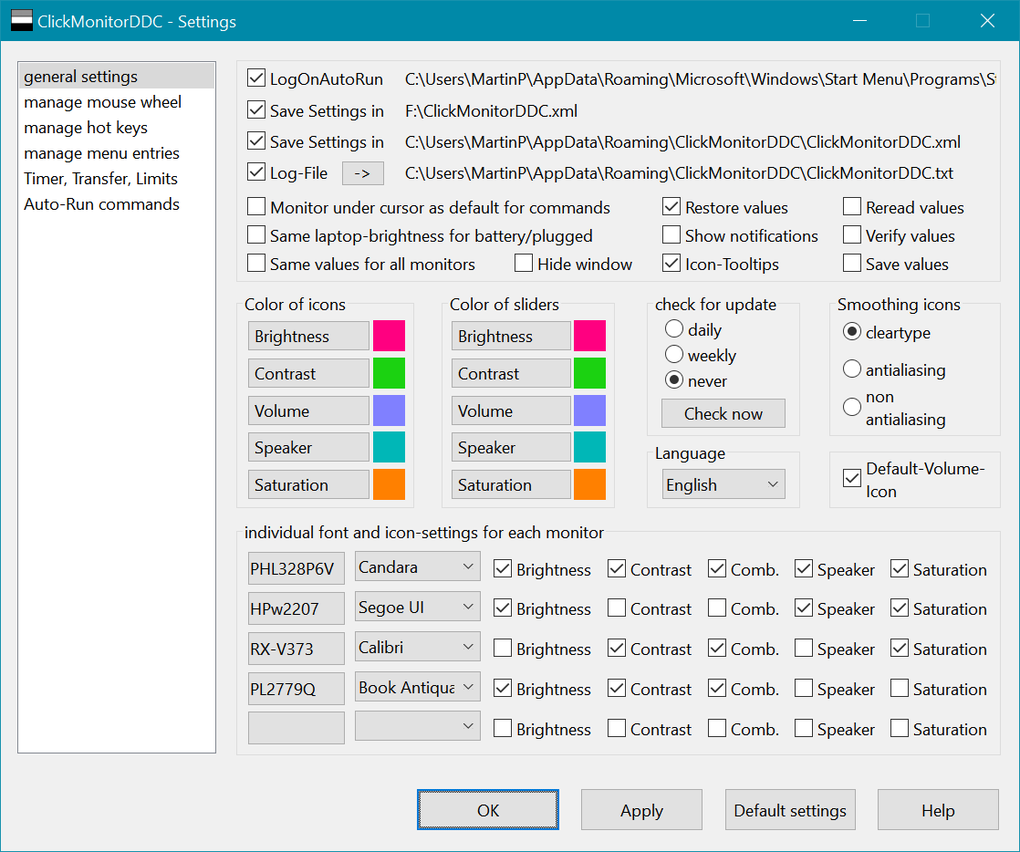
Recognizing that default system tray icons might not always be easily visible on certain monitor configurations, ClickMonitorDDC provides options for adjusting the icon’s color, ensuring optimal visibility regardless of the current monitor settings. This attention to detail underscores the program’s commitment to user-friendly design and seamless integration with the Windows operating system.
Compatibility and System Requirements
ClickMonitorDDC’s effectiveness relies heavily on the monitor’s compatibility with DDC (Display Data Channel). DDC is a communication protocol that allows the computer to directly control certain monitor settings. While most modern monitors support DDC, it’s crucial to verify compatibility before using the application. The program’s website or documentation should provide guidance on checking DDC support for specific monitor models.
While the program is designed to be lightweight, users should be aware of the potential for varying system requirements based on the complexity of the monitor’s DDC implementation. Some advanced features might require more system resources than others.
Advantages and Disadvantages
ClickMonitorDDC offers several significant advantages, solidifying its position as a useful tool for Windows users:
Pros:
- Effortless Monitor Control: Provides direct and simplified access to a wide range of monitor settings.
- Highly Customizable: Allows users to create and manage multiple profiles with custom hotkeys for various activities.
- Improved User Experience: Offers a streamlined workflow compared to navigating complex system settings.
- System Tray Integration: Maintains a minimal desktop footprint for unobtrusive operation.
- Granular Control: Differentiates between monitor speaker volume and system volume.
- Free to Use: Available at no cost.
Cons:
- DDC Dependency: Functionality depends on the monitor’s support for the DDC protocol.
- System Resource Requirements: The resource usage may vary based on the monitor’s capabilities and the features utilized.
Alternatives to ClickMonitorDDC
Several alternative applications offer similar functionality to ClickMonitorDDC, each with its own strengths and weaknesses:
- SunsetScreen: A free tool focusing on adjusting wallpaper on a timer, offering a different approach to dynamic desktop personalization.
- Gamma Panel: Specifically designed for adjusting computer gamma settings, providing a more niche functionality.
- PangoBright: A free screen dimmer program, offering a more limited scope than ClickMonitorDDC.
- Monitor Plus: Focuses on managing brightness, contrast, and color temperature.
- ControlMyMonitor: Offers a broader range of control over monitor settings.
These alternatives might offer specific features or functionalities not present in ClickMonitorDDC, so considering individual needs is crucial when selecting the best option.
Conclusion
ClickMonitorDDC presents a compelling solution for Windows users seeking simplified and efficient control over their monitor settings. Its user-friendly interface, customizable profiles, and convenient hotkey support make it a valuable tool for anyone who desires a more personalized and streamlined display management experience. While DDC compatibility needs to be considered, the program’s overall ease of use and extensive capabilities outweigh this limitation for many users. Whether optimizing the display for gaming, movie viewing, or general productivity, ClickMonitorDDC empowers users to effortlessly tailor their monitor settings to suit their specific needs.
File Information
- License: “Free”
- Version: “7.2”
- Latest update: “July 15, 2022”
- Platform: “Windows”
- OS: “Windows 7”
- Language: “English”
- Downloads: “20.5K”


