
The advent of CDs marked a significant shift in music consumption, yet the nostalgic charm of vinyl records persists. Many embraced the convenience of digital formats, transferring their cherished vinyl collections to a more accessible medium. However, the inherent limitations of vinyl—the wear and tear on records and the imperfections of the stylus—often resulted in recordings marred by unwanted noise. ClickRepair emerges as a solution, offering a path to restore the sonic fidelity of these digitized vinyl treasures.
ClickRepair isn’t a vinyl-to-digital converter; it’s a dedicated audio repair tool. Its purpose is to enhance already digitized recordings, removing the inherent hiss, crackle, and pops that plague many transferred vinyl albums. This means you’ll need a separate audio capture device and process to convert your vinyl records into digital audio files before using ClickRepair. The software doesn’t handle the initial conversion process.
Understanding ClickRepair’s Capabilities and Limitations
ClickRepair specifically targets the imperfections introduced during the recording process from vinyl or shellac records. To effectively use the software, your source files must meet specific requirements. These include:
-
Uncompressed Audio: ClickRepair only works with uncompressed audio files. Popular compressed formats like MP3 are incompatible. This is crucial because the compression process inherently discards audio data, making effective repair impossible. The loss of information during MP3 encoding is too significant for ClickRepair to compensate.
-
File Formats: Supported uncompressed formats include AIFF and WAV.
-
Bit Depth and Sample Rate: The software accepts 16-bit or 24-bit audio files with a maximum sample rate of 96 kHz.
-
Mono or Stereo: Both mono and stereo audio files are supported.
The core of ClickRepair’s functionality lies in its audio interpolation techniques. This process analyzes the audio waveform, identifying and mitigating the effects of hiss and crackles. It essentially attempts to reconstruct missing or corrupted audio data by intelligently interpolating between adjacent segments of clean audio.
The User Interface and Workflow
While ClickRepair effectively tackles the task of audio repair, the user interface is frequently cited as an area needing improvement. It’s not particularly intuitive, requiring some time to master its functionality and workflow. This lack of user-friendliness can present a significant barrier for novice users.
The process of repairing audio involves navigating a somewhat clunky interface. While the software allows for previewing the repaired audio and the isolated imperfections removed from the audio, the experience is not seamless. Users report some issues with the preview functionality, noting inconsistencies and unexpected jumps in playback when using the cursor to navigate the waveform.
This less-than-ideal user experience, coupled with the requirement for Java runtime environment, contributes to a somewhat dated feel, making the software less accessible to users unfamiliar with older-style applications.
Technical Aspects and Requirements
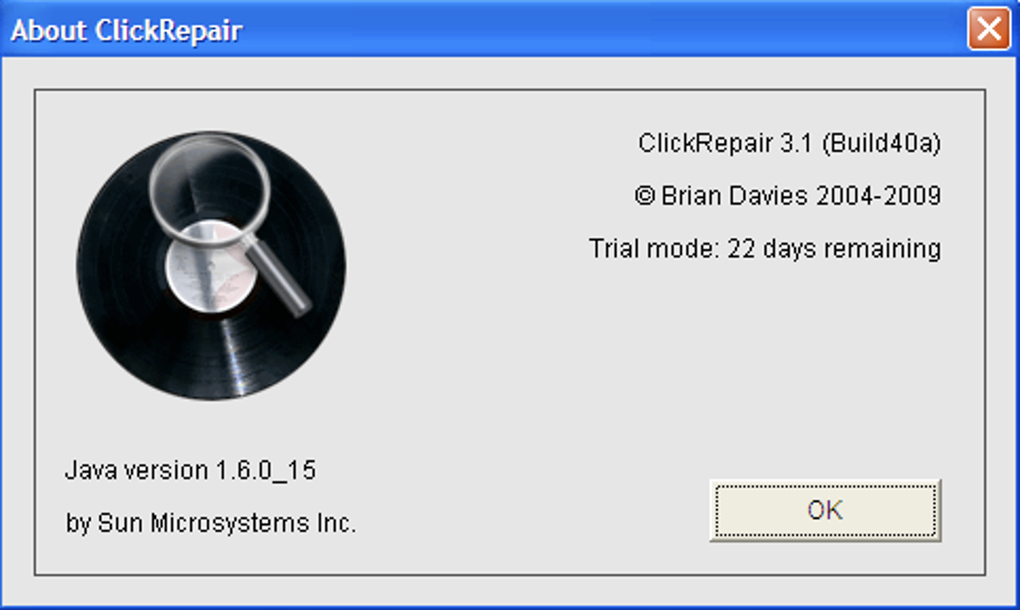
ClickRepair relies on Java for its operation. This dependency necessitates having a compatible Java Runtime Environment (JRE) installed on your system. Without a properly installed JRE, the software will not function correctly. This reliance on Java might be a hindrance for users who prefer more modern, native applications.
The software’s relatively small size (around 2.18 MB) suggests a lightweight installation, minimizing the impact on system resources. However, the reliance on Java might counteract this benefit, potentially consuming more resources than a native application.
Pros and Cons of ClickRepair
Pros:
-
Effective Noise Reduction: ClickRepair demonstrably reduces clicks, pops, and hiss in digitized vinyl recordings, improving their overall audio quality.
-
Preview Functionality: The software incorporates a preview function, allowing users to listen to the repaired audio segment, the removed noise, or a combination of both, providing a degree of control and verification of the repair process. While not perfectly smooth, the preview function is a valuable tool.
-
Cross-Platform Compatibility (to an extent): Although primarily known for its Windows version, ClickRepair also has versions available for macOS and potentially other operating systems.
-
Affordable: Compared to professional-grade audio restoration software, ClickRepair offers a significantly more economical option.
Cons:
-
Unintuitive Interface: The user interface is often criticized for being clunky and not user-friendly. Its design could benefit from a significant modernization and improvement in usability.
-
Java Dependency: Requiring Java can be a drawback, possibly introducing compatibility issues and requiring additional system resources.
-
Limited File Format Support: The software’s restricted support for uncompressed audio files (AIFF and WAV) excludes widely used compressed formats like MP3.
- Potential Performance Issues: Some users report performance issues, particularly during previewing and the repair process itself. These problems are potentially linked to both the Java dependency and the software’s age.
Alternative Solutions and Considerations
While ClickRepair provides a functional, budget-friendly option for restoring vinyl recordings, several alternative solutions exist. Professional audio restoration software offers more advanced features and typically a more intuitive user interface, but comes at a significantly higher cost. There are also free, open-source audio editors that, while perhaps requiring a steeper learning curve, may provide comparable functionality to ClickRepair for specific tasks.
Before investing time and effort into any audio restoration software, it’s important to consider the quality of your source material. Thoroughly cleaning your vinyl records and using high-quality equipment during the digitization process will yield far superior results. Attempting to restore heavily damaged recordings might produce only limited improvements, regardless of the software used. Remember that you can’t magically create perfect audio from significantly flawed source recordings; audio repair software can only do so much.
Conclusion
ClickRepair occupies a niche in the audio restoration market. It provides a relatively affordable and accessible method for improving the sound quality of digitized vinyl recordings. While it effectively removes noise and hiss, its dated interface and Java dependency might prove challenging for some users. Before choosing ClickRepair, weigh its pros and cons against alternative solutions and remember the importance of high-quality source material for optimal results. The decision to use ClickRepair should be made carefully, considering your technical expertise, budget, and the condition of your vinyl recordings.
File Information
- License: “Trial version”
- Latest update: “January 31, 2023”
- Platform: “Windows”
- OS: “Windows XP”
- Language: “English”
- Downloads: “12.6K”
- Size: “2.18 MB”


