
Clip Studio Paint, developed by CELSYS Inc., is a powerful graphic design software primarily aimed at digital artists specializing in comics, illustrations, and 2D animation. It provides a robust suite of tools and features designed to streamline and enhance the creative process, making it a compelling option for both beginners and seasoned professionals. Available as a one-time purchase or through a subscription service, Clip Studio Paint also offers a free trial, allowing potential users to explore its capabilities before committing to a purchase.
Is Clip Studio Paint Suitable for Beginners?
While designed with experienced digital artists in mind, Clip Studio Paint’s intuitive interface and comprehensive feature set make it surprisingly accessible to beginners. Its origins as “Manga Studio” fostered a strong following among manga artists, who appreciated its powerful tools and affordable price point. This heritage is evident in the software’s ease of use and its strong focus on comic creation and illustration.
The software expertly balances the power of industry-standard applications like Photoshop with the user-friendliness of programs like Sketchbook or PaintTool SAI. A vast array of vector and brush tools are readily available, offering unparalleled flexibility and precision. Furthermore, Clip Studio Paint is optimized for use with both mice and digital pens, exhibiting exceptional responsiveness when paired with Wacom tablets or similar devices. Users can fine-tune the pen settings to precisely match their preferred drawing style and pressure sensitivity.
A Rich Ecosystem of Pre-defined Assets and Community Support
One of Clip Studio Paint’s most significant strengths lies in its expansive library of pre-defined graphics and assets. This extensive collection, coupled with a continuously growing open-source community contribution of over 10,000 assets, significantly reduces the time and effort required for creating new artwork. This wealth of resources empowers users to experiment with different styles and techniques, fostering creativity and exploration within the digital canvas. The vast array of brushes, textures, and other assets provides a substantial head-start for any project, whether it’s a simple sketch or a complex animation.
Strengths and Weaknesses of Clip Studio Paint
While Clip Studio Paint shines in many areas, certain aspects could benefit from improvement. A notable drawback is the absence of built-in publishing tools. Users needing to directly publish their work to online platforms or print services will need to rely on external applications. This omission might be inconvenient for some, but it doesn’t detract significantly from the software’s core strengths in creating artwork.
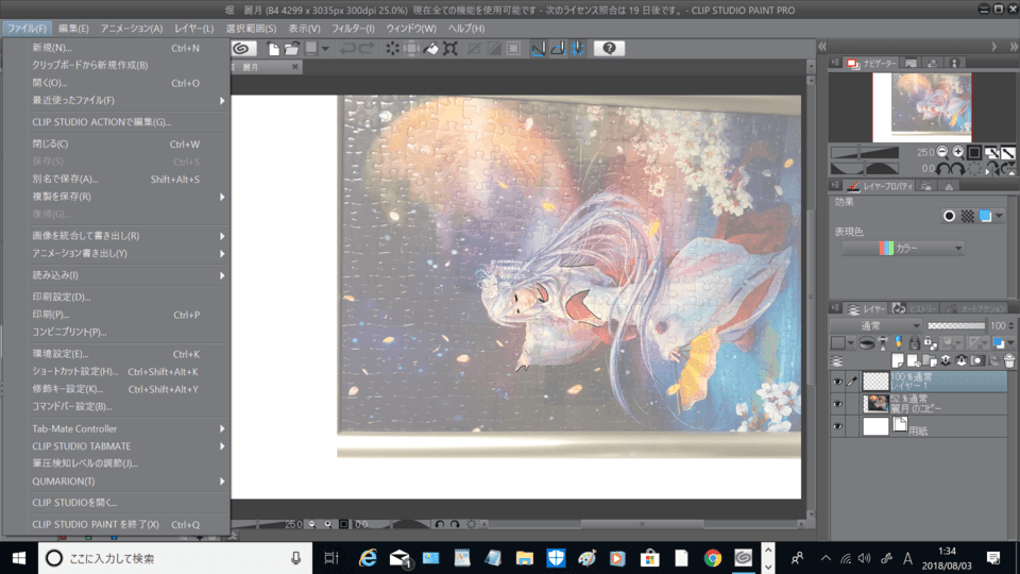
Another area requiring attention is the user interface (UI). While the tools themselves are intuitively designed, the overall layout of the interface can feel cluttered and overwhelming, especially for newcomers. A more streamlined and organized UI would undoubtedly enhance the user experience and accelerate workflow, making it easier for both beginners and experienced users to navigate the software’s extensive capabilities. Despite these shortcomings, Clip Studio Paint’s strengths far outweigh its weaknesses for many users.
Comparison with Alternative Software
Compared to other popular digital art software, Clip Studio Paint occupies a unique niche. Photoshop, while vastly powerful and versatile, often comes with a steep learning curve and a significantly higher price tag. Sketchbook, on the other hand, prioritizes simplicity and ease of use, potentially sacrificing some advanced features found in Clip Studio Paint. PaintTool SAI offers a streamlined approach, but it may lack the extensive asset library and community support available within the Clip Studio Paint ecosystem. MediBang Paint Pro is a free and powerful alternative but may not offer the same level of customization and professional features as Clip Studio Paint. Ultimately, the best choice depends on the individual user’s needs and preferences. Clip Studio Paint offers a robust middle ground, balancing power and ease of use effectively.
Conclusion: A Strong Contender in the Digital Art World
In summary, Clip Studio Paint is a highly recommended program for digital illustrators and comic book creators, particularly those seeking a balance between powerful tools and an accessible user experience. The extensive asset library, intuitive brush tools, and responsive pen support all contribute to a compelling and productive creative environment. While the lack of built-in publishing tools and a somewhat cluttered UI present minor drawbacks, these are easily outweighed by its numerous strengths. The affordable one-time purchase price (compared to subscription-based alternatives or other high-cost professional software) makes it an exceptionally attractive option, especially for aspiring digital artists. The free trial version allows users to fully assess its capabilities and ensure it aligns with their artistic needs before making a purchase. For those seeking a comprehensive, powerful, and relatively user-friendly digital art software, Clip Studio Paint is a compelling and worthwhile investment. The extensive community support and continuous updates further solidify its position as a leader in the field of digital art software. Its strength lies in the combination of professional tools, accessible design, and thriving community support, offering something for both the casual artist and seasoned professional. Considering its price point and comprehensive feature set, Clip Studio Paint presents an excellent value proposition for the digital art community.
File Information
- License: “Trial version”
- Version: “1.10.6”
- Latest update: “January 31, 2023”
- Platform: “Windows”
- OS: “Windows 10”
- Language: “English”
- Downloads: “18K”
- Size: “246.29 MB”


