
ClipX is a free Windows utility designed to significantly enhance the functionality of the system clipboard. While the standard Windows clipboard only allows for the storage of a single item at a time, ClipX expands this capacity dramatically, offering a solution for users who frequently copy and paste various elements. This review delves into the features, performance, and user experience of ClipX, exploring its strengths and weaknesses based on user feedback and functionality.
Enhanced Clipboard Capabilities: Storing More Than Just One Item
One of ClipX’s most significant advantages is its ability to store up to 1024 items in its clipboard history. This represents a substantial upgrade from the standard Windows clipboard’s single-item limitation. This enhanced capacity accommodates a wide range of copied data, including text snippets (ranging from URLs to lengthy paragraphs), and bitmap images. This feature is invaluable for users who frequently work with multiple pieces of information simultaneously, eliminating the need to repeatedly copy and paste individual items. The ability to retain images alongside text further enhances its versatility, making it suitable for diverse tasks involving both textual and visual data.
The storage of items is managed as a readily accessible list. This list is not merely a temporary buffer; it persists across sessions, meaning previously copied items remain available even after restarting the computer or closing the application. This persistent storage simplifies workflow by eliminating the need to repeatedly copy information, significantly enhancing productivity.
Accessing and Managing Copied Items: System Tray Icon and Keyboard Shortcuts
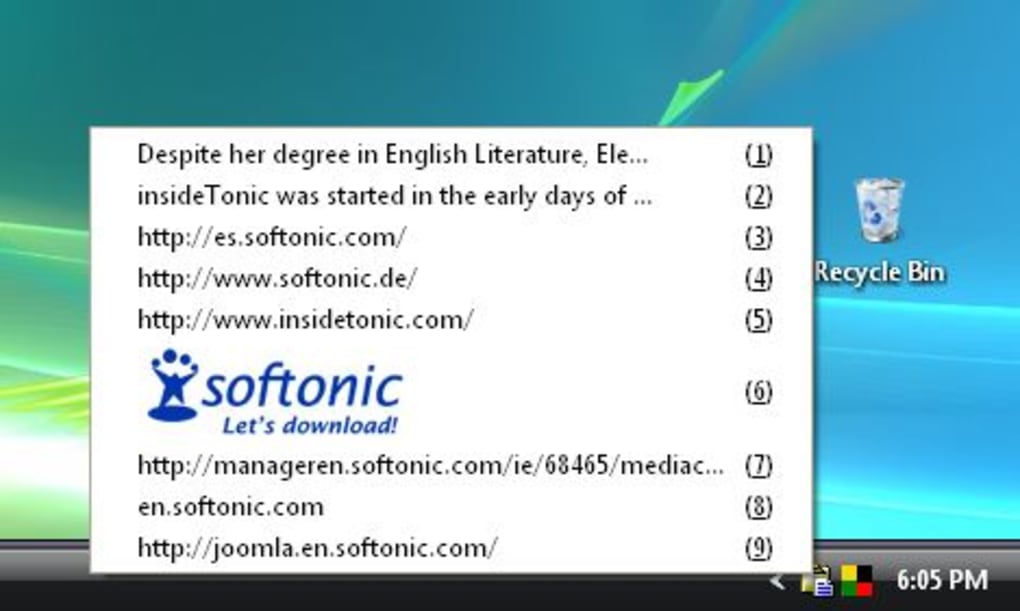
ClipX provides multiple methods for accessing and managing the stored items. The primary method involves the application’s system tray icon. A simple click on this icon reveals the comprehensive list of all recently copied items. This list allows users to quickly select and paste any previously copied element, regardless of whether more items have been copied since. The ease of access through the system tray ensures the utility is always within reach without cluttering the desktop.
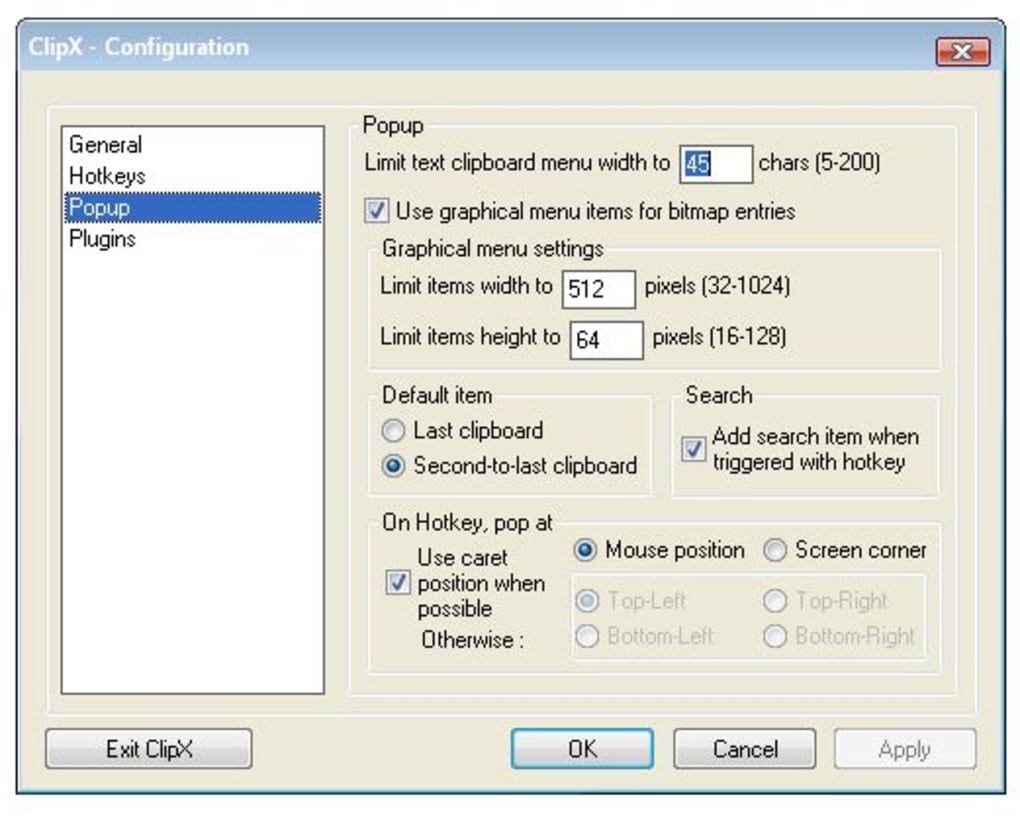
Furthermore, ClipX supports customizable keyboard shortcuts, offering an alternative and potentially faster method of accessing the clipboard history. This adaptability allows users to personalize the software to align with their individual preferences and workflow, promoting efficiency. The ability to assign hotkeys streamlines the process of retrieving previously copied data, accelerating tasks involving frequent copying and pasting.
Search Functionality and List Management: Streamlining the Retrieval Process
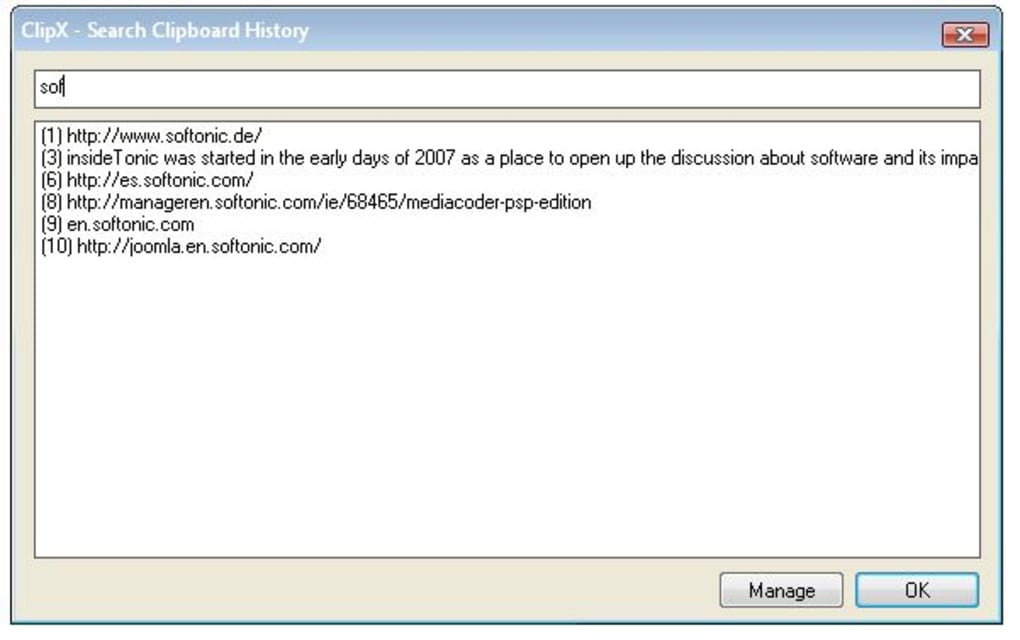
ClipX incorporates a search tool designed to facilitate the retrieval of specific items from the extensive clipboard history. This is particularly useful when dealing with a large number of stored items, as it significantly reduces the time required to locate a particular piece of information. The search function adds a layer of efficiency and convenience to the already powerful clipboard management capabilities.
The ability to save and load lists offers an additional layer of organization. While the software itself retains clipboard history between sessions, the option to save the history as an independent file adds extra security and allows for customized organization of clipboard content. This feature is particularly useful for users who prefer to maintain multiple separate lists for different projects or tasks. However, user feedback suggests a feature enabling saving lists in plain text format would enhance usability and compatibility.
User Reviews and Feedback: Insights into Real-World Experiences
User reviews of ClipX reveal a generally positive reception, with many praising its ease of use, functionality, and significant impact on productivity. Several users highlight the software as an indispensable tool for daily computing, appreciating its ability to seamlessly integrate into their workflows. The consensus among positive reviews centers around the convenience of readily accessing a long history of clipboard items, streamlining various tasks involving repetitive copying and pasting actions.
However, some negative feedback also exists. One recurring concern involves a perceived potential security risk, with users reporting that after clearing the ClipX memory, previously copied text would reappear upon restarting the application. This issue suggests a possible flaw in the software’s data handling mechanisms, raising concerns about data privacy and security. This concern is further amplified by a user’s report that the program left behind hidden files, reinforcing the need for thorough investigation and potential improvements in the software’s design.
Another user expressed a desire for password protection for sensitive information stored within the clipboard history. This is a valid concern for users handling confidential data like usernames and passwords, highlighting a feature that would enhance security and make the application even more suitable for sensitive tasks. This lack of password protection is a clear area for potential improvement.
Despite these critical comments, the overwhelmingly positive user response indicates that for many users, the benefits significantly outweigh the drawbacks. The convenience of accessing a substantial history of copied items frequently outweighs the concerns regarding the potential for hidden files or lacking security features.
Comparison with Alternative Clipboard Managers: Evaluating the Competition
ClipX faces competition from various clipboard management tools available for Windows. Several alternatives offer similar core functionalities, such as expanding the clipboard’s capacity and providing a history of copied items. Some competitors might offer additional advanced features like cross-device synchronization or integration with cloud storage, aspects that ClipX currently lacks. However, ClipX’s simplicity and ease of use distinguish it from some competitors, making it an attractive choice for users who prioritize a straightforward and uncluttered interface. The focus on ease of use and core functionality, without overly complex features, represents a strong point for the application, especially for those less technically inclined.
A detailed comparison of ClipX against competing software would require a separate, in-depth analysis. Such an analysis would compare not only features but also performance, user interface design, and stability.
Conclusion: Strengths and Weaknesses Summarized
ClipX offers a compelling solution for users seeking to enhance their Windows clipboard’s functionality. Its ability to store a large number of items, including both text and images, combined with its easy access via the system tray and customizable hotkeys, significantly improves workflow efficiency. However, concerns regarding potential security risks, highlighted by user reports of data persistence and hidden files, warrant attention and require further investigation by the developers. The lack of a password protection feature and the absence of some advanced features offered by competing applications also represent areas for potential improvement.
Despite these weaknesses, the software’s core functionality and ease of use make it a valuable tool for many users. For users primarily focused on increasing their clipboard’s capacity and accessing a comprehensive history of copied items, ClipX provides a user-friendly and efficient solution. However, users with more stringent security requirements or a need for advanced features might consider exploring alternative clipboard managers. The future of ClipX hinges on addressing the security concerns and potentially incorporating user-requested features, further enhancing its already commendable performance.
File Information
- License: “Free”
- Version: “1.0.3.8”
- Latest update: “January 28, 2008”
- Platform: “Windows”
- OS: “Windows 2000”
- Language: “English”
- Downloads: “77.1K”
- Size: “111.61 KB”


