
Clock! is a free, user-friendly Windows application designed to replace the often-overlooked and visually underwhelming default Windows clock. Offering a range of customization options, alarm functionality, and a basic calendar, Clock! provides a more visually appealing and functional timekeeping experience for users. This review delves into the application’s features, strengths, and weaknesses, providing a comprehensive assessment for potential users.
A Customizable Clock for Every Desktop
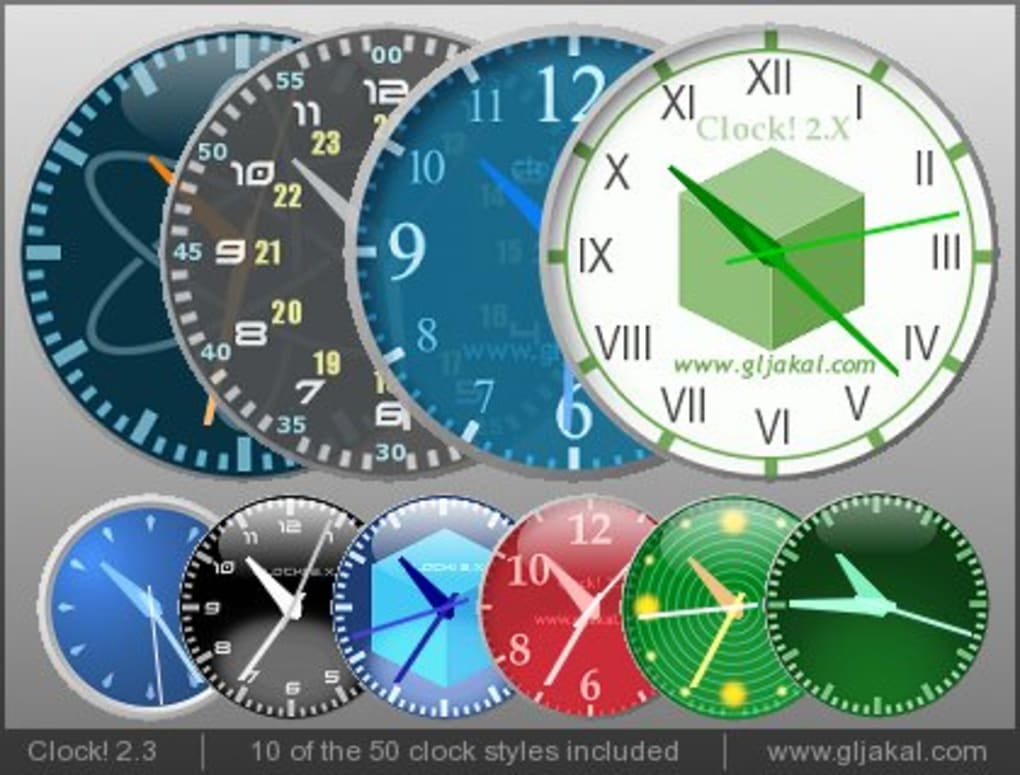
The core function of Clock! is, as its name suggests, to display the time. However, this simple premise is elevated through extensive customization capabilities. Users can select from over 40 pre-designed styles, each offering a different aesthetic, from minimalist digital displays to more ornate analog designs. The clock’s size is also adjustable, allowing users to choose from five different sizes to perfectly fit their screen and personal preferences. This versatility ensures Clock! can integrate seamlessly with diverse desktop setups and user aesthetics, acting as both a practical tool and a customizable decorative element.
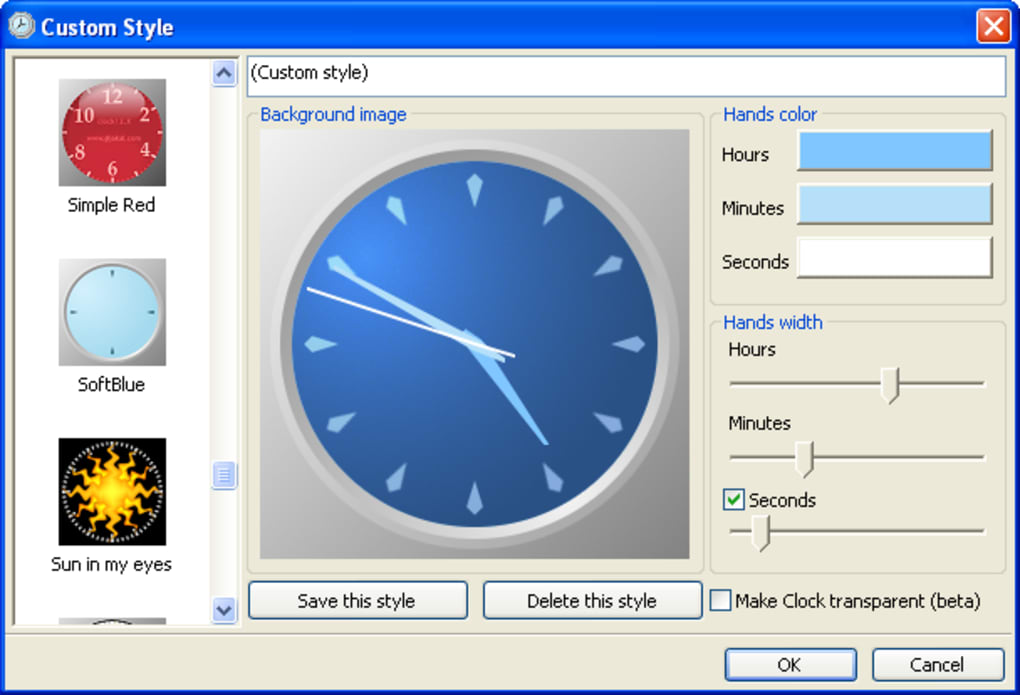
Further enhancing its customization potential, Clock! allows users to upload and utilize their own images as the clock’s background. This feature enables users to personalize their clock experience even further, incorporating their own photographs, artwork, or other images to create a truly unique desktop timepiece. This level of customization extends beyond mere aesthetics; the ability to adjust the clock’s size and position allows for optimal placement on the desktop, ensuring the time remains easily visible without obstructing other important elements of the workspace. This makes it exceptionally versatile for users with varying screen resolutions and desktop layouts.
Beyond Timekeeping: Alarms and Calendar Functionality
While its primary purpose is time display, Clock! expands its functionality with integrated alarm and calendar features. The alarm function is robust, supporting the setting of multiple alarms with custom alarm tones. Users aren’t limited to simply setting the time for the alarm; they can also configure the alarm to execute a specific program upon triggering, adding a level of automation suitable for various tasks. The ability to set repeating alarms and add notes to individual alarms adds to the application’s practicality, ensuring users remember the purpose of each alarm. This detailed alarm functionality differentiates Clock! from simpler clock applications, highlighting its suitability for users who require sophisticated alarm scheduling.
The calendar feature, while functional, presents a more limited offering compared to the alarm functionality. It provides a basic calendar display, but lacks the customization options available for the clock itself. Users cannot add notes or modify the calendar’s display, limiting its use as a comprehensive scheduling tool. While a basic calendar is a welcome addition, its relative simplicity may not satisfy users requiring advanced calendar features or integration with other applications. This contrast in features between the alarm and calendar components highlights a potential area for improvement in future versions of the application.
Performance, User Interface, and Ease of Use
Clock! is designed with simplicity and ease of use in mind. The user interface is intuitive, with options accessible through a right-click on the clock itself or its taskbar icon. The application’s resource consumption is minimal, ensuring smooth performance without impacting system responsiveness. This balance between extensive customization and efficient performance makes Clock! an attractive option for users seeking a feature-rich yet lightweight application.
The application’s simplicity, however, does have its trade-offs. While the ability to have multiple instances of the Clock! application running simultaneously allows for different clocks with various styles and sizes, users cannot display multiple instances showing different times. This limitation may restrict the application’s usefulness for users who require the display of multiple time zones or different time formats concurrently.
Comparison with Alternative Clock Applications
The market offers a plethora of alternative clock applications, each with its unique features and strengths. Some applications provide more advanced calendar features, while others offer more sophisticated customization options beyond what Clock! provides. However, Clock!’s strength lies in its balanced approach: it offers a solid range of features without being overly complex or resource-intensive. Its strength lies in its ease of use and straightforward design. While lacking some of the more advanced functionalities found in specialized applications, Clock!’s intuitive design and straightforward feature set make it a suitable option for users who value simplicity and ease of use.
Conclusion: A Solid Choice for Desktop Timekeeping
Clock! is a well-designed and functional clock application offering a compelling blend of customization and usability. Its extensive styling options, robust alarm capabilities, and simple calendar functionality make it a versatile tool for both casual users and those seeking a more visually appealing and functional clock. While the limitations of the calendar and the inability to display multiple times simultaneously represent potential areas for improvement, these drawbacks are largely outweighed by the application’s strengths. Overall, Clock! represents a solid and highly customizable choice for users seeking a superior alternative to the standard Windows clock. Its straightforward interface and minimal resource consumption make it a practical and appealing option for a broad range of users. The application successfully achieves its core goal of providing a visually pleasing and highly functional clock for the desktop, enhanced by convenient alarm and calendar features. The balance between functionality and ease of use makes it a strong contender in the crowded field of desktop clock applications.
File Information
- License: “Free”
- Version: “2.3”
- Latest update: “February 2, 2022”
- Platform: “Windows”
- OS: “Windows 98”
- Language: “English”
- Downloads: “59.8K”
- Size: “3.35 MB”


