
ClockGen is a free, Windows-only software utility designed for analyzing and optimizing processor performance, specifically focusing on clock speed adjustments. While its primary function is relatively simple – allowing users to monitor and manipulate CPU clock speeds – its impact on system performance and the history surrounding its development make it a fascinating subject for exploration. This article delves into the capabilities, limitations, and legacy of ClockGen, examining its place within the broader landscape of CPU optimization tools.
Understanding ClockGen’s Functionality
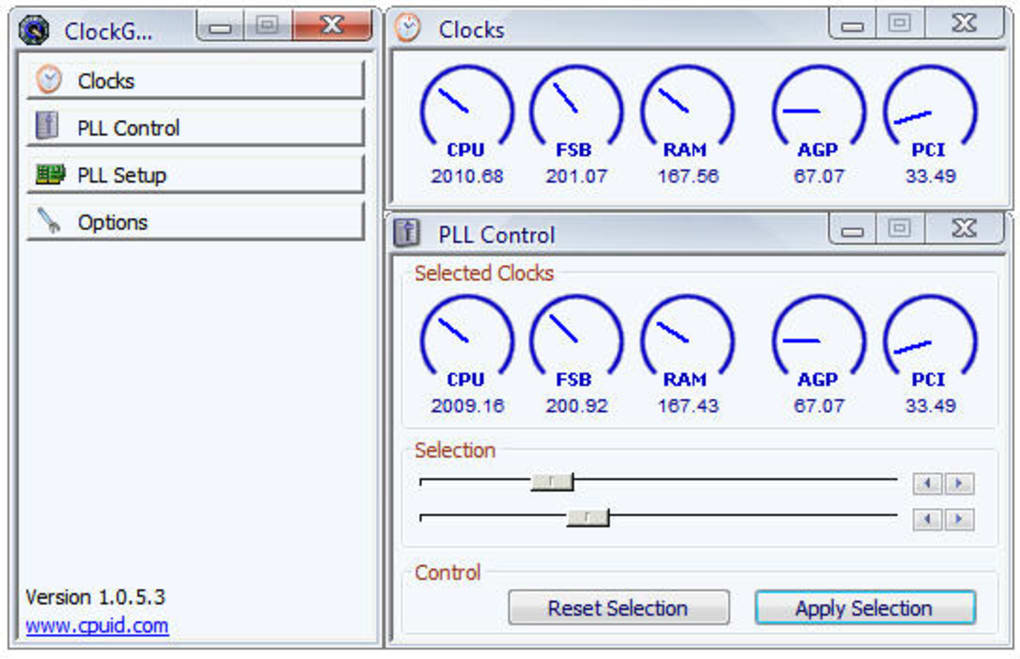
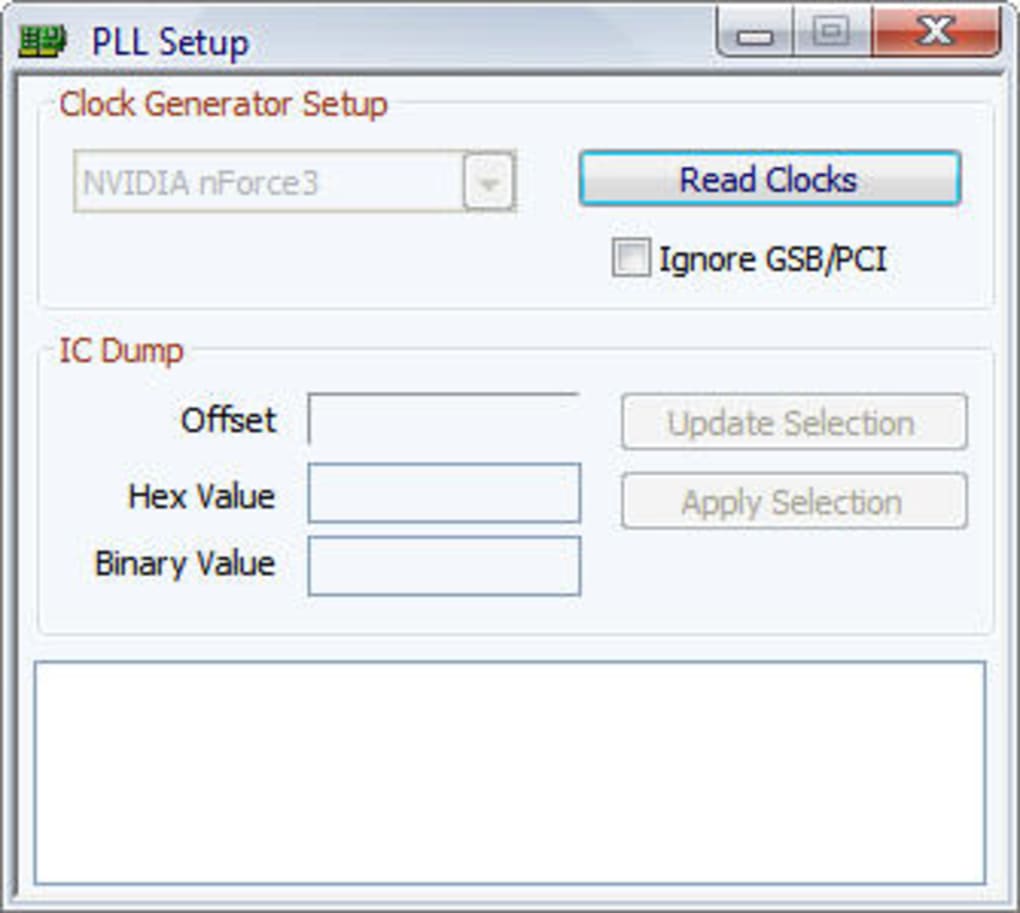
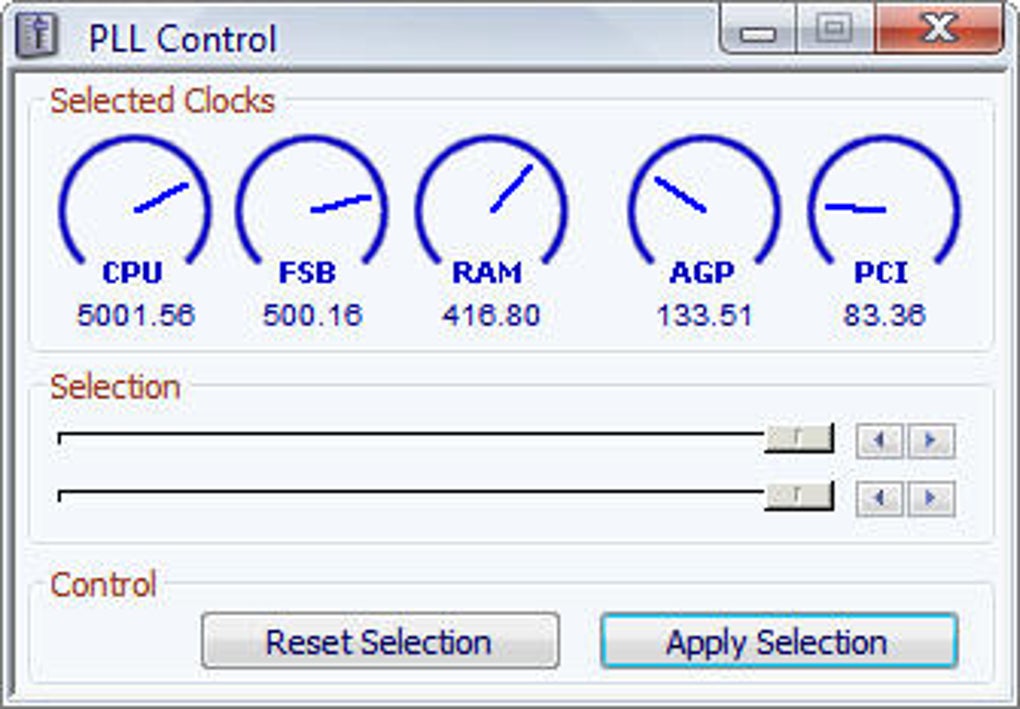
ClockGen’s core functionality revolves around providing users with precise control over their CPU’s clock speed. Unlike more comprehensive CPU overclocking utilities, ClockGen does not offer extensive voltage adjustment options or other advanced tweaking capabilities. Instead, it offers a straightforward interface, allowing users to monitor their current clock speed and, within system limitations, adjust it upwards or downwards. This is achieved through direct interaction with the processor’s clock generation mechanisms.
The application presents the user with a clear, easy-to-understand display of current CPU clock speed, and provides the tools to manually alter this speed. This adjustment might be limited by hardware constraints, as well as by system BIOS settings. Attempts to exceed the safe operational limits of the CPU will likely result in system instability or crashes. Therefore, a fundamental understanding of CPU operation and safety margins is essential for anyone using ClockGen.
ClockGen’s user-friendliness makes it attractive to both novice and intermediate users seeking basic clock speed adjustments. The lack of complex features, however, limits its appeal to experienced overclockers who often require more granular control over various system parameters.
Its functionality is mainly centered around real-time monitoring of CPU clock speeds, and allows the modification of this speed within a safe operating range. A key limitation, however, is the absence of other vital performance-related monitoring tools that are standard in more comprehensive software. Lack of robust temperature monitoring and other stability indicators makes it crucial for users to employ independent monitoring software to ensure that their system remains stable and does not overheat during clock speed manipulations.
ClockGen’s Historical Context and User Reception
Released by CPUID, a well-known developer of CPU identification and monitoring utilities, ClockGen emerged in 2011. While the application enjoyed a period of popularity, particularly among users seeking simple clock speed adjustment capabilities, its last update in 2019 suggests that active development has ceased. This lack of recent updates means it may not be compatible with newer processors and operating systems, posing compatibility challenges for modern users.
User reviews reveal a somewhat mixed reception. While some users praise ClockGen for its simplicity and effectiveness in achieving basic overclocking goals, others criticize its limitations and lack of advanced features. The overwhelmingly positive reviews are largely rooted in the users’ success with simple overclocking; these often lack the sophisticated understanding of overclocking risks needed for success.
Several reviews highlight the user-friendly interface as a significant advantage. This simplicity makes the software appealing to users new to CPU clock speed manipulation. However, this simplicity can also be a drawback. The lack of advanced features, such as voltage control, makes ClockGen inadequate for power users and serious overclockers. The absence of advanced monitoring capabilities, such as real-time temperature monitoring, is another frequent criticism. Such omissions significantly increase the risk of damaging hardware during overclocking attempts. Furthermore, the lack of features, like stress testing, is a significant safety concern that increases the risks users undertake.
Negative reviews are predominantly focused on the software’s lack of effectiveness on modern systems. This is directly related to the absence of updates that cater for new processor technologies and improved CPU architectures. The lack of support for newer CPUs is a primary reason for the declining popularity of ClockGen.
Comparing ClockGen to Alternative Solutions
ClockGen occupies a niche within the CPU optimization tool landscape. While it effectively fulfills its core function – basic CPU clock speed control – it falls short when compared to more comprehensive alternatives. Several similar applications provide far greater levels of control and monitoring functionality.
The most significant differentiator is the lack of comprehensive monitoring capabilities within ClockGen. Competing software offers real-time temperature monitoring, voltage adjustment options, stress testing tools, and other crucial features that greatly improve safety and effectiveness in system optimization.
For instance, AMD OverDrive offers extensive control over AMD-based systems, including granular voltage and frequency adjustment. Similarly, Intel Extreme Tuning Utility (Intel XTU) provides similar functionalities for Intel-based systems. These alternatives offer robust monitoring features, ensuring system stability throughout the overclocking process. They also offer more advanced features, like stress testing functions, to establish the stability of the overclock at higher loads.
Tools such as RivaTuner Statistics Server (RTSS) provide extensive system-monitoring capabilities, including real-time temperature readings and clock speed monitoring. This kind of information is completely absent from ClockGen, creating a major risk factor.
The lack of updates for ClockGen has also been significantly detrimental to its performance relative to other alternatives. The competing software mentioned above regularly receives updates to address compatibility issues with newer hardware and operating systems.
ClockGen’s Legacy and Future Outlook
ClockGen’s legacy is somewhat mixed. It served as a useful tool for many users seeking basic CPU clock speed adjustment, particularly during its initial period of release. Its straightforward interface made it accessible to a broader audience who may not have experience with more complex overclocking software. However, its lack of continued development, the absence of key features found in competing tools, and its poor compatibility with modern systems, severely limit its present-day utility.
The future outlook for ClockGen is not promising. Given the lack of recent updates and the availability of more advanced and comprehensive alternatives, it is unlikely that ClockGen will see any significant resurgence in popularity. While it may remain functional for specific older systems and basic tasks, its limitations will likely prevent it from becoming a leading choice among users.
Existing users should carefully consider switching to more up-to-date software that offers better compatibility, broader functionality, and improved safety features. Modern CPU overclocking requires more comprehensive tools that provide real-time monitoring of critical parameters and offer robust stress-testing capabilities to ensure stability. The risks involved in using ClockGen, especially considering its lack of essential monitoring tools, far outweigh any advantages provided by its simplicity.
File Information
- License: “Free”
- Version: “1.0.5.3”
- Latest update: “February 13, 2019”
- Platform: “Windows”
- OS: “Windows XP”
- Language: “English”
- Downloads: “75.5K”
- Size: “335.63 KB”


