
ClocX is a free, customizable desktop clock application for Windows, offering more than just timekeeping. It provides a blend of aesthetic customization options, alarm functionality, and additional features—though some remain under development. This review will delve into its strengths and weaknesses, examining its usability, features, and overall performance.
A Customizable Timepiece: Skins, Transparency, and More
One of ClocX’s key selling points is its extensive customization. Users can choose from a wide array of skins to alter the clock’s appearance. While the description mentions hundreds of skins, many are variations in color or minor aesthetic details of a base design. This means the true number of significantly unique designs may be smaller than advertised. However, the variety available still allows for a degree of personalization to match individual preferences and desktop aesthetics.
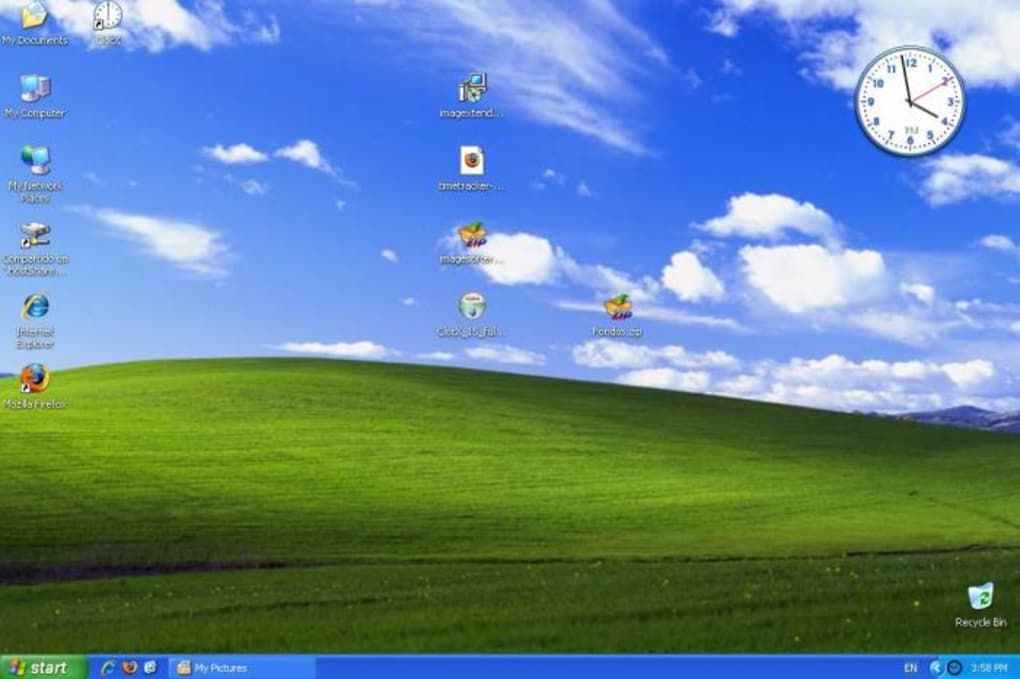
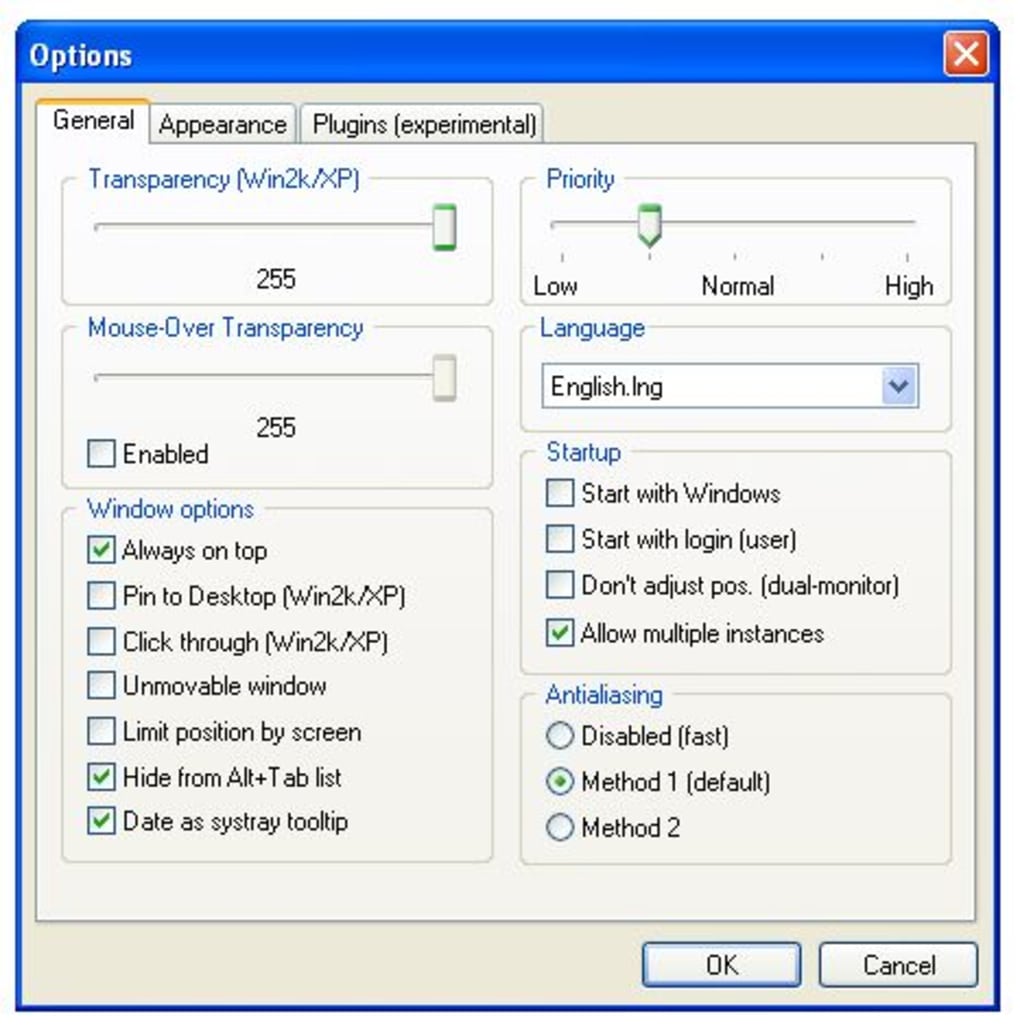
Beyond the skins, users can fine-tune the visual presentation. ClocX offers adjustable transparency levels, allowing the clock to blend seamlessly with the desktop background or stand out prominently. This level of transparency control caters to various user preferences and desktop setups. The ability to adjust the size of the clock allows users to tailor its visual presence to their needs, making it suitable for small or large screen resolutions. These combined customization options give users considerable control over the clock’s visual integration with their desktop environment.
Beyond Time: Alarms and Additional Features
ClocX isn’t merely a stylish time display; it also incorporates a functional alarm system. This is a valuable addition, transforming the application from a simple clock into a versatile tool for managing time and reminders. The alarm functionality allows users to set reminders for specific times, adding a layer of practicality to the application’s functionality.
However, the application’s additional features aren’t as fully developed as the core clock and alarm functions. The integrated calendar, for instance, lacks crucial task-planning features. This omission limits its usefulness as a comprehensive scheduling tool. While the ability to trigger actions such as playing audio or video files, launching applications, or even shutting down the computer upon alarm activation adds a level of automation, the absence of robust calendar functionality represents a missed opportunity for enhanced productivity.
Furthermore, ClocX mentions support for external plugins. However, this functionality is currently under development, reducing its overall utility. The potential for extending the clock’s capabilities through plugins is promising but, at present, remains unrealized. This aspect points to future potential but detracts from the current version’s completeness.
Technical Aspects and Performance
ClocX is written in C++, a choice that contributes to its small executable size, efficient performance, and minimal memory consumption. This is a significant advantage, particularly for users with older or less powerful systems. The efficient coding ensures the application runs smoothly without impacting system resources. The lightweight design also translates to fast loading times and minimal system overhead.
Anti-aliasing options allow for further customization of the visual presentation, smoothing out the clock’s edges for a cleaner look. The three levels of anti-aliasing provide flexibility for users to balance visual quality with performance, enabling users to adjust the settings based on their system’s capabilities and personal preferences. The inclusion of these features shows a commitment to both functionality and visual appeal.
User Experience and Interface
The user interface is relatively straightforward, making the application accessible to both novice and experienced users. The configuration menu allows users to fine-tune settings related to appearance, behavior, and alarm functionality. However, the lack of detailed documentation or tutorials may pose a minor challenge for users unfamiliar with such programs. Improved documentation or an intuitive in-app help system would enhance the user experience.
While the clock’s functionality is intuitive, the potential complexity arising from the numerous skin options and configuration settings might require some exploration. A streamlined approach to presenting these options could further improve the user experience, making it even easier for users to navigate and personalize their clock experience.
Comparison to Alternatives
The market offers a variety of desktop clock applications, each with its own strengths and weaknesses. ClocX distinguishes itself through its extensive skin customization options and integrated alarm system. However, applications like Free Desktop Clock, Free Alarm Clock, and others offer comparable alarm functionality and sometimes a more polished or feature-rich experience. The choice of which application to use depends largely on individual preferences regarding aesthetics, features, and desired level of customization. While ClocX provides a strong combination of features, a comparison with alternative applications is necessary for users to make an informed decision.

Conclusion: A Promising Clock with Room for Improvement
ClocX presents a compelling blend of style and functionality. Its extensive skin options allow for considerable personalization, while the integrated alarm system enhances its practicality. The efficient coding ensures smooth performance, even on less powerful systems. However, the underdeveloped plugin support and limited calendar features hold the application back from achieving its full potential. Improvements in these areas, alongside enhanced documentation, would significantly elevate ClocX’s position among competing desktop clock applications.
The application’s current state positions it as a viable option for users prioritizing customizable aesthetics and integrated alarm functionality. However, users seeking more comprehensive calendar or task-management features within their clock application might find it lacking compared to more feature-rich alternatives. Ultimately, ClocX is a valuable and appealing option for many users, but further development will enhance its overall usability and competitiveness in the crowded desktop clock market. The lightweight nature, extensive customization, and alarm features make it a worthwhile consideration for those seeking a stylish and functional desktop clock. Its potential for future expansion through plugin support is also an encouraging factor for long-term users.
File Information
- License: “Free”
- Version: “1.6”
- Latest update: “September 18, 2023”
- Platform: “Windows”
- OS: “Windows 98”
- Language: “English”
- Downloads: “305.2K”
- Size: “20.90 MB”


