
CloneSpy is a free Windows utility designed to identify and remove duplicate files from your computer’s hard drive. While its user interface might not be the most intuitive, its core functionality—efficiently locating and eliminating redundant files—makes it a valuable tool for reclaiming storage space and improving system performance. This review delves into the specifics of CloneSpy, examining its features, usability, pros and cons, and comparing it to alternative solutions.
Understanding CloneSpy’s Functionality
At its heart, CloneSpy is a duplicate file finder. It scans designated folders on your hard drive, comparing files based on their content to pinpoint exact duplicates. This is crucial because simply comparing file names can overlook duplicates saved under different names or in different formats. The program then presents a clear list of these duplicates, allowing the user to selectively delete them. This process can significantly free up hard drive space, potentially leading to improved system speed and responsiveness, particularly noticeable in systems with limited storage. The impact is more pronounced when dealing with large files, such as music collections or video libraries, where even a few redundant files can consume considerable storage.
The program’s efficiency stems from its ability to compare file contents directly, ignoring superficial differences like file names or creation dates. This ensures that even seemingly different files containing identical data are identified and presented to the user for removal. This level of precision ensures that only true duplicates are flagged, minimizing the risk of accidentally deleting important files.
Navigating CloneSpy’s Interface and Workflow
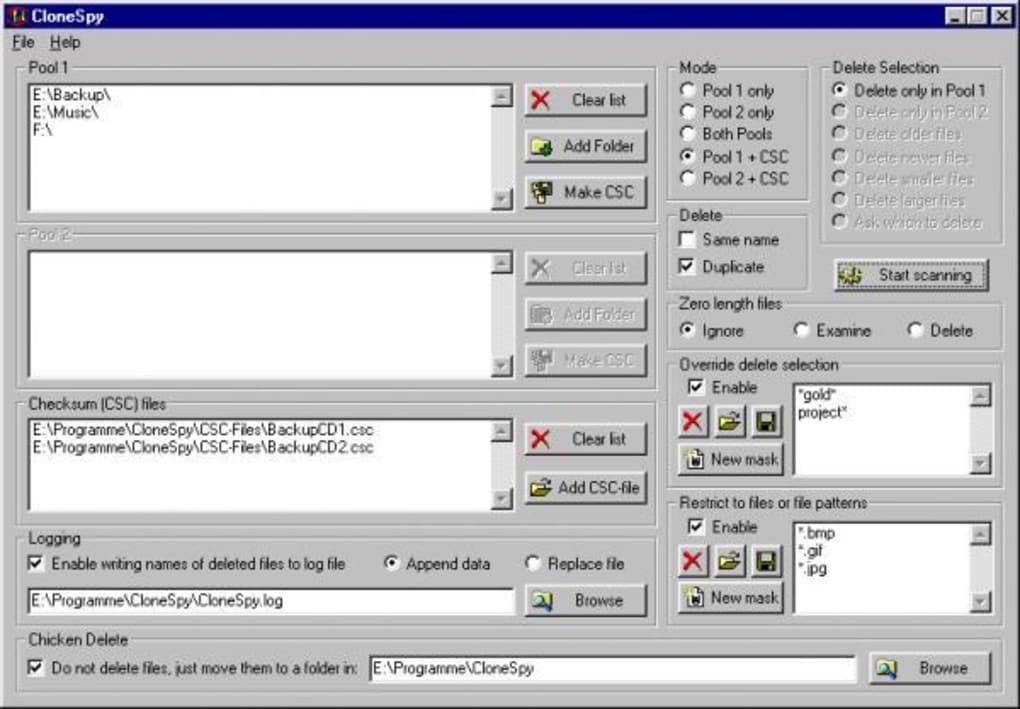
While CloneSpy effectively identifies duplicate files, its user interface receives mixed reviews. The graphical user interface (GUI) is often described as less than user-friendly, potentially posing a challenge for less tech-savvy users. The lack of intuitive navigation and potentially unclear instructions can lead to initial confusion.
The scanning process requires users to manually select the folders to be analyzed. It’s crucial to understand that simply browsing to the desired directory isn’t sufficient; users must explicitly add selected folders via the designated “add selected folder” or “add all sibling folders” buttons. Failure to do so will prevent the program from initiating the scan, leading to user frustration.
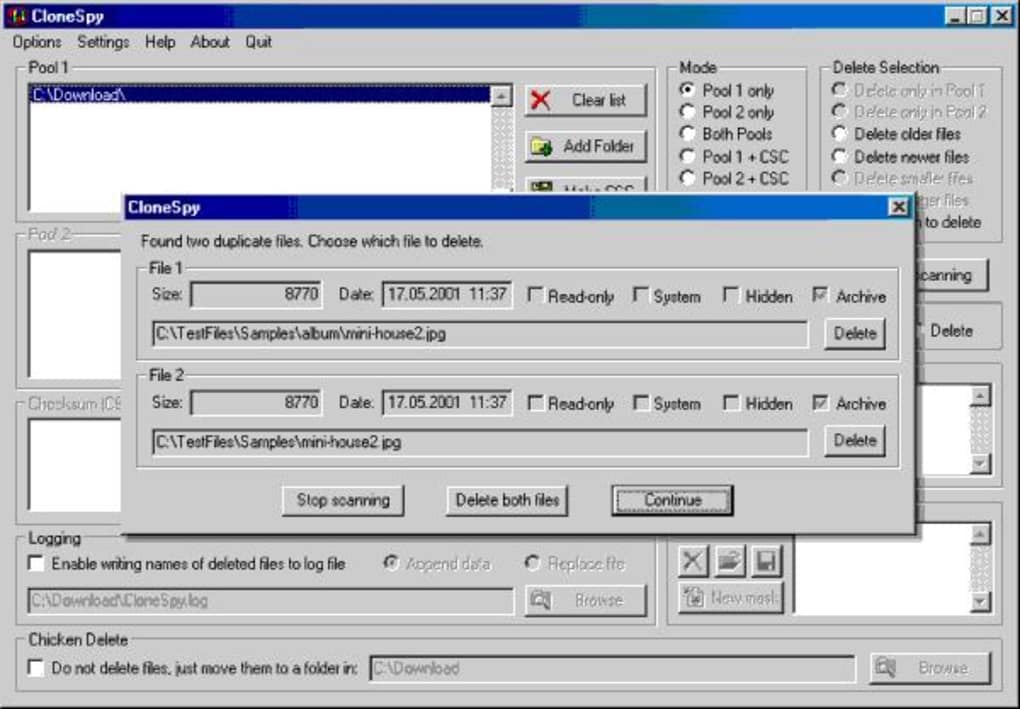
Once the scan is complete, CloneSpy presents a list of identified duplicates. Users are given the opportunity to review each pair of files before deletion, which is a beneficial safety feature minimizing accidental data loss. However, the presentation of this information could be improved to enhance clarity and ease of review.
The export feature allows users to save the identified duplicate file lists, enabling later review and potentially simplifying the deletion process. The added functionality to include headers and summaries in exported lists enhances the overall utility of this function. This feature allows users to maintain a record of the files removed and provides a useful audit trail, which is particularly beneficial for large-scale cleanups.
Recent updates have focused on refining the user experience by addressing scaling issues within the options window and re-organizing the settings pages. This illustrates a commitment to improvement, although further enhancements to the interface’s intuitiveness could significantly broaden the program’s user base.
CloneSpy’s Strengths and Weaknesses
Pros:
- Effective Duplicate Detection: CloneSpy’s core strength lies in its accurate identification of duplicate files, even those with different names or apparent characteristics. This precision minimizes the risk of accidental file deletion and ensures that only true copies are flagged.
- Free and Lightweight: Its availability as free software and its relatively small file size make it accessible to a wide range of users, regardless of technical expertise or budget.
- Configurable Exports: The ability to configure the export of duplicate file lists with headers and summaries improves organization and offers a helpful audit trail, particularly useful for managing large-scale file cleanup operations.
- Improved Error Handling: Recent updates have resulted in improved error handling, with more informative messages addressing issues such as insufficient user permissions.
- Consistent Updates: The fact that the software is regularly updated with bug fixes and improvements indicates the developer’s ongoing commitment to maintaining and enhancing the software.
Cons:
- Unintuitive User Interface: The primary drawback of CloneSpy is its less-than-user-friendly interface. Its design can be confusing, particularly for users unfamiliar with similar software. Improved visual layout and clearer instructions could dramatically improve usability.
- Manual Folder Selection: The requirement to manually select and add folders for scanning can be time-consuming, particularly when analyzing large storage spaces. A more automated process or better integration with file explorer would enhance workflow.
- Limited File Type Support (Potentially): While the documentation doesn’t explicitly state limitations, certain specialized or obscure file types might not be accurately analyzed. Further clarification on supported file types would be beneficial.
- Occasional Unexpected Behavior: Users have reported some instances of unexpected behavior, such as inconsistencies in the identification of files, highlighting areas where further refinement is needed.
Comparing CloneSpy to Alternatives
Numerous alternative duplicate file finders are available, both free and commercial. Commercial options often boast more polished interfaces and advanced features, such as automated cleaning processes and cloud integration. However, CloneSpy holds its own in terms of core functionality, providing a robust solution for identifying and deleting duplicate files, particularly for users who prioritize free software. The choice between CloneSpy and alternative solutions often depends on individual preferences regarding user interface versus core functionality, the scale of the task, and the willingness to pay for advanced features.
Conclusion
CloneSpy offers a powerful solution for identifying and removing duplicate files from your Windows computer. While its user interface could benefit from significant improvements in terms of clarity and intuitive navigation, its core functionality remains highly effective. The program’s ability to accurately detect and facilitate the removal of duplicate files, combined with its free availability and regular updates, makes it a valuable asset for users seeking to reclaim storage space and optimize system performance. However, potential users should be aware of the less-user-friendly interface and take time to familiarize themselves with its workflow before commencing a scan. For users comfortable navigating a somewhat less intuitive interface, CloneSpy provides a robust solution for managing duplicate files. For users prioritizing user experience and advanced features, commercial alternatives might offer a more streamlined solution.
File Information
- License: “Free”
- Latest update: “July 10, 2023”
- Platform: “Windows”
- OS: “Windows 2000”
- Language: “English”
- Downloads: “7.8K”
- Size: “4.78 MB”


