
CloudEdge is a free mobile application designed to seamlessly integrate with your CloudEdge smart home security system, providing comprehensive monitoring and control of your home environment from anywhere in the world. This detailed review explores its features, benefits, drawbacks, and overall user experience. Whether you’re a current CloudEdge user or considering investing in their security products, this comprehensive guide will offer valuable insights.
Apps: CloudEdge’s Mobile Interface and Functionality
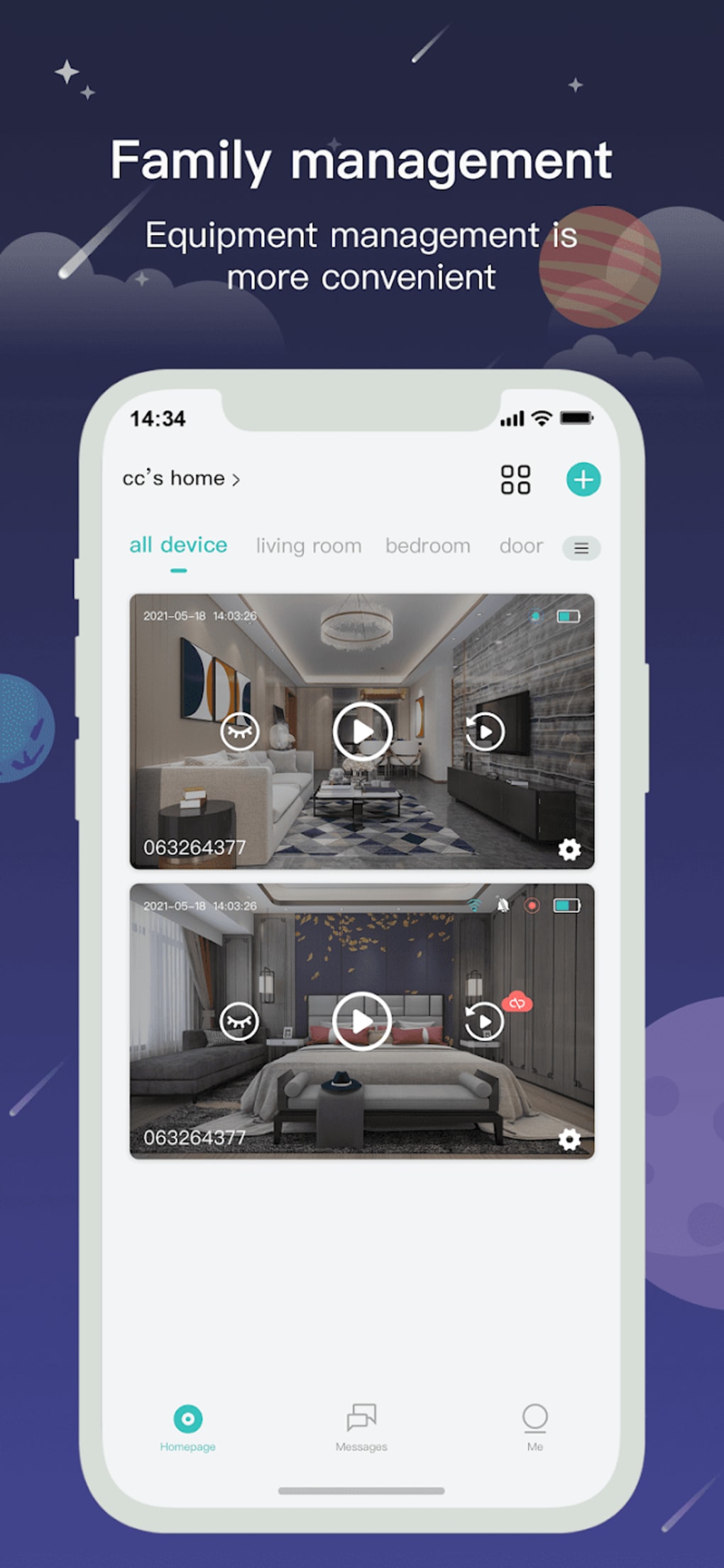
The CloudEdge app serves as the central hub for managing your entire security system. Its intuitive interface allows for effortless navigation and control, even for users unfamiliar with smart home technology. Upon launching the app, you’re greeted with a real-time feed displaying footage from all connected CloudEdge devices, such as doorbells and cameras, strategically positioned throughout your home. This provides an immediate overview of your property’s security status.
The app’s core functionality revolves around real-time monitoring. You can effortlessly switch between different camera views, zoom in for a closer look, and pan to cover specific areas of interest. This real-time monitoring is a crucial aspect, offering peace of mind knowing you can check in on your home at any moment. This capability is especially useful when you’re away from home, whether at work, traveling, or simply running errands.
Beyond basic monitoring, CloudEdge offers a robust set of features to enhance your security experience. Two-way voice communication allows you to interact with anyone near your connected devices, whether it’s greeting visitors at the door or checking in on family members. This feature adds a significant layer of convenience and interaction to your home security setup.
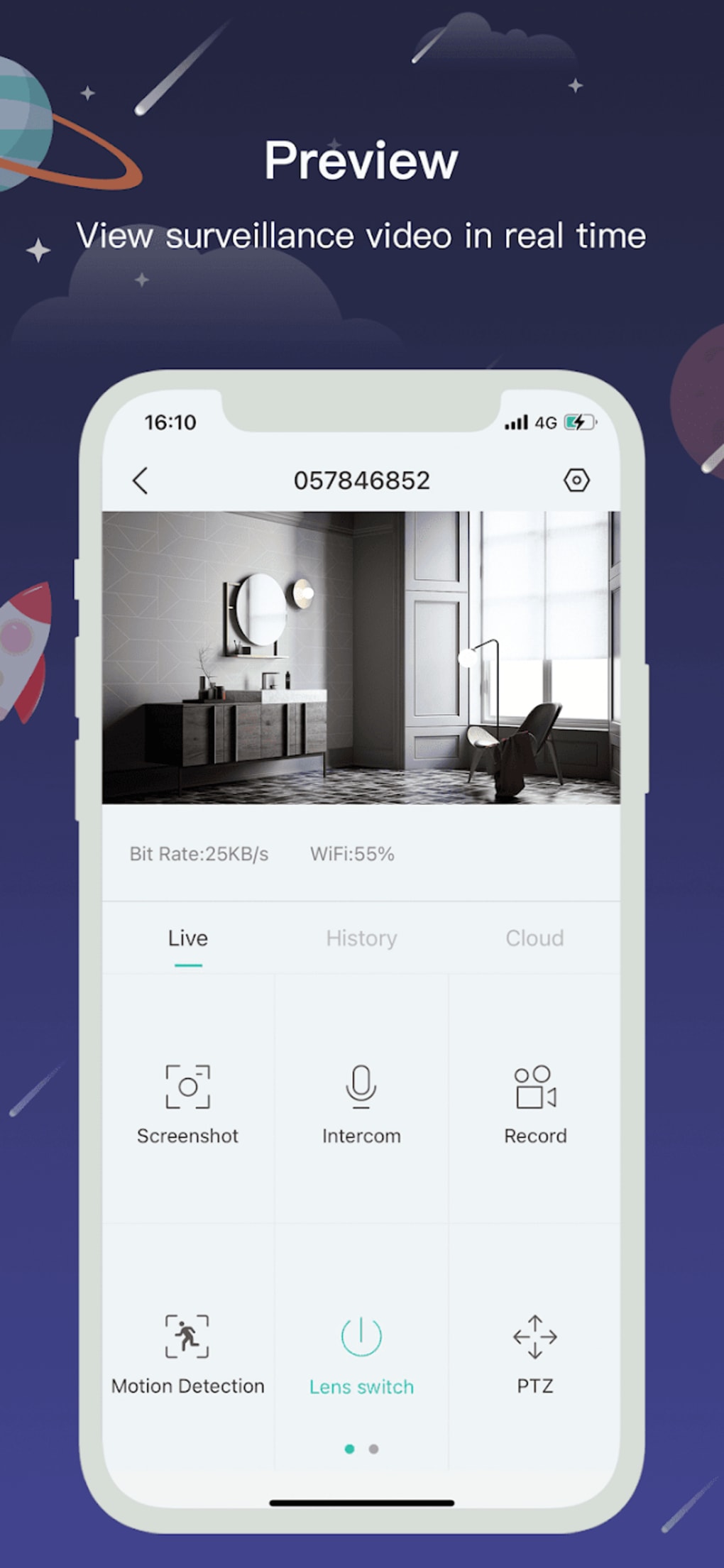
Furthermore, the app allows for comprehensive recording management. You can access recorded footage directly from the app, reviewing past events to ensure your home’s security remains intact. This feature is invaluable for documenting events and providing evidence if needed. The app provides various recording options, allowing you to customize recording schedules based on your preferences and needs.
CloudEdge’s flexibility extends to its customizable settings. You can tailor access permissions, deciding who among your family, friends, or trusted individuals can view recordings and monitor your home remotely. This granular control over access ensures your privacy and security remain paramount.
Games: CloudEdge’s Role in Interactive Security
While not a game in the traditional sense, the interactive elements of CloudEdge could be considered a game-like experience in their ability to engage the user and enhance their understanding of their home’s security. The real-time feedback, instant notifications, and customizable features create a dynamic experience that goes beyond passive monitoring. The ability to instantly react to notifications, communicate with visitors through two-way audio, and review recordings contributes to an active engagement with the security system, transforming the experience from a passive security measure to an interactive and responsive one.
News: Staying Informed with CloudEdge Updates and Security Alerts
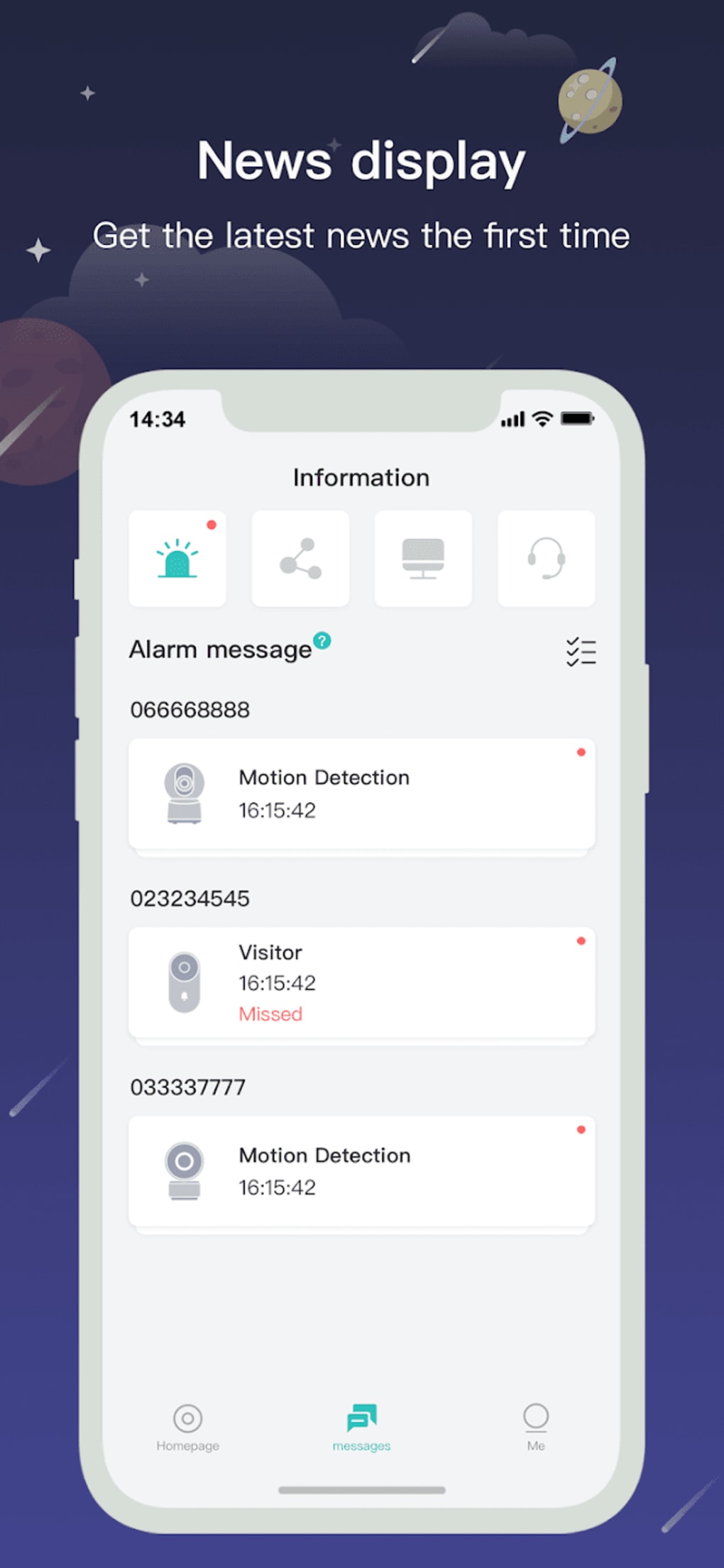
CloudEdge keeps users informed through push notifications. These alerts provide real-time updates on significant events, such as motion detection, doorbell rings, or system status changes. This immediate feedback mechanism is crucial for enhancing response times and effectively addressing security concerns. The app’s notification system allows for customization, enabling users to filter alerts based on their preferences and priorities. This ensures users are not overwhelmed with unnecessary notifications while remaining informed about crucial events. The clarity and efficiency of these notifications contribute to a user-friendly and informative experience.
For Business: CloudEdge’s Potential in Commercial Settings
While primarily designed for residential use, CloudEdge’s functionalities offer potential applications for businesses, particularly those with security needs, such as small offices, retail stores, or warehouses. The ability to monitor premises remotely, receive real-time alerts, and review recorded footage provides valuable insights into security and operational efficiency. The two-way audio communication feature could also prove beneficial for managing customer interactions or addressing security concerns directly. However, the scalability and customization options for larger commercial applications would need to be considered.
Android: CloudEdge’s Android App Experience
CloudEdge’s Android app is designed for ease of use and seamless integration with Android devices. The app’s interface is optimized for a smooth user experience, with readily accessible features and intuitive navigation. The app consistently receives updates to improve performance, fix bugs, and add new features. This commitment to ongoing development ensures the app remains a reliable and up-to-date tool for managing your home security system.
Social & Communication: CloudEdge’s Enhanced Communication Features
The integration of two-way audio communication significantly enhances the social and communication aspects of CloudEdge. It allows users to connect with visitors remotely, enhancing both security and convenience. For example, users can speak to delivery personnel without having to be physically present, or interact with family members when they arrive home. This feature transforms CloudEdge from a simple monitoring system to a communication hub, enhancing interaction with individuals who interact with your home.
Social Networking: CloudEdge’s Indirect Social Aspect
While not a social networking platform itself, CloudEdge indirectly facilitates social interaction through its communication features. The ability to interact with visitors and family members remotely creates a sense of connection, especially for those who might be geographically separated. The shared access feature, allowing designated individuals to view recordings and monitor the home, further strengthens the social element, building trust and shared responsibility for home security.
CloudEdge for Android: A Detailed Look at the Mobile App
The CloudEdge Android app offers a comprehensive suite of features designed to provide users with peace of mind and control over their home security. The app’s user-friendly interface makes it accessible to a broad range of users, regardless of their technical expertise. The real-time video streaming, two-way audio communication, and customizable notification settings make it a robust and versatile tool. However, the reported connection issues during initial setup remain a point of concern that the developers should address.
CloudEdge’s Strengths and Weaknesses
Pros:
- Real-time Security Monitoring: The app provides a constant live feed of your home’s security situation, offering peace of mind and enabling timely responses to potential threats.
- Remote Home Monitoring: Control and monitor your home from anywhere with an internet connection, ensuring your property is safeguarded regardless of your location.
- Two-Way Voice Communication: Interact with visitors, family members, or even pets through the app’s integrated two-way audio feature.
- Customizable Settings: Tailor your security preferences, setting access permissions, notification settings, and recording schedules to suit your specific needs.
- Comprehensive Recording Management: Access and review recorded footage to document events and ensure your home’s security remains intact.
Cons:
- Connection Issues: Some users have reported slow connection times and difficulties establishing a connection between the app and the security devices. This needs improvement.
- Potential for Dependence on Internet Connectivity: The app relies on a stable internet connection. Interruptions in internet service could compromise the functionality of the system.
In conclusion, CloudEdge offers a compelling and convenient solution for those seeking to enhance their home security. While some minor issues remain, such as reported connection problems, its features, ease of use, and overall effectiveness make it a strong contender in the smart home security market. The developers’ commitment to providing updates and addressing user feedback is crucial for the continued improvement and success of the app.
File Information
- License: “Free”
- Version: “5.10.0”
- Latest update: “August 3, 2025”
- Platform: “Android”
- OS: “Android 13.0”
- Language: “English”
- Downloads: “4K”
- Download Options: “Google Play”


