
Cobian Backup is a free, open-source backup utility for Windows operating systems. It’s designed for ease of use and efficiency, offering a range of features to protect your valuable data without placing a significant burden on system resources. This review delves into its capabilities, strengths, weaknesses, and overall user experience, comparing it to other popular backup solutions available in the market.
Key Features and Functionality
Cobian Backup distinguishes itself through its simplicity and effectiveness. It functions both as an application and a service, allowing for background operation without noticeable performance impacts on your system. Its multi-threaded architecture enables simultaneous backups of multiple files and folders, accelerating the overall process. The core function revolves around copying files and directories from their source locations to specified destinations, which can be on the same computer, a different drive, or even a networked computer. This flexibility makes it suitable for a wide range of backup scenarios.
One of Cobian Backup’s primary advantages is its speed. While it doesn’t employ built-in compression (to minimize the risk of data corruption during the process), it’s remarkably efficient at transferring data. This speed is noticeable, especially when compared to some more resource-intensive backup software. However, backing up extremely large files (over 1 GB) might still introduce some lag, although it remains generally quicker than other comparable options. The lack of built-in compression can be a double-edged sword. While ensuring data integrity, it requires more storage space for backups. To address this, Cobian Backup offers optional compression and robust encryption methods, allowing users to balance space efficiency with security. This ensures that you can protect sensitive data while managing storage effectively.
Furthermore, Cobian Backup supports FTP backup, facilitating both upload and download functionality. This feature extends the backup capabilities beyond the local network, providing additional security and flexibility for storing backups in remote locations. This functionality proves useful for offsite backups, enhancing disaster recovery preparedness. The program’s ability to execute command-line expressions provides advanced users with further customization options, tailoring the backup process to meet specific needs.
User Interface and Experience
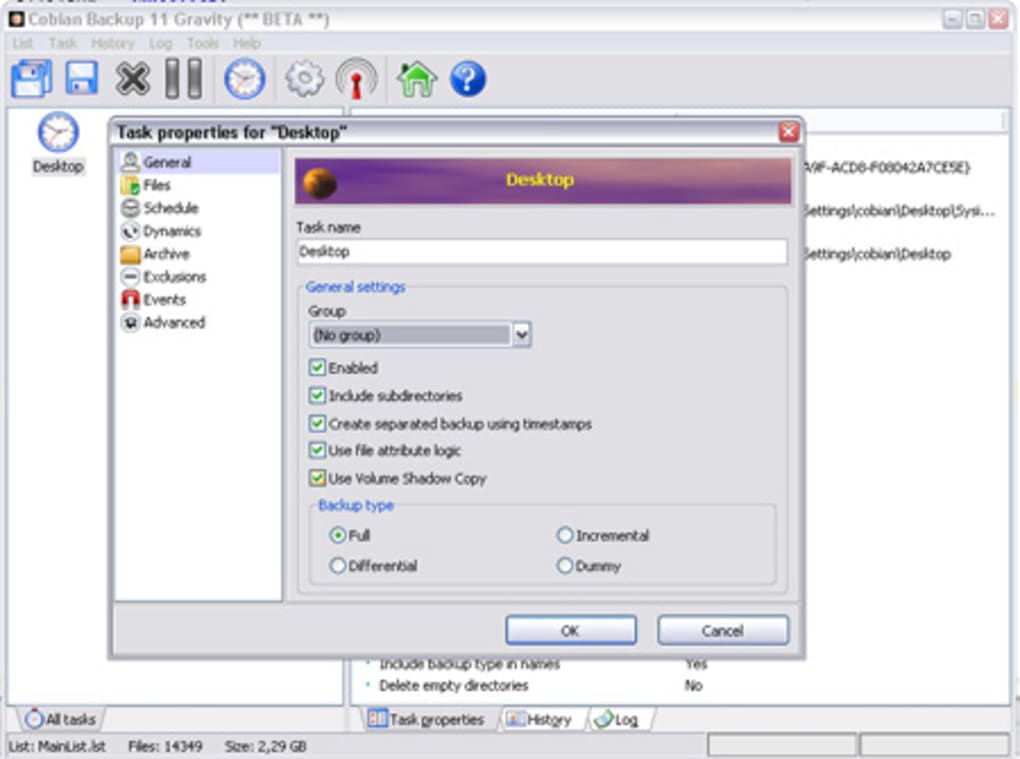
Cobian Backup presents a straightforward and intuitive interface. The program’s design prioritizes ease of use, making it accessible to both novice and experienced users. This user-friendly interface contributes to its overall effectiveness. The main interface is clearly laid out, allowing users to easily configure backup tasks, schedule backups, and monitor their progress. The program’s unobtrusive nature is a definite plus; it runs discreetly in the background, leaving users to focus on their tasks without constant interruptions. This minimized interface interaction complements its efficiency.
The scheduling options are comprehensive, providing granular control over the frequency and timing of backups. Users can schedule backups to occur daily, weekly, monthly, or based on custom intervals. This level of control ensures that backups are performed according to individual needs and preferences. While the interface might seem slightly dated compared to some modern backup software with graphical dashboards, its simplicity and functionality outweigh any aesthetic shortcomings.
Comparison with Alternative Backup Solutions
Compared to other backup solutions, Cobian Backup holds its own, particularly in terms of speed and resource efficiency. EASEUS Todo Backup, for example, offers a broader range of features including disk imaging and cloning but is often more resource-intensive. GFI Backup, another popular alternative, offers a comprehensive suite of tools, but it can be more complex to configure than Cobian Backup. Acronis True Image, a more powerful, commercially licensed option, offers advanced features such as cloud storage integration, but its cost and increased complexity might be unnecessary for users with simpler requirements.
Cobian Backup’s strength lies in its simplicity and speed, making it an ideal solution for users seeking a lightweight, efficient, and free backup application. The trade-off, the lack of built-in compression and somewhat limited feature set compared to other enterprise-level solutions, is often acceptable given its free status and focus on performance. The selection among these depends entirely on individual needs and priorities, as each software targets different user needs and technical expertise.
Strengths and Weaknesses
Strengths:
- Free and open-source: Cobian Backup eliminates software licensing costs.
- Fast and efficient: Its multi-threaded architecture significantly speeds up the backup process with minimal impact on system performance.
- Simple and easy to use: The straightforward interface is accessible to users of all technical skill levels.
- Flexible scheduling options: Users can customize backup schedules to meet their specific needs.
- FTP support: Allows for offsite backups to remote servers for enhanced data security.
- Command-line support: Offers advanced users greater control and automation possibilities.
- Reliable and stable: The software has a history of reliable performance.
Weaknesses:
- No built-in compression: Requires more storage space for backups compared to solutions with built-in compression. This can be offset using external compression utilities if needed.
- Limited features: Compared to some commercial backup suites, Cobian Backup lacks advanced features such as disk imaging, cloning, and cloud integration.
- Dated interface: The user interface is functional but could benefit from a modern redesign.
- Limited support: As a free and open-source project, community support may vary in responsiveness and quality. While documentation exists, it may not be as extensive as commercial software’s.
Conclusion
Cobian Backup offers a compelling alternative to other backup solutions, particularly for users prioritizing speed, simplicity, and affordability. Its strengths lie in its fast performance and user-friendly design. While lacking some of the advanced features found in commercial software, its efficient operation and free availability make it a highly attractive option for individual users and small businesses with less complex backup requirements. The lack of built-in compression shouldn’t be dismissed, as it impacts storage needs. However, its speed and straightforward functionality often outweigh this consideration, especially for users with sufficient storage capacity. If you’re seeking a reliable, efficient, and free backup solution for Windows, Cobian Backup is certainly worth considering. It’s a worthy tool, especially for users comfortable with its limited, yet efficient, set of core features.
File Information
- License: “Free”
- Version: “11.2.0.582”
- Latest update: “September 3, 2021”
- Platform: “Windows”
- OS: “Windows 8”
- Language: “English”
- Downloads: “49.8K”
- Size: “19.71 MB”


