
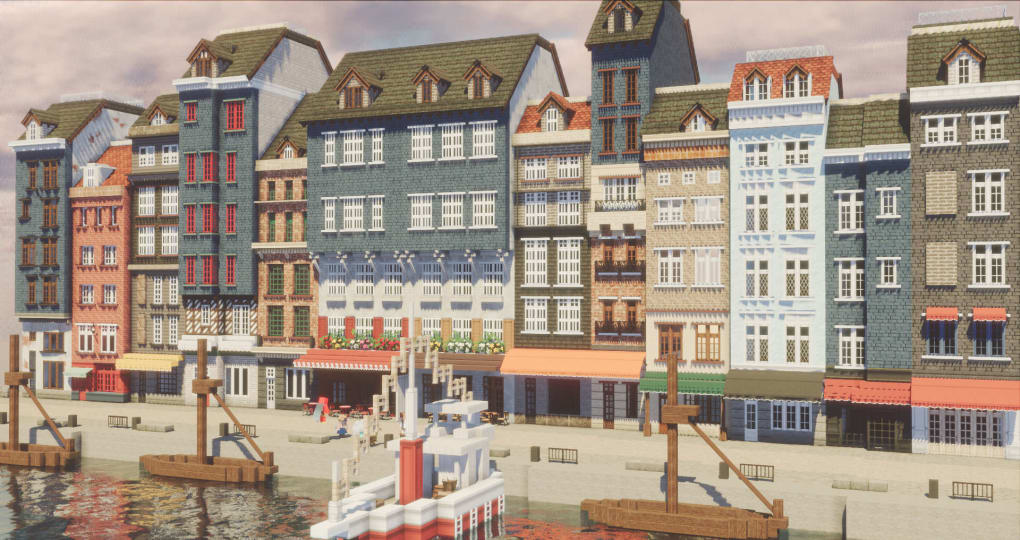
The Cocricot Minecraft mod offers a unique and captivating way to transform your Minecraft experience. This resource pack introduces a vast collection of antique and vintage items, along with building materials meticulously designed to evoke the ambiance of a classic European cityscape. Imagine crafting intricate cafes, charming town squares, and elegant residences, all brimming with the rich detail and historical feel that Cocricot provides. This mod is not merely about adding new blocks; it’s about enriching your Minecraft world with a distinct aesthetic and a wealth of creative possibilities. This guide will explore the mod’s features, installation process, and the unique design choices that make it stand out.
Installation and Setup: Navigating the Three Versions
Cocricot comes in three distinct versions, each requiring a slightly different installation process and configuration. While the variations might seem daunting at first, understanding the core requirements and following the steps carefully will ensure a smooth installation. The key to success lies in understanding the role of supporting mods and activating the crucial Connected Textures (CTM) feature.
Essential Mods: Regardless of the Cocricot version you choose, you’ll almost certainly need OptiFine. This widely-used mod enhances Minecraft’s graphics and is essential for Cocricot to render its textures correctly. OptiFine is the foundation upon which Cocricot builds its visual appeal. It’s crucial to install and configure OptiFine before attempting to install Cocricot.
Some versions of Cocricot may additionally require Forge and JustEnoughIDs (JEI). Forge is a popular modding API that allows other mods to function within Minecraft, while JEI is an inventory management mod that enhances usability, particularly helpful when working with the vast number of items that Cocricot introduces. Check the specific instructions for your chosen Cocricot version to determine which additional mods are needed. Download and install these mods before proceeding to the Cocricot installation.
Activating Connected Textures (CTM): The CTM feature within OptiFine is paramount for Cocricot’s correct rendering. Default OptiFine settings sometimes contain incorrect textures that clash with Cocricot’s aesthetic. CTM seamlessly blends textures, preventing jarring inconsistencies and creating a much more realistic and visually pleasing environment. Here’s how to activate CTM:
- Launch Minecraft: After installing OptiFine, launch Minecraft.
- Access Options: Navigate to the “Options” menu.
- Navigate to Quality Settings: Select “Video Settings” or “Quality” (the exact wording might vary slightly depending on your Minecraft version and OptiFine version).
- Enable Connected Textures: Find the “Connected Textures” setting. Select the “Fancy” option. This ensures the highest level of texture integration, vital for Cocricot’s visual integrity.
Additional Adjustments: Depending on the specific Cocricot version, you might need to make additional adjustments to optimize the rendering. This might involve correcting leaf rendering, mitigating shade bugs (visual artifacts caused by incorrect shading), or removing the default square clouds, as they are not compatible with Cocricot’s textures and often clash visually. The mod’s accompanying documentation and the “Start Guide” (often included with the download) should offer specific guidance on these adjustments.
Troubleshooting: If you encounter issues, double-check that you’ve installed all necessary mods in the correct order and have followed the CTM configuration steps precisely. The Cocricot community forums are a valuable resource for troubleshooting and finding solutions to common problems.
A Deep Dive into Cocricot’s Design: Modern European Flair
Cocricot’s distinctive charm lies in its commitment to recreating the atmosphere of a modern European town or city. The mod meticulously avoids the pixelated, blocky aesthetic often associated with Minecraft. Instead, it opts for detailed, realistically-textured assets that seamlessly integrate into custom builds. The aesthetic is less about a strict historical recreation and more about evoking a general feeling of old-world European charm. This approach allows for flexibility in creative projects, allowing builders to freely interpret and adapt the elements to their unique visions.
The mod’s strength lies in its comprehensive collection of assets. It provides a massive selection of building blocks, interior design elements, and decorative items. Forget the limitations of standard Minecraft blocks. Cocricot introduces:
-
Authentic-looking building materials: These include bricks, tiles, stonework, wood types, and other construction elements that go beyond the basic offerings of vanilla Minecraft. The textures are often aged and weathered, giving buildings a sense of history and character.
-
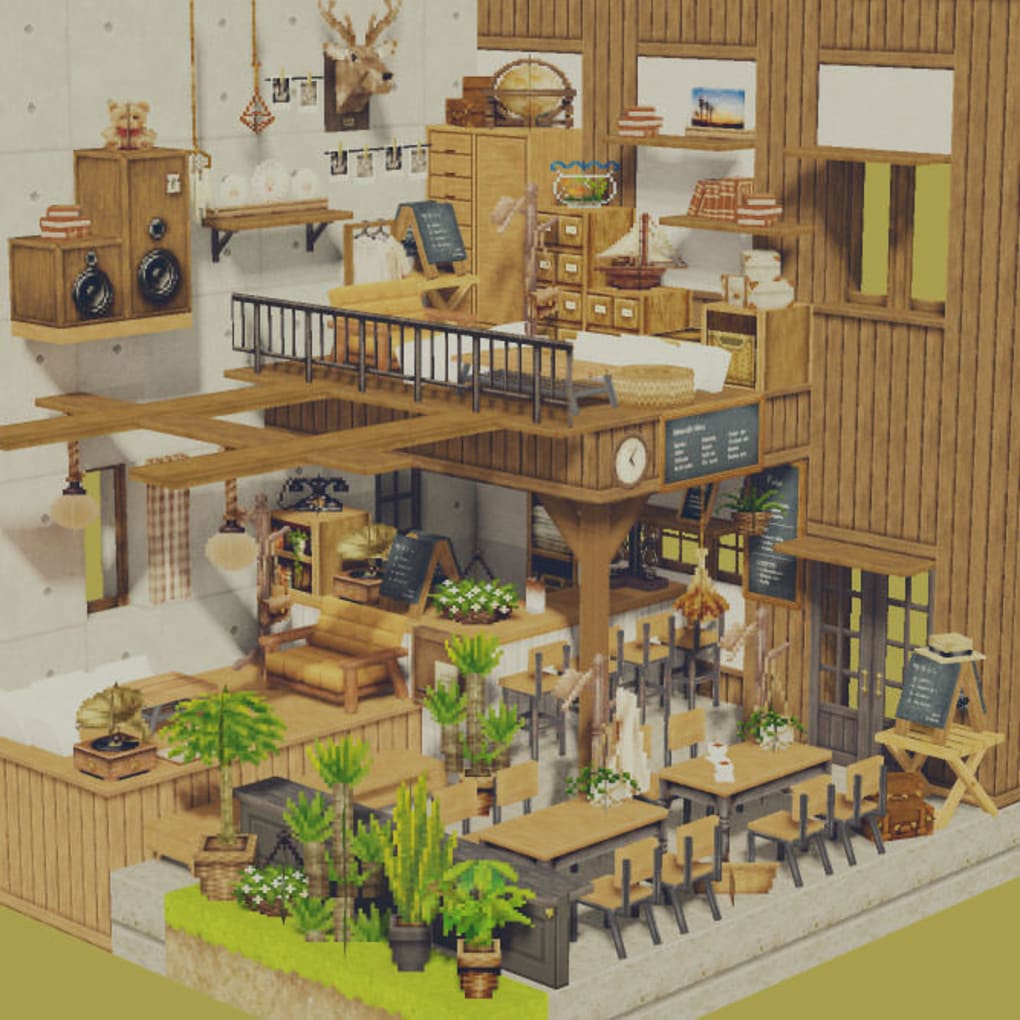
Detailed interior elements: From furniture and cabinetry to lighting fixtures and decorative accents, Cocricot equips builders to create truly immersive interiors. The detail level is exceptional, making rooms feel lived-in and authentic.
-
Vintage sundries and decorative items: Cocricot offers a wide variety of small details – things like vintage signs, street lamps, and other small objects that enhance the overall realism and atmosphere of your builds.
-
Flexibility in architectural style: While strongly rooted in a European aesthetic, Cocricot’s elements can be combined and adapted to create a range of architectural styles. It can be used to create buildings that range from quaint cottages to grand townhouses.
Utilizing Cocricot’s Assets: Creative Construction in Minecraft
The sheer volume of items within Cocricot can seem overwhelming at first, but its strength lies in its versatility. The assets are not designed to force a specific style but to facilitate a range of creative approaches. Here are some ideas to inspire your building projects:
-
Recreate iconic European architecture: Use Cocricot’s assets to rebuild famous European structures or create your own interpretations of classic architectural styles. The detailed textures and varied elements provide the necessary tools to create remarkably realistic representations.
-
Design a European-style town or city: Imagine constructing an entire town square, complete with cafes, shops, residences, and cobblestone streets. Cocricot’s elements work seamlessly together, providing a sense of cohesion and authenticity.
-
Build detailed interiors: Cocricot’s detailed interior elements allow you to create intricately designed rooms, from cozy bedrooms to grand ballrooms. The combination of textures and items ensures a high level of detail and realism.
-
Experiment with different architectural styles: Combine Cocricot’s assets in innovative ways to blend different architectural styles. The flexibility of the mod allows for unexpected and creative results.
-
Create immersive storytelling environments: Use Cocricot’s elements to build captivating environments for role-playing scenarios or adventure maps. The rich atmosphere and detail can enhance the narrative immensely.
Beyond the Blocks: Community and Support
While the mod itself is a significant undertaking, the supportive community surrounding Cocricot is an invaluable asset. Forums, online discussions, and tutorials are readily available, making it easier to find solutions to any problems you might encounter. This community-driven aspect is crucial for a mod of this complexity, ensuring that users have access to guidance and support throughout their building journeys. Joining the community not only provides technical support but also opens doors to collaborative projects and the sharing of creative inspirations.
The Cocricot Minecraft mod is not simply a collection of assets; it’s a comprehensive tool for enriching the Minecraft experience with a captivating European aesthetic. While the installation might require some initial effort, the rewards are well worth it. The meticulous detail, the versatility of the assets, and the supportive community create a compelling experience for builders of all skill levels. With Cocricot, you’re not just building structures; you’re crafting entire worlds steeped in charm and historical ambiance.
File Information
- License: “Free”
- Latest update: “July 11, 2023”
- Platform: “Windows”
- OS: “Windows 8”
- Language: “English”
- Downloads: “37.1K”
- Size: “21.85 MB”


