
Code::Blocks is a free and open-source integrated development environment (IDE) that has earned a reputation among programmers for its flexibility and ease of use, particularly for smaller projects. While it offers a robust set of features, including support for multiple programming languages and a plugin-based architecture, it also presents some limitations that might deter users working on larger-scale applications. This review delves into the strengths and weaknesses of Code::Blocks, examining its functionality, usability, and overall effectiveness as a development tool.
Code::Blocks: Features and Functionality
At its core, Code::Blocks is a powerful IDE designed to facilitate the development of applications and plugins. Its key strength lies in its plugin-based architecture, allowing users to customize the IDE’s functionality to their specific needs. This extensibility sets it apart from many other IDEs, offering unparalleled control over the development workflow.
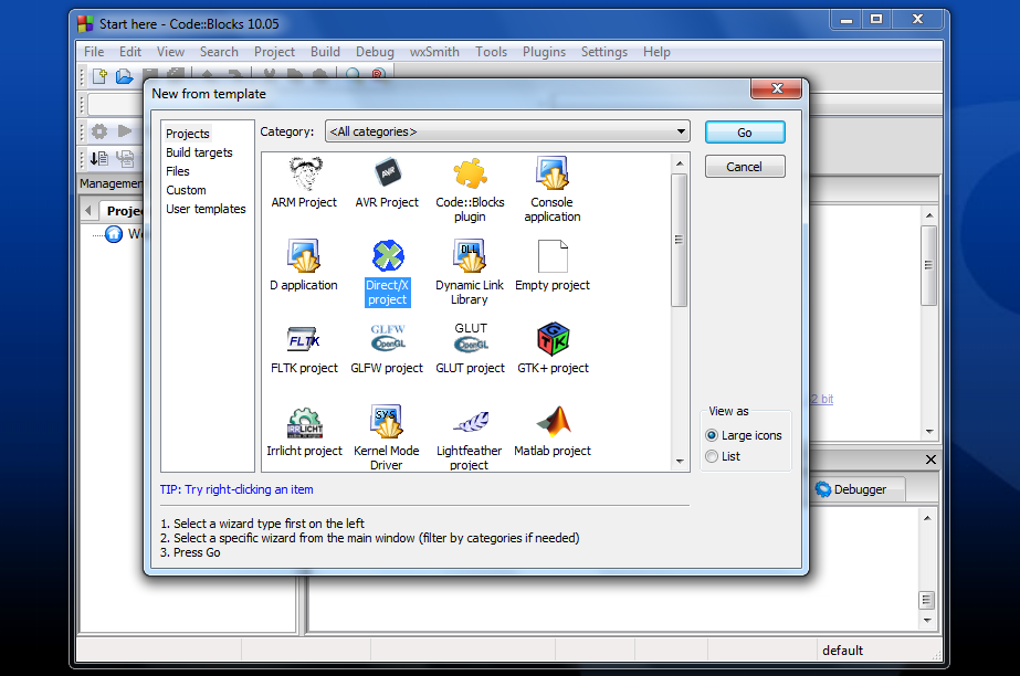
One of the notable features is its support for multiple programming languages, primarily focusing on C, C++, and Fortran. This versatility makes it a suitable choice for a wide range of programming tasks. The IDE provides project templates to jumpstart development, offering pre-structured projects that can be customized. These templates save developers time and effort by providing a basic framework, allowing them to concentrate on the core logic of their applications.
Beyond project templates, Code::Blocks offers several features designed to improve developer productivity. The built-in line duplication feature, for example, streamlines the process of repeating code segments, saving time and reducing errors. This feature is particularly helpful when dealing with repetitive code structures, significantly improving coding efficiency. The IDE also incorporates a robust debugging tool with multi-threading support, enabling developers to effectively identify and resolve issues within their applications, even in complex multi-threaded environments. This debugging capability is further enhanced by its full breakpoint support, allowing for precise control during the debugging process.
For larger projects with intricate dependencies between different modules, Code::Blocks provides a strong inter-project dependency setup. This feature allows developers to visualize the relationships between various parts of the project, improving the understanding of how different components interact. This visualization capability is crucial for maintaining code integrity and facilitating collaboration in team-based development environments. Furthermore, the IDE leverages parallel builds to accelerate compilation times, a significant advantage for larger projects with many source files. Finally, the IDE includes code completion, a helpful feature to aid in error correction and to assist in recalling less frequently used keywords.
Using Code::Blocks: A Step-by-Step Guide
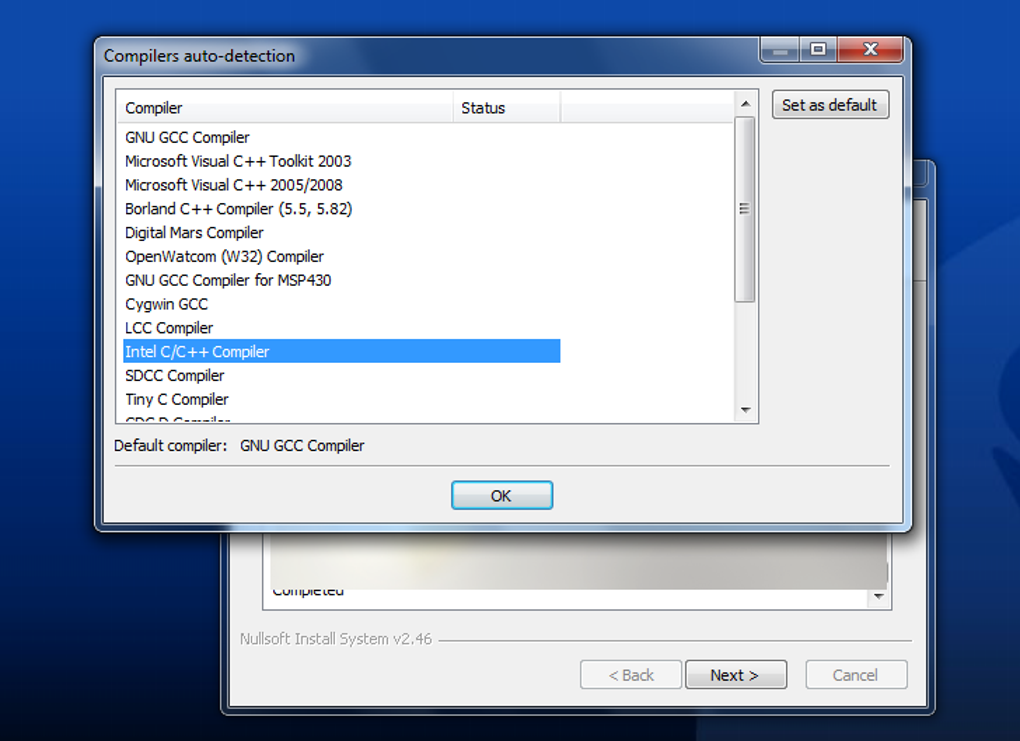
While installing Code::Blocks is relatively straightforward, the initial setup might pose a challenge for novice users. The process involves selecting a compiler, which can be any compiler that the user chooses to download and link. The next step is choosing the debugger path, ensuring compatibility with the selected compiler. Finally, the developer must select the desired programming language (C or C++), confirming the compiler’s support for that language.
All debugging and file management tasks operate within a project. Simple “toy” programs can be created outside a project, but these lack access to the debugger’s capabilities. Conversely, creating a project provides a comprehensive environment encompassing all necessary components, including relevant information, source codes, and header files. Once the project is set up, the debugging process becomes the final step in development.
Limitations and Challenges of Code::Blocks
Despite its advantages, Code::Blocks presents several limitations that might affect its usability. One significant limitation is its reliance on pre-installed Qt tools. This prerequisite can be time-consuming and potentially difficult for users unfamiliar with installing and configuring such tools. Furthermore, the codebase itself can be considered dense and difficult to navigate, making it challenging to locate specific lines of code, especially for beginners or those accustomed to simpler code structures.
Another significant drawback is the often-reported poor performance of its code completion feature. While code completion is a crucial feature in most modern IDEs for enhancing productivity and reducing errors, the implementation in Code::Blocks frequently falls short, requiring manual intervention from the user to ensure code correctness. This deficiency can significantly impact the overall development speed and efficiency.
Code::Blocks also exhibits limitations in handling multiple main functions within a single project. The IDE only allows a single main function file per project, limiting its suitability for larger projects requiring multiple entry points or modules. This restriction can be a significant hindrance when developing complex applications, such as corporate software or video games. The aging nature of the system is another notable limitation, with newer versions still showing some signs of dated technology, potentially leading to stability issues and decreased compatibility with modern development practices.
Code::Blocks Compared to Other IDEs
Compared to other popular IDEs like Microsoft Visual Studio, Eclipse, and CLion, Code::Blocks stands out with its simplicity and lightweight nature. While these other IDEs often boast a richer feature set and more advanced functionalities, they often come with a larger footprint and steeper learning curve. Code::Blocks offers a streamlined experience, appealing to developers who prioritize ease of use and a less resource-intensive environment. However, this simplicity comes at the cost of some of the advanced features found in its competitors.
Conclusion: Is Code::Blocks Right for You?
Code::Blocks remains a viable option for programmers, particularly those working on smaller projects or those who value a lightweight, customizable IDE. Its plugin-based architecture and multi-language support provide significant flexibility, while its ease of use makes it approachable for beginners. However, its limitations in code completion, handling multiple main functions, and its reliance on pre-installed Qt tools should be carefully considered. For larger-scale projects or those requiring advanced features, more robust IDEs might offer a more suitable development environment. Ultimately, the decision of whether to use Code::Blocks depends on the specific needs and preferences of the individual developer. Its strengths lie in its simplicity and customizability, while its weaknesses are found in its limitations when tackling larger, more complex projects. Its suitability lies squarely in the scale and complexity of the project at hand.
File Information
- License: “Free”
- Latest update: “May 24, 2023”
- Platform: “Windows”
- OS: “Windows XP”
- Language: “English”
- Downloads: “1M”
- Size: “152.43 MB”


