
Code Connection is a free application designed to seamlessly integrate coding education into the popular gaming world of Minecraft. This innovative tool empowers educators and students to explore the fundamentals of programming within a familiar and engaging environment, fostering creativity and problem-solving skills. By utilizing Code Connection, users can create custom mini-games, modify existing gameplay elements, and ultimately develop a deeper understanding of coding principles. This article delves into the features, functionality, and educational implications of Code Connection, examining its potential to revolutionize how we approach computer science education.
Getting Started with Code Connection: A User’s Guide
Code Connection offers a straightforward user interface, making it accessible even for those with limited coding experience. The initial setup is simple and intuitive. Upon launching the application, users are presented with a “Setup” menu, providing the option to “Add new project.” This initiates the creation of a new coding project, allowing users to dive into the world of programming.
The application utilizes a tabbed interface, with a dedicated “File” tab providing access to the integrated code editor. By default, Code Connection employs MakeCode, a user-friendly visual programming language ideal for beginners. However, the flexibility of the platform extends to support for other editors, allowing users to select their preferred coding environment. If a different editor is desired, users can easily navigate the “File” tab and choose the “New” option to create a new project with their selected editor. This adaptability caters to different skill levels and preferences, making Code Connection a versatile tool for diverse learning styles.
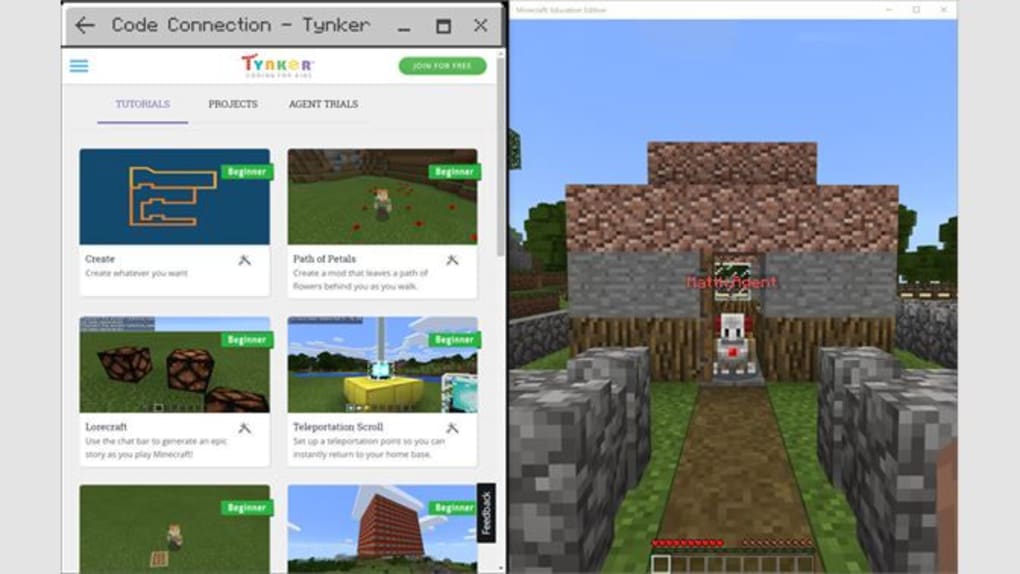
One of the key strengths of Code Connection is its integration with Minecraft. By copying the URL of a Minecraft server to the clipboard, users can readily connect their coding projects to the game. This integration is enabled through the use of the /code command within the Minecraft console. Once this command is executed, the Code Connection application launches, providing a direct interface to manipulate and extend the Minecraft experience.
Importantly, Code Connection’s compatibility extends across various Minecraft editions. This means users can access its functionality irrespective of whether they play Minecraft PE, Xbox One, PS4, Nintendo Switch, or the Windows 10 edition. This broad compatibility ensures accessibility for a wide range of users, maximizing its potential educational impact. The capacity to support up to 10 Windows 10 devices concurrently further amplifies its utility in classroom settings or collaborative projects.
Code Connection’s Educational Value: Empowering Learners
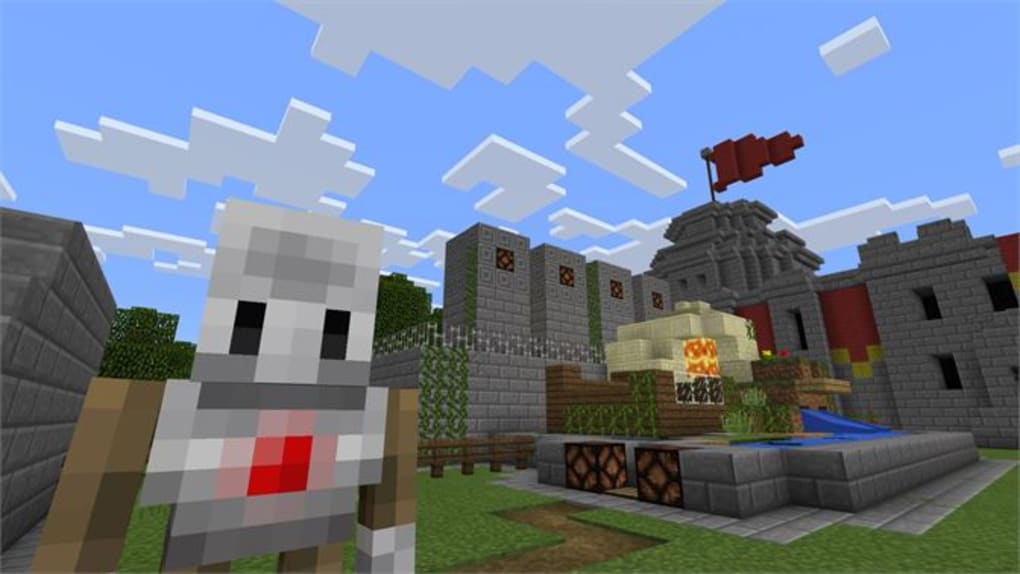
Code Connection isn’t just a gaming accessory; it’s a powerful educational tool designed to simplify the learning process of coding. It bridges the gap between theoretical knowledge and practical application by allowing students to see the immediate effects of their code within the familiar context of Minecraft. This hands-on approach makes coding less intimidating and more engaging.
The app’s user-friendly interface and visual programming elements are particularly beneficial for novice programmers. MakeCode’s block-based coding system allows students to learn fundamental programming concepts – such as loops, conditionals, and variables – without being bogged down by complex syntax. This visual representation of code helps beginners grasp the underlying logic and structure of programming before transitioning to text-based languages.
Beyond introductory programming, Code Connection offers opportunities for advanced learning. Students can explore more complex programming concepts, create increasingly elaborate mini-games, and modify the Minecraft world in significant ways. This allows for a progressive learning journey, catering to students at all levels. The app functions as a dynamic platform where students can experiment, iterate, and refine their coding skills, fostering a spirit of exploration and innovation.
Furthermore, Code Connection facilitates collaborative learning. The ability to work on projects together, either within a shared Minecraft world or via collaborative code editing, encourages teamwork, communication, and knowledge sharing. This collaborative environment promotes a richer learning experience, mirroring real-world collaborative software development scenarios.
Code Connection and Minecraft: A Synergistic Partnership
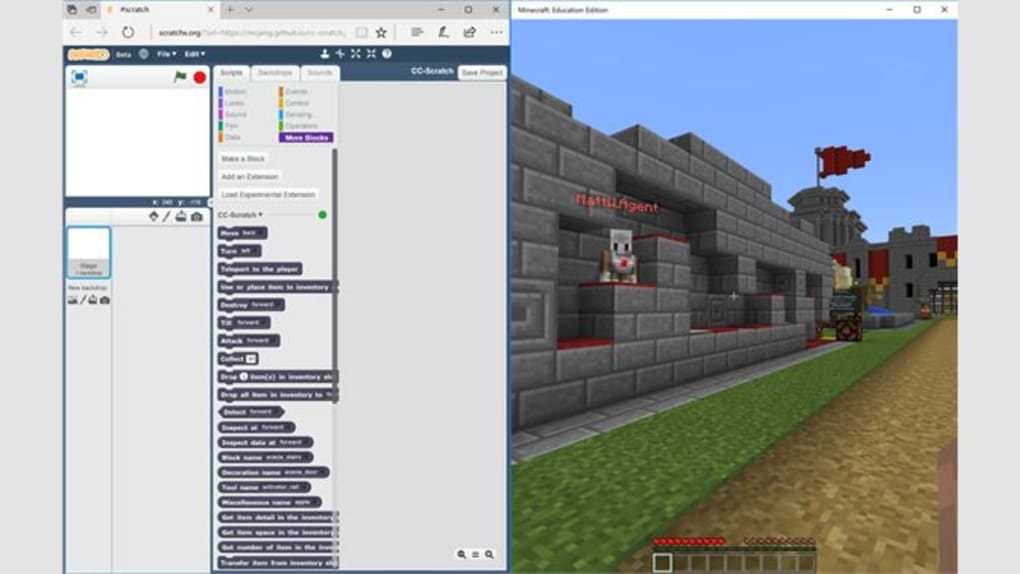
The integration of Code Connection within the Minecraft environment is a masterstroke of educational design. Minecraft’s inherent appeal to a wide age range and its open-ended gameplay provide a fertile ground for exploring the possibilities of coding. The game’s familiar mechanics and intuitive interface serve as a scaffolding for the introduction of new coding concepts.
The ability to modify gameplay elements provides a compelling motivation for learning. Students are not simply writing code for the sake of writing code; they are using their programming skills to create and shape their in-game experience. This intrinsic motivation enhances engagement and promotes deeper learning. By directly impacting their gameplay, students see the tangible results of their coding efforts, fostering a sense of accomplishment and encouraging further exploration.
The use of Code Connection in Minecraft also fosters creativity. Students are not limited to pre-defined tasks or exercises; they can use their code to build custom mini-games, create new challenges, and modify existing game mechanics. This open-ended nature of the platform stimulates creativity and allows students to personalize their learning experience.
The ability to introduce modifications extends beyond simple game changes; it allows educators to design custom learning scenarios tailored to specific curriculum objectives. This adaptability makes Code Connection a valuable tool for integrating coding education into various subject areas, extending its reach beyond dedicated computer science classes.
Code Connection in the Educational Landscape: A Comparative Analysis
Code Connection occupies a unique position within the educational software landscape. While several other Minecraft-related applications cater to modding and customization, Code Connection stands out due to its explicit focus on coding education.
Tools like Skin Stealer and Modinstaller, while useful for modifying Minecraft’s visual and functional aspects, do not directly teach coding principles. These applications focus primarily on modification rather than on the underlying programming concepts. In contrast, Code Connection actively integrates coding education into the Minecraft experience, providing a pedagogical framework for learning and practicing programming skills.
Similarly, other tools like Quest Code Tester for Oracle, while relevant for specific programming contexts, lack the intuitive user interface and broad compatibility of Code Connection. These tools may cater to more advanced programmers, while Code Connection aims for a wider audience, including beginners.
The strength of Code Connection lies in its ability to bridge the gap between gaming and education. It leverages the inherent appeal of Minecraft to introduce fundamental programming concepts, making the learning process engaging and accessible. This strategic integration positions Code Connection as a valuable addition to the arsenal of educational technology available for educators and students.
Conclusion: The Future of Coding Education with Code Connection
Code Connection represents a significant step forward in making computer science education more accessible and engaging. By combining the fun and familiarity of Minecraft with a user-friendly coding interface, it fosters a learning environment that empowers students to become confident and proficient programmers. Its broad compatibility across different Minecraft platforms ensures its widespread applicability, making it a versatile tool for both formal and informal educational settings.
As technology continues to advance and shape the future of work, the demand for skilled programmers is rapidly increasing. Code Connection plays a crucial role in meeting this growing need by equipping a new generation with the foundational skills necessary to succeed in the tech-driven world. By making coding education enjoyable and accessible, Code Connection empowers students not just to learn, but to create, innovate, and shape their future. It’s more than just an app; it’s a bridge to the future of coding education.
File Information
- License: “Free”
- Version: “1.50.0”
- Latest update: “October 19, 2023”
- Platform: “Windows”
- OS: “Windows 10”
- Language: “English”
- Downloads: “2.2K”


