![Color Changer Lite [Root]: A Deep Dive into Android's System-Level Color Filter](https://phanmemfree.org/images/download-color-changer-free-root.webp?v=30bac58e8303a2c8307cf145676764f3)
Color Changer Lite [Root] is a free utility application developed by Omega Centauri Software, designed for Android devices. This app allows users to apply system-wide color screen filters, impacting the visual appearance of virtually any application running on the device. While offering a range of color options in its lite version, a Pro version (not discussed here) provides access to more advanced features. This detailed analysis will explore the functionality, advantages, disadvantages, and overall user experience associated with Color Changer Lite [Root].
Functionality and Features: Transforming Your Android’s Display
At its core, Color Changer Lite [Root] modifies the color palette of your Android screen. This allows for improved visibility and distinction between objects and shapes by adjusting the color shades across the entire system. The app offers a straightforward method to alter the visual experience, catering to users who may need adjustments for various reasons, such as visual impairments or personal preference.
The application provides a selection of pre-defined color filters, including:
- Outdoor Mode: This mode likely adjusts the screen’s colors to enhance visibility in brightly lit outdoor environments, possibly increasing contrast or brightness.
- Inverted Colors: This classic accessibility feature reverses the colors on the screen, making it easier for some users to distinguish between elements.
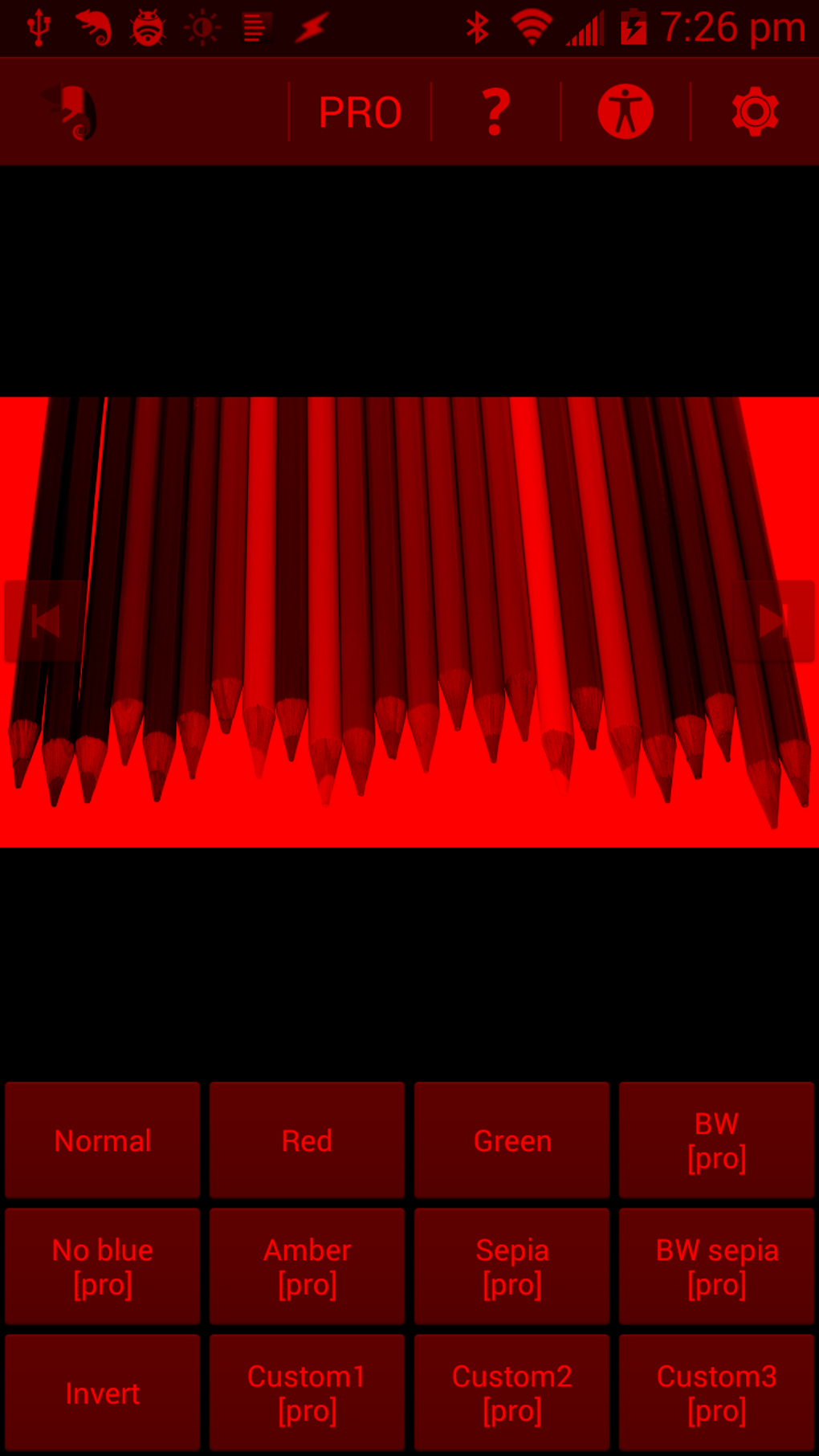
- Red, Green, and Amber Filters: These filters apply a specific color tint across the entire screen, potentially benefiting users with specific visual sensitivities or those requiring color correction.
Beyond these basic filters, Color Changer Lite [Root] integrates a gamma configuration feature. This allows for precise control over the transition between black and white levels. Adjusting gamma can significantly impact the overall image contrast and sharpness, further customizing the visual experience to suit individual needs. Fine-tuning gamma settings can be particularly beneficial for those seeking optimized visual clarity.
A key feature differentiating Color Changer Lite [Root] is its seamless integration with Tasker, a popular Android automation application. This integration allows users to create automated profiles to apply specific color filters based on various triggers, such as time of day, location, or even specific app usage. For instance, a user could set up a profile to automatically activate an inverted color mode at night to reduce eye strain. This advanced automation capability enhances the app’s practicality and versatility significantly.
System Requirements and Limitations: The Root Access Necessity
A crucial aspect to understand is that Color Changer Lite [Root] necessitates root access to function correctly. Root access grants the app elevated system privileges, allowing it to modify system-level settings beyond the limitations of a standard Android application. This requirement acts as a major barrier to entry for many users, as rooting an Android device can be a complex and potentially risky process, voiding warranties in some cases. Users unfamiliar with rooting should thoroughly research and understand the implications before attempting it.
Furthermore, the app demands substantial hardware resources. Older or less powerful devices may experience performance issues or even instability when running Color Changer Lite [Root]. This performance impact is a direct consequence of the app’s system-wide color adjustments, which place additional strain on the device’s processing capabilities. The application’s developers acknowledge this resource demand, urging users to consider their device’s capabilities before installation.
User Interface and Experience: Simplicity and Ease of Use
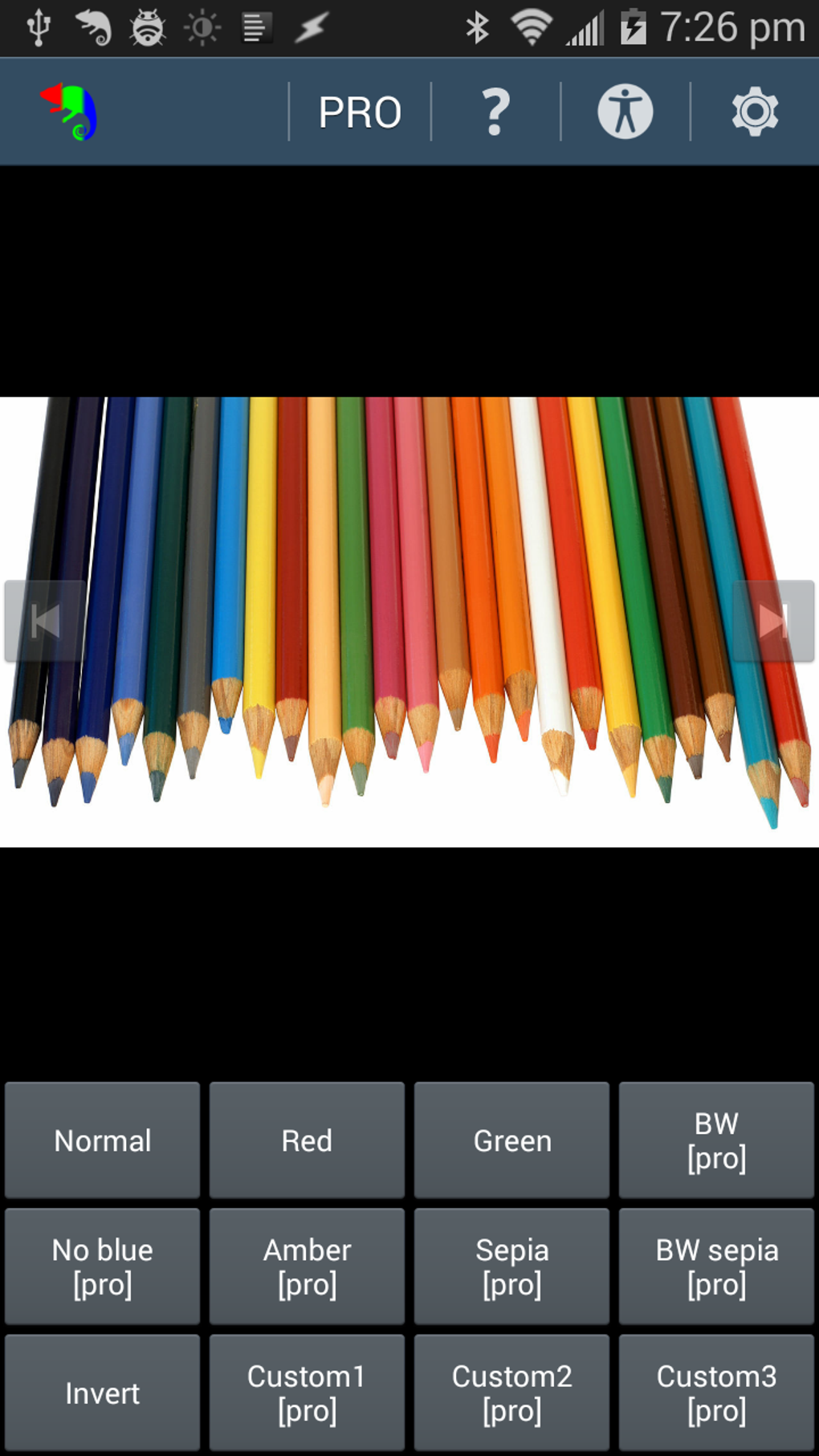
Despite its system-level functionality, Color Changer Lite [Root] boasts a user-friendly interface. The app is designed with simplicity in mind, offering an intuitive experience for users of all technical backgrounds. The main screen likely presents the available color filters in a clear and easily accessible manner, allowing for quick selection and application. The gamma configuration settings are probably presented in a user-friendly format, enabling precise adjustments without requiring advanced technical knowledge. This accessible design is a significant advantage, making the app appealing to a broader user base.
Advantages and Disadvantages: Weighing the Pros and Cons
Advantages:
- System-Wide Applicability: Color filters apply across all applications, unlike apps that only affect specific programs.
- Multiple Color Options: The app provides a range of color filters, catering to diverse needs and preferences.
- Gamma Correction: The gamma adjustment feature allows for fine-grained control over contrast and sharpness.
- Tasker Integration: Automation capabilities through Tasker integration provide significant flexibility and customization.
- Ease of Use: The intuitive interface makes the app accessible to a wide range of users.
Disadvantages:
- Root Access Requirement: This is a major hurdle for many Android users, potentially involving risk and voiding warranties.
- Hardware Demands: The app may strain older or less powerful devices, leading to performance issues.
- Lite Version Limitations: The lite version lacks the advanced features available in the Pro version (not reviewed here).
Conclusion: A Powerful Tool with Significant Limitations
Color Changer Lite [Root] provides a compelling solution for users seeking system-wide color adjustments on their Android devices. Its intuitive interface, multiple color filters, gamma correction, and Tasker integration make it a powerful and versatile tool for enhancing visual comfort and accessibility. However, the requirement for root access and the substantial hardware demands significantly limit its accessibility. Users considering Color Changer Lite [Root] must carefully weigh these limitations against the potential benefits before installation. The app’s power comes at a cost, and that cost is the technical expertise and potential risk associated with rooting an Android device. For users comfortable with these aspects, Color Changer Lite [Root] offers a valuable and flexible way to personalize their Android experience. For others, alternative, rootless solutions may prove more practical and less risky.
File Information
- License: “Free”
- Latest update: “August 5, 2024”
- Platform: “Android”
- OS: “Android 13.0”
- Language: “English”
- Downloads: “14.1K”
- Size: “1.09 MB”
- Download Options: “APK, Google Play”
- Filename: “mobi-omegacentauri-red-13500-67742818-6b9be3a8901a45784bd86e713907af34.apk”


