
ColorPix is a lightweight yet powerful color picker tool designed for Windows operating systems. Its primary function is to identify the color of a specific pixel on the screen and provide its value in various formats, making it a valuable asset for graphic designers, web developers, and anyone working with colors digitally. This review delves into ColorPix’s features, functionalities, pros and cons, and compares it to alternative applications.
Ease of Use and Core Functionality
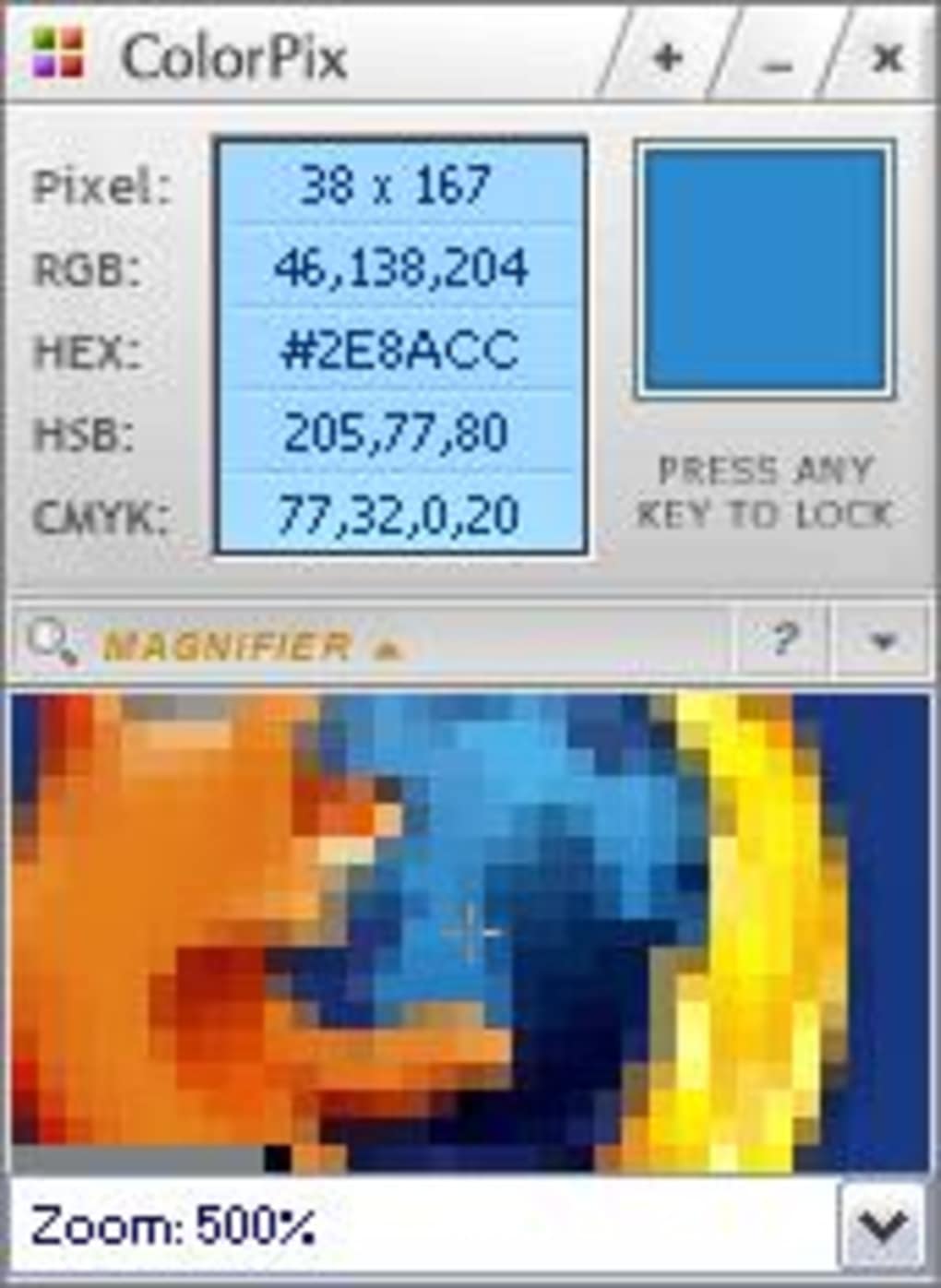
ColorPix stands out due to its simplicity and intuitive design. Its core function—capturing pixel color—is executed flawlessly. The user simply hovers the mouse cursor over the desired pixel, and ColorPix instantly displays the corresponding color value in multiple formats. This immediate feedback eliminates the need for cumbersome processes, enhancing workflow efficiency significantly.
The program’s ability to zoom in on the screen, allowing for precise pixel selection, is particularly beneficial when working with high-resolution images or intricate details. This magnification feature greatly enhances accuracy, ensuring the user captures the exact color they intend to use. The zoom functionality distinguishes ColorPix from simpler color pickers that may lack this level of precision. This feature is especially useful when dealing with gradients or subtly nuanced color palettes where minor differences in hue can greatly affect the final result.
The captured color values are presented in a variety of formats, including RGB, hexadecimal, and others, catering to the diverse needs of different applications and software. This versatility is a key strength of ColorPix, making it compatible with a broader range of software and workflows compared to tools offering a limited set of color representations. The ability to instantly copy these values to the clipboard streamlines the process of importing them into other programs.
Advanced Features and Customization Options
Beyond its basic functionality, ColorPix offers several helpful features that enhance user experience and productivity. One notable feature is the option to minimize the application to the system tray, keeping it readily accessible without cluttering the screen. This unobtrusive design allows users to maintain focus on their primary task while still having ColorPix available for quick color sampling.
The ability to lock the color selection with a key press is a convenient addition for situations where the user needs to capture a color and then momentarily switch to another application without losing the selected value. This feature ensures that the selected color remains stored even when the user interacts with other software.
Furthermore, ColorPix’s small file size—only 605 kilobytes—is a considerable advantage, particularly for users with older machines or limited storage space. This lightweight design minimizes system resource consumption and ensures quick loading times, contributing to a smooth and efficient user experience. This is a significant advantage over larger, more resource-intensive color picker applications.
Color Schemes and Extensions
While the core version of ColorPix is a standalone, functional color picker, the user can further extend its capabilities by downloading additional color schemes and palettes. Although the paid version of the software, Color Scheme Studio, is no longer available online, access to these extended palettes can still significantly enhance ColorPix’s usability, especially for those requiring a broader selection of pre-defined color options.
Comparison with Alternatives
ColorPix competes with various color picker applications, each with its own set of strengths and weaknesses. While some offer more advanced features or a wider array of color formats, ColorPix stands out for its ease of use, lightweight design, and precise pixel selection capabilities.
Applications like Pixie, ColorPic, and Pipette offer comparable functionalities, but often lack the precision offered by ColorPix’s zoom function or the streamlined design that minimizes system resource use. Other alternatives might boast extensive color palettes or advanced color manipulation tools, but these often come at the cost of increased complexity and resource consumption. ColorPix effectively occupies a niche in the market by offering a balance between ease of use, precision, and minimal system impact.
Pros and Cons of ColorPix
Pros:
- Simplicity and ease of use: The interface is intuitive and user-friendly, making it accessible to both beginners and experienced users.
- Precise pixel selection: The built-in zoom function enables accurate color picking, even from high-resolution images.
- Multiple color format support: ColorPix provides color values in various formats (RGB, hexadecimal, etc.), ensuring compatibility with a wide range of software.
- Clipboard integration: Seamlessly copy color values to the clipboard for quick transfer to other applications.
- Lightweight and efficient: Its small file size and minimal resource consumption make it ideal for older or less powerful computers.
- System tray minimization: Allows the app to remain accessible without cluttering the desktop.
- Color locking: Securely saves the selected color with a single key press.
- Free to use: ColorPix’s core functionality is completely free, making it an accessible tool for everyone.
Cons:
- Limited advanced features: Compared to more advanced color picker applications, ColorPix lacks some specialized features, such as advanced color manipulation or extensive color libraries.
- Dependence on external palettes: The ability to expand the color palettes relies on external downloads, which may require additional steps and might not always be readily available.
- Discontinued paid version: The paid version, Color Scheme Studio, is no longer available for purchase.
Conclusion
ColorPix proves to be a valuable and efficient color picking tool for Windows. Its simplicity, precision, and lightweight design make it a strong choice for anyone needing a quick and reliable way to capture color values. While more comprehensive color manipulation tools exist, ColorPix’s focus on ease of use and efficient operation makes it ideal for users who prioritize speed and accuracy over an overwhelming array of advanced features. Its free availability further enhances its appeal as a practical and versatile addition to any user’s software toolkit. The trade-off between a limited feature set and seamless usability is a deliberate design choice that effectively targets a specific user segment valuing efficiency and simplicity above all else.
File Information
- License: “Free”
- Version: “1.1”
- Latest update: “June 22, 2020”
- Platform: “Windows”
- OS: “Windows 98 SE”
- Language: “English”
- Downloads: “179.9K”
- Size: “616.45 KB”


