ComboFix is a free, standalone malware removal tool designed to eliminate deeply entrenched viruses and malware that often evade standard antivirus and anti-spyware programs. Its aggressive approach and automated process make it a powerful last resort for cleaning severely infected Windows systems. While its lack of user interaction and irreversible changes may seem daunting, ComboFix’s effectiveness in tackling stubborn rootkits and other malicious software has earned it a loyal following among users and IT professionals. This article delves into the capabilities, pros, cons, and user experiences surrounding ComboFix.
How ComboFix Works
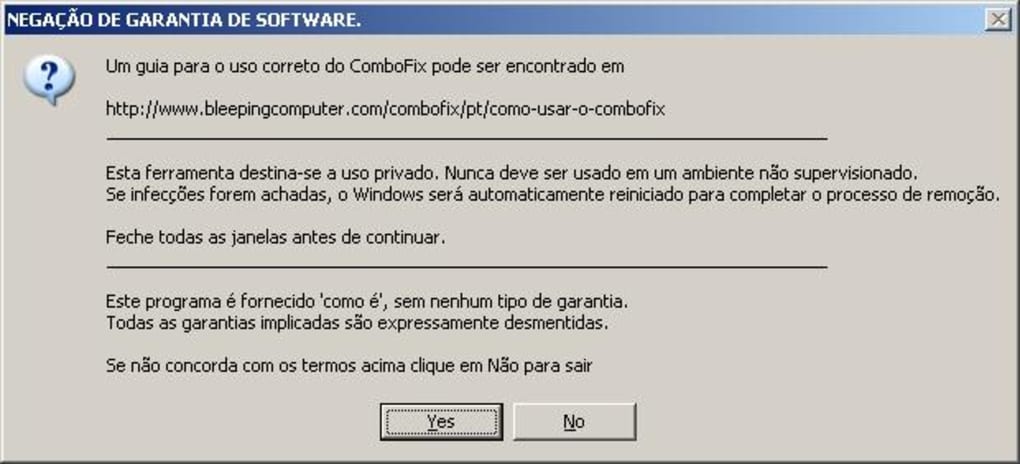
ComboFix operates with minimal user intervention. Once downloaded, the executable file needs only to be run; no installation is required. Before launching ComboFix, it’s crucial to close all other applications and disable any active antivirus or anti-malware software. This prevents conflicts and ensures ComboFix can perform its deep scan and removal process without interruption.
Upon execution, ComboFix automatically begins analyzing the system for suspicious files, processes, and registry entries. This process can take several minutes, depending on the system’s speed and the extent of the infection. During the analysis, there is no user input required; the software independently identifies and removes threats.
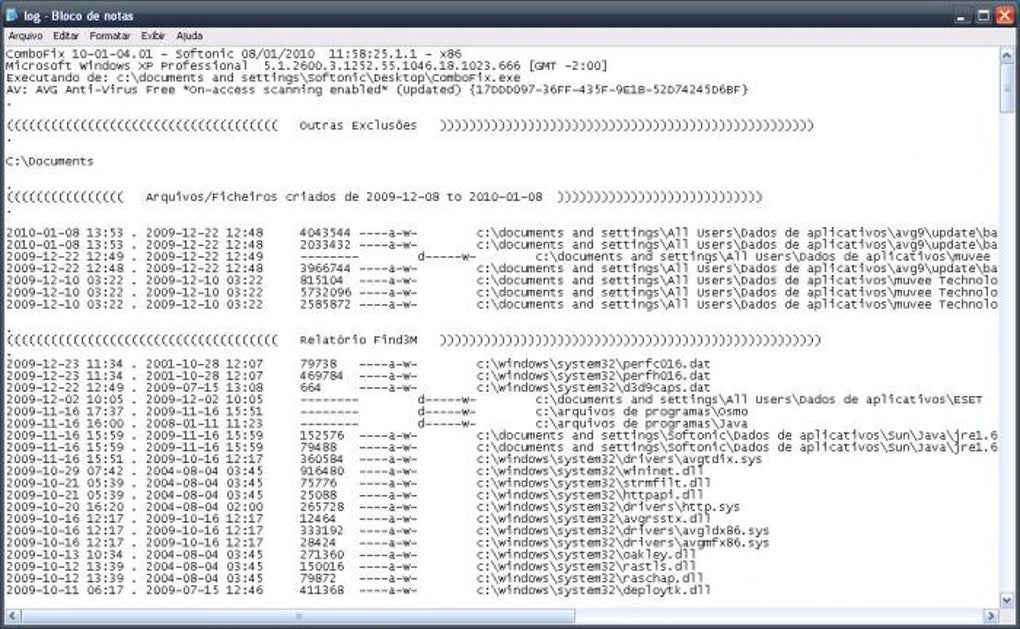
Once the scan is complete, ComboFix presents a detailed log file outlining all actions taken. This log provides a comprehensive record of the detected malware and the steps taken to remove it. A system restart is typically necessary to fully apply the changes made by ComboFix. This final step ensures that any lingering remnants of malware are eradicated and the system is restored to a clean state.
The software’s aggressive, automated approach makes it ideal for situations where conventional methods have failed. It acts as a “nuclear option,” aggressively removing potentially harmful elements, even if this means lacking the usual confirmation prompts found in other security applications. This is why it’s essential to understand its limitations and potential risks before using it.
ComboFix: Advantages and Disadvantages
ComboFix offers a unique set of advantages, primarily its effectiveness against stubborn malware and its ease of use. However, this simplicity also presents some disadvantages that users need to be aware of before employing this tool.
Pros:
-
Automated Malware Removal: ComboFix’s primary strength lies in its fully automated process. This eliminates the need for manual intervention, making it accessible to users with limited technical expertise. The user simply runs the program and lets it perform its analysis and removal process. This is particularly beneficial in situations where an infected system is unresponsive or difficult to control manually.
-
No Installation Required: ComboFix is a portable application, meaning it doesn’t require installation. This makes it ideal for use on compromised systems where the installer may be corrupted or blocked by malware. The simplicity of running the executable directly eliminates the potential issues associated with installation processes.
-
Comprehensive Log File: After completion, ComboFix generates a detailed log file that documents all actions taken during the scan and removal process. This log provides valuable information for troubleshooting and helps users understand the extent of the infection and the steps undertaken to resolve it. This detailed record is also useful for IT professionals who might need to analyze the results to determine the nature and origin of the malware.
-
Effectiveness Against Stubborn Malware: Many users report that ComboFix successfully removes malware that other security tools miss. Its deep scan and aggressive removal capabilities make it effective against rootkits and other deeply embedded threats that conventional antivirus solutions may struggle to detect and eliminate. This effectiveness is its greatest selling point.
Cons:
-
No User Input/Confirmation: The automated nature of ComboFix, while convenient, also means that there’s no user intervention or confirmation before files are removed. This lacks the safety net of other anti-malware programs that allow users to review and select which files to delete. The lack of user input increases the risk of accidentally removing essential system files, although this is less likely with the more recent versions.
-
No Interface: ComboFix has a minimal interface; essentially, it’s just the executable file. This means there are no visual cues during the scanning process. Users need to wait for the scan to finish without any visual progress bar or other indication of how long the process will take.
-
Irreversible Changes: The changes made by ComboFix are not easily undone. While the log file provides documentation, restoring incorrectly deleted files might be challenging or impossible. It operates with the assumption that it’s dealing with a malware infection that should be removed decisively, even if that means permanently deleting some files.
-
Compatibility Issues: Although designed for multiple Windows versions, older versions of ComboFix might have compatibility issues with newer operating systems. Always check the compatibility information before running it on your system to avoid unexpected problems.
User Experiences and Reviews
User reviews on ComboFix are largely positive, emphasizing its effectiveness in removing stubborn malware. Many users report success where conventional antivirus and anti-malware tools failed. However, the absence of a user interface and the irreversible nature of its actions are often cited as drawbacks.
Some users highlight the speed and ease of use, appreciating its automated process that requires minimal technical expertise. The comprehensive log file is also praised for its detailed account of the removal process.
However, several negative reviews point out the potential risk of accidentally deleting important files. The lack of a confirmation process before removing files can lead to data loss if the tool misidentifies a crucial system file as malware. Some users have also reported issues with compatibility with newer versions of Windows or difficulties interpreting the log file.
It’s evident from these reviews that ComboFix is a powerful tool, but it should be used cautiously. It’s a tool best suited for situations where other methods have failed and the user is prepared to accept the risk of potential data loss.
Conclusion
ComboFix remains a valuable tool for removing deeply rooted malware. Its aggressive, automated approach can effectively eliminate threats that other security tools miss. However, its lack of user interaction and the irreversible nature of its actions require a cautious approach. Users should carefully weigh the pros and cons before using ComboFix, backing up important data beforehand and ensuring that they are prepared to deal with potential unintended consequences. It’s not a tool for casual use but rather a powerful last resort in extreme cases of malware infestation. The lack of a user-friendly interface and confirmation steps means that users need to fully understand the risks involved before deploying it. While highly effective, it should only be used as a last resort when all other methods fail to resolve the malware problem.
File Information
- License: “Free”
- Latest update: “July 11, 2023”
- Platform: “Windows”
- OS: “Windows 8”
- Language: “English”
- Downloads: “360.8K”
- Size: “5.66 MB”