
In the complex ecosystem of the Windows operating system, applications rely on a myriad of smaller components to perform their designated tasks. Among these, ActiveX controls, often packaged as .OCX files, play a pivotal role in delivering modular and reusable functionalities. One such historically significant component is COMDLG32.OCX. While perhaps not a household name for the average computer user, its absence or corruption can lead to frustrating “runtime errors” or “missing component” messages, effectively crippling applications that depend on its services. COMDLG32.OCX is a core Microsoft-developed component designed to provide common dialog box functionalities, such as ‘Open’, ‘Save As’, ‘Print’, ‘Font’, and ‘Color’ selection. For applications, particularly those developed using Visual Basic, that incorporate these standard dialogs, COMDLG32.OCX is not just an optional extra; it’s an indispensable foundation.
The primary purpose of COMDLG32.OCX is to allow developers to implement standard Windows dialogs without having to code them from scratch. This not only streamlines the development process but also ensures a consistent user experience across different applications. When this file becomes lost, damaged, or otherwise corrupted—which can happen due to incomplete software installations, malicious software, or system errors—the applications relying on it cease to function correctly. Instead of encountering a familiar ‘Open File’ dialog, users might face an abrupt error message, indicating a missing or improperly registered component. This often necessitates a specific solution, and re-installing the COMDLG32.OCX file is frequently the most direct and effective remedy to restore the affected software’s performance and stability.
PhanMemFree.org, recognizing the critical nature of such components, provides COMDLG32.OCX for Windows users as a free, readily available download. Sourced directly from Microsoft Corporation, this specific version (6.1.98.16) ensures authenticity and reliability. Its compact size, requiring a mere 63.81 KB for the file itself and minimal memory during operation, means its integration will not burden system resources, making it an ideal solution even for older or resource-constrained machines.
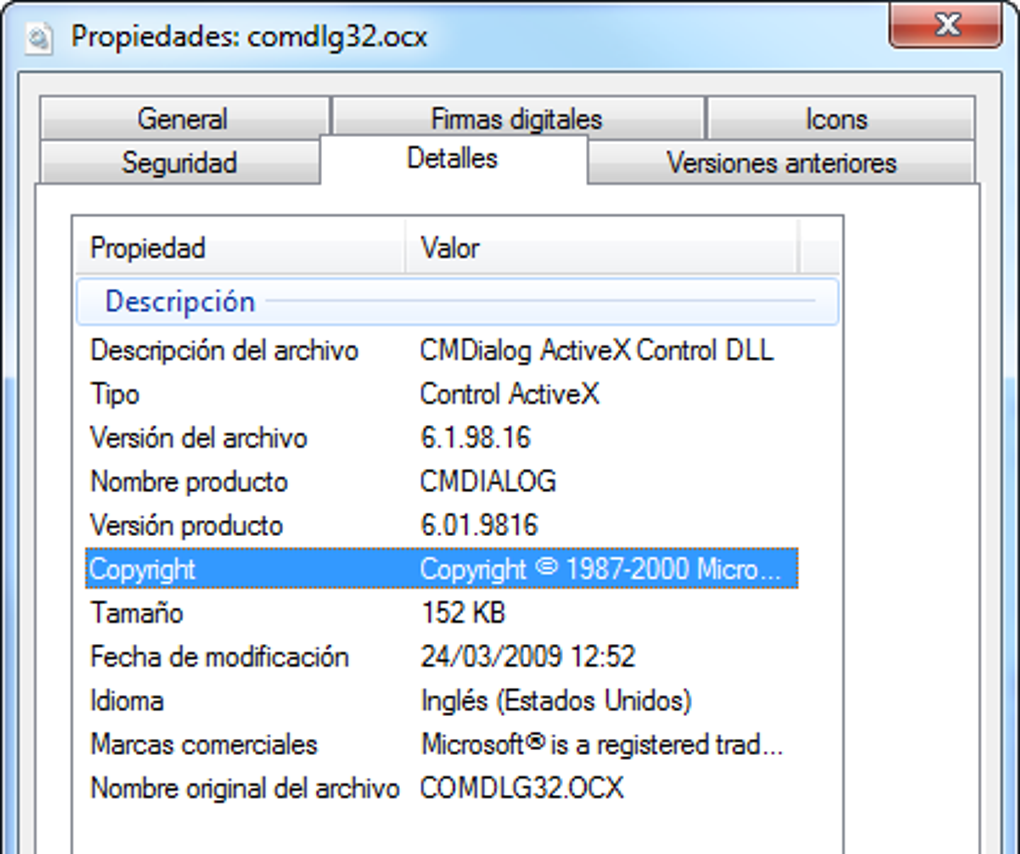
Core Technical Applications and Problem Solving
ActiveX controls, including COMDLG32.OCX, are integral to the architecture of many Windows applications, particularly those built with development environments like Visual Basic 6.0. These controls are essentially self-contained software modules that provide specific functionalities that can be easily embedded into applications. COMDLG32.OCX specifically bundles a collection of “common dialogs” – standardized user interface elements that perform routine tasks. These include:
- Open Dialog: Allows users to select a file to open from their system.
- Save As Dialog: Enables users to choose a location and filename for saving a new or modified file.
- Print Dialog: Provides options for printing documents, such as selecting a printer, page range, and number of copies.
- Font Dialog: Lets users choose text fonts, styles, and sizes.
- Color Dialog: Offers a palette for selecting colors.
When an application attempts to invoke one of these standard dialogs and COMDLG32.OCX is either missing, corrupted, or improperly registered with the operating system, it fails. This failure manifests as various error messages, the most common being “runtime error 429: ActiveX component can’t create object,” “Component ‘COMDLG32.OCX’ or one of its dependencies not correctly registered: a file is missing or invalid,” or simply “missing component.” Such errors can bring an application to a halt, preventing users from performing essential operations like opening documents, saving work, or printing.
The beauty of COMDLG32.OCX as a solution lies in its targeted approach. Instead of resorting to drastic measures like reinstalling the entire operating system, performing a system restore, or struggling with extensive debugging processes, replacing or correctly registering this single file often resolves the issue instantly. This makes it a crucial tool for both everyday users encountering application problems and IT professionals troubleshooting client systems. The fact that it bypasses the need for complex Windows updates or manual application patching for this specific issue underscores its efficiency and direct problem-solving capability.
Enhancing Productivity through Essential Components
The seamless operation of software is a cornerstone of digital productivity. Any hiccup, no matter how minor, can disrupt workflows and lead to significant downtime. Essential components like COMDLG32.OCX, though working silently in the background, play a critical role in maintaining this seamlessness. Imagine trying to save a crucial report, only for the “Save As” dialog to fail, crashing your application and potentially losing hours of work. Or needing to print a document urgently, but the “Print” dialog won’t appear. These scenarios, directly linked to a malfunctioning COMDLG32.OCX file, highlight how a seemingly small component can have profound impacts on user productivity.
By ensuring that fundamental interactions, such as opening, saving, printing, and selecting fonts or colors, occur without issue, COMDLG32.OCX safeguards the smooth flow of work. For developers, these common dialogs eliminate the need to “reinvent the wheel” for basic UI elements, allowing them to focus on the core functionality of their applications. This standardization not only saves development time but also contributes to a consistent and intuitive user experience across different Windows programs, further enhancing user efficiency. When applications function predictably and reliably, users can concentrate on their tasks rather than grappling with technical glitches, directly translating into higher productivity and less frustration. The minimal overhead of COMDLG32.OCX also ensures that its presence doesn’t detract from system performance, making it a net positive for any productivity-focused environment.
COMDLG32.OCX as a Core System Utility
In the broad landscape of computing, COMDLG32.OCX falls squarely into the category of a system utility. While it is not an application that users launch directly, its function is analogous to other critical utilities like file managers, disk defragmenters, or diagnostic tools. These utilities don’t perform end-user tasks themselves but enable other software and the operating system to function optimally. COMDLG32.OCX provides the underlying infrastructure for applications to access standard system dialogs, thus acting as a foundational utility.
Its role is primarily behind-the-scenes, allowing applications to “borrow” common user interface elements from the operating system rather than embedding them directly. This modular approach is a hallmark of efficient software design. When this utility is present and correctly registered, it contributes significantly to the overall stability and functionality of the Windows environment, particularly for older or legacy applications that specifically call upon its services. It’s a testament to the enduring design principles of Windows that such components, despite their age, remain critical for a segment of software. For troubleshooting, recognizing COMDLG32.OCX as a system utility allows IT professionals to quickly identify and rectify problems related to common dialog box failures, making it an indispensable asset in their toolkit for maintaining system health and application compatibility. Its specific function makes it distinct from broader operating system updates, offering a precise fix for a precise problem.
Supporting Development & IT in Legacy Applications
The longevity of COMDLG32.OCX highlights a significant aspect of software development and IT management: the support for legacy applications. Many businesses and organizations still rely on mission-critical software developed years, if not decades, ago. These applications, often built on platforms like Visual Basic 6.0, frequently utilize ActiveX controls like COMDLG32.OCX for their user interface components.
For developers working with older codebases or tasked with maintaining legacy systems, COMDLG32.OCX represents a stable, pre-built solution for common UI elements. Instead of custom-coding file pickers, font choosers, or print dialogs, developers could simply integrate this control, saving immense development time and ensuring compliance with standard Windows UI guidelines. This reusability was a core benefit of ActiveX technology.
For IT departments, supporting these legacy applications involves ensuring that all necessary dependencies are met. When a user reports that an older accounting program or a specialized industrial control application can no longer open or save files, an IT professional familiar with COMDLG32.OCX can quickly diagnose the problem. The ability to download and correctly register this specific file, often without requiring extensive application reinstallation or system overhauls, is invaluable. It enables IT teams to keep essential business operations running smoothly, minimizing downtime and the costs associated with supporting older software. Understanding components like COMDLG32.OCX is therefore a key skill in the repertoire of IT professionals who manage diverse software environments, bridging the gap between historical software design and current operational requirements.
Understanding Security & Privacy in Software Components
When dealing with core system components, whether they are utilities or ActiveX controls, considerations of security and privacy are paramount. The internet is replete with unofficial downloads, and installing unverified or malicious .OCX files can lead to serious system vulnerabilities, ranging from malware infections and data theft to system instability and crashes. Therefore, the source of such components is critically important.
In the case of COMDLG32.OCX, its origin from Microsoft Corporation offers a significant layer of assurance. Microsoft, as the developer of the Windows operating system, maintains strict quality control and security protocols for its official components. When you download COMDLG32.OCX from a reputable platform like PhanMemFree.org, you can be confident that you are obtaining an authentic, untampered version of the file. This significantly mitigates the risks associated with installing potentially compromised software.
However, a broader understanding of security practices around system components is always advisable. Users should always:
- Source from Reputable Platforms: Always download
.OCXfiles and other system components from official developer websites or trusted third-party sites like PhanMemFree.org. - Verify File Integrity: While less common for such specific files, some sources provide checksums (MD5, SHA1) to verify that the downloaded file has not been altered.
- Use Antivirus Software: Keep your antivirus and anti-malware software updated and perform regular scans.
- Understand Installation Procedures: Be aware that correctly registering an OCX file often requires administrative privileges and involves using commands like
regsvr32. Incorrect procedures can lead to further system issues.
While COMDLG32.OCX itself is a benign and necessary component for certain applications, the general principle of vigilance when installing any system-level file is a cornerstone of good cybersecurity hygiene. Its Microsoft pedigree ensures a foundation of trust, but user awareness remains the best defense against potential threats.
Pros and Cons of COMDLG32.OCX
Like any software component, COMDLG32.OCX comes with its own set of advantages and disadvantages. Understanding these can help users and IT professionals make informed decisions about its deployment and management.
Pros:
- Avoids Lengthy and Insufficient Debugging Processes: One of the most significant advantages is its ability to provide a swift and precise fix for common dialog box errors. Without
COMDLG32.OCX, developers and IT support personnel might spend hours, or even days, trying to diagnose a “runtime error” in an application. This could involve stepping through code, checking numerous system logs, or even attempting broader system repairs that are often overkill. By simply replacing or registering this specific file, the problem is often resolved in minutes, saving considerable time and resources that would otherwise be dedicated to complex and potentially fruitless debugging efforts. It pinpoints the problem to a specific missing dependency. - Very Little Hard Drive Space Needed: The file size of
COMDLG32.OCXis remarkably small, typically around 63.81 KB. This minimal footprint makes it an ideal solution, especially for older computers or systems with limited storage capacity. It won’t significantly impact system resources or contribute to disk clutter, ensuring that its presence is efficient and unobtrusive. This is a considerable benefit when troubleshooting systems where every megabyte counts, or when deploying solutions over slower network connections. - Free and Officially Developed by Microsoft: Being a free component developed by Microsoft Corporation instills confidence in its reliability and safety. Users don’t need to worry about licensing costs or the potential security risks associated with third-party, unofficial components. This official backing ensures compatibility with the Windows environment and provides a trustworthy solution for common system issues.
Cons:
- This Software Has Not Been Updated for Some Time: The version commonly available (6.1.98.16) was last updated on May 9, 2018. While this reflects its maturity and stability as an older component, it also means it may not be optimized for the absolute latest versions of Windows (e.g., Windows 10/11) or fully leverage modern operating system features. For applications that require cutting-edge UI elements or integration with contemporary Windows APIs,
COMDLG32.OCXmight not be the most appropriate solution, potentially leading to minor aesthetic inconsistencies or compatibility quirks in very specific scenarios. Its age means that new security vulnerabilities related to the component itself are unlikely to be patched. - Those with Limited Technical Experience May Run into Problems During the Installation Process: Simply downloading the
.OCXfile is often not enough. To make it functional, it needs to be “registered” with the operating system using theregsvr32command in the command prompt, typically run with administrative privileges. This process can be intimidating for users unfamiliar with the command line or system administration tasks. Errors during registration, incorrect file placement, or permission issues can further complicate the process, potentially requiring technical assistance. Instructions for registration are usually provided by reputable download sites like PhanMemFree.org, but a basic understanding of Windows system operations is still beneficial.
Alternative Approaches and Multilingual Availability
While there isn’t a direct “alternative app” to COMDLG32.OCX in the sense of a different file providing the exact same low-level functionality for legacy applications, alternative strategies exist for resolving broader application issues. These might include:
- Reinstalling the Problematic Application: Sometimes, a complete reinstallation of the application that’s exhibiting errors can resolve missing component issues if the application installer includes the necessary OCX files.
- Windows System File Checker (SFC): For more general system file corruptions, the
sfc /scannowcommand can identify and repair corrupted Windows system files. However, this is a broader tool and may not specifically target an issue withCOMDLG32.OCXif it was part of a specific application’s installation rather than a core OS component. - System Restore: Reverting the system to an earlier restore point can sometimes fix issues if the
COMDLG32.OCXcorruption or deletion happened recently.
PhanMemFree.org ensures that access to COMDLG32.OCX is global. The platform supports a wide array of languages, allowing users from various linguistic backgrounds to find and download the necessary files. This multilingual support extends to the availability of COMDLG32.OCX download pages in languages such as German, Japanese, Spanish, French, Indonesian, Italian, Korean, Dutch, Polish, Portuguese, Russian, Swedish, Thai, Turkish, Vietnamese, Arabic, and Chinese. This commitment to accessibility underscores the platform’s dedication to serving a diverse international user base, ensuring that geographical or linguistic barriers do not prevent users from accessing critical software components.
User Experience and Community Feedback
Despite its technical nature and the relatively niche scenario it addresses, user feedback for COMDLG32.OCX remains valuable. On platforms like PhanMemFree.org, the component boasts a respectable user rating of 3.7 out of 5 stars from 128 reviews. This aggregated feedback provides insight into its effectiveness and the common experiences of users who have relied on it. Positive reviews often highlight the ease of the fix and the restoration of application functionality. Less favorable reviews may touch upon the challenges faced by technically inexperienced users during the manual registration process, or the lack of modern updates.
Community feedback serves as a practical guide for prospective users, helping them anticipate potential difficulties and confirming the component’s utility. It also allows the platform to understand the real-world impact of such downloads. Even for older utilities, the collective experience of the user community offers a tangible measure of a component’s reliability and its ongoing relevance in specific computing contexts.
Conclusion
COMDLG32.OCX stands as a testament to the modular and extensible design principles of the Windows operating system. As a crucial ActiveX control developed by Microsoft, it provides essential common dialog box functionalities that underpin the operation of countless applications, especially those developed using older frameworks like Visual Basic 6.0. Its absence or corruption can lead to disruptive runtime errors and missing component messages, effectively hindering user productivity and application functionality.
Fortunately, COMDLG32.OCX offers a precise, free, and efficient solution to these problems. Its minimal system requirements and official Microsoft lineage make it a trustworthy download, readily available from reputable sources like PhanMemFree.org in multiple languages. While its age means it lacks recent updates, its enduring utility for maintaining legacy software, enhancing productivity through seamless application interaction, and serving as a fundamental system utility remains undeniable. For IT professionals, developers supporting older systems, and end-users encountering specific application errors, COMDLG32.OCX continues to be a vital component, proving that even small, behind-the-scenes files can play a monumental role in ensuring the smooth and efficient operation of the digital world.
File Information
- License: “Free”
- Version: “6.1.98.16”
- Latest update: “May 9, 2018”
- Platform: “Windows”
- OS: “Windows XP”
- Language: “English”
- Downloads: “116.9K”
- Size: “63.81 KB”


