
ComicRack, once a popular choice for comic book enthusiasts, was a powerful and versatile application designed for reading and organizing digital comic books. While the download is no longer available through its original source, its legacy continues to be discussed among users and serves as a benchmark for modern comic book readers. This review delves into the features, functionalities, and user experience of ComicRack, offering insights into why it was so highly regarded and exploring its limitations.
A Feature-Rich Comic Book Manager
ComicRack stood out due to its comprehensive approach to managing digital comic collections. Unlike simpler readers that only focused on displaying comic book files, ComicRack offered robust organizational tools coupled with a customizable reading experience. It supported a variety of popular comic book formats, including CBR and CBZ, making it compatible with a wide range of downloaded content. This broad format support eliminated the need for users to convert their comics into a specific format before reading them, enhancing convenience and streamlining the overall user experience.
The core strength of ComicRack lay in its ability to integrate both a reader and an organizer within a single application. Users could effortlessly switch between browsing their collection and reading their chosen comics. The interface itself was designed with intuitive navigation in mind, separating the reading panel from the file explorer and main screen. This compartmentalization allowed users to maintain a clear workflow, minimizing distractions and enhancing the overall reading experience. The clean and uncluttered interface contributed to the overall user-friendliness.
ComicRack’s organizational capabilities went beyond simple file browsing. It featured a sophisticated “Smart Lists” system, available in the Windows version, which enabled users to automatically categorize their comics based on various criteria. These smart lists could sort comics by recently opened, new additions, popularity (if such data was available), and other user-defined parameters. This automated organization was particularly beneficial for users with large comic book collections, significantly reducing the time spent manually searching for specific titles.
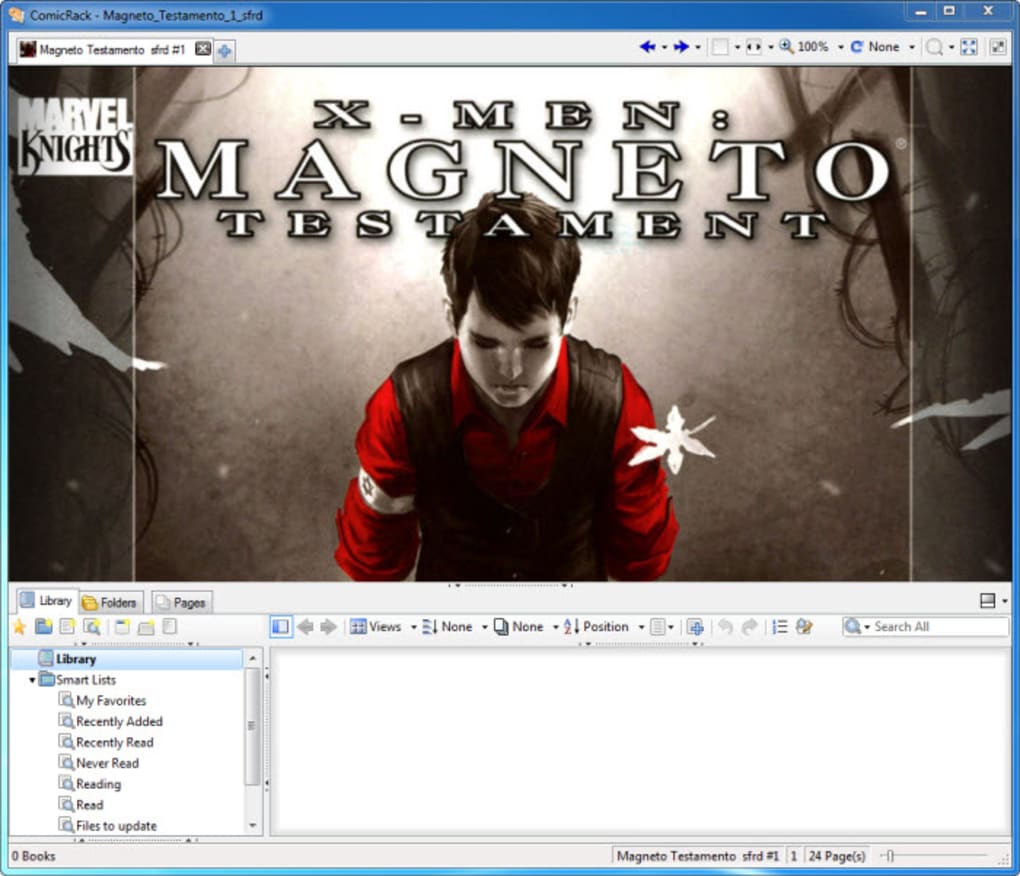
The application’s ability to sync data between the Windows and Android versions was a notable advantage. While the Windows version held more advanced features, including the aforementioned Smart Lists, the synchronization ensured that users could seamlessly access and manage their comic collections regardless of the device they were using. This cross-platform compatibility minimized the potential inconvenience of transferring files between different devices, greatly improving user convenience. The Windows version proved especially useful for converting web comics into formats suitable for mobile viewing.
Advanced Functionalities and Customization Options
ComicRack’s appeal extended beyond its basic functionalities. It offered a rich set of advanced options allowing users to tailor their reading experience to their personal preferences. Unlike more basic e-book readers, ComicRack provided granular control over page display settings. The “Pages” tab, for example, enabled users to specify page types—advertising pages, story pages, front covers, etc.—offering precise control over the displayed content.
Further customization extended to color adjustments, multiple display modes (including full-screen and dual-screen support for expanded viewing), information overlays displaying comic metadata, and automatic backcolor matching for optimized readability. These features significantly enhanced the reading experience, catering to users with specific preferences for visual presentation and comfort. The multi-tab interface allowed for concurrent reading of multiple comics, enhancing user productivity.
The program also integrated numerous usability features commonly found in high-end comic readers, including auto-scrolling, fast navigation, dynamic zooming, auto-rotation, a magnifier tool, automatic page fitting, and manga mode—a crucial feature for users reading manga-style comics. The incorporation of these features reflected the developers’ understanding of comic book enthusiasts’ needs and preferences.
User Interface and Ease of Use
Despite its abundance of features, ComicRack strived for ease of use. A single tap on a Listbar entry would display the comic’s thumbnail along with its user rating, offering a quick visual overview. Another tap immediately opened the chosen comic. A centrally located overlay control offered quick access to functions such as writing reviews, assigning ratings, and activating orientation lock. A progress bar clearly indicated the user’s reading progress within each comic.
However, the sheer number of features could sometimes prove overwhelming, especially for new users. This highlighted the importance of the user manual, which was conveniently accessible within the application itself. Users needed to spend some time familiarizing themselves with the program’s options and hotkeys to maximize efficiency.
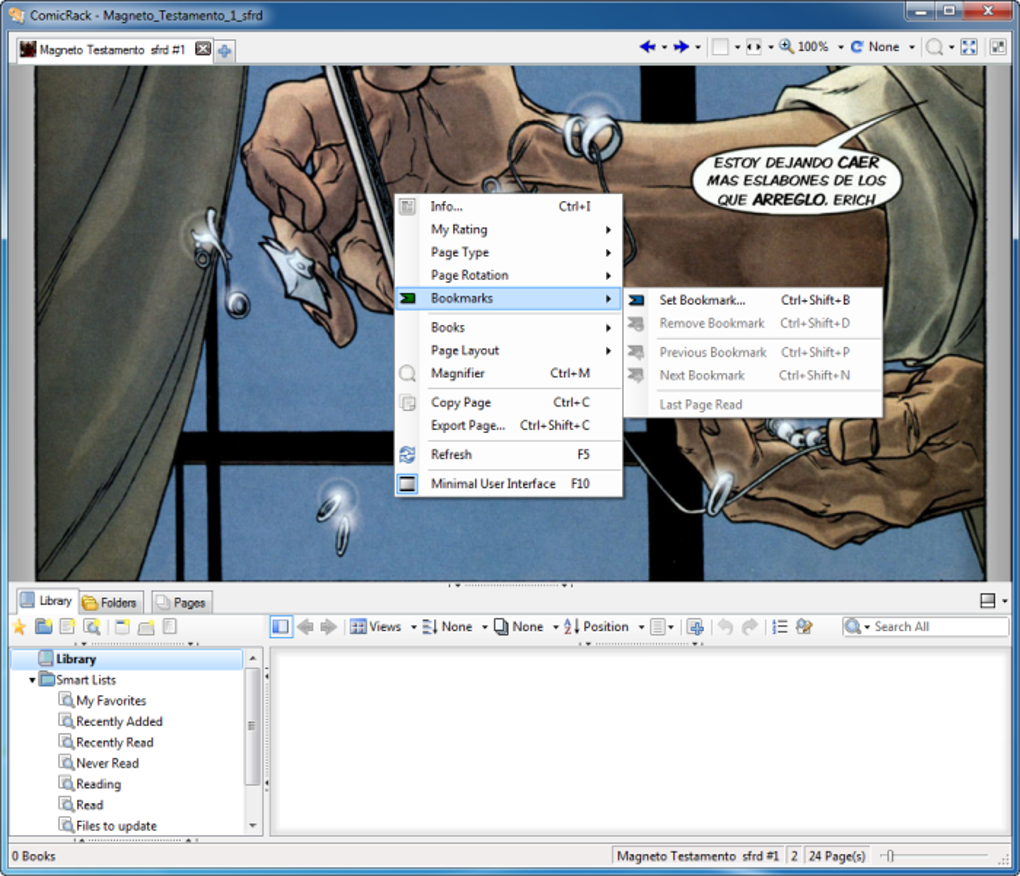
Minor UI glitches, such as the occasional random appearance and disappearance of lists and panes, were reported. Although the program was considered relatively stable, these issues underscored the potential need for bug fixes and further refinement of the software’s overall stability. Spending time in the settings menu allowed for comprehensive customization of the application’s appearance and functionality.
Comparison with Other Readers and Overall Assessment
ComicRack differentiated itself from other comic book readers and generic PDF viewers like Adobe Digital Editions by offering a superior blend of organizational tools and reading enhancements. It delivered a sophisticated, tailored reading experience that went beyond the limitations of simple e-book readers. Compared to alternatives like Kindle and Google Play Books, which primarily focus on e-books, ComicRack provided specialized features critical for enjoying digital comics.
It’s crucial to note that ComicRack lacked an integrated marketplace for purchasing comics. This meant users had to source their comics from external sources. However, this limitation did not significantly detract from the program’s core strength: its superior ability to manage, organize, and display comic book collections. The existence of both paid and free versions allowed users to try before committing to the paid version.
Although no longer available for download, ComicRack represented a significant achievement in comic book reading software. Its user-friendly interface combined with advanced features and customization options made it a favorite among many users. Its robust organization tools and ability to seamlessly manage large collections proved invaluable to avid comic book fans. Its shortcomings, such as minor UI bugs and the absence of an integrated marketplace, were largely outweighed by its exceptional capabilities. Even today, the absence of a direct successor with the same comprehensive feature set is felt by many in the digital comics community.
File Information
- License: “Free”
- Latest update: “July 11, 2023”
- Platform: “Windows”
- OS: “Windows Vista”
- Language: “English”
- Downloads: “438.8K”


