
In an increasingly connected world, reliable internet access is paramount. Whether you’re at home, in a hotel, or on the go, the ability to share your internet connection with multiple devices can be a lifesaver. This is where tools like Connectify Hotspot come into play, transforming your Windows computer into a robust and secure Wi-Fi hotspot. No longer limited by a single wired connection or struggling with mobile data tethering, Connectify Hotspot empowers users to create a personal wireless network, making internet access universally available for all their devices.
Connectify Hotspot is a specialized utility designed for Windows, enabling your desktop or laptop to function as a virtual router. It harnesses your computer’s existing network card to broadcast a Wi-Fi signal, allowing smartphones, tablets, other laptops, gaming consoles, and any other Wi-Fi-enabled gadgets to connect and access the internet. The application is lauded for its ease of use, automatically detecting and configuring your network hardware to create a seamless hotspot experience. Upon activation, it assigns a network name (SSID) and a strong password, ensuring that your shared connection remains secure and accessible only to authorized users. Compatible with modern Windows versions, including Windows 11, Connectify Hotspot stands as a versatile solution for personal and professional internet sharing needs.
Unlocking Connectivity: What is Connectify Hotspot?
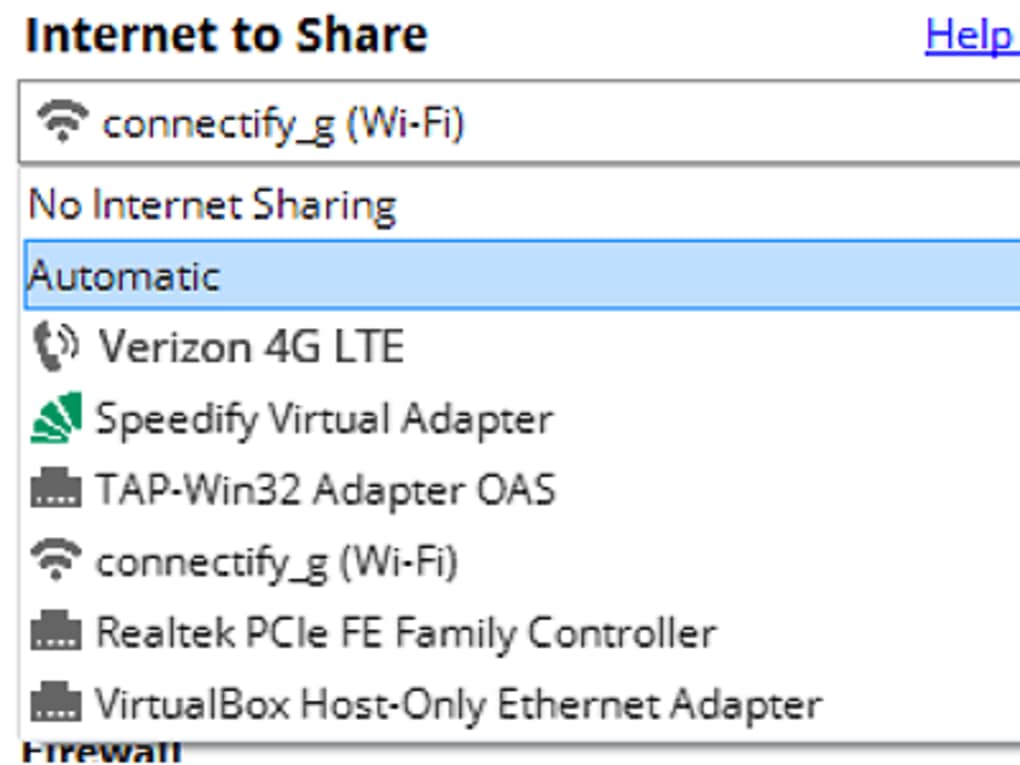
At its core, Connectify Hotspot is a network sharing application that bridges the gap between your computer’s internet connection and other wireless devices. Imagine having a fast Ethernet connection on your desktop, but needing to get your smartphone, tablet, and smart TV online. Or perhaps you’re using a single USB modem for mobile data, and your friends or family also need access. In these scenarios, Connectify Hotspot becomes an indispensable tool. It takes the internet connection your computer is currently using – be it a wired Ethernet connection, a mobile broadband modem (3G/4G/5G), or even an existing Wi-Fi network – and re-broadcasts it as a new, independent Wi-Fi signal.
This functionality is crucial for several reasons. Firstly, it democratizes internet access. Instead of just one device benefiting from a connection, multiple devices can now surf the web, stream content, and stay connected simultaneously. Secondly, it offers unparalleled flexibility. You might be in a situation where only wired internet is available, but you primarily use wireless devices. Connectify Hotspot instantly solves this by converting the wired signal into a wireless one. This ability to transform diverse internet sources into a shareable Wi-Fi network underscores its value.
While the fundamental concept of creating a Wi-Fi hotspot might seem straightforward, Connectify Hotspot distinguishes itself through its comprehensive feature set and commitment to security and performance. It’s more than just a simple internet sharing utility; it’s a virtual router that brings advanced networking capabilities to your personal computer, allowing you to manage and optimize your shared connection effectively.
Key Features and Benefits of Connectify Hotspot
Connectify Hotspot isn’t just about sharing an internet connection; it’s about doing so efficiently, securely, and with added functionalities that enhance the user experience. The application bundles several powerful features that make it a compelling choice for anyone looking to extend their network’s reach and utility.
Secure and Encrypted Connections
Security is a paramount concern when sharing an internet connection, and Connectify Hotspot addresses this head-on. The application automatically secures your newly created Wi-Fi hotspot using WPA2-PSK (Wi-Fi Protected Access II - Pre-Shared Key) encryption. This is the same robust security standard employed by most commercial Wi-Fi routers, ensuring that your network is protected from unauthorized access. WPA2-PSK encrypts all data transmitted over your hotspot, safeguarding your personal information and online activities from potential eavesdroppers. This automatic encryption provides peace of mind, knowing that any device connected to your Connectify Hotspot is operating within a secure digital environment.
Furthermore, Connectify Hotspot allows for the seamless integration of VPN services. If your computer is connected to a VPN, Connectify can share that VPN-secured internet connection with all connected devices. This means that every device accessing the internet through your Connectify Hotspot will also benefit from the privacy and security offered by your VPN, effectively extending your VPN’s protection to all your wireless gadgets without needing to configure VPN software on each individual device. This is a significant advantage for users prioritizing online privacy and anonymity, especially when connected to public or unsecured networks.
Seamless File Sharing and Ad Blocking
Beyond internet distribution, Connectify Hotspot integrates useful functionalities that enhance local network interactions. The application includes a simple yet effective drag-and-drop interface for file sharing. Any device connected to your Connectify network can easily share files with your computer, or your computer can share files with them, directly through the hotspot. This feature eliminates the need for external file transfer services or cumbersome USB drives for local data exchange, making it incredibly convenient for quick sharing of documents, photos, or other media between connected devices. The speed of file transfer is, of course, dependent on the quality and speed of your shared connection, but for local network transfers, it’s typically very efficient.
Another unexpected but highly appreciated bonus feature is the integrated ad blocker. Devices connected to your Connectify Hotspot will experience a significant reduction in online advertisements. The application processes all information flowing through it, and in doing so, filters out ads, leading to a cleaner, faster, and less cluttered browsing experience for all connected users. This not only improves user experience by minimizing distractions but can also contribute to faster loading times and reduced data consumption, which is particularly beneficial if you’re sharing a metered internet connection.
Monitoring and Control
For users who need to keep an eye on their network’s performance and usage, Connectify Hotspot provides essential monitoring tools. While other devices are utilizing your newly created Wi-Fi hotspot, you gain the ability to monitor the amount of network data consumed by each connected device. This feature is particularly invaluable if you are sharing a mobile data connection, such as from a USB modem or your smartphone’s 3G/4G/5G plan, where data limits are often a concern. By providing real-time insights into individual device usage, Connectify Hotspot empowers you to manage your bandwidth effectively, prevent overuse, and avoid unexpected data charges. This level of control is a critical component for responsible internet sharing, allowing you to prioritize usage or even communicate with users about their data consumption habits.
Furthermore, the application often comes with options to manage connected clients, such as seeing who is connected and, in some versions, potentially even limiting their access or blocking unwanted devices. This administrative capability adds another layer of control, ensuring that your hotspot remains secure and your bandwidth is distributed as you intend.
Expanding Your Network’s Reach and Bypassing Restrictions
Connectify Hotspot is more than just a basic hotspot creator; it also boasts capabilities that allow it to act as a Wi-Fi range extender. In environments where your primary Wi-Fi signal might be weak or inconsistent in certain areas, Connectify can leverage your computer’s position to pick up that weak signal and re-broadcast it more powerfully. This unique function means it can serve as a virtual router to amplify an existing Wi-Fi network, effectively extending its range. This is incredibly useful for covering dead zones in a large home or office, allowing devices that would normally be out of reach to connect reliably.
Moreover, Connectify Hotspot offers a clever way to bypass certain device restrictions. Some internet providers or network administrators impose limitations based on device type, preventing certain hardware like gaming consoles, smart TVs, or specific mobile devices from accessing the network directly. Connectify Hotspot circumvents this by making all internet traffic appear as though it originates from your computer. From the perspective of the network provider, it’s just your PC accessing the internet, regardless of how many other devices are actually connected through your hotspot. This “masking” capability allows game consoles to behave as if they were standard computers, enabling them to connect to networks they might otherwise be blocked from, thereby expanding the utility of your internet connection across a wider array of devices.
Understanding Connectify Hotspot’s Use Cases
Connectify Hotspot shines in a variety of practical scenarios, making it a highly versatile utility for diverse user needs. Its ability to transform your computer into a flexible networking device solves numerous connectivity challenges.
One of the most common applications is sharing a single internet connection with multiple devices. Imagine you’re in a hotel room with only one Ethernet port, but you have your laptop, phone, and tablet all needing internet. Connectify Hotspot allows you to connect your laptop to the Ethernet, and then share that connection wirelessly with all your other gadgets, effectively creating your own personal Wi-Fi network in your room. This eliminates the need for multiple paid internet access points or struggling with slow hotel Wi-Fi.
Similarly, if you rely on a USB modem or mobile broadband (3G/4G/5G) for internet access, Connectify Hotspot becomes invaluable. These modems typically provide internet to only one device – the computer they are plugged into. With Connectify, that single mobile data connection can be shared wirelessly with everyone around you, transforming your laptop into a portable Wi-Fi hub. This is perfect for road trips, camping, or any situation where traditional Wi-Fi is unavailable, but you have a mobile data source.
Connectify also excels at converting wired connections to wireless. Many older devices or specific setups still use Ethernet cables for internet. If you have a desktop PC connected via a LAN cable and want to use your phone wirelessly without moving the router, Connectify can turn your PC into an access point for your phone. This extends to scenarios where your home router’s Wi-Fi signal doesn’t reach certain rooms effectively. By placing a laptop with Connectify in a strategic location, it can act as a range extender, boosting the signal where it’s needed most, even if it’s picking up the main router’s signal via an Ethernet connection.
The capability to bypass device restrictions is another significant use case. Some public Wi-Fi networks or even home networks with strict firewalls might block certain types of devices, such as gaming consoles or streaming sticks, from directly connecting. By routing all traffic through your computer running Connectify, these restricted devices can seamlessly access the internet, as their traffic appears to originate from your computer, which is typically whitelisted. This is a game-changer for gamers or streamers who face connectivity challenges on certain networks.
Finally, for users who want to extend their VPN protection to all their devices, Connectify Hotspot offers an elegant solution. Instead of configuring a VPN on each smartphone, tablet, or smart TV, you can simply run your VPN on your computer and then share that VPN-secured connection via Connectify. All devices connecting to your Connectify Hotspot will then automatically inherit the VPN’s benefits, including enhanced privacy and access to geo-restricted content. This centralized approach simplifies VPN management significantly.
While the core functionality of turning a PC into a hotspot is simple, the broad range of problems Connectify Hotspot solves for different users highlights its robust design and multifaceted utility in today’s interconnected landscape.
Interface and User Experience: A Blend of Functionality and Simplicity
The user experience of Connectify Hotspot is characterized by its emphasis on functionality and ease of setup, even if its visual design has remained consistent rather than embracing newer aesthetic trends. The application aims for a “set it and forget it” approach for basic hotspot creation, making it accessible even for users who are not deeply technical.
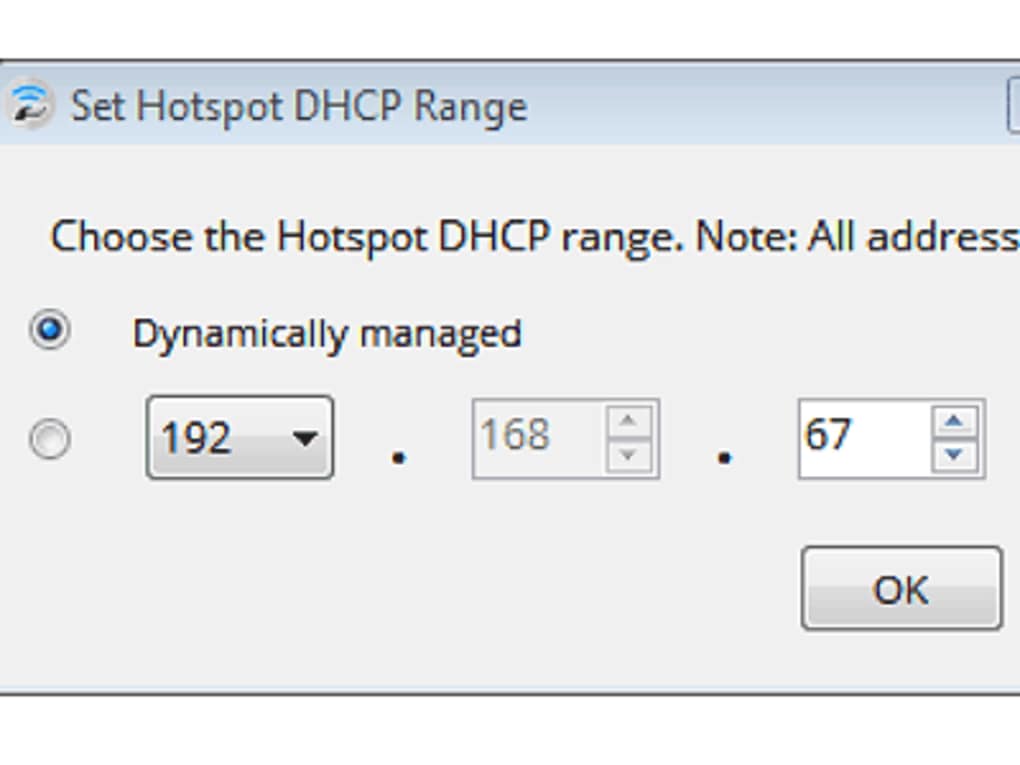
Upon launching, Connectify Hotspot automatically detects your computer’s network cards and available internet connections. This automation is a significant advantage, as it eliminates complex manual configuration steps. It typically suggests an SSID (network name) and a strong WPA2-PSK password by default, ensuring immediate security without user intervention. Users can, of course, customize these settings to their preference. The main interface presents clear options for selecting the internet connection you wish to share and the type of hotspot you want to create (e.g., Wi-Fi Hotspot, Wired Router, or Repeater Mode for extending range).
While the underlying engine and features have seen continuous updates and improvements over the years, users might notice that the graphical interface has not undergone a radical modernization. As noted in the reference, “Recent updates Connectify in 2019 have improved the application, but the developers have not changed the interface to a more modern style.” This means that while the software is compatible with the latest operating systems like Windows 11 and benefits from performance enhancements, its visual presentation might feel a bit dated compared to contemporary applications. However, this doesn’t detract from its core functionality. The interface remains intuitive and easy to navigate, with clearly labeled options and settings. Essential information like connected devices, network usage, and security settings are readily available, allowing users to monitor and manage their hotspot without hassle. The drag-and-drop file sharing feature, for example, is implemented in a straightforward manner, emphasizing usability over elaborate design.
One key consideration for users is the prerequisite of a compatible wireless card. For Connectify Hotspot to function as intended, your computer needs a network card capable of creating a Wi-Fi hotspot. While most modern laptops and many desktops come equipped with such cards, older hardware might pose limitations. However, once this hardware requirement is met, the software handles the rest, simplifying the process of transforming your PC into a versatile network hub. Despite its somewhat classic aesthetic, the efficiency and straightforwardness of Connectify Hotspot’s interface ensure a positive and productive user experience for its intended purpose.
Connectify Hotspot Alternatives: Exploring Other Options
While Connectify Hotspot offers a robust solution for turning your PC into a Wi-Fi hotspot, the market provides several alternative applications that cater to similar needs, each with its own set of strengths and specific features. If Connectify Hotspot doesn’t perfectly align with your preferences or if you’re looking for different functionalities, these alternatives might offer a better fit.
One popular alternative is Baidu WiFi Hotspot. This software is often praised for its simplicity and efficiency. It manages to provide a comprehensive set of features, akin to Connectify, but with a potentially more streamlined user experience for those who prefer minimalist design. Baidu WiFi Hotspot is known for being fast and secure, making it a powerful tool for quickly establishing a shared internet connection without much fuss. It usually offers easy setup, automatic detection of network cards, and robust security features, making it a strong contender for users prioritizing ease of use.
Another excellent option is My Public WiFi. This application is particularly noted for its reliability in maintaining a constant speed for the shared internet connection. While its interface might appear simple, My Public WiFi packs plenty of features crucial for effective internet sharing. Users often appreciate its stability and performance, ensuring that all connected devices receive a consistent and uninterrupted internet experience. It’s an ideal choice for situations where a steady connection is more important than an abundance of extra features.
OSToto Hotspot also stands out as a competent hotspot creator. It effectively performs its primary job – creating a Wi-Fi hotspot – without being overly complicated. One of its key differentiating features is the ability to set a timer for automatically deactivating the connection. This can be incredibly useful for managing data usage, enforcing screen time limits, or simply ensuring the hotspot doesn’t run indefinitely when not needed. OSToto Hotspot focuses on doing its core task well, with a user-friendly approach that minimizes potential headaches.
Other notable alternatives include Free WiFi Hotspot, My WIFI Router, and Mars WiFi - Free WiFi HotSpot. These applications generally offer similar core functionalities, allowing users to turn their computers into wireless access points. Many provide features like WPA2 encryption, network usage monitoring, and support for various internet sources. The choice among these alternatives often comes down to personal preference regarding interface design, specific additional features (like ad blockers or advanced controls), or perceived performance and stability. Each tool aims to simplify the process of sharing internet, providing viable options for users to find the best virtual router software for their specific requirements.
The availability of these alternatives ensures that users have a wide range of choices, allowing them to select a hotspot creator that perfectly matches their technical comfort level, specific sharing needs, and desired feature set. Each offers a slightly different take on the same fundamental problem, providing diverse solutions for turning a Windows PC into a powerful connectivity hub.
The Verdict: Is Connectify Hotspot Right for You?
Connectify Hotspot has established itself as a prime choice for individuals and small groups needing a reliable and feature-rich solution to share internet access from their Windows PC. Its comprehensive suite of functionalities, ranging from secure Wi-Fi broadcasting to ad blocking and file sharing, makes it more than just a simple hotspot creator; it’s a versatile virtual router.
The application’s strengths are evident in its ability to handle diverse internet sources – wired Ethernet, 3G/4G/5G modems, or existing Wi-Fi connections – and transform them into shareable Wi-Fi. The automatic WPA2-PSK encryption ensures that your network is secure by default, a critical consideration in today’s digital landscape. The integrated ad blocker is a delightful bonus, contributing to a smoother browsing experience for all connected devices. Furthermore, features like network usage monitoring and the capability to bypass device restrictions add significant value, offering control and flexibility that basic tethering solutions often lack. The ability to extend Wi-Fi range is another unique selling point, making it useful even in scenarios where you primarily need to boost an existing signal rather than create a new one.
However, Connectify Hotspot is not without its considerations. While the software itself has been consistently updated to ensure compatibility and performance, its user interface has not undergone a significant visual overhaul to match modern design trends. Some users might find the interface to be somewhat dated compared to other contemporary applications. Additionally, a crucial prerequisite for its core functionality is a compatible wireless network card on your computer. While most modern devices possess this, older systems or specific configurations might require a check to ensure full compatibility.
In practical terms, Connectify Hotspot truly comes in handy for what might be considered “unusual jobs” or specific niche requirements. For instance, when your phone has no data, and your only internet source is a USB modem, Connectify turns that single connection into a shared Wi-Fi network for all your devices. Similarly, for hotel stays with limited wired access, it becomes an invaluable tool. For those who travel frequently or operate in environments with inconsistent or restricted internet access, Connectify Hotspot can simplify connectivity challenges significantly.
Pros:
- Easy Activation: Simple and automatic setup for creating a hotspot.
- Robust Security: Utilizes WPA2-PSK encryption for a safe connection.
- Automatic Device Detection: Seamlessly recognizes and connects Wi-Fi-enabled devices.
- Versatile Sharing: Can share internet from any source (Ethernet, 3G/4G/5G, existing Wi-Fi).
- File Sharing Capability: Convenient drag-and-drop interface for local file transfers.
- Built-in Adblocker: Enhances browsing experience for connected devices.
- Network Usage Monitor: Provides insights into data consumption per device.
- Bypass Device Restrictions: Allows gaming consoles and other devices to access restricted networks.
- Wi-Fi Range Extender: Can function as a virtual router to boost existing Wi-Fi signals.
- VPN Sharing: Extends your VPN protection to all connected devices.
Cons:
- Interface Design: The user interface can feel outdated compared to modern software.
- Hardware Dependency: Requires a compatible wireless network card to function, which might be a limitation for some older PCs.
Ultimately, if you’re looking for a powerful, secure, and feature-rich software to turn your Windows computer into a versatile Wi-Fi hotspot, Connectify Hotspot remains a highly recommended choice. Despite its traditional interface, its robust functionality, ease of use, and comprehensive features make it an excellent investment for anyone needing to share, manage, and extend their internet connection across multiple devices. For the latest version and trusted downloads, you can always refer to reliable platforms like PhanMemFree.org to ensure you get the legitimate and most updated software.
File Information
- License: “Free”
- Latest update: “July 11, 2023”
- Platform: “Windows”
- OS: “Windows 8.1”
- Language: “English”
- Downloads: “2.7M”
- Size: “11.18 MB”


