
Connectivity Fixer is a free, user-friendly tool designed to automatically diagnose and repair internet connectivity issues on Windows computers. Its straightforward interface and automated functionality make it a convenient option for users experiencing frustrating connection problems, eliminating the need for complex manual troubleshooting. This review delves into the features, benefits, and limitations of Connectivity Fixer, providing a comprehensive assessment of its effectiveness and usability.
How Connectivity Fixer Works
Connectivity Fixer operates by intelligently examining key aspects of your Windows system’s network configuration. It systematically checks standard settings related to TCP/IP, Winsock, and other crucial components responsible for establishing and maintaining your internet connection. The software’s core functionality lies in its ability to identify potential problems within these settings and apply the necessary corrections to restore connectivity. Upon launching the application, a simple “Fix Now” button initiates the diagnostic and repair process. The program then performs a series of checks, pinpointing inconsistencies or errors that may be hindering your internet access. This automated process streamlines the troubleshooting experience, bypassing the often tedious and technically demanding manual configuration adjustments.
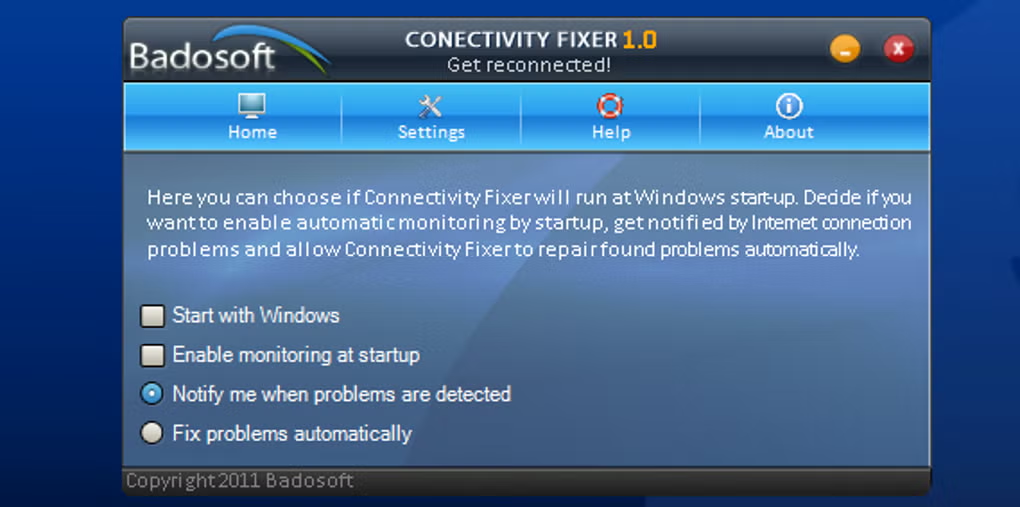
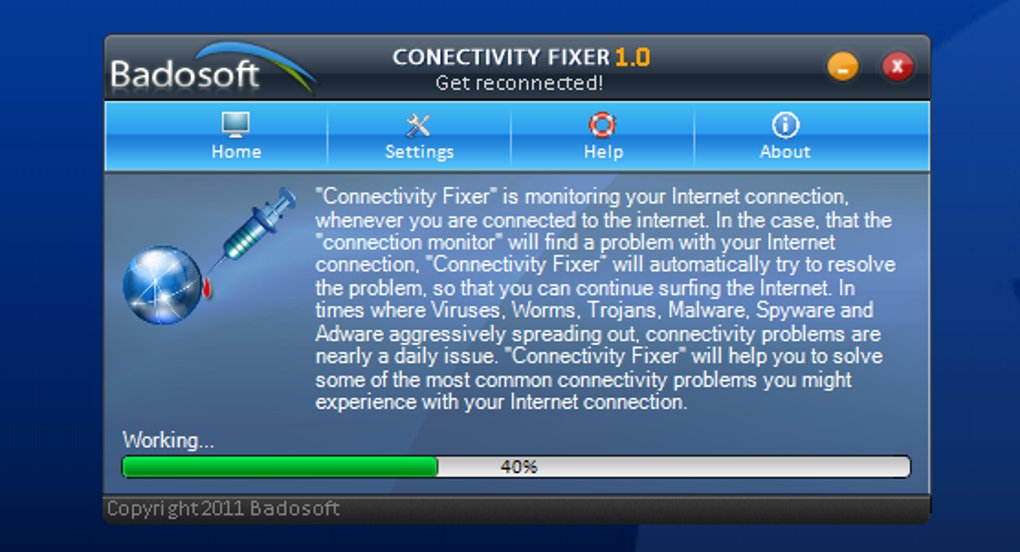
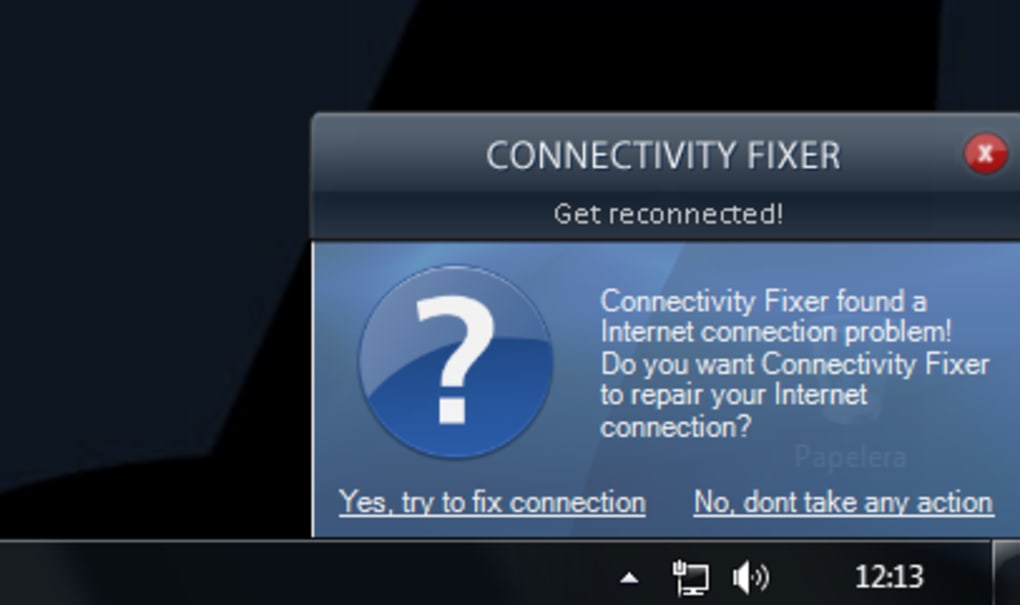
A notable feature is Connectivity Fixer’s real-time monitoring capability. This proactive approach allows the program to continuously observe your internet connection’s status, actively searching for any emerging problems. Should any issues arise, the software automatically initiates the repair process without requiring user intervention. This automated response ensures consistent and reliable internet connectivity, minimizing disruptions and maximizing productivity.
Benefits and Advantages of Connectivity Fixer
The primary benefit of Connectivity Fixer lies in its simplicity and ease of use. Its intuitive interface requires minimal technical expertise, making it accessible to users of all skill levels. The single-click “Fix Now” button eliminates the need for intricate menu navigation or complex command-line inputs. This user-friendly design makes it a particularly appealing choice for individuals who may lack extensive knowledge of network configurations or troubleshooting techniques. The automated nature of the repair process further enhances its accessibility, making it a convenient solution for users who prefer a hands-off approach to resolving internet connectivity problems.
Beyond its user-friendly interface, Connectivity Fixer’s real-time monitoring stands out as a significant advantage. This proactive feature allows for early detection and immediate correction of internet connection problems, minimizing downtime and ensuring uninterrupted access. Unlike many troubleshooting tools that only react to user-reported issues, Connectivity Fixer actively safeguards against connectivity interruptions, providing a more reliable and consistent internet experience. This proactive monitoring feature is particularly valuable for users who rely heavily on a stable internet connection for work, communication, or entertainment.
Limitations and Considerations
While Connectivity Fixer offers several advantages, it’s essential to acknowledge its limitations. One notable drawback is the lack of detailed information regarding the specific changes or adjustments made during the repair process. While this simplification enhances ease of use, it can also limit transparency. Users may appreciate more insight into the specific errors detected and the precise corrective actions implemented. This lack of transparency might prove frustrating for users who prefer a more detailed understanding of the underlying technical issues affecting their internet connection.
Another point to consider is the potential impact of automated changes on system settings. While Connectivity Fixer aims to restore connectivity, there’s a small possibility of unintended consequences. Altering system configurations without explicit user knowledge or consent could potentially introduce unforeseen problems or conflicts with other applications or settings. Although the program aims to ensure safe and effective operation, cautious users may wish to back up important system files before using the application as a precautionary measure.
Alternatives and Comparison
While Connectivity Fixer offers a user-friendly solution to common internet connectivity issues, several alternative applications provide similar functionality with varying features and approaches. Some alternatives may offer more detailed diagnostic information, allowing users to understand the root causes of their connectivity problems. Other alternatives might focus on specific aspects of network configuration or provide more advanced customization options. The choice between Connectivity Fixer and other available tools ultimately depends on individual needs and preferences. Some users might prefer the simplicity and automation of Connectivity Fixer, while others might prioritize detailed diagnostic information or advanced customization capabilities offered by alternative solutions. It is recommended to carefully compare the features and functionalities of different applications before selecting the most suitable option for specific needs. Evaluating user reviews and online feedback can provide further insights into the strengths and weaknesses of various alternatives.
The selection process should consider factors such as the level of technical expertise, the extent of customization needed, and the preferred level of transparency in the repair process. Ultimately, the best tool will depend on individual user requirements and preferences, ensuring the optimal balance between ease of use, diagnostic capabilities, and overall functionality.
Conclusion: Is Connectivity Fixer Right for You?
Connectivity Fixer presents a viable solution for users seeking a simple, automated approach to resolving common internet connection problems on their Windows computers. Its intuitive interface and real-time monitoring capabilities make it an appealing option for users who prioritize ease of use and a proactive approach to maintaining a stable internet connection. However, the lack of detailed information on the changes made during the repair process and the potential for unintended consequences associated with automated system modifications are aspects to consider.
If user-friendliness and automated problem-solving are paramount, and the need for detailed technical insight is less critical, Connectivity Fixer is a worthy candidate. The simplicity of its single-click operation significantly simplifies the process of troubleshooting common connectivity issues, providing a quick and efficient remedy for frustrating internet disruptions. However, users who value detailed diagnostic information, comprehensive control over system settings, or advanced customization options might find more suitable alternatives among the broader range of available network troubleshooting tools. Weighing the benefits of the software’s ease of use against its limited transparency, as well as assessing individual needs and preferences, will allow users to determine whether Connectivity Fixer is the right choice for their specific circumstances.
File Information
- License: “Free”
- Latest update: “July 11, 2023”
- Platform: “Windows”
- OS: “Windows Vista”
- Language: “English”
- Downloads: “104.2K”
- Size: “3.96 MB”


