
ContaCam offers a compelling solution for individuals and small businesses seeking affordable and effective video surveillance. This Windows-based application stands out amongst free monitoring systems for its robust feature set and user-friendly interface. While limitations exist, particularly concerning remote access, its ease of use and powerful capabilities make it a strong contender in the home security and small-business surveillance market.
ContaCam’s Strengths: Simplicity and Effectiveness
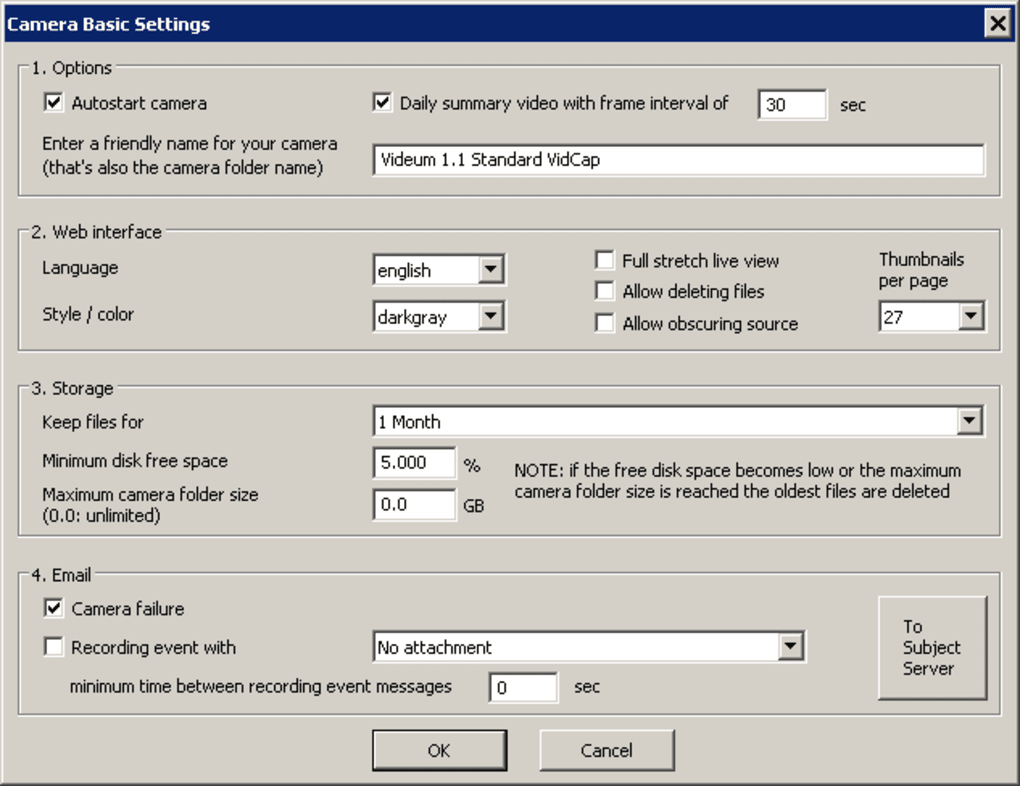
ContaCam’s primary appeal lies in its simplicity and effectiveness. The software is remarkably bloat-free, boasting a clean and intuitive interface. Setting up basic surveillance is straightforward, requiring minimal technical expertise. Users can quickly define areas of interest within the camera’s view, configure desktop and mobile alerts for motion detection, and specify recording durations, all through a clear and concise menu system. This ease of use makes ContaCam accessible to a wide range of users, regardless of their technical background.
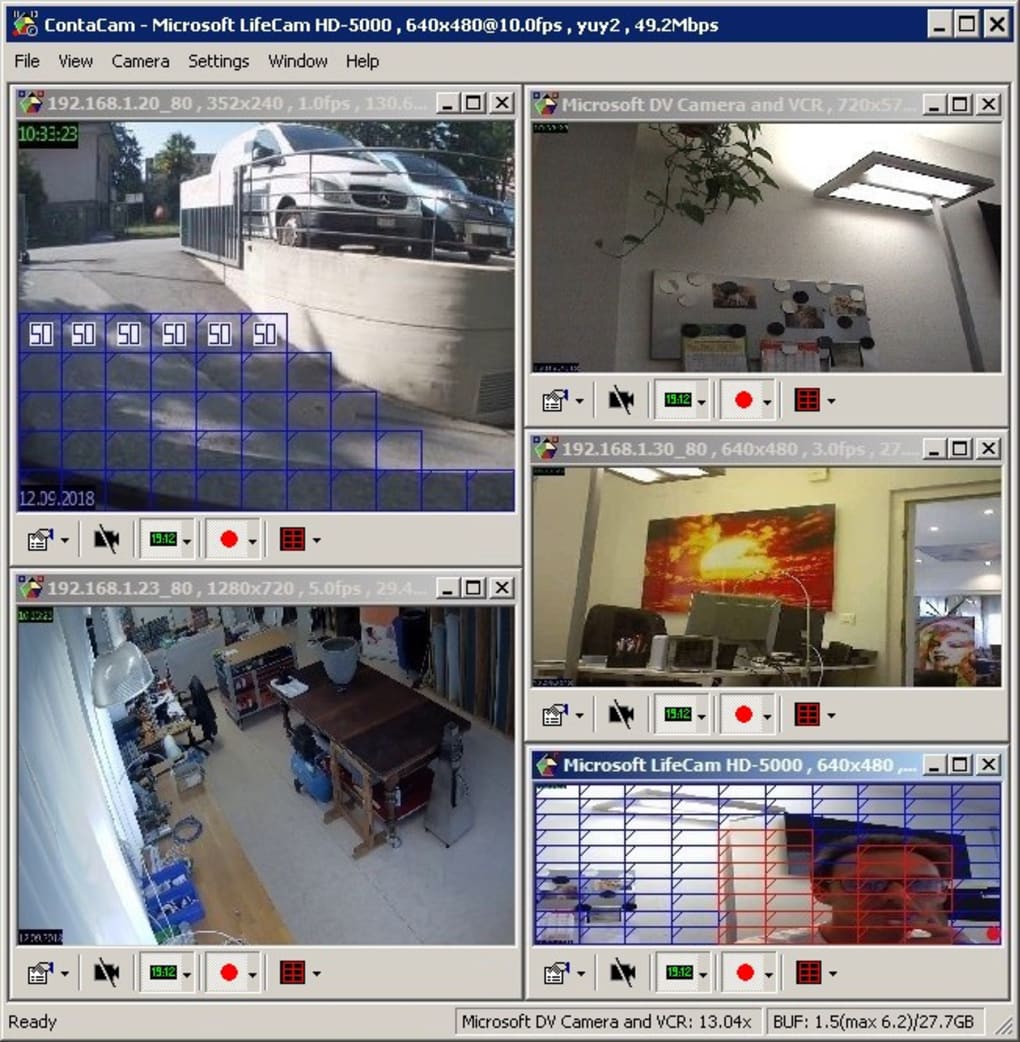
One of ContaCam’s key strengths is its broad compatibility. It supports a variety of camera types, including webcams (both WDM and digital video), and IP cameras, offering flexibility depending on user needs and existing hardware. This versatility expands ContaCam’s reach beyond simply webcam-based surveillance, accommodating more sophisticated setups if required.
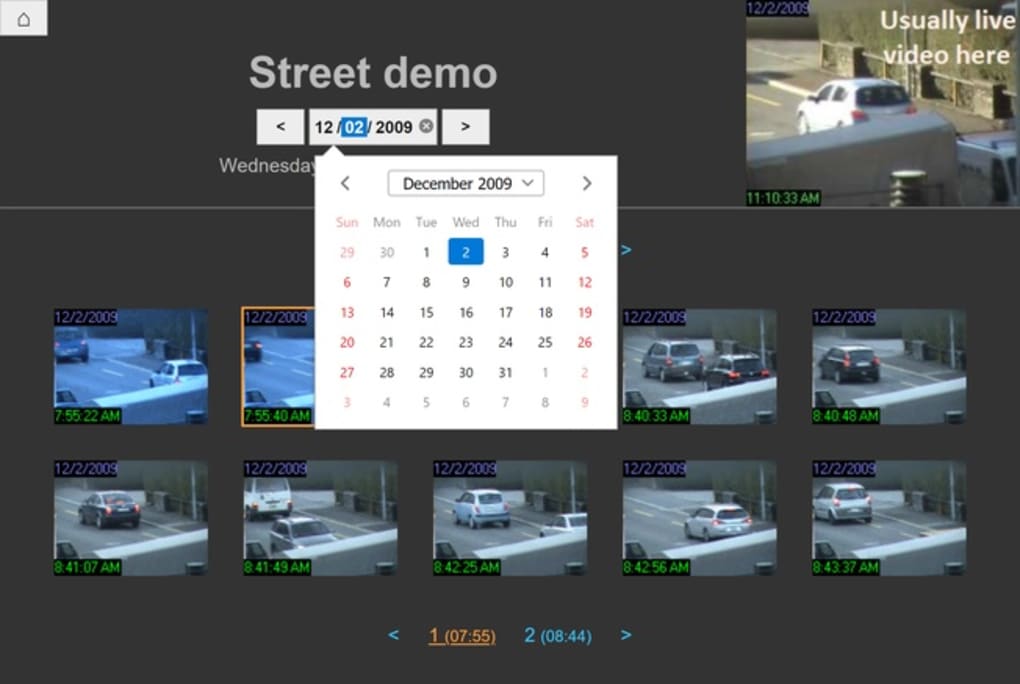
Beyond basic monitoring, ContaCam provides several advanced features typically found only in more expensive commercial software packages. The inclusion of motion detection, for example, allows for event-based recording, conserving storage space by only saving footage when activity is detected. This is a significant advantage over continuous recording, which can quickly consume large amounts of storage. Furthermore, the detailed event history feature allows users to review past recordings, providing a valuable record of detected activity.
The software’s lightweight nature ensures minimal impact on system performance, making it suitable for even less powerful machines. This is a critical consideration for users who might be running ContaCam on older or less resource-intensive PCs. The fact that it can run directly as a native Windows service further contributes to its seamless integration within the operating system.
Addressing ContaCam’s Limitations
While ContaCam shines in its ease of use and feature set, it’s important to acknowledge its limitations. The most significant drawback is its exclusive compatibility with the Windows operating system. Users on macOS, Linux, or other platforms will find ContaCam incompatible, significantly restricting its potential audience.
Another challenge involves setting up remote viewing. While the software itself is straightforward, configuring remote access can prove problematic due to firewall restrictions and the complexities of dynamic IP addresses. This requires a degree of technical understanding to overcome, potentially presenting a hurdle for less technically inclined users. The lack of built-in support for simpler remote access methods, such as cloud-based solutions, further complicates this process.
While ContaCam’s features are impressive for a free application, certain advanced functionalities found in paid software are absent. For instance, the lack of sophisticated analytics, such as facial recognition or object tracking, may be a limiting factor for users requiring more in-depth analysis of recorded footage. These features, while not essential for basic surveillance, are increasingly common in commercial-grade systems.
Finally, the absence of comprehensive documentation and readily available support resources may hinder troubleshooting for users encountering unexpected issues. While the user interface is intuitive, having extensive documentation or online forums could improve the overall user experience and assist users in resolving problems efficiently.
ContaCam’s Target Audience and Use Cases
Despite its limitations, ContaCam caters effectively to a specific user demographic and a variety of use cases. Its ideal users are individuals and small businesses who prioritize ease of use, effectiveness, and affordability above advanced features and cross-platform compatibility. The software’s strengths in basic surveillance and motion detection make it particularly well-suited for home security applications, such as monitoring entrances, garages, or other vulnerable areas.
Small businesses, particularly those with limited budgets, can find ContaCam a cost-effective solution for monitoring their premises, particularly for applications requiring basic security and minimal surveillance requirements. Its ease of use means that employees with limited technical skills can readily manage and operate the system without requiring extensive training.
ContaCam: A Detailed Comparison with Alternatives
ContaCam competes within a crowded market of both free and paid video surveillance software. Many free options offer limited functionality, focusing solely on basic recording capabilities without sophisticated features. Paid options, on the other hand, typically provide a more comprehensive package with advanced features, but at a significant cost. ContaCam occupies a unique niche, offering a balance between functionality and cost-effectiveness.
Compared to completely free alternatives, ContaCam’s strengths lie in its superior user experience, more extensive feature set (including motion detection and event logging), and better compatibility with various camera types. However, compared to paid alternatives, ContaCam lacks advanced features such as facial recognition, object tracking, and sophisticated analytics. The difficulty in setting up remote access also represents a significant drawback when compared to many commercial products offering cloud-based remote viewing.
The choice between ContaCam and its alternatives ultimately depends on individual needs and priorities. Users seeking a simple, free, and effective basic surveillance solution will find ContaCam a compelling option. However, those requiring advanced features, cross-platform compatibility, or easy remote access might find paid alternatives more suitable.
Conclusion: ContaCam – A Solid Choice for Basic Surveillance Needs
ContaCam provides a viable and appealing solution for basic video surveillance needs. Its combination of simplicity, effectiveness, and cost-effectiveness makes it a strong contender in the market for free security software. While it lacks some advanced features and struggles with remote access setup, its intuitive interface and extensive compatibility with various cameras provide a valuable tool for homeowners and small businesses seeking straightforward security monitoring. The target audience for ContaCam is clear: individuals and smaller businesses prioritizing ease of use and functionality over extensive advanced features and complex remote access capabilities. Users who understand its limitations and appreciate its strengths will find ContaCam to be a very satisfactory choice.
File Information
- License: “Free”
- Latest update: “May 22, 2023”
- Platform: “Windows”
- OS: “Windows 8.1”
- Language: “English”
- Downloads: “10.4K”
- Size: “21.09 MB”


