
The digital age has revolutionized the way we consume information, particularly books. Electronic books, or ebooks, offer convenience, portability, and accessibility unparalleled by their physical counterparts. However, the plethora of ebook formats can present challenges. One common issue is the incompatibility between different ebook readers and their supported file formats. This guide focuses on converting EPUB files, a widely used ebook format, to PDF, a ubiquitous and universally compatible document format. We’ll explore the reasons behind needing such conversions, the various methods available, and the advantages and disadvantages of each. We will also discuss choosing the right converter and troubleshooting potential problems.
Why Convert EPUB to PDF?
EPUB (Electronic Publication) is a popular open standard for ebooks, offering features like reflowable text, allowing text to adjust to different screen sizes. However, not all devices or software applications seamlessly support EPUB files. PDF (Portable Document Format), on the other hand, is renowned for its cross-platform compatibility and its ability to preserve the original formatting of a document, including images, fonts, and layouts. This inherent versatility makes PDF a highly desirable format for several reasons:
-
Universal Compatibility: PDF files can be opened on virtually any operating system (Windows, macOS, Linux) and on a wide range of devices (desktops, laptops, tablets, smartphones), without requiring specific ebook reader software. This makes them ideal for sharing and accessing ebooks across different platforms.
-
Preservation of Formatting: EPUB files, while flexible, can sometimes experience formatting inconsistencies when viewed on different devices or readers. PDFs, by contrast, retain the original formatting, ensuring consistent appearance regardless of where the file is opened. This is especially important for documents with complex layouts, images, or embedded multimedia.
-
Archiving and Long-Term Storage: PDF’s robustness makes it suitable for long-term archiving. The chances of a PDF file becoming inaccessible due to outdated software or format obsolescence are far lower than for other formats.
-
Print Functionality: While EPUB files can be printed, the results are often suboptimal. PDFs offer superior print quality and allow for greater control over the printing process, making them ideal for creating high-quality printed copies of ebooks.
-
Accessibility Features: PDF files can incorporate accessibility features, such as tagged PDFs, to enhance readability for visually impaired users. These features ensure greater inclusivity and accessibility for a wider readership.
-
Digital Rights Management (DRM): Some EPUB files have DRM restrictions that limit their accessibility. Converting an EPUB to PDF might, in some cases, circumvent these restrictions, allowing greater control over your own ebooks. However, this practice might be illegal depending on the licensing terms of the ebook. Always respect copyright laws.
- Specific Software Compatibility: Some specialized software or applications might require PDF input rather than EPUB. This is particularly true for certain types of document management systems or editing tools.
Methods for Converting EPUB to PDF
Several methods allow you to convert EPUB files to PDF format. Each has its own advantages and disadvantages, influencing the choice depending on your needs and technical skills.
1. Online Converters: Numerous websites offer free EPUB to PDF conversion services. These are often convenient for occasional conversions, requiring no software downloads or installations. However, they might have limitations on file size, processing speed, and data security. Always exercise caution when uploading sensitive documents to online services.
2. Dedicated Software: Several dedicated applications are designed specifically for ebook conversion. These often offer more features, such as batch conversion, advanced settings for customizing the output, and better support for various file formats. Examples include Calibre, a versatile ebook management tool with robust conversion capabilities, and specialized EPUB-to-PDF converters available for download.
3. Using Built-in Features: Some word processing software or e-readers have integrated functionality that can convert EPUB to PDF. This is often the most convenient option if you already have such software installed. However, this feature may not be universally available or as efficient as dedicated converters.
4. Programming Scripts: For advanced users with programming skills, using scripting languages such as Python with libraries like ebooklib can offer a flexible and customizable conversion approach. This method is not recommended for casual users due to its complexity.
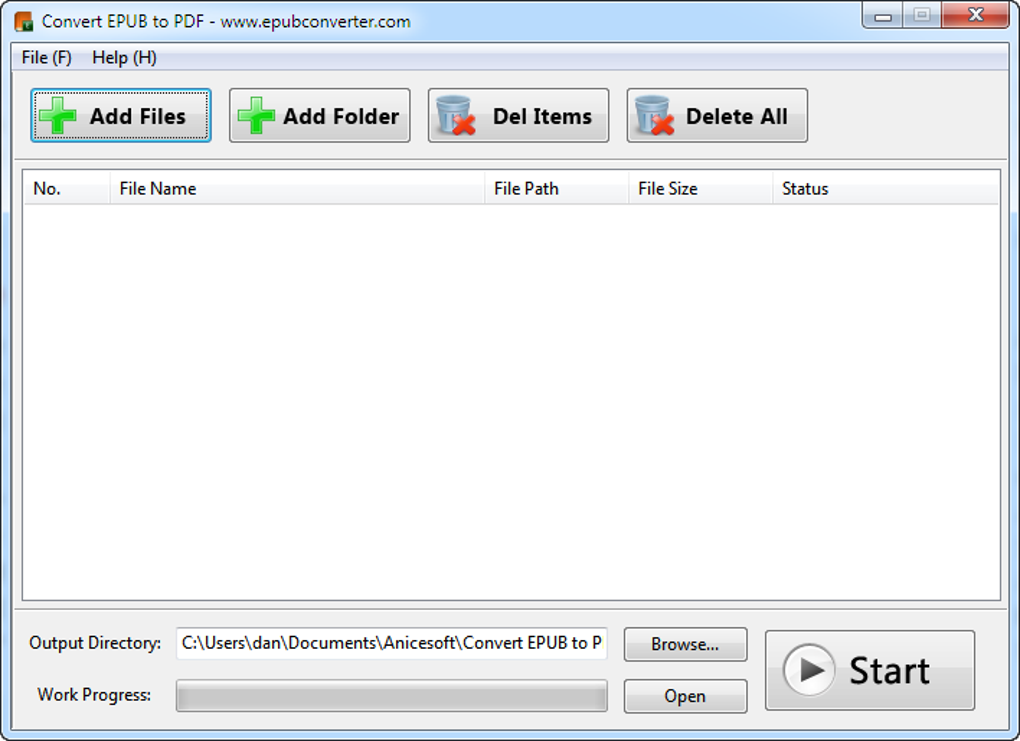
Choosing the Right EPUB to PDF Converter
Selecting the appropriate conversion method depends heavily on your individual needs and preferences.
-
For occasional conversions of small files: An online converter might suffice. Look for reputable services with strong privacy policies.
-
For frequent conversions or larger files: A dedicated software application is recommended. Consider features like batch conversion, support for various input/output formats, and the ability to customize output settings (e.g., page size, margins).
-
For advanced users needing fine-grained control: A programming script provides the most flexibility, but demands significant technical expertise.
-
For simple, built-in functionality: Check if your existing software (e.g., Microsoft Word, a dedicated e-reader) offers EPUB-to-PDF conversion.
Regardless of the chosen method, ensure the selected converter has a good reputation, positive user reviews, and a strong commitment to data privacy and security. Be wary of converters that request excessive permissions or lack transparency about their data handling practices.
Troubleshooting Common Conversion Issues
While EPUB to PDF conversion is generally straightforward, several issues can sometimes arise.
- Formatting Errors: Some converters may not perfectly replicate the original formatting of the EPUB file. Experiments with different converters may be needed to achieve the optimal result.
-
Image Loss or Corruption: Images embedded in the EPUB might not be rendered correctly in the resulting PDF. Using a high-quality converter can mitigate this risk.
-
Slow Conversion Speeds: Converting large EPUB files can be time-consuming. Opting for a powerful converter with efficient algorithms can significantly reduce processing time.
-
File Size: The resulting PDF might have a significantly larger file size than the original EPUB. This is especially true if the EPUB contains many high-resolution images.
-
Software Compatibility: Ensure that the chosen software or online service is compatible with your operating system and device.
If you encounter any problems, check the converter’s documentation, search for solutions online, or contact the software’s support team for assistance.
Conclusion: Streamlining Your Ebook Experience
Converting EPUB to PDF offers a solution for enhancing ebook accessibility and usability. By selecting the right method and understanding the potential issues, you can ensure a smooth and efficient conversion process, ultimately enriching your ebook reading experience. Remember always to respect copyright laws and only convert ebooks you own the rights to. The availability of various conversion methods caters to different levels of technical expertise and individual preferences, making it possible for everyone to leverage the advantages of PDF’s universal compatibility and formatting preservation.
File Information
- License: “Free”
- Latest update: “July 11, 2023”
- Platform: “Windows”
- OS: “Windows XP”
- Language: “English”
- Downloads: “278K”
- Size: “134.83 MB”


